# Thagomizer

> Where I blog about code, the tech industry, and managing in the tech industry.

---

# Namespaces, models, and rails associations

> Last updated: 2010-07-04

I spent several hours banging my head against this. I figured I'd
share the solution that a co-worker eventually showed me.

I was working with 3 models all inside the same module.

```ruby
class Billing::Customer < ActiveRecord::Base
  has_and_belongs_to_many :Orders
end

class Billing::Orders < ActiveRecord::Base
  belongs_to :Department
end

class Billing::Department < ActiveRecord::Base
end
```

In the controller for model for Customers I wanted to allow users to
filter the entire list of customers by various criteria. One of the
filters was for first name, which is an attribute of the customer
model. I could do the search like this:

```ruby
Billing::Customer.find(:all, :conditions => "first_name LIKE ")
```

A second filter was only customers who had ordered something. This
was also easy using the :include parameter to the find method.

```ruby
Billing::Customer.find(:all,
                       :conditions => "Orders.id IS NOT NULL", 
                       :include => [:Orders])
```

But the third filter was trickier. I wanted to list the customers
that had orders associated with any department. 

Without the namespace this is the proper way to do a find with nested includes.

```ruby
Billing::Customer.find(:all,
                       :conditions => "Departments.id",
                       :include => [:Orders, {:Orders => :Department}])
```

Because the Orders model is in the Billing module that returned an
error that "Orders" was an uninitialized constant. It worked at the
rails console if I first ran include Orders but I couldn't make it
work in my controller.

The proper way to do this with namespaced models is to make the
association more explicit by specifying the class names.

```ruby
class Billing::Customer < ActiveRecord::Base
  has_and_belongs_to_many :Orders, :class_name => "Billing::Orders"
end
```

With that change the find worked properly and I was able to do the search.

---

# The Graph Gem

> Last updated: 2011-04-26

![Example Multi-colored Graph](/img/graph_example.jpg)

One of my favorite gems is [Graph](http://rubygems.org/gems/graph). At
work we have a lot of data and graph makes it easy to see patterns and
get the 10,000 foot view.  The diagram is a visual representation of a
several thousand line XML file.  I used Nokogiri to extract the data
and Graph to build the visual representation.  I wrote about a hundred
lines to generate the diagram, much of which is parsing the XML files
and some additional CSV files.

---

# A Taste of Prolog at Cascadia 2012

> Last updated: 2012-08-02

I'll be giving a talk called "A Taste of Prolog" at Cascadia Ruby Conf.  

Slides for my talk are [here](/../files/prolog_cascadia_12.pdf).

This talk covers the basics: facts, rules, questions, recursion,
lists, and a little on pattern matching. To keep to my 30 minute time
limit I had to leave out several more complicated examples.

If you'd like to see more Prolog code come find me at the conference
and I can show you some more complicated examples.

---

# Pomodoro Technique and Vitamin-R

> Last updated: 2012-09-01

Like most people, I have days where I find it hard to concentrate and be
productive. A couple years ago someone introduced me to [Pomodoro
Technique](http://www.pomodorotechnique.com) and Vitamin-R as a way to combat distraction. 

The gist of Pomodoro is that you alterate 25 minutes of focused work
with 5 minute breaks. One 25/5 cycle is called a Pomodoro. After four
Pomodoros you take a longer 15 minute break. 

The idea of setting a timer and focusing on one thing while it ticks
isn't new. I've seen this idea all over the internet. The nice thing
about Pomodoro is that one cycle is 30 minutes. This fits nicely
around meetings and other scheduled commitments.  

I used a number of different methods for timing Pomodoros. Kitchen
timers and the time on my phone don't work at the office because they
make noises that distract others. I also tried several 'egg-timer'
applications on both mac and pc. They worked but it was annoying to
have to set the timer for 25 minutes, then 5 minutes, than 15 minutes
over and over.

Two or three years ago someone showed me [Vitamin-R](http://www.publicspace.net/Vitamin-R/index.html). At the basic level
its a timer app that has built in support for breaks. It has UI to set
a goal for each Pomodoro and you can drag goals in from apps like
Omnifocus and Things.

I only use a small set of the features in Vitamin-R. In addition to
the timer and goal setting I also use its UI for eliminating
distractions. This allows me to close or hide applications in bulk so
that only relevant applications are running while I work. I also use
the background noise generator when I'm having a very hard time
concentrating. Having the backgroun noise on in addition to the music
I normally listen to downs out even the loudest of my co-workers and
helps me stay on task. 

After several years I still don't Pomodoro every day but when I'm
distractable or tired it really helps me focus on what I need to get
done. I recommend that everyone try it at least a few times to see if
it will work for them.

---

# Code Drives

> Last updated: 2012-09-26

This summer [Ryan](http://blog.zenspider.com) and I have been going on
Code Drives every week or two. For a Code Drive we pack up our lappies
and usually a book or two, drive to some place pretty, sit down on a
convenient log or bench and write code stopping occasionally to poke at
sea anemones or eat wild blackberries. 

A good portion of my Prolog talk for Cascadia was written sitting next to Puget
Sound at [Mukilteo Lighthouse
Park](http://en.wikipedia.org/wiki/Mukilteo_Lighthouse_Park) and
[Carkeek Park](http://en.wikipedia.org/wiki/Carkeek_Park). We've also
been out to Mill Pond Road in Snoqualmie a number of times. Its neat
because there's a pond with an island and the island also has a pond.  

I've become a big fan of code drives because I get bored sitting
around at home. I'm also less productive at home. I like working in
cafes but actually get out and seeing Washington during the prettiest
time of year while still getting to write code has been awesome.

Here are some pictures of our adventures this summer:

<a href="/img/carkeek1.jpg"><img src="/img/carkeek1.jpg" alt="Carkeek Park" height="30%" width="30%"></a>
<a href="/img/carkeek2.jpg"><img src="/img/carkeek2.jpg" alt="Train at Carkeek Park" height="30%" width="30%"></a>
<a href="/img/millpond.jpg"><img src="/img/millpond.jpg" alt="Mill Pond" height="30%" width="30%"></a>
<a href="/img/mtsi.jpg"><img src="/img/mtsi.jpg" alt="Mt Si" height="30%" width="30%"></a>
<a href="/img/ferry.jpg"><img src="/img/ferry.jpg" alt="Coding on a ferry" height="30%" width="30%"></a>

---

# factorial(21) and Mac System Ruby

> Last updated: 2012-11-02

I just got a new macbook air and discovered this problem with the
system ruby. Here's a simple implementation of factorial. 

```ruby
def fact(n)
  return 1 if n.between?(0, 1)
  (2..n).inject(:*)
end
```

When you run it in irb it does what you'd expect:

```ruby
>> fact(1)
=> 1
>> fact(0)
=> 1
>> fact(2)
=> 2
>> fact(5)
=> 120
>> fact(10)
=> 3628800
>> fact(20)
=> 2432902008176640000
```

Until the result won't fit in a Fixnum and needs to fit in a big
num. Then it overflows.

```ruby
>> fact(21)
=> -4249290049419214848
```

My macbook shipped with this version of ruby.

```shell
ruby 1.8.7 (2012-02-08 patchlevel 358) [universal-darwin12.0]
```

This bug isn't in ruby, its in the version that Apple is shipping on
the newest macbooks. Using rbenv I installed the same patch version
and re-ran the factorials.

```ruby
>>fact(1)
=> 1
>>fact(20)
=> 2432902008176640000
>>fact(21)
=> 51090942171709440000
```

---

# Write Code Everywhere

> Last updated: 2012-11-05

Slides from my lightning talk are [here](../../../../files/dr_seuss_code_drives.pdf).

---

# Gosu Makes Writing Games Easy

> Last updated: 2012-11-12

[Gosu](http://www.libgosu.org) is a fantastic little library for making basic 2D games using Ruby. There are extensions to add 3D graphics, common game logic, and a physics engine. You install Gosu the normal ruby way: 

```shell
sudo gem install gosu
```

The basics of Gosu are simple:

1. Write a class that inherits from Gosu::Window
2. In the initializer call super with the width, height, and whether you want your app to be fullscreen
3. define a draw method that uses the Gosu library functions to render graphics on the screen
4. define an update method that makes changes to your game
5. Write Class.new.show
6. That's it

Gosu automatically calls the draw method followed by the update method followed by draw again. It does this as often as it can which means the framerate varies depending on how complicated your draw and update methods are. 

With this basic framework you can make simple animations and 2D
games. Here is a simple animation of a square going diagonally across
the screen.

```ruby
require 'rubygems'
require 'gosu'

class Basic < Gosu::Window
  def initialize
    super(800, 800, false)
    @pos = 10
  end

  def draw
    color = Gosu::Color::FUCHSIA
    self.draw_quad(@pos, @pos, color,
                   @pos + 10, @pos, color,
                   @pos + 10, @pos + 10, color,
                   @pos, @pos + 10, color)
  end

  def update
    @pos = @pos + 1
  end
end

Basic.new.show
```

---

# A Testing Anti-Pattern Safari

> Last updated: 2013-04-04

At Mountain West Ruby Conf 2013 I gave a presentation titled "A Testing Anti-Pattern Safari". Here are the slides.

[A Testing Anti-Pattern Safari](/../files/TestingAntiPatternsPDF.pdf)

The talk goes through the mistakes I and others have made while
learning to do TDD and unit testing. I recommend watching the video
once its available on confreaks so you can see my awesome Safari Hat.

---

# Testing Other People's Code

> Last updated: 2013-05-07

Since my [talk](/../talks/mwrc_13.html) at Mountain West Ruby Conf I've been able to chat with a bunch of people about testing. A number of people had questions or wanted to debate details of the anti-patterns I listed. Others asked about anti-patterns that I had to cut for time. Over the next few months I'll write a blog post about each anti-pattern so that I can go into more depth.

### Anti-Pattern: Testing Other People's Code

When I was learning Rails and TDD I wrote bad tests. Most people do this when they're learning and a lot of people keep doing it after they're past the novice phase. A classic example would be something like this: 

```ruby
class OrderTest < ActiveSupport::TestCase
  
  def test_find_order_by_id
    order = Order.create!

    o = Order.find(order.id)

    assert_equal order, o
  end

end
```

A more experienced Rubyist reviewed that code and asked me, "What are you testing?"

I replied, "I'm testing that find returns the correct record."

He responded, "ActiveRecord has tests for that. You don't need to test it. Test what you provide"

It was a light-bulb moment for me. I'd been unclear about what I should be testing and what was too simple or otherwise wasn't worth the effort. 

#### Test What You Provide / Test The Code You Write

Your tests verify that your code is functioning correctly. Good tests verify the contract/api the software provides to users. Good tests also verify that all the code written is working correctly.

In practical terms this means you shouldn't test things like ActiveRecord::Base#find, setting attributes, and save most of the time.

In typical cases you don't have to write any code to enable this functionality and its already been tested in ActiveRecord.

You should have tests for things you write that extend the base functionality. Validations, associations, and any callbacks you write need at least enough tests to make sure you put the necessary code in the models. 

#### When a library is untested

Another question I've heard a lot is "What if the library I'm using isn't tested/doesn't work/was written by very dumb gerbils?"

The flippant answer is "Find a better library." In ruby land there always seems to be multiple libraries for a given task. Use something like [Ruby Toolbox](http://www.ruby-toolbox.com/) to find something that is tested properly. 

When finding a better library isn't an option I generally write my own tests against the library. I put them in a separate directory from our application tests (even a separate repo). I keep them separate because I want a clear line between "my/our code is broken" and "the library is broken". I have them under different CI runs if possible. 

If the library you are using is open source contribute the tests back to the project so someone else doesn't have to do the same thing you just did. Leaving a project better than you found it is the nice thing to do. 

If the library isn't open source I still try to provide tests I write to the relevant developers. I've found having tests of the contract eliminates a lot of finger pointing when two parts of a system won't talk to each other. They can also help debug changes in a large system by narrowing down where the bug might be.

---

# Effective Tests

> Last updated: 2013-05-14

Another blog post based on my [Testing Anti-Patterns Talk](/../talks/mwrc_13.html)

### Effective Tests

One of the biggest things that helped me understand TDD was to write
out what benefit I gained from having tests. Here's my basic "testing
mission statement": 

> Tests reassure me that I didn't break anything and when I do break things they help me find the problem. 

If tests don't reassure me that everything is okay or they don't help
me find a problem when something breaks they aren't effective. I
believe effective tests have two things in common; they are
trustworthy and they are simple.

#### Trustworthy

A test is trustworthy when it fails when code is broken, passes when
code is working, and tests what it claims to test. I've seen a lot of
tests that aren't trustworthy. The common symptom of an untrustworthy
test is that you're new on the project, you run the tests, and Test
ABC fails. You ask someone else and they say, "Oh yeah, that one. It
fails sometimes just run it again to see if it passes.". This is the
test that cried wolf. It complains and complains when nothing is wrong
and when something is actually wrong you ignore it. 

There are other kinds of untrustworthy tests. There's the test that only
passes when you are on the corporate network. Or the test that only
passes when it should really fail. Or the test that says it
verifies that 144 widgets fit in a case but actually verifies that 12
whazzits are $19.99 with tax. 

Unreliable tests can't be trusted. They don't reassure me that
everything is really okay and they don't help me track down my
bugs. Many people have been put off testing all together because
they've been burned one too many times by an unreliable test.

#### Simple

Tests are only able to help me write better software if I run them
consistently. When its simple to run tests I'm more likely to do
it. Ideally all you need to do to run a test suite is type a single
rake command. 

Effective tests also help me debug problems when they fail. A simple
test that's clearly written with no 'clever' tricks makes it easy to
figure out what failed and follow the problem back to the source. A
complicated test with multiple layers of indirection or nesting can
make it nearly impossible figure out what went wrong.

Also effective tests are simple to write. Testing shouldn't feel like a
wresting with Medusa. It should feel as easy as writing the
implementation. If the testing is painful there's a good chance the
implementation is painful too. In fact, 'hard to get under test', is a
code smell.

---

# Write Tests

> Last updated: 2013-05-17

Another blog post based on my [Testing Anti-Patterns](/../talks/mwrc_13.html) Talk

The most common testing anti-pattern seems to be not writing them to
begin with. In my experience not writing tests is rarely a technical
problem, instead its usually a people problem. People problems tend to
be hard to solve but spending the time to fix them is worth it.

### Not Writing Tests

People have a lot of excuses for not writing tests. Some of my
favorites:

  * I don't know how to write tests
  * I don't have enough time to write tests. This project is already behind schedule.
  * I want to write tests but my boss won't let me. 

Let me go through these one by one.

#### I don't know how to write tests
Its okay if you don't know how to write tests. Today is a great day to
learn. Every language I've used has a test framework. Find one for
your language and start reading the documentation that's usually
enough to get you started. If you need more help there are lots of
blogs, talks, books on automated testing that can teach you basic
concepts and give you ideas for structuring your tests. 

#### I don't have enough time to write tests.

This quote from DocOnDev summarize exactly why not having enough time
to write tests is absurd. 

![Twitter quote](/img/not_writing_tests.png)

Your tests are your safety net. They help ensure your code does what
you want. They make sure you aren't breaking existing code. And if you
do TDD/BDD writing your tests can help you design your algorithms and
focus on one problem at a time. When you are short on time is exactly
when you need your tests to help you out.

#### I want to write tests but my boss won't let me. 

I've been in this situation before and it is tough. I've found that you can
often chip away at these type of objections piece by piece. Start with
a single test in a place with clear benefit. For example, write a test
to ensure a production bug is truly fixed or a test against a commonly
broken user scenario. Enlist the help of your QA team (if you have
one) to advocate for unit tests. Spend downtime back filling tests
against important features. As your boss sees the benefit that tests
offer they may come around. 

So go forth and write tests.

---

# Run The Tests You Write

> Last updated: 2013-05-28

A blog post based on my [Testing Anti-Patterns Talk](/../talks/mwrc_13.html)

### Tests are supposed to help you 
I've cloned a number of repos only to discover that while there are
tests the tests haven't been run in a long time. I usually feel a bit
sad about this. Someone cared enough to write the tests but right now
they're languishing in an un-runnable or failing state. It seems like
such a waste to write the tests and not run them. 

####  Test Before Pushing
The number one recommendation I've received to improve my code quality
is TATFT (Test All The Fucking Time). I like to run autotest in an
emacs buffer while I work so that I can always see the state of the
project. Each time I save test test run and I know if I broke
something. Tight feedback loops make debugging much simpler and help
you correct your errors quickly. It is a lot like checking your
spelling while you type in word processing.

If you can't or won't run a tool like autotest the next best thing is
to run your tests before you push your code. One project I worked on
had a `push` script. It dropped the test database, migrated, and then
ran all the tests. If all those steps passed it then pushed the code
up to github. If any of those steps failed it showed you the error so
you could fix it before you pushed. It probably took our lead 30
minutes to code up and helped two newbies to the project keep the main
branch in good shape at all times. Again, its like spell check. If you
wouldn't turn in an English paper without running spell check don't
turn in your code without running the tests.

#### Use Continuous Integration
Continuous Integration is TATFT at a team level. It makes everyone
aware of the status of the system. It is especially helpful when you
have to work with people who won't run tests locally.

I've used a number of CI systems and haven't found one I think is
perfect yet but there are several that are adequate. Pick one that
meets your needs (easy to setup, runs internally, runs externally,
etc.) and make sure it runs your tests on every commit.

If you have a very large (or very slow) test suite consider building
different CI runs for different purposes. A fast run that checks for
big problems that runs first. After that passes there could be another
script for testing features in more detail, a script that tests UI with
selenium, or a script that tests deployment or setup from
scratch. Breaking it up this way gets the important feedback out while
the developer still remembers what they did and can hopefully fix it
easily.

#### Listen To Your Tests
Finally running your tests often doesn't do a bit of good if you don't
care when they fail. A failing test is saying "Something is wrong". As
a developer it is your responsibility to figure out what is wrong and
fix it. 

A lot of team seems to have a culture to ignore a failing tests or a
red CI run. Often this culture forms because the tests themselves
aren't trustworthy. The team has "that test that sometimes fails when
nothing is wrong" and soon people are ignoring real failures because
they can't remember which one is the inconsistent one. The best way to
fix this is to make your tests trustworthy. If the test is bad delete
it. If the CI system has a bug fix it (or find a new CI). If there is
a broken feature fix it. 

I've also seen folks ignore a red CI by saying "that error is in a
different part of the code I couldn't have possibly broken it" or
"Eddie owns that feature he'll fix it tomorrow". Group code ownership
and knowledge sharing can help alleviate the "not my problem"
mentality. Teams succeed or fail together so you need to own your code
base together. 

#### Automatically Generated Tests
One final word on automatically generated tests. I've seen a number of
rails projects that look well tested on the surface. When you dig
deeper you see a lot of automatically generated tests that don't
reflect the current functionality of the application. I've also seen a
project with more than 20 test files that contained a single "test the
truth" automatically generated test. If you use a library or tool that
generates tests for you either maintain them or delete them. It is
confusing to people joining your project to have a whole bunch of
meaningless or failing tests.

---

# 2.5 hours a week

> Last updated: 2013-06-01

My 8th grade Humanities teacher was one of the best I had in middle
school. Unlike many teachers he wasn't focused on filling our heads with
curriculum. Instead he tried to teach us skills we needed to be useful
adults. 

On the first day of class he told us that one of the most important
things we could learn in his class was to write clearly. As adults it
wouldn't matter so much if we'd read The Red Badge of Courage but it
would matter if we could communicate well in writing.

To achieve this goal he required us to write for 2.5 hours a
week. This was in addition to any essays or other writing assigned by
our teachers. With this assignment his goal was quantity over
quality. He believed that if we each spent over 100 hours just writing
that school year we would improve. I certainly improved during that
year but I also learned not to dread writing and became less
intimidated by a blank page.

I think that the same idea would work well for improving programming
skills. During the month of June I'm going to spend 2.5 hours a week
on my personal programming projects. My rules are simple: 

1. Things I'm paid for don't count toward the goal
2. Time spent writing blog posts, preparing talks, reading stack overflow, etc doesn't count
3. Everything I write toward this goal must be pushed to github 
4. A week starts at Midnight Sunday and ends at 11:59 Saturday
5. To increase my accountability I'll either blog or tweet what I did each week.

I'd love to have others join me. You can tweet at me or email me to let
me know what you spent your two and a half hours on each week. I know
many folks who already spend more than 2.5 hours a week on open source
and personal projects but I also know there are lots of folks like me
who either spend less time or goof off during the time they have set
aside for personal projects.

---

# You Don't Need `assert_nothing_raised`

> Last updated: 2013-06-11

A blog post based on my [Testing Anti-Patterns Talk](/../talks/mwrc_13.html)

According to this
[page](http://whatdoitest.com/rails-assertions-cheat-sheet)
`assert_nothing_raised` is the 9th most commonly used assertion in
ruby. Here's the thing, you don't need it. Further, you get better debugging
information when you don't use it. Here's an example:

```ruby
def raise_something
  raise "WOOT"
end

class Fails < Test::Unit::TestCase

  def test_assert_nothing_raised
    assert_nothing_raised do
      raise_something
    end
  end

end
```

Here's the output from this:

```text
# Running tests:
F

  1) Failure:
test_assert_nothing_raised(TestClass) [assert_nothing_raised.rb:9]:
Exception raised:
<#<RuntimeError: WOOT>>.

1 tests, 1 assertions, 1 failures, 0 errors
```

When you use `assert_nothing_raised` the error trace points you back
at the line with the assertion on it. In this case that's line
9. The output doesn't tell you which line in the block threw the
exception and it doesn't tell you which line in your implementation
threw the exception. This means that when you use
`assert_nothing_raised` you know something went wrong but you don't
know what and you don't know where. It is quite the Schrödinger's cat
of test failures.

Since test_unit and minitest both fail if a test throws an exception
you can just leave out the `assert_nothing_raised` like this:

```ruby
def raise_something
  raise "WOOT"
end

class Fails < Test::Unit::TestCase

  def test_does_not_raise
                              
    raise_something

  end

end
```
Without `assert_nothing_raised` you more details on failure:  

```text
# Running tests:
E

  1) Error:
test_does_not_raise(TestClass):
RuntimeError: WOOT
    assert_nothing_raised.rb:4:in `raise_something'
    assert_nothing_raised.rb:15:in `test_does_not_raise'

1 tests, 0 assertions, 0 failures, 1 errors
```

In this case you know exactly where in the code the exception was
thrown (both in the test and in the implementation). This makes
debugging much easier. Also without `assert_nothing_raised` you have
less overall code. I'd much rather have less code and better output so
I don't use `assert_nothing_raised`.  

If you don't believe me here are two other people discussing this
issue.
[Assert Nothing Tested](http://blog.zenspider.com/blog/2012/01/assert_nothing_tested.html)
[PATCH tests: remove assert_nothing_raised (part 2)](http://rubyforge.org/pipermail/mongrel-unicorn/2012-November/001562.html)

---

# Seeing the Big Picture (Windy City Rails 2013)

> Last updated: 2013-09-13

Data is a hot buzz word in the industry. Every day there are more
startups with “Big Data” somewhere in their elevator pitch. There are
dozens of devices to record how we sleep, what we eat, how much we
exercise, even how often we breathe. Every action we take online
generates data that is stored and analyzed.

Understanding all this data can be difficult. Humans aren’t designed
to see patterns in thousands of lines of json or XML. We are good at
seeing patterns in pictures, graphs, diagrams, and spots in the
underbrush.

Often a simple visualization is what you need to understand a
problem. In this talk, I’ll demonstrate tools that you can use to
quickly generate “back-of-the-envelope” visualizations from a variety
of data sets.

[Slides](../../../../files/dataviz_windy_city_13.pdf)

[Code](https://github.com/thagomizer/data_visualization_talk)

---

# Seeing the Big Picture (GoGaRuCo 13)

> Last updated: 2013-09-20

Data is a hot buzz word in the industry. Every day there are more
startups with “Big Data” somewhere in their elevator pitch. There are
dozens of devices to record how we sleep, what we eat, how much we
exercise, even how often we breathe. Every action we take online
generates data that is stored and analyzed.

Understanding all this data can be difficult. Humans aren’t designed
to see patterns in thousands of lines of json or XML. We are good at
seeing patterns in pictures, graphs, diagrams, and spots in the
underbrush.

Often a simple visualization is what you need to understand a
problem. In this talk, I’ll demonstrate tools that you can use to
quickly generate “back-of-the-envelope” visualizations from a variety
of data sets.

[Slides](../../../../files/dataviz_gogaruco_13.pdf)

[Code](https://github.com/thagomizer/data_visualization_talk)

---

# We're sorry, but something went wrong

> Last updated: 2013-10-21

> "but in this world nothing can be said to be certain, except death and taxes" -- Ben Franklin

If Ben was a programmer, he probably would have said "death, taxes, AND 
BUGS". How we handle things when something goes wrong can be the difference 
between an all-nighter and a good night's sleep.

Drawing on my experience development, QA, and release management I'll 
share ideas for handling the unexpected without losing your mind. I'll 
discuss writing a good bug report, figuring out what is really broken, and 
what to do when it seems like nothing is working.

[Slides](../../../../files/something_went_wrong.pdf)

---

# A World Without Assignment

> Last updated: 2014-03-21

In OO, assignment is one of our main tools. Most developers learn how to store values in variables shortly after learning “Hello World”. By contrast, functional programming makes much less use of assignment and mutation. Instead techniques like function composition, recursion, and anonymous functions are used to produce the same results that OO programmers produce with side effects.

Despite being object oriented, Ruby easily accommodates pure functional approaches. This talk will demonstrate how common programming tasks can be accomplished without assignment or mutation. Ruby and Scheme (a Lisp dialect) will be used for examples. I’ll also discuss some of the great resources available for those interested in digging deeper into functional programming.

[Slides](../../../../files/no_assignment_mwrc_14.pdf)

---

# Seattle.rb May 2014 Coding Challenge

> Last updated: 2014-05-06

I'd like more participants and fewer audience members at Seattle.rb's monthly meeetings. To remedy this I'm putting my money where my mouth is and offering up $100 to be split between two winners of a Coding Challenge during May 2014.

###Rules
*  Contest runs from May 7th 12:00 PM - June 3rd 12:00 PM
*  Winner is the person who completes the most [Project Euler](http://projecteuler.net) problems during the contest period.
*  Solutions may be in any language or a mix of language.
*  The solution for each problem must take less than a minute.
*  All code must be your own work. You can ask questions or discuss with other people but don't copy code from the internet or have other people give you code at meetups.
* There are two divisions:
  * Novice (< 1 year programming)
  * Open (everyone, including novices)

* The winner in each division will receive $50 of my money.
* If less than 10 people participate no prizes will be given.

[Slides](../../../../files/EulerChallengeMay2014.pdf)

---

# Learn To Code Resources: Part One

> Last updated: 2014-06-08

During the last six months it feels like at every Seattle.rb
meeting we have someone who is brand new and asks "How do I learn to
code?" or "How do I learn Ruby?". After answering this question a 6+ times I figured I should write everything down so I wouldn't forget things.
    
What resources are right for a given person will vary a lot. Folks
who've never coded will want different resources than folks who know
another language and now want to learn Ruby. I've broken this up into a series of blog posts, each with recommendations for different audiences.

With a couple exceptions I've tried every resource on this list trying to get a feel for the pedagogy, what is taught, and what types of people will be successful with the material. 

### Part One: Folks That Are Brand Spanking New To Code

When recommending resources for new folks I look for a couple things:

<ul class="disc">
<li>Clear, simple, accurate explanations for all code, vocabulary, and concepts introduced.</li>
<li>Small lessons/chapters that build on each other or review built in.</li>
<li>Someone working alone should have a reasonable chance of success. In practical terms this means the challenge doesn't increase too quickly and there are hints or other ways to get help built in.</li>
</ul>

#### [Learn to Program - Chris Pine](https://pine.fm/LearnToProgram/ "Learn to Program")

I recommend this frequently and have coached a few co-workers through
the material. There is a free edition available online but I recommend
buying the print edition which covers more material and allows you to
annotate and bookmark. I like how Chris Pine builds the material
starting at the "what's a text editor?" level and I've found that each
chapter provides just enough challenge for an interested beginner. I
also appreciate that the explanations are accurate without
overwhelming the learner with new vocabulary and the book itself is
slim and approachable. The "Thoughts for Teachers" section on the
homepage is a good guide for what to keep in mind when teaching or
writing for beginners. When we recommend this book at Seattle.rb we
encourage folks not to finish it in a weekend but to let each chapter
percolate for a couple days and then to come back to us with
questions but YMMV. 

#### [Code Academy - Code Year](http://www.codecademy.com/tracks/code-year "Code Academy - Code Year")

The Code Year track is built from several of the other tracks at Code
Academy. It includes Javascript, HTML, CSS, JQuery, and a bit of
Python. There is easily several weeks to a year's worth of material
here depending on how many hours a week you dedicate to learning. This
is what I recommend to someone who wants to become "a web
developer". I've found the quality of Code Academy's tutorials varies across
tracks but the Javascript and CSS materials are good. I think they
have the right mix of lessons, projects, and review. There are forums
to provide support for the tricky problems if you get stuck. Also, the
feedback on interactive exercises is great and it is hard to "cheat"
or pass without actually doing what is asked. The material was
originally targeted at middle & high school students but doesn't feel
childish and I used this to successfully brush up on Javascript and to
learn CSS before starting a new job. 

#### [Try Ruby](http://tryruby.org/levels/1/challenges/0 "Try Ruby") 

I recommend this when folks want to just play with programming or Ruby
a bit. It is also useful for doing other tutorials if you can't
install Ruby on your computer for some reason. I don't think by itself
this is enough to learn programming but for some people it gives them
the first "Hey, I can do this" experience that they need to dig deeper.

#### [The Little Schemer](http://www.amazon.com/The-Little-Schemer-4th-Edition/dp/0262560992)

The Little Schemer is a great introduction to functional programming
but it is written at a level that even non-coders can understand and
work through it. It is written as a Socratic dialog and I think that
makes it even more approachable. Like Try Ruby I don't think this book
is sufficient to make someone a "programmer" but it is a great
introduction to functions, data types, and the general mindset of
programming.

---

# Learn To Code Resources: Part Two

> Last updated: 2014-06-11

During the last six months it feels like at every Seattle.rb
meeting we have someone who is brand new and asks "How do I learn to
code?" or "How do I learn Ruby?". After answering this question a 6+ times I figured I should write everything down so I wouldn't forget things. I've broken this up into a series of blog posts, each with recommendations for different audiences.

With a couple exceptions I've tried every resource on this list trying to get a feel for the pedagogy, what is taught, and what types of people will be successful with the material.

### Part 2a: Know How to Program But New to Ruby &

### Part 2b: Have Learned the Basics, Now I Need Practice

In high school I taught skiing to children. Initially we focused on basic skills like balance and stopping. Once the basic skills were mastered lesson focused shifted to what we called "mileage". We would expose kids to a variety of terrain and conditions to ensure they could generalize what they had learned and to build endurance and automaticity.

People who've learned the basics of programming (in Ruby or another language) need resources that help them get coding "mileage". The resources below are the ones I've tried and recommend for folks in this stage.

#### [The Ruby Koans](http://rubykoans.com "Ruby Koans")

The Ruby Koans are my first recommendation for folks transitioning to Ruby from another OO language. I like that they are succinct and can be worked through in an evening or one file at a time over a couple weeks. I feel like the koans cover Ruby basics and well as some of "weird" things like re-opening classes and blocks. I also appreciate that TDD and testing are used to drive the learning experience. Testing is part of idiomatic Ruby and Ruby culture and I appreciate resources that drive that home from the beginning.

#### [Exercism](http://exercism.io "Exercism.io")

I like the problems that Exercism presents and I like the format (again, yay for resources that encourage testing). I think the strongest aspect of Exercism is the peer review. In Ruby you can do one thing several different ways but there are some solutions that are more idiomatic than others. For folks who are still writing idiomatic Perl (or C# or Java) in Ruby the low stakes peer review is valuable to learn what idiomatic Ruby looks like.

#### [Project Euler](http://projecteuler.net "Project Euler")

Project Euler is a programming challenge site not a learning resource. That said, the problems are small and perfect for learning Enumerable and the Math parts of the Ruby Standard Library. I think it is best for folks with a strong math background, a solid understanding of high school algebra and geometry are required. I found some basic number theory, graph theory, and CS helpful. I like the fact that the problems are self grading. I will state that the Ruby solutions submitted in the forums (only visible once you've solved a problem) aren't always idiomatic Ruby so don't assume they are "the correct way". I like comparing solutions in different languages to see which languages are best suited to different problems.

#### Personal Projects

Several folks I respect say that the best thing new programmers can do is to write a lot of code. I think there's a lot of truth in [the parable of the pots](http://www.lifeclever.com/what-50-pounds-of-clay-can-teach-you-about-design/). There are two things I think can help newer developers to "just write code". First, remember that it is okay to throw code away. It is also okay to do projects with no practical purpose other than practice. Second, if you can't think of a project look at the things you do frequently and see if there's a program that could make it easier for you.

#### Contributing Open Source

Another common suggestion for folks looking to practice coding is to contribute to open source projects. Finding projects that have issues at your skill level can be hard but they are out there. Frequently newer developers can make better contributions by trying to reproduce issues and contributing to documentation. Contributing in any way to an existing project will require reading existing code which is an undervalued way to improve your own code. If you are looking for an open source project to contribute to start by looking at the things you use regularily or the things that folks you know work on. Contact the authors, tell them you are a beginner, and ask if there's some place you can help.

---

# Learn To Code Resources: Part Three

> Last updated: 2014-06-28

During the last six months it feels like at every Seattle.rb
meeting we have someone who is brand new and asks "How do I learn to
code?" or "How do I learn Ruby?". After answering this question a 6+ times I figured I should write everything down so I wouldn't forget things. I've broken this up into a series of blog posts, each with recommendations for different audiences.

### Part 3a: Seattle Coding Bootcamps

Seattle has two well known coding bootcamps, Code Fellows and Ada Developers Academy. I have some in person experience with participants in each but I've never attended either bootcamp so I don't have first hand experience. YMMV.

#### [Code Fellows](https://www.codefellows.org)

I currently work with a Code Fellows grad and Code Fellows students come to Seattle.rb pretty often. I've seen some of the assignments and I've been impressed with what I've seen. The assignments reflect practical and real world skills that a professional developer needs.

The biggest impression I have of Code Fellows is that you get out what you put into it. The folks I know who've learned the most are incredibly driven and spend 12+ hours a day learning and studying while in the program and at least a few hours a day after graduating.

#### [Ada Developers Academy](http://adadevelopersacademy.org)

Ada is still pretty new. The first class is currently doing their internships and I'm excited to see where they'll be working once interships are over. I saw some interesting and well executed projects from the first cohort and I expect that future cohorts will be just as awesome.

#### General Thoughts On Coding Bootcamps

After being initially skeptical of Dev Bootcamps I've come to appreciate the work they do and believe they have a place in the landscape of "ways people learn to be developers". Still I usually tell folks thinking about a dev bootcamp to consider a couple things:

1. Not all dev bootcamps are the same. Some are targeted at beginners. Some are focused on folks switching technologies or roles. Some have a money back guarantee. Some do not. Do your research. Make sure that the program you are looking at is a good match for your current skills and your career goals.

1. I've yet to see a dev bootcamp that has a 100% placement rate. I'm sure one exists but I'm not aware of it. Before commiting find out how the graduates of the program are doing. How many are employed within 6 months? How many are still in tech a year later? Completing a dev bootcamp does not guarantee a good job. Some companies are still skeptical of non-traditional education. Personally, I know more bootcamp grads that are unemployed or not employed in tech than I do ones who've found tech jobs (there is some sample bias here).

1. Be sure you have the time to invest in a bootcamp. 8-12 hours a day seems common from the successful folks I know. Additionally many bootcamps want their applicants to learn the basics of coding before they apply. I don't think any of this is bad but it something folks should know.

### Part 3b: Other In Person Resources

In addition to dev bootcamps there are other ways to learn and meet other people interested in code in your area. Here are a couple resources for Seattle (all of which have similar groups in other cities).

#### [Seattle.rb](http://www.seattlerb.org)

Seattle.rb aspires to be welcoming to new developers, visitors, and regulars a like. I think we do a good job but a room of nerds can be intimidating to some folks. If you are going to visit Seattle.rb bring a laptop and a project, problem, or question. Find someone who looks like they're coding and say "I'm new can you help me?" or "Are you here for the Ruby Meetup?" If they can't help you they will probably direct you to someone who can.

Not in Seattle? There's most likely a Ruby user group near you. Some will be less beginner friendly than others but give it a shot and ask for their tips about local resources.

#### [RailsBridge](http://railsbridge.org)

RailsBridge workshops are a one day intensive that gives you a taste of programming in Ruby using Rails. You'll probably leave the workshop with a basic website on the internet. This can be a good way to get a taste of Ruby if you've worked in another language (or if you've written code long ago). Keep in mind this is a tasting. You probably won't leave the workshop a Ruby expert but folks at the workshop should be able to direct you to "what next?" resources. RailsBridge is in many cities across the globe. Rails Girls is a similar event with a different curriculum if RailsBridge is not in your area. 

#### [Girl Develop It](http://www.girldevelopit.com)

Girl Develop It teaches a variety of classes in several cities. I don't have any personal experience with their program (yet!) but several folks I know and respect have been involved with Girl Develop It for years. This is a great way to check out a bunch of different things in a friendly, supportive environment.

---

# N Design Patterns You Might Actually Use (Where N < 10) 

> Last updated: 2014-08-11

Imagine a chef who doesn't know what the words braise, julienne, or sauté mean. Even if he is a good chef, and uses these techniques daily, he's not going to be able to work effectively with others. He won't be able to use published recipes. He may struggle to improve his craft since he lacks the vocabulary to ask succinct questions and likely won't understand instruction from other chefs.

Professions have specialized vocabulary for common techniques because it makes communicating and sharing knowledge easier. In programming, design patterns are a large part of our specialized vocabulary. Knowing the names for these common techniques and efficient ways to implement them makes you a better programmer and teammate.

In this talk, I'll discuss design patterns commonly used in web applications. I'll give examples of each and demonstrate how to integrate them into existing projects.

[Slides](../../../../files/design_patterns_cascadia_14.pdf)

---

# What Do I Do With This Giant Pile of Data?

> Last updated: 2014-09-19

Storage gets cheaper every year and as a result many folks are turning into data hoaders. Maybe your current project has gigabytes or even terrabytes of data sitting in storage. Perhaps some has used the words "big data", "data mining", or "personalized experience" as an excuse to keep paying the storage bills.

Do you actually look at that data? How often do you use it? Is it really worth keeping it around? Do you know what questions it can answer?

In this talk I'll discuss how to use data to drive improvement and when to let it go. I'll focus not only on analysis tools, but also on interpretting data and how to decide if your data is valuable or clutter.

[Slides](../../../../files/GoGaRuCo2014.pdf)

---

# Euler Coding Challenges

> Last updated: 2014-10-21

Seattle.rb has had a second Euler coding challenge now and the third is currently underway. I think they've been a successful way of getting more folks to write code. I especially like that we can include both the beginners and the experts and that the contest is self limiting so the same person doesn't win month after month.

### Standard Rules
*  Contest runs from May 7th 12:00 PM - June 3rd 12:00 PM
*  Winner is the person who completes the most [Project Euler](http://projecteuler.net) problems during the contest period.
*  Solutions may be in any language or a mix of language.
*  The solution for each problem must take less than a minute.
*  All code must be your own work. You can ask questions or discuss with other people but don't copy code from the internet or have other people give you code at meetups.
* There are two divisions:
  * Novice (< 1 year programming)
  * Open (everyone, including novices)

* The winner in each division will receive $50 of my money.
* If less than 10 people participate no prizes will be given.
* You must be in the Seattle area to claim your prize.

### How the code works

The first time I did most of the work manually. Now I've got the majority of the process automated via a set of mechanize scripts available on [github](https://github.com/thagomizer/Euler/tree/master/mechanize).

Sign-up happens via a Google Form. I export the Google form in csv. `update_friends.rb` uses the sign up csv to set my Euler friends to the folks participating in that month's challenge.

At the start of the challenge (typically 24 to 72 hours after announcing it) I take a first snapshot of the data using `get_records.rb`. This writes the current number of problems completed for each participant to `records.csv`. Once the contest starts I have this running on an hourly cron so that I get at least one daily snapshot. I can also use the interim snapshots to draw graphs of how many problems were completed as the challenge went along.

At any point I can see the current scores by running `calculate_scores.csv`. This calculates each participants score (`current_num_complete - starting_num_complete`). It then groups the participants by division, sorts the results of each division, and writes the score info to a file.

### What I've learned

Project Euler has a wide range of difficulty. The first 10 or so problems are pretty easy. Using Ruby 1.9 and higher (with the Prime class) naive algorithms can complete those problems with a run time less than a minute.

Problems numbered 50 or higher are significantly more difficult. Solving these problems requires finding some trick or having a good understanding of number theory to figure out. CS fundamentals like caching, p vs np, and dynamic programming come in handy as well. After the first 75ish the problems get hard enough that the $50 prize isn't enough to motivate folks to keep plugging away. As a result the same people aren't winning every month and folks who've never participated before are most likely to win.

The Project Euler problems are very mathy and use a lot of technical math vocabulary. Many of the underlying concepts are grade school math (primes, palindromes, Fibonacci, triangle numbers) but the way the problems are described has been intimidating to some folks.

I've found that many common whiteboard interview questions are similar to Project Euler problems. I know a couple Seattle.rb attendees who have used our challenges as incentive to practice this style of questions. I hope that has helped them do well on interviews. I know it has helped me.

Finally, I've learned that people get competitive and want to see their relative ranks. I want more overall participation and so in the past I've chosen not share scores very often. This was especially true in the first challenge when one participant had 4x the score of the next nearest person. I was concerned that seeing that one individual was so far ahead would discourage others from participating at all.

This time around I've been sharing the scores weekly to see how it changes things. I've been getting more corrections and questions about how the scoring works this time (hence this blog post). I don't think seeing the scores has discouraged any one from participating but it is probably too early to tell.

### What I want to do in the future

I'd like to find a less mathy but similar set of problems to do for a future challenge. Ideally it would be something that has graduated difficulty, has automated grading/scoring, is easy for me to get participants scores, each problem can be done independently, and doesn't take more than a few hours. [Exercism.io](http://exercism.io) is likely to be used for a future challenge. I'd also love to do something like the multi-player challenges from [Code Combat](http://codecombat.com/play/ladder). We'll see what makes it easy enough that I can run a challenge in less than an hour a week.

---

# A World Without Assignment

> Last updated: 2014-11-18

In Ruby, assignment is our primary tool. By contrast, functional programming makes much less use of assignment and mutation. Instead techniques like function composition, recursion, and anonymous functions are used.

Despite being OO, Ruby accommodates pure functional approaches. This talk will demonstrate how tasks can be accomplished without assignment. Ruby and Scheme will be used for examples. I'll also discuss some of the great resources available for those interested in digging deeper into functional programming.

[Slides](../../../../files/rubyconf_14.pdf)

---

# Approaching Rosalind Problems

> Last updated: 2014-11-19

I've been working through the <a href="http://rosalind.info/">Rosalind</a> problems over the last week. They are an interesting set of problems exploring the space between Biology and Computation. I decided to take notes while doing one problem. This blog post is a basic outline of my process for problem solving.

### Step 1 - Read The Problem And Background

Always read the problem. I've gotten a number of problems wrong in programming challenges because I didn't read the instructions thoroughly. Rosalind provides some background info which I've found helpful as well. It is especially good for learning the relevant biology vocabulary. For this blog post I did the problem <a href="http://rosalind.info/problems/iprb/">Mendel's First Law</a>.

### Step 2 - Verify That You Can Read The Data

All of the Rosalind problems supply a data file and I've fallen into a pattern of starting out by reading in the file to ensure I know what's going on. For this problem the provided file is `2 2 2`. Since all the entries are the same it would be hard to verify I was reading and interpreting the file correctly. Because of this I used `1 2 3` as my example file. Then I wrote the code to put each of these values in a well named variable.

```ruby
dominant, hetero, recessive = File.read("iprb.txt").chomp.split(' ').map(&:to_i)

puts "Dominant #{dominant}"
puts "Heterozygous #{hetero}"
puts "Recessive #{recessive}
```

### Step 3 - Ponder And Devise A Strategy

My first strategy was to calculate how many ways there were to have the at least one dominant allele. Here's some basic thoughts on that:
From the background given I know that if one parent has the dominant allele the
the resulting organism must have the dominant allele. Probability of one parent have the dominant allele is

```text
dominant     not-dominant    dominant
--------  + ------------- * ----------
 total         total         total - 1
```

Then I remembered that since there are fewer ways get two recessive alleles I
should calculate that instead and then subtract the result from one. (Basic
law of probability).

#### Math:
Probability of two recessive parents mating:

```text
recessive    recessive - 1
---------  * -------------
 total        total - 1
```

Probability of two heterozygous parents mating:

```text
heterozygous     heterozygous - 1
------------  * ------------------
  total           total - 1
```

Punnet square for heterozygous mating

```text
|   | Y  | y  |
|---+----+----|
| Y | YY | Yy |
| y | Yy | yy |
```

Only 1/4 of those will be recessive so we take the probability of two
heterozygous mating and multiply it by 1/4.

```text
heterozygous     heterozygous - 1      1
------------  * ------------------ * -----
  total           total - 1            4
```

Finally the probability of a heterozygous and a recessive organism mating:

```text
heterozygous     recessive        recessive     heterozygous
------------  * ------------  + ------------ * --------------
  total           total - 1       total          total - 1
```

Punnet square for heterozygous & recessive mating

```text
|   | Y  | y  |
|---+----+----|
| y | Yy | yy |
| y | Yy | yy |
```

In this case half the offspring have two recessive alleles so multiply the
probability by 1/2.

### Step 4 - Write The Code
First thing I realized was that we need floats so I had to change the import code slightly. I changed the to_i to a to_f.

```text
dominant, hetero, recessive = File.read("iprb.txt").chomp.split(' ').map(&:to_f)
```

All my calculations require the total so I do that once:

```text
total = dominant + hetero + recessive
```
Now calculate the probability of two recessive organisms mating:

```text
r_r = (recessive / total) * ((recessive - 1) / (total - 1))
```

Now heterozygous organisms mating:

```text
h_h = (hetero / total) * ((hetero - 1) / (total - 1))
```

Now the hetero + recessive matings:

```text
h_r = (hetero / total) * (recessive / (total - 1)) + (recessive / total) * (hetero / (total - 1))
```

Now I incorporate the fractions from the punnet squares:

```text
recessive_total = r_r + h_h * 1/4 + h_r * 1/2
```

This is the probability of a recessive organism. The problem asked for the
probability of a dominant organism so I take 1 - recessive_total

```text
puts 1 - recessive_total
```

All together:

```ruby
dominant, hetero, recessive = File.read("iprb.txt").chomp.split(' ').map(&:to_f)

total = dominant + hetero + recessive

r_r = (recessive / total) * ((recessive - 1) / (total - 1))
h_h = (hetero / total) * ((hetero - 1) / (total - 1))
h_r = (hetero / total) * (recessive / (total - 1)) +
  (recessive / total) * (hetero / (total - 1))

recessive_total = r_r + h_h * 1/4 + h_r * 1/2
puts 1 - recessive_total
1 - recessive_total
```

When all this code runs it gives `0.78333` which is the expected result.

### Step 5 - Download The Real Data Set

Now I downloaded the real dataset, ran it through my code, and pasted the result into the text box.

### Step 6 - Celebrate

I recommend celebrating with cookies.

### Post-script

This problem can also be solved by simulating all possible matings and then calculating the percentage that have the dominant allele.

```ruby
dominant, hetero, recessive = File.read("iprb.txt").chomp.split(' ').map(&:to_f)

def is_dominant? organism
  organism.include? "Y"
end

d_ary = Array.new(dominant) { ["Y", "Y"] }
h_ary = Array.new(hetero) { ["Y", "y"] }
r_ary = Array.new(recessive) { ["y", "y"] }

ary = d_ary + h_ary + r_ary

children = []

(0...ary.length).each do |i|
  (0...ary.length).each do |j|
    next if i == j
    p1 = ary[i]
    p2 = ary[j]
    children << [p1[0], p2[0]]
    children << [p1[0], p2[1]]
    children << [p1[1], p2[0]]
    children << [p1[1], p2[1]]
  end
end

d_children, r_children = children.partition { |o| is_dominant?(o) }

puts d_children.count.to_f / children.count
```

---

# From the cool_shit file

> Last updated: 2015-02-20

### Origins

For the last 8ish years I've had a file on my computer named "cool_shit". I started it at one Seattle.rb meeting when Ryan Davis and Eric Hodel were teaching me new thing after new thing and I was pretty sure I couldn't remember them all. It is essentially my coding scrapbook/snippets repository. When I started working at Substantial my work computer got a "cool_shit" file as well. Six months ago I realized, "hey I'm no longer a newb, maybe I should organize this better" and the "cool_shit" file became the "resources" directory which contains a few <a href="http://orgmode.org">org</a> files and a handful of ruby files.

What goes in the resources directory? The stuff that I won't memorize but is occasionally exactly what you need. Things like example ruby classes, steps for creating a gem, and shell commands you use once or twice a year. For example, the first entry was <a href="http://ruby-doc.org//core-2.2.0/Comparable.html#method-i-between-3F">between?</a> on comparables. <a href="http://ruby-doc.org/core-2.2.0/Enumerable.html#method-i-each_slice">each_slice</a> went in there after the first Cascadia Ruby Conf.

Here are couple ruby specific things in my resources directory:

### Hash of Arrays
I know a lot of folks (myself included) got thwarted the first time they tried to make a hash of arrays. Usually because they tried something like this:

```ruby
Hash.new []
```

If you've never passed an arg to `Hash::new` go try this in irb. Then realize it doesn't work. It doesn't work because all of your hash entries are sharing the same default value. As in, they are sharing the same *instance* of Array.

The correct way is this:

```ruby
Hash.new { |h, k| h[k] = [] }
```

The block form of `Hash::new` executes the block (with the hash and the key) each time you try to access a key that isn't in the hash. This means each key gets a new instance of Array which is probably what you wanted in the first place.

### HashHash
Sometimes you want nested hashes all the way down. Ryan Davis gave me this example. I don't need it often but when I do I'm glad I don't have to remember about how to do it.

```ruby
class HashHash < Hash
  def initialize
    super { |h,k| h[k] = HashHash.new }
  end
end
```

### rescue nil
One of the first things I learned from the folks at Seattle.rb is that `.nil?` is a code smell. You can almost always design your code so that you don't need it. Usually I use things like a postfix if: `m = x.max if x`. But if I'm trying things out or refactoring some poorly written ruby the following is quite handy.

```ruby
x = stuff.that.you.actually.want.to.do rescue nil
```

Yes, there are other ways to do this in 1.9 and 2.0. Everything in today's post comes from the time of Ruby 1.8.5. If you like the new ways use them. Ruby has lots of ways to do common things.

I use rescue nil when debugging import/parsing scripts for files that aren't well formed. I've also used it when refactoring some particularily Java like ruby that had nil? spread all over the place. Once I had the nil checks removed and could tell what values were actually requried it was easier to restructure the code to something more understandable and maintainable.

### [my_obj.methods - Object.methods].sort
The last trick for today is one I saw Ryan do at the first Seattle Rails Bridge. Someone asked what types of methods were available on an instance of Array. Ryan was already in irb and typed this:

```ruby
[my_obj.methods - Object.methods].sort
```

I use this ALL THE TIME. I know this same information is available in the documentation but sometimes I'm in irb (or pry) and can't be bothered to go look up something in docs. And sometimes there aren't any docs or the docs are out of date.

I mostly do this when trying out a new gem in irb. I'll be following a tutorial and I'll have an object that probably does what I want. So I look at the methods to see what it can do. This technique is also great for revealing intent. If an object has methods for `status` and `body` it is probably wrapping up an HTTP response. If it has `each` the author intended it to be an enumerable. I've worked with some services that return objects with classes like `TagCollection`. Seeing that the methods include `each` and `reverse` lets me know that this is probably delegating to an array and I should treat it as such.

---

# TIL: Hash Edition

> Last updated: 2015-03-13

I was reviewing some code for a co-worker today and learned something
new about `Hash`. My co-worker was using a ruby hash not as a
dictionary but as a O(1) look up collection (also known as a hash
table). Because of this there were a few places in his code that
looked something like this:

```ruby
h = {}

def add_the_keys(keys_to_add)
  keys_to_add.each do |k|
    h[k] = 0
  end
end
```

Whenever I see the same value being used for all the keys in a hash I
think "use a hash with a default value". I dutiful rewrote the code to
look this like:

```ruby
h = Hash.new(0)

def add_the_keys(keys_to_add)
  keys_to_add.each do |k|
    h[k]
  end
end
```

And then the tests started failing. Out of curiousity I tried this instead:

```ruby
h = Hash.new { |h, k| h[k] = 0 }

def add_the_keys(keys_to_add)
  keys_to_add.each do |k|
    h[k]
  end
end
```

And the tests passed again. What the heck? So I went into irb and
  tried a couple things:
kxx
```ruby
h1 = {}

h1[:a] = 0    # 0
h2[:b]        # nil

h1.keys       # [:a]

h2 = Hash.new(0)

h2[:a] = 0    # 0
h2[:b]        # 0

h2.keys       # [:a]

h3 = Hash.new { |h, k| h[k] = 0 }

h3[:a] = 0    # 0
h3[:b]        # 0

h3.keys       # [:a, :b]
```

Moral of the story: Keys are not added to a hash unless there is an
assigment or there is a default_proc. Also, if you want a collection
with O(1 ) key access use `Set`. It is a hash under the hood but using
`Set` reveals your intent.

P.S. For extra fun try this:

```ruby
h4 = Hash.new { |h, k| h[k] }

h4[:a] = 0    # 0
h4[:b]        # hang
```

---

# Playing With Data: Birth Plurality In the US

> Last updated: 2015-04-10

I've been a hobbyist data scientist for a couple years. When I heard
that Google BigQuery has some public data sets available to anyone I
wanted to dive in and see what I could explore and discover. BigQuery
is great for this kind of data tinkering since you don't have to know
any data science tools like R, Octave, Matlab, or SciPy. If you know
SQL and have a Google account you're good to go.

### The Data Set
One of the public data sets is the [natality data set](https://bigquery.cloud.google.com/table/publicdata:samples.natality). This data set
lists all the births in the 50 states and DC between 1969
and 2008. The set comes from the [CDC](http://www.cdc.gov/nchs/data_access/Vitalstatsonline.htm) which collates the data from the different vital statics offices throughout the US.

The data set contains columns for the data you'd expect like:

  * year
  * month
  * day
  * state
  * weight (in pounds)

It also includes information about the parents that would be useful in
studying health trends in the US and such as:

  * mother's age
  * father's age
  * whether the mother used alcohol or cigarettes during the pregnancy

Finally it includes some information about the baby:

  * gestation (in weeks)
  * [apgar](http://en.wikipedia.org/wiki/Apgar_score) scores (1 min and 5 min)
  * gender
  * plurality (whether the child has a twin or triplet, etc)

### The Question
Looking at the data I had a bunch of random questions like "What percentage of babies born in Seattle in 2000 had parents born elsewhere?" And "how many babies are born away from the state where their mother lives?"

The one question that stuck with me the most though was "Are multiple births more common now than in the past?"

I hear this a lot in the news and from friends who work in the health industry. There seems to be cultural acceptance of the fact that fertility drugs have increased multiple births in recent years. Since this data set spans so many years it seemed like I could finally back this common assumption up with data.

### The Query
The first query I wrote was just to figure out what the highest plurality recorded was.

~~~sql
SELECT
  count(*) as total,
  plurality
FROM
  [publicdata:samples.natality]
GROUP BY
  plurality;
~~~
Which yields this result:

| **Total** | **Plurality** |
| :-:| :-: |
| 3669003 | null |
| 130701468 | 1 |
| 3316642 | 2 |
| 130214 | 3 |
| 8132 | 4 |
| 1304 | 5 |

A surprising number of the records have no plurality. I wondered if that data hadn't be collected in some states or some years so I ran this query.

~~~sql
SELECT
  count(*) as total,
  year
FROM
  [publicdata:samples.natality]
WHERE
   plurality IS NULL
GROUP BY
  year;
~~~

| **Total** | **Plurality** |
| :-:| :-: |
| 1800103 | 1969 |
| 1868900 | 1970 |

This accounts for all the rows with missing plurality data so it appears that plurality info wasn't collected until 1971. I can work with that and so I'll just ignore records without plurality data going forward.

I didn't exactly know how to extract the records I wanted so I just looked at the plurality data for one year.

~~~sql
SELECT
  count(*) as total,
  plurality
FROM
  [publicdata:samples.natality]
WHERE
  plurality IS NOT NULL AND
  year = 1975
GROUP BY
  plurality;
~~~

| **total** | **plurality** |
| :-: | :-: |
| 2189415 | 1 |
| 42249 | 2	|
| 691 | 3 |
| 31 | 4 |
| 20	| 5 |

Finally, I used an old SQL trick to get the counts for each year, grouped by plurality, in one row. Doing a group by of both year and plurality also works but it gives multiple rows for each year which is harder for programs like Google Sheets and Numbers to graph.

~~~sql
SELECT
  year,
  count(*),
  sum(case when plurality = 1 then 1 else 0 end) as singleton,
  sum(case when plurality = 2 then 1 else 0 end) as twins,
  sum(case when plurality = 3 then 1 else 0 end) as triplets,
  sum(case when plurality = 4 then 1 else 0 end) as quads,
  sum(case when plurality = 5 then 1 else 0 end) as quints
FROM
  [publicdata:samples.natality]
WHERE
  plurality IS NOT NULL
GROUP BY
  year;
~~~

### The Results

Here's a graph showing the raw number of singleton, twin, triplet, etc births as recorded in the data set. I had to use a log scale so that you can actually see anything but the singletons. 

![Singleton, Twin, etc birth rate from 1971 to 2008](/img/birth_plurality.png)

The slope for all the multiple birth lines seems to be steeper than that of the singleton birth line. Twins and triplets especially have noticeably increased. I find it interesting that since about 2000 the rate of higher order multiples (triplets or more) has actually decreased a bit.

I didn't do any sort of statistical significance testing on the data so I can't reach any actual conclusions but playing with the data set was fun and I got a better feel for BigQuery. The data from the summary query above is [here](/../files/birth_plurality.csv) as a csv if you want to play with it. You can also try it yourself from the [BigQuery Homepage](https://bigquery.cloud.google.com).

The code from this post is available on [github](https://github.com/thagomizer/examples/blob/master/blog/playing_with_data/BirthPlurality.sql) and is licensed Apache v2.

---

# techbridge visit

> Last updated: 2015-05-01

![Google Seattle Logo](/img/google_seattle.jpg)
On Monday I had the opportunity to help host a group of 29 5th and 6th
grade girls at the Google office in Fremont. The students were from
[Madrona Elementary School](http://www.highlineschools.org/madrona)
just outside Seattle. The visit was coordinated by
[techbridge](http://www.techbridgegirls.org) as part of an on going
program with the Highline School District.

The kids were a lot of
fun. We started the day with an ice breaker activity that I fumbled on
a bit. It turns out I don't have a favorite celebrity to talk about with an 11-year-old.

After the ice breaker we took them on a tour of the office. I still
feel like Google offices are really just grown up playgrounds (with
desks) and it was great fun to see how excited the kids were by
everything. I think they were most impressed by the Fro-Yo machines
and oddly the tiny retro phone booths folks use for making phone
calls. I expected them to be impressed that we get pizza for lunch
every day and that we have two rooms dedicated to playing videos
games. We got lucky and when we went by the maker space there was
someone in there doing some 3-D printing who was happy to explain to
the girls how laser cutters and 3-D printers work. I think a lot of
kids get turned off because most software isn't tangible so it doesn't
feel "real" so seeing that software can be used to make tangible
things was awesome.

After lunch the kids heard from my colleague Kathy about her job and
then we took them to lunch in the cafe. One girl kept saying "I hope
they have kale, I really want kale." The kids enjoyed lunch in the cafe
 and I had a fun time talking to them. They were shocked that I
didn't know who Nick Jonas was. I asked them what they wanted to do
when they grew up and the kale loving girl said she wanted to be a
"space architect". 

After lunch they had a workshop on binary numbers. I was dreading this
since most 10 to 12-year-olds don't really have a grasp on
exponentiation. I also don't really see how it is relevant to modern
day programming. I use hex more than I use binary and I don't use hex
that often. The activity was from
[CS Unplugged](http://csunplugged.org) and it went very well. The
pedagogy was absolutely solid. Each girl made cards with 1, 2, 4, 8, and 16
dots. They then flipped the cards face up or face down to show if that
bit was on or off. Some of the older girls figured things out quickly
and didn't need the cards after building a few numbers. Some of the
girls needed the cards and had to count the dots to feel confident in
their answers. Some girls made a second set of cards with numerals
instead of dots. I was amazed that a couple slips of paper were all
that was needed to make the activity accessible to kids with a huge
range of ability. 

For the very last part of the binary numbers workshop each
girl took one card (one bit) and they stood in a row flipping their
cards at the right time as we counted from 1 to 31. After they had
counted up I started giving my group random numbers to form. When I
gave them 19 the girl holding the one bit said "it is odd so my card
is flipped forward". That was my happy moment for the day. No one had
taught her that she'd just extrapolated it from the activities we'd
done. I went to another group that had 6 kids just in time to hear the
girl holding the 32 say "being 32 is boring". I then asked that group
to make 56, 27, and 33 which they did after much conferring. Finally I
asked them to make 63 and they said "We can't make a number that big!"
I responded "You can't?" and then one girl said "It is all of us!"
Those are the moments I love when I do these kinds of activities. It
is so awesome to witness those light bulb moments.

---

# Forensic Log Analysis with BigQuery - Collision Conf 2015

> Last updated: 2015-05-05

It is a fact of life: When you are running a website stuff goes wrong. Someone puts a dictionary on the keyboard and reloads your site a million times. Your mobile app hits an error state and sends messages that cause 500s on your server. An external service takes 5 times as long as normal to respond to a request.

When responding to problems logs are frequently our go to for investigating events but plain logs aren’t user friendly or efficient. Using BigQuery for log investigation lets you use familiar tools like SQL to dig into your logs, extract the interesting data, and even make charts of the data.

[Slides](../../../../files/collision_2015.pdf)

[Code](https://github.com/thagomizer/examples/tree/master/Collision15)

---

# Basic Rails App with Docker

> Last updated: 2015-05-12

![Docker Logo](/img/docker.png)

### Why Docker

Over the last year I've heard more and more talk about Docker in the Rails community. On initial look there is a lot to like about Docker. Containers would have made multi-cloud deployments I've done in the past easier. Containers allow you to follow the same process for provisioning servers and for deploying application updates which would make it simpler to push OS level security fixes. Docker's widespread adoption in the cloud hosting world also means that vendor lock in less likely. Because of all these positives it seemed like a good idea to give Docker a try.

To experiment with Docker I wrote a simple To Do list application using the Rails scaffold. Once I got it running in dev mode I deployed it locally using Docker containers. To follow along with the rest of this post on a Mac you'll need [boot2docker](http://boot2docker.io/) and some recent version of Rails installed. I used Rails 4.2.0.

### Creating the Rails App

I started by making a new Rails project called 'todo'. Then I added a task model using the scaffold. Tasks have a title, notes, a due date, and a completion percentage (represented with an integer).

```shell
rails new todo
rails g scaffold task title:string notes:string due:datetime completion:integer
```

Based on my past experiences with Rails I knew I wanted to use postgres in production but to continue using SQLite in dev and test. To do this I needed to modify the `Gemfile`.

```ruby
gem 'rails', '4.2.0'
gem 'sass-rails', '~> 5.0'
gem 'uglifier', '>= 1.3.0'
gem 'coffee-rails', '~> 4.1.0'

gem 'jquery-rails'
gem 'turbolinks'
gem 'jbuilder', '~> 2.0'
gem 'sdoc', '~> 0.4.0', group: :doc

group :production do
  gem 'pg'
end

gem 'capistrano-rails', group: :development

group :development, :test do
  gem 'byebug'
  gem 'web-console', '~> 2.0'
  gem 'spring'
  gem 'sqlite3'
end
```

I also needed to update `database.yml` to use postgres in production.  I overrode the existing production configuration to use the `postgresql` adapter. Figuring out how the username, password, and host needed to be configured took a bit more work. I don't know much about setting up a postgres server so I decided to use the official [postgres image](https://registry.hub.docker.com/_/postgres/) from [Dockerhub](https://hub.docker.com/) for the database.

The documentation for the postgres image states that it has environment variables for `POSTGRES_USER` and `POSTGRES_PASSWORD`. It also exposes port 5432 for connections to other applications. Docker has a concept of container [linking](https://docs.docker.com/userguide/dockerlinks/) that will expose the user name, password, and connection info to the web front end via environment variables. I used those environment variables to set username, password, and host in the `database.yml` file.

```yaml
production:
  <<: *default
  adapter: postgresql
  encoding: unicode
  database: todo_production
  username: <%= ENV['PG_ENV_POSTGRES_USER'] %>
  password: <%= ENV['PG_ENV_POSTGRES_PASSWORD'] %>
  host:     <%= ENV['PG_PORT_5432_TCP_ADDR'] %>
```

### Docker-izing the Application

Just like Rails apps have a `Gemfile` that specifies what gems are needed, Docker apps have a `Dockerfile` that specifies the set up and configuration for the app.

I based my `Dockerfile` off the existing [`library/rails`](https://registry.hub.docker.com/u/library/rails/) container image. The only changes I made were setting the `RAILS_ENV` using the Docker [`ENV`](https://docs.docker.com/reference/builder/#env) command and having the container call an init script once it started up. Here's the Dockerfile I ended up with:

```ruby
FROM rails:onbuild

ENV RAILS_ENV=production
      
CMD ["sh", "/usr/src/app/init.sh"]
```

One of Docker's quirks is that a Dockerfile can only contain one `CMD` line. The `CMD` line is the line of code that gets executed once the set up is complete and the container is up and running. For the Rails app I needed to do two things on start up: set up the database and then start up Rails. I could have strung these together in one `CMD` instruction but it was easier to just put them in a shell script. I called the shell script `init.sh`.

The `init.sh` file lives in `RAILS_ROOT` next to the Dockerfile. The Rails image I'm using copies all the files in `RAILS_ROOT` to the container and so `init.sh` gets copied along with the application code. Here's the code in `init.sh`: 

```shell
export SECRET_KEY_BASE=$(bundle exec rake secret)

bundle exec rake db:create db:migrate
bundle exec rails server -b 0.0.0.0
```

This code does basic Rails start up. It sets the `SECRET_KEY_BASE` using `rake secret`. This could also be done in the `Dockerfile` if I wanted a static secret key. After that it creates and migrates the database (if necessary) and then starts up the server using `rails server`. If the container image supports it you could use unicorn, puma, or passenger here. I plan to show setting up unicorn + nginx in another blog post.

At this point I have all the code I need to start up my app locally using Docker containers. Docker is delightfully concise; it took about 20 lines of change to get a basic Rails app ready for Docker.

### Deploying Locally With Docker

Once all the code is written I need to build the Dockerfile to create a Docker image.

```shell
docker build -t your_user_name/todo .
```

The `-t` flag allows me to give the Docker image a name/tag. The convention is to use a username or project name, a slash, and then an image name. I named mine `todo`. The `.` at the end of the command tells Docker to build the Dockerfile in the current directory.

Once the image for the Rails app is built I can start deploying. The database needs to be deployed first so that it is running when the Rails container starts up.

```shell
docker run --name db -e POSTGRES_PASSWORD=password -e POSTGRES_USER=rails -d postgres
```

There's a lot going on here with the command line flags but individually they are pretty simple. `docker run` starts up a container. `--name db` names the new container `db`. If you don't supply a name Docker will generate a name for you. `-e` is used to pass environment variables to the container. The [documentation](https://registry.hub.docker.com/u/library/postgres) for the postgres container states that you can pass the default database password and username into the container using the `POSTGRES_PASSWORD` and `POSTGRES_USER` environment variables. The `-d` tells Docker to run the container in [detached mode](https://docs.docker.com/reference/run/#detached-vs-foreground). Finally `postgres` is the name of the image that you should use to start up the container.

Once the `docker run` command completes the database container is running. I can see that that's the case by trying `docker ps`.

```shell
$ docker ps

CONTAINER ID        IMAGE               COMMAND                CREATED             STATUS              PORTS               NAMES
30e1420e8a57        postgres:9          "/docker-entrypoint.   7 seconds ago       Up 6 seconds        5432/tcp            db         
```

This shows that the db container has been running for 6 seconds and that it was created 7 seconds ago. The start up time for containers is fast although downloading the image can take a while the first time.

Once the database container is started up I can start up the web container.

```shell
docker run --name web -d -p 3000:3000 --link db:pg your_user_name/todo
```

The `-d` and `--name` are flags that were used to start up the database container so those should look familiar. `your_user_name/todo` is the name of the image to use for the container. `-p 3000:3000` maps port 3000 on the container to port 3000 on the machine that is hosting the container. This allows me to access the web server running the container from the outside world. `--link db:pg` links this container to the already running db container. This makes all the environment variables in the db container available in the web container it also creates some environment variables in the web container for every port exposed by the db container. The `pg` part of the link argument tells Docker to prefix all these environment variables with `pg`. The environment variables created by `--link` are used in the `database.yml` to get the username, password, and host. If you look at `database.yml` again you can see the `pg` prefix at the start of the variable names.

```yaml
username: <%= ENV['PG_ENV_POSTGRES_USER'] %>
password: <%= ENV['PG_ENV_POSTGRES_PASSWORD'] %>
host:     <%= ENV['PG_PORT_5432_TCP_ADDR'] %>
```

Once that container is started up I can access the site. Since I'm using `boot2docker` I use the `boot2docker ip` command to get the ip address of the Docker host. The app is running on port `3000` and should be accessible in the browser. Here's what it looks like for me:

![Docker Logo](/img/docker_todo_rails.png)

In future parts of this series I'll show how to use [kubernetes](http://kubernetes.io/) to manage a more complex container deployment. I'll also show how to set up a persistent disk and deploy to [Google Container Engine](https://cloud.google.com/container-engine/).

---

# Kubernetes and Deploying to Google Container Engine

> Last updated: 2015-07-01

This is the second part in my series on building and deploying a Rails app using Docker containers and Kubernetes. Find the first part [here](../../../2015/05/12/basic-docker-rails-app.html).

### Sharing the App with the World

In [part one](../../../2015/05/12/basic-docker-rails-app.html) I showed how to create Docker containers for a Rails app and run those containers locally. Running locally is fun but my end goal is to share my brilliant ToDo app with the world. To do this I need to deploy to a real server. Because I used Docker to containerize my app I'm going to use [Kubernetes](http://kubernetes.io/) to deploy it. Kubernetes will take care of some of the low level monitoring and management tasks so that I can focus more on application development.

### Kubernetes 101

![Kubernetes Logo](/img/kubernetes-logo.png)

Kubernetes is an open source orchestration system for Docker containers. You write a few simple files describing what you want your system to look like and provide a few VMs for running your app. After that Kubernetes takes over monitoring the system and maintaining the desired state.

The most basic unit of Kubernetes cluster is a __pod__. A pod is a collection of containers that "travel together" and are deployed to the same host. For the ToDo app I have two pods: one for the Rails server and one for the DB. I could put these both together in the same pod but I want the ability to scale each component separately so they'll be different pods.

In order for my pods to talk to each other I need to set up a __service__. This is basically a named load balancer that coordinates traffic to a collection of pods. For the ToDo app I need a DB service that allows the Rails servers to talk to the DB. I also need a service so the Rails servers can talk to the outside world.

Finally, I want to have more than one Rails server. Initially, I'll set up two but I'd like the ability to scale that number up or down depending on predicted load. With Kubernetes you do this with a __replication controller__. 

### Deploying with Kubernetes on Google Container Engine

I'm using [Google Container Engine](https://cloud.google.com/container-engine) to deploy my Rails application. You don't have to use Container Engine to use Kubernetes. Kubernetes can be used on your own hardware or on VMs but for a quick demo it is easiest to use the hosted Kubernetes provided by Google Container Engine.

#### Project Set Up

First, I need to create a project on [http://console.developers.google.com](console.developers.google.com). Once the project is created I also have to enable the Container Engine API, Compute Engine API, and Cloud Storage API.

![Screenshot of the project console](/img/apis_and_auth.png)

To work with Container Engine I need to have the gcloud utility installed on my dev machine. (Instructions for installing gcloud are [here](https://cloud.google.com/sdk/)). As usual I need to set the project and compute zone in gcloud.

```shell
gcloud config set project my-project-id
gcloud config set compute/zone us-central1-f
```

I'm using `us-central1-f` because it is close to where I am. If you are in Europe use `europe-west1-[bcd]`; in Asia `asia-east1-[abc]`. 

Finally, I need to create a container cluster with gcloud. I could do this from the UI as well but I prefer the command line.

```shell
gcloud beta container clusters create todo
gcloud beta container clusters get-credentials --cluster todo
```

The `get-credentials` command writes authentication information to a file so that the Kubernetes command line tool can access it.<

#### Building and Sharing the Container Image

To deploy my ToDo app to a remote server I need to build my container image and share it in some place I can access from my server. I could use [Docker Hub](https://hub.docker.com) but for projects where you need to restrict access to your image I prefer to use [Google Container Registry](https://cloud.google.com/tools/container-registry/). To build the Docker image do this:

```shell
docker build -t todo .
```

Once the image is built I upload it to Container Registry by doing the following:

```shell
docker tag -f todo gcr.io/my_project_id/todo:v1
gcloud docker push gcr.io/my_project_id/todo:v1
```

Important note: If a project id has dashes in it you  need to replace them with underscores for these two commands.

#### Deploying the Database
Just like with the Docker version of the ToDo app I start by setting up the database. Here's the configuration for the database pod:

```yaml
# db-pod.yml
apiVersion: v1
kind: Pod
metadata:
  labels:
    name: db
  name: db
spec:
  containers:
  - image: postgres
    name: db
    env:
    - name: POSTGRES_PASSWORD
      value: password
    - name: POSTGRES_USER
      value: rails
    ports:
    - name: pg
      containerPort: 5432
      hostPort: 5432
```

This yaml file has almost the exact same information that I supplied at the command line when running Docker locally (passwords and port mappings). To deploy the database pod I use `kubectl`, which is installed along with `gcloud`.

```shell
kubectl create -f db-pod.yml
```

The `-f` in `kubectl create` means 'from file'. Once this runs I check the status of my pods by doing:

```shell
kubectl get pods
```

Once this says "Running" for the db pod my database is up and running. 

I want my Rails front end to be able to talk to the db pod so I need to set up a service. Setting up a service is really simple. Here's the configuration file for the database service:

```yaml
#db-service.yml
apiVersion: v1
kind: Service
metadata:
  labels:
    name: db
  name: db
spec:
  ports:
    - port: 5432
      targetPort: 5432
  selector:
    name: db
```

Deploying it is just like deploying the pod:

```shell
kubectl create -f db-service.yml
```

At this point my database is up and running and other pods in the Kubernetes cluster can talk to it. The next step is to set up the Rails front ends.

#### Deploying Rails

To deploy the Rails front end I need another pod. In this case I want to have two replicas so I use a replication controller to create and manage them.

```yaml
# web-controller.yml
apiVersion: v1
kind: ReplicationController
metadata:
  labels:
    name: web
  name: web-controller
spec:
  replicas: 2
  selector:
    name: web
  template:
    metadata:
      labels:
        name: web
    spec:
      containers:
      - image: gcr.io/YOUR_PROJECT_ID_HERE/todo:v1
        env:
          - name: POSTGRES_PASSWORD
            value: password
          - name: POSTGRES_USER
            value: rails
        name: web
        ports:
        - containerPort: 3000
          name: http-server
```

This file contains a pod specification (under the nested spec key). It also contains information about how many replicas to run, and what labels should be applied to the controller and the pods. If one of the replicas fails Kubernetes will start another within seconds.

In the pod specification I'm passing the credentials for the Postgres database via the env key. Using environment variables isn't a good idea since I have to put the secrets in source. In a future post I'll show how to use Kubernetes' secrets functionality instead. For now I start up the replication controller and pods using `kubectl create -f` again

```shell
kubectl create -f web-controller.yml
```

I use `kubectl get` to see the status of both the controller and the pods:

```shell
kubectl get rc
kubectl get pods
```

Since I have two replicas running my Rails code I need a Kubernetes service to load balance between them and to allow access from the outside world. Here's the service manifest:

```yaml
# web-service.yml
apiVersion: v1
kind: Service
metadata:
  name: web
  labels:
    name: web
spec:
  type: LoadBalancer
  ports:
    - port: 3000
      targetPort: 3000
      protocol: TCP
  selector:
    name: web
```

The `type: LoadBalancer` line is important here. With some managed Kubernetes providers this will automatically create an external load balancer for your application. Google Container Engine supports this feature. To create the service I use the same commands I used to create the database service.

```shell
kubectl create -f web-service.yml

kubectl get services
```

This should show that the web service is up and running.

#### Accessing The Running Site

At this point all the servers are up and running on Google Cloud Platform but I can't access them because I haven't opened up the firewall yet. To open up the firewall I need to figure out the name pattern for my Kubernetes nodes. The easiest way to do this is to ask `kubectl`.

```shell
kubectl get nodes
```

This should return something that looks like this:

```shell
   NAME                          LABELS                                               STATUS
gke-todo-5ccd2616-node-3bj5   kubernetes.io/hostname=gke-todo-5ccd2616-node-3bj5   Ready
gke-todo-5ccd2616-node-7afx   kubernetes.io/hostname=gke-todo-5ccd2616-node-7afx   Ready
gke-todo-5ccd2616-node-fd7e   kubernetes.io/hostname=gke-todo-5ccd2616-node-fd7e   Ready
```

Copy everything in the name before the last dash. For the data above (my nodes) I need to copy **gke-todo-5ccd2616-node**. To create the firewall rule that allows traffic into the cluster I use a `gcloud compute` command.

```shell
gcloud compute firewall-rules create --allow=tcp:3000 --target-tags=gke-node-5ccd2616-node todo
```

There's a lot going on in that one line. `gcloud compute firewall-rules create` says I'm creating a firewall rule for my project. `--allow=tcp:3000` allows tcp traffic over port 3000 (the default WEBrick port). `--target-tags=gke-node-XXXX-node` says which vms should be included in the firewall rule. In this case it is the vms for our Kubernetes cluster. Finally the `todo` on the end is a name for this firewall rule in case I want to reference it later.

To get the address for my app I need to run:

```shell
gcloud compute forwarding-rules list
```

That produces output that looks like this:

```shell
NAME                             REGION      IP_ADDRESS    IP_PROTOCOL TARGET
9ea34fd96220f1e15959942001a0f5ae us-central1 104.197.XXX.XXX TCP         us-central1/targetPools/9ea34fd96220f1e15959942001a0f5ae
```

When I navigate my browser to http://104.197.XXX.XXX:3000/tasks I get my ToDo list application.

![Screenshot of running ToDo app](/img/todo_app_gke.png)

---

# Using the Kubernetes Secrets API

> Last updated: 2015-08-18

This is the third part in my series on building and deploying a Rails app using Docker containers and Kubernetes. Here is the [first part](../../../2015/05/12/basic-docker-rails-app.html) and the [second part](../../../2015/07/01/kubernetes-and-deploying-to-google-container-engine.html).

To follow along, you'll need to complete the steps in the "Project Set Up" section of the [previous blog post](../../../2015/07/01/kubernetes-and-deploying-to-google-container-engine.html).

### What are secrets?

The previous version of the ToDo app has some issues. One of the biggest is that the username and password for the database are included in plain text in several places. This isn't a good idea for real applications. The [Kubernetes Secret object](http://kubernetes.io/v1.0/docs/user-guide/secrets.html) was designed to handle securely sharing sensitive information between containers.

There are a couple ways to access secret objects. For this tutorial, I'm going to have the secret object mounted as a set of files on a volume the container can access. If you are used to accessing secrets in environment variables this may feel a little awkward at first but it quickly becomes familiar.

### Creating the Secrets File

I have three secrets to store: the database username, the database password, and the Rails secret key. Secrets need to be base64 encoded and it is easy to do the encoding in Ruby.

```ruby
require 'base64'

username = Base64.encode64('rails')
puts username

password = Base64.encode64('password')
puts password

secret_key = Base64.encode64('secret_key')
puts secret_key
```

Once I have the base64 encoded values I create a file for the secrets object. The yaml file to create a set of secrets looks very similar to the file that creates a pod or service.

```yaml
#secrets.yml
apiVersion: v1
kind: Secret
metadata:
  name: secrets
type: Opaque
data:
  password: cGFzc3dvcmQ=
  username: cmFpbHM=
  secret-key: c2VjcmV0X2tleQ==
```

To create the secret I use `kubectl create -f` just like I do with other Kubernetes objects.

```shell
kubectl create -f secrets.yml
```

### Modifying the Database Pod

The next step is to make the database container use the secrets. The official Postgres image doesn't work with secrets as is so I need to make a Dockerfile to extend it. I put this Dockerfile in a separate `pg` directory.

```shell
FROM postgres:9.4
ENTRYPOINT []
CMD export POSTGRES_PASSWORD=$(cat /etc/secrets/password); export POSTGRES_USER=$(cat /etc/secrets/username); /docker-entrypoint.sh postgres
```

The last line of that Dockerfile contains three separate commands and is a bit hard to read. Here are the commands with some added whitespace:

```shell
export POSTGRES_PASSWORD=$(cat /etc/secrets/password)
export POSTGRES_USER=$(cat /etc/secrets/username)
/docker-entrypoint.sh postgres
```

The first line reads the password from `/etc/secrets/password` and puts it in the `POSTGRES_PASSWORD` environment variable. The second line does the same thing for the `POSTGRES_USER` environment variable. The last line runs the entrypoint script that is part of the Postgres image and starts up Postgres. Now I need to build this image and store it in the Google Container Registry.

```shell
docker build -t todo/pg pg/.
docker tag -f todo/pg gcr.io/my_project_id/pg:v1
gcloud docker push gcr.io/my_project_id/pg:v1
```

Now I need to modify the database pod to use the new image and access the secrets object. Here's the old version: 

```yaml
# db-pod.yml
apiVersion: v1
kind: Pod
metadata:
  labels:
    name: db
  name: db
spec:
  containers:
  - image: postgres
    name: db
    env:
    - name: POSTGRES_PASSWORD
      value: password
    - name: POSTGRES_USER
      value: rails
    ports:
    - name: pg
      containerPort: 5432
      hostPort: 5432
```

And here's the new version:

```yaml
# db-pod.yml
apiVersion: v1
kind: Pod
metadata:
  labels:
    name: db
  name: db
spec:
  volumes:
  - name: secrets
    secret:
      secretName: secrets
  containers:
  - image: gcr.io/my_project_id/pg:v1
    name: db
    volumeMounts:
    - name: secrets
      mountPath: "/etc/secrets"
      readOnly: true
    ports:
    - name: cp
      containerPort: 5432
      hostPort: 5432
```

The first change is to remove the `env:` section. That information will come in via secrets now. After that I add a volume for the secrets (lines 9 - 12) and a volume mount (line 16 - 19). The last change is updating the image from the official Postgres image: `postgres` to the image I just built: `gcr.io/my_project_id/pg:v1`.

I create the database pod and database service using `kubectl create -f`.

```shell
kubectl create -f db-pod.yml
kubectl create -f db-service.yml
kubectl get pods
```

Now the database pods are using secrets to get the Postgres password and username.

### Modifying the Rails Pods

Modifying the Rails pods to use secrets is also pretty straightforward. All the setup for the Rails pods is in `init.sh` so I just add lines to create environment variables from my three secrets. Here is the new version of `init.sh`:

```shell
export SECRET_KEY_BASE=$(cat /etc/secrets/secret_key)
export POSTGRES_PASSWORD=$(cat /etc/secrets/password)
export POSTGRES_USER=$(cat /etc/secrets/username)

bundle exec rake db:create db:migrate
bundle exec rake assets:precompile
bundle exec rails server -b 0.0.0.0
```

I also need to modify `config/database.yml` (the Rails database config file) to use the environment variables created in `init.sh`.

```yaml
production:
  <<: *default
  adapter: postgresql
  encoding: unicode
  database: todo_production
  user: <%= ENV['POSTGRES_USER'] %>
  password: <%= ENV['POSTGRES_PASSWORD'] %>
  host:     <%= ENV['DB_SERVICE_HOST'] %>
  port:     <%= ENV['DB_SERVICE_PORT'] %>
```

Because I changed the Dockerfile, I need to rebuild the Docker image for the Rails container. I'm tagging this version of the image as v2. Once the image is built, I push it up to the Google Container Registry. 
  
```shell
docker build -t todo .
docker tag -f todo gcr.io/my_project_id/todo:v2
gcloud docker push gcr.io/my_project_id/todo:v2
```

Just like with the database I need to modify the pods to use the new image and to access the secrets. The Rails pods are created by the web replication controller so I make my changes to `web-controller.yml`

```yaml
# web-controller.yml
apiVersion: v1
kind: ReplicationController
metadata:
  labels:
    name: web
  name: web-controller
spec:
  replicas: 2
  selector:
    name: web
  template:
    metadata:
      labels:
        name: web
    spec:
      volumes:
      - name: secrets
        secret:
          secretName: secrets
      containers:
      - image: gcr.io/my_project_id/todo:v3
        name: web
        volumeMounts:
        - name: secrets
          mountPath: /etc/secrets
          readOnly: true
        ports:
        - containerPort: 3000
          name: http-server
```

To start up the Rails pods and web service I follow the same steps as I did in the previous Kubernetes blog post.

```shell
kubectl create -f web-controller.yml

kubectl get rc
kubectl get pods

kubectl create -f web-service.yml

kubectl get services
```

The final step is opening up the firewall. This step doesn't change at all:

```shell
gcloud compute firewall-rules create --allow=tcp:3000 --target-tags=your-node-name-here
gcloud compute forwarding-rules list
```

In the next post in this series, I'll show how to make your database pod(s) more fault tolerant with a persistent disk.

---

# Cloud Minute

> Last updated: 2015-09-18

My team at work recently launched a series of one-minute videos that we're calling [Cloud Minute](https://www.youtube.com/playlist?list=PLIivdWyY5sqIij_cgINUHZDMnGjVx3rxi). This was my first attempt at screencasting and video editing. I've learned a lot and I wanted to talk a bit about the experience.

### What and Why

Like many projects, Cloud Minute was conceived during random office chit-chat. We were discussing how difficult it is to explain concepts and tools succinctly. Someone said, "Well, can you explain it in a minute?". At the time I had just watched a presentation on screencasting. One minute explanations via video seemed like a great first screencasting project. 

Early on several folks doubted that a minute was long enough to make a useful video. It turns out a strict time limit has some benefits. The time limit forces you to pick a very narrow scenario and a specific target audience. "Docker for Developers" is too generic. "Uploading Docker Images to Google Cloud Registry for existing Docker users" is better. You also have to be concise. You can't cover all the edge cases or ramble. Every word matters. These constraints remind me of a good blog series I read several years ago called [One Pagers](http://blog.zenspider.com/blog/2012/05/one-pagers.html). 

The other big advantage of short videos is the breadth of content they enable. There are many cool features or common scenarios that are too small for conference talks or blog posts. For example, Google Compute Engine has a nice way to [Manage SSH Keys](https://www.youtube.com/watch?v=Fd8n71RICiM) across multiple virtual machines. It is one of my favorite features but I hadn't found a good way to share it with folks. Cloud Minute is turning out to be a great way to showcase the little features that make operations easier.

### Making the Videos

When I started working on this project I had never done any screencasting or video editing. The only relevant experience I had was making screen recordings for bug reports when I did QA. I found the idea of recording, editing, and publishing videos to YouTube intimidating. It turns out making short videos isn't very complicated.

I record and edit videos on my MacBook Air using [ScreenFlow](http://www.telestream.net/screenflow/overview.htm). ScreenFlow is pretty easy to use, and when I get stuck I've found plenty of videos on YouTube to help me out. Amusingly, some of the most helpful videos are made by teens and tweens who use ScreenFlow to share their Minecraft creations.

I'm lucky to have access to a small recording studio at Google's Seattle office. The studio has several different microphones and I tried most of them before I found a favorite. I've noticed that microphone preferences are very personal. I prefer microphones with a built in pop filter but I know several folks who use their gaming headsets and their videos sound great as well. The overall A/V setup for Cloud Minutes is pretty simple, just a microphone and a small USB mixer. Recording and editting takes about two hours for each video.

I thought that once the videos were recorded and edited the hard part was done. I was wrong. Making professional-looking videos on YouTube is mostly about the fit and finish. High quality videos have good descriptions, intros, custom thumbnails, and end cards. I also feel strongly that Cloud Minute videos should have captions. For Cloud Minute videos all these additions take nearly as long as the recording and editing. The thumbnail and end card are made with [Adobe Illustrator](http://www.adobe.com/products/illustrator.html). I'm not an Illustrator master, but the templates feature has made producing the thumbnails straightforward.  The captions are either added in ScreenFlow or are done with YouTube's captioning tools. Again I found many great resources for all these tasks online. I learned how to add captions from a video on the ScreenFlow website. I didn't know what an end card was, but I found several websites explaining best practices for intros and endings with a quick Google search. I looked at a bunch of custom thumbnails to decide on the basic design for my videos.

### Summary

I'm surprised at how much I've enjoyed making the videos. There's something very satisfying about a project where I can go from idea to final product in just a few hours. Before this I had been intimidated by video making. I thought it was only for visual design experts. Now that I've finished a few videos I realize it is actually pretty easy. If you've been thinking about making a screencast I recommend taking the plunge.

---

# Boundaries

> Last updated: 2015-10-18

[Studies](http://www.aaup.org/NR/rdonlyres/97003B7B-055F-4318-B14A-5336321FB742/0/DIVREP.PDF) have shown that diverse teams are more successful than homogeneous teams. I'm lucky enough to have worked on several teams full of diverse and interesting people. I want everyone to have the opportunity to work with folks whose life stories are similar to theirs and to work with folks different from them.

There is currently a large focus on increasing the numbers of women and racial minorities in tech. It seems at every tech event I attend I hear about a new initiative to fix ["the pipeline problem"](http://onforb.es/ztNl3t). I'm increasingly getting asked to attend, speak, or otherwise participate in events solely focused on diversity issues. I think these events can be beneficial but I mostly avoid them. I find them exhausting and I usually feel that there are others who are much more qualified to lead these efforts. In short:

> My name is Aja and I don't enjoy diversity work. And that's okay.

I'm happiest when I'm making things with computers, talking about computers, or hanging out with other nerds of all sorts.

Several years ago I came up with some rough guidelines to help me decide what events I would participate in and what I would decline.

### Guidelines

#### Yes
* Technical talks
* Talks about why STEM is awesome
* Events for kids

#### Maybe
* Mentoring
* Being the token woman at your event
* Talks about tech culture
* Career advice talks or panels

#### No
* Talks or panels about "Being A Woman In Tech"
* Events for groups that believe minorities do not deserve equal pay/opportunities/respect

### The Yeses
I like speaking about technical topics. Getting on stage and walking through a pile of code or some complex algorithm is fun. It is even more fun when the audience is full of nerds who understand what I'm saying and politely challenge my ideas.

I also like talking to children or non-technologists about technology. I love when a kid asks a really insightful question or excitedly shows off their current coding project. I enjoy teaching folks how their "Wizard Box" (computer) actually does things. I like dispelling the myth that STEM is only for pocket protector wearing geniuses. These events make me excited about tech on even the most frustrating days.

### The Maybes

The "Maybe" list is the things I might do but I'm more selective about. I have done everything on that list. Sometimes it has gone well but sometimes it has gone poorly. For example, "Being the Token Woman" is usually okay but sometimes it turns into being representative of all women and that isn't pleasant. (See XKCD's [How It Works](https://xkcd.com/385/)). I've successfully mentored a few people over the years. I've also unsuccessfully mentored a few people. I've done one talk on tech culture and it was a blast. It was also very stressful. I'm impressed with folks like [Ernie Miller](http://erniemiller.org) who often give culture talks.

I evaluate things in the "Maybe" category on a case by case basis. If my participation as a speaker, attendee, or mentor has a reasonable chance of success I'm more likely to say yes. If something is relevant to my current tech passions I'm more likely to say yes. If I haven't spoken or taught in a while I'm more likely to say yes. These events aren't my highest priority though.

### The Nos

I'm just not comfortable doing a talk about being a woman in tech. Truthfully, I'm not comfortable talking to friends or colleagues about being a woman in tech. Luckily, I'm not obligated to talk about things that make me uncomfortable. My preferred interaction at women in tech events is to be an ally. I think one of the most important things an ally can do is to create space for others to speak and then listen attentively.

---

# Conference Proposals

> Last updated: 2015-10-26

So you want to propose a talk for a technical conference? Great! Here are my opinionated answers to some common questions about doing just that. 

### Q. Can I submit more than one proposal?

Yes. Unless the conference states otherwise, submitting more than one proposal is fine. Most of the folks you see on stage (especially at smaller events) submitted several proposals. Limit yourself to no more than three proposals and make sure they are all worthy of consideration. Reviewing each proposal takes time and it is polite to be respectful of the reviewers' time. 

If you do submit multiple proposals try to make them very different. I recommend targeting either different skill levels, different tracks (for a multi-track event), or both. Conferences usually have a target mix of topics and skill levels (20% beginner, at least one DevOps talk, etc). The more places your proposals could fit in the schedule the higher your chances of acceptance. During the last year I've typically proposed one DevOps talk, one technical talk, and one culture talk if I really want to speak at an event.

### Q: Can I submit the same proposal to multiple conferences? 

In general, yes. Many event organizers ask if you've given the talk before and if so where. Be honest and tell them. Link to the video, if possible, so they can watch a bit of the talk. Some events ask for original content. If you are proposing to an event like this you should honor their request. Once their CFP or conference is done, though, you can still use that content for another event. 

Sometimes I'll propose the same talk to multiple events, with a plan in place to change the content for the different audiences. If that's the case for you just let the reviewers know how you plan to expand or change the talk. I like to use the phrase "significantly different" to describe the new version.

### Q: Can I submit a talk on a project I haven't finished yet?

Yes, but be careful. Many people propose talks as a way to make themselves complete a project or learn a new technology. I know from experience that this technique can work, but it usually doesn't result in the best talks. 

Learning, reading code, debugging, preparing slides, and practicing a talk all take more time than you think. If you'll have three months from CFP acceptance to giving the talk you may be okay working on something new to you. If you have only three weeks it is best to stick to things you've already done. 

If you are new speaker limit yourself to topics you know well. Preparing slides and practicing your talk will take longer than you expect. Also you will be much more confident if you know your material really well, and that can be a big help when you are new to the stage.

### Q: Can I submit a talk based on a blog post or article I wrote?

Yep! This is a very common way for new speakers to start out. They write a blog post (or an article or a library) and then do a talk on that topic. 

### Q: How long should a proposal be?

This varies widely from conference to conference. My general guideline is that the abstract should be no more than four paragraphs and fewer than 300 words. Ruby Conf and Rails Conf cap abstracts at 600 characters, which is really short. I've whined a bit every time I've proposed to those events but I'm starting to see their rationale and agree with their character limit. 

Your abstract should provide just enough information so that an attendee can decide to attend the talk or not. Too many words and they'll either skim or simply not read the abstract at all. 

One common misstep I see is cluttering the abstract with extra information, like the talk's intended audience, your qualifications, information about why your talk belongs at the event, a detailed outline, or links to GitHub. Those details don't belong in the abstract. They are a better fit for one of the other sections in the proposal. I usually put that content in the "Notes for Reviewers" section or equivalent. 

### Q: What can I do to improve my abstract?

There are three steps you can take that will nearly always improve an abstract:
Make it shorter.
Focus on what the audience will learn (or the problems they have), not what you will talk about.
Don't use first person pronouns like "I" or "we", and avoid the phrase "in this talk".

The last bit about "in this talk" is a pet peeve of mine. After reading hundreds of proposals that all include "in this talk" I want to banish that phrase from existence. I still use "in this talk" occasionally in my proposals but it is a "proposal smell" (like a code smell) that I'm talking more about me than my audience. I can usually reword to remove it with a bit of creativity. 

### Q: Any tips for talk titles?

Titles should be catchy or memorable and short. If you have to choose between catchy and short, choose short. Short titles look better in the program and are easier to remember for attendees. 

Coming up with titles is one of my favorite parts of speaking. My favorite title to date was "What do I do with this giant pile of data?". While I love that tile, it wasn't a very good one. It was too long and got shortened in the program to "Giant Pile of Data", which didn't convey the subject of the talk very well. 

As a better example one of my early talks was titled "A Taste of Prolog". That worked because it was short and summarized the talk well.  Another talk I gave was titled "We're Sorry but Something Went Wrong". Although long, the title was memorable since that text is very familiar to all Rails developers.

---

# One Year In Developer Relations

> Last updated: 2016-01-03

I've been a Developer Advocate at Google for a bit over a year now. I was really unsure when I took this position but now I feel like I finally starting to figure it out. So if you are looking at a position in Developer Relations (training, evangelism, advocacy, or whatever else a company calls it) here are some of my thoughts.

## What the heck is Developer Relations?

Every company seems to have a slightly different take on what constitutes Developer Relations and Evangelism. At Google there are three main Developer Relations titles (Developer Advocate, Developer Programs Engineer, and Technical Writer). Developer Relations at Google is also under the engineering department which is somewhat unusual (often evangelism is part of marketing). 

As a whole Developer Relations is responsible for acting as a bridge between Google and the outside world. Part of that is creating tutorials, examples, talks, and documentation that help developers use Google tools. Part of that is reviewing and testing new products, documenting community wants and needs for PMs and designers, and connecting internal folks with current or potential users.

## But what do you do all day?

For me, one of the best parts of the Developer Advocacy role is that no two days look the same. To make sure I'm hitting all the important bits I keep  my todo list divided into the following categories: Speaking & Community, Code, Advocate & Write, and Learn. 

In an average week I might do some of the following:
* Speaking & Community
  * Submit a few proposals to an event I'd like to speak at
  * Create a [Cloud Minute Video](https://www.youtube.com/playlist?list=PLIivdWyY5sqIij_cgINUHZDMnGjVx3rxi)
  * Spend a few hours on Reddit, HackerNews, Slack, Twitter etc seeing what folks in my areas of interest are excited about
  * Attend a meetup or run office hours to meet with other nerds
* Code 
  * Run through new tutorials documenting places I get confused and entering bugs
  * Explore a dataset I found in BigQuery to see if I can write a talk or a blog post about it
  * Prototype a crazy idea that uses Google Cloud Platform products and might be interesting to others
* Advocate & Write
  * Start working on a blog post (I don't publish often enough)
  * Meet with the UX team to give feedback on some changes to the developer tools
  * Meet with the Ruby on Google Cloud team to discuss what is important to Rubyists in a cloud provider.
  * Review content for others both inside and outside google
* Learn
  * Work through part of an online course to improve my public speaking
  * Study a new programming language (Python, Swift, and Go are on my list currently)
  * Attend an internal talk on Machine Learning 101
  * Read papers/articles/books on topics related to DevOps to try and backfill some missing knowledge

Mixed in with all of that is a lot of just sitting around talking to people. Talking to people and building relationships is probably the most important part of the job and frankly I struggle with it at times. Even so, I know how important it is in so many situations. If a customer comes to you with a really thorny issue knowing someone on the product team who can help them debug is important. If you want to host an event at the office knowing the folks who run the event space is handy. If you need someone to solder blinky LEDs together for a demo having friends who can use the makerspace is key.

## Advice for thriving during your first year

I have some advice for folks starting out in this type of job. I hope someone other than me finds it helpful.

### Get a mentor

I was lucky to have an official and unofficial mentor inside Google (Thank you [Brian](https://twitter.com/briandorsey) and [Julia](https://twitter.com/juliaferraioli). I was also fortunate to have a few friends who work in advocacy at other companies in the area. These folks gave me practical day to day advice, helped me fine tune talks, reviewed blog posts, and answered enumerable questions. 

More importantly I felt like I had a group of people I could go to with problems no one else seemed to understand. I think the biggest was a period this summer and fall when every social event in my off time started to feel like work instead of fun. I had started to put on my Developer Advocate persona to go to a friends movie night. I talked to a couple of mentors and their sympathy and tips help me figure out ways to keep work and social time separate so I could enjoy hanging out with friends again. 

### Set aside time for code (and your other passions)

In order to be a Developer Advocate you have to be a passionate developer. If you want to give interesting talks you need to know or build interesting things. If you want to be able to stand up for the best interests of developers you have to really grok their needs, wants, and pain points. 

I've really struggled to keep my technical skills fresh during the last year and I'm trying to find ways to do a better job of that going forward. One of the biggest hurdles is simply time. Conferences, videos, and blog posts are the things that others see. The hours I spend coding on throw away projects probably won't make it on my performance review. The other hurdle is a lack of direction. After spending 2 years at a consultancy where everyday started with "let's write this feature" staring a blank editor has been a bit intimidating. I've half started a dozen projects during the last year and published only one of them. 

Going forward I've tried blocking off one day a week for coding. I tend to code better away from the office and I've tried going to a coffee shop to help me focus on the task at hand. In 2016 I'm also trying to do more volunteer coding. Most of this will be small websites for local organizations I support. I hope that having someone else specify the requirements and the deadline will get me to actually buckle down and write some code.

Finally, don't let travel and new job stress let you forget your other passions. Some of the best blog posts and talks I've seen come from the place where someone's hobby intersects with technology. [Julia's series of blog posts](http://www.blog.juliaferraioli.com/2015/07/saving-world-using-persistent-storage.html) about using Kubernetes to run a Minecraft Server is a great example. Even more importantly hobbies can help you manage your stress. Knitting is one of the ways I de-stress and so I rarely travel to a conference without my knitting.

### Know your limits

The last big piece of advice I can give is to know your limits. In order to stay happy and healthy I need regular stretches without travel. In 2016 I'm planning on two no travel months (January and July most likely). I also prefer to sleep in my own bed (and I don't mind getting up early) so I've done several events in SF as day trips from Seattle. Other folks on my team know that they'll do better arriving the night before so they do that. 

One of the best examples of knowing your limits came up recently. Most of the Google Cloud Platform Developer Relations team was having an off site that included chances to socialize with folks we don't get to see very often. I had every intention of staying up late chatting and playing board games with folks but when the time came it was clear that I had hit my limit for noise, socializing, and I was starting to get sick. So I made the decision to stay in and watch a movie instead of getting out and about. A few years ago I would have felt guilty about choosing to avoid the social situation but I've learned that self-care in all forms is super important and necessary if I'm going to do my best most of the time.

---

# Sharpening the Axe

> Last updated: 2016-03-21

Many of us get a few years into our career and get stuck in a
rut. Maybe we stop reading about the latest and greatest in
tech. Maybe we start managing and do less coding than we'd like. Maybe
life gets in the way and coding becomes drudgery. One way to combat
this feeling is to focus on learning. I'll share what I've learned
about juggling self improvement with being a professional
programmer. I'll talk about the courses, tools, books, and other
resources I've found most useful. You’ll leave this talk with several
ideas for breaking out of your own developer rut.

[Slides](../../../../files/SelfTeachingMWRC2016.pdf)

---

# Sharpening the Axe

> Last updated: 2016-03-21

Many of us get a few years into our career and get stuck in a rut. Maybe we stop reading about the latest and greatest in tech. Maybe we start managing and do less coding than we'd like. Maybe life gets in the way and coding becomes drudgery. One way to combat this feeling is to focus on learning. I'll share what I've learned about juggling self improvement with being a professional programmer. I'll talk about the courses, tools, books, and other resources I've found most useful. You’ll leave this talk with several ideas for breaking out of your own developer rut.

[Slides](../../../../files/RbOnAles_16.pdf)

---

# Sinatra on Google Container Engine

> Last updated: 2016-03-24

This is a basic tutorial on containerizing a simple Sinatra app and deploying it with [Google Container Engine](http://cloud.google.com/container-engine). The code for this post is on GitHub at [http://www.github.com/thagomizer/examples](https://github.com/thagomizer/examples/tree/master/blog/containerized_sinatra_app).

If you want to follow along you'll need Ruby (version ~> 2.2) with bundler installed. I use [Oh my gems](http://blog.zenspider.com/blog/2012/09/ohmygems.html) to manage gemsets and [rbenv](https://github.com/rbenv/rbenv) to manage different versions of Ruby. You'll also need the [gcloud](https://cloud.google.com/sdk) utility installed.

### Creating A Sinatra App
This is going to be a very bare bones Sinatra application. No database. No views. It will have a single HTTP endpoint. Start with a basic Gemfile and then use bundler to install the gems. 

```ruby
#Gemfile
source "https://rubygems.org"
gem 'sinatra'
```

```shell
bundle install
```

Now for the absolute bare minimum Sinatra application:

```ruby
# web.rb
require 'sinatra'

set :bind, '0.0.0.0'

get '/' do
  "hello world"
end
```

Test that everything is working by running `web.rb` and then accessing it from a browser. 

```shell
ruby web.rb
```

### Google Container Engine Set Up

To run the application on Google Container Engine there is some basic setup necessary.

#### Create a project and Enable APIs

First, create a project on [http://cloud.google.com/console](http://cloud.google.com/console). Once the project is created enable the Container Engine API, the Compute Engine API, and the Cloud Storage API. Some of these APIs may already be enabled.

#### Initialize your development environment

The next step is to initialize your gcloud environment. Use `gcloud init` to log in, set your project, and your compute zone. Since I switch projects frequently I find it easier to create a custom configuration in gcloud for each project.

Once gcloud is initialized it is time to create the container cluster.

```shell
gcloud container clusters create sinatra \
    --num-nodes 1 \
    --machine-type g1-small
```

This might take a few minutes. Once that is done you can push your application to Google Container Engine.

### Containerize the Application

#### Dockerfile

To deploy this tiny little app on Google Container Engine it needs to be packaged as a Docker container. I found a basic Dockerfile for a Sinatra application here: [https://rubyplus.com/articles/2461](https://rubyplus.com/articles/2461).

```shell
FROM ruby:2.2.1
MAINTAINER Aja Hammerly <thagomizer@google.com>

RUN apt-get update && \
    apt-get install -y net-tools

# Install gems
ENV APP_HOME /app
ENV HOME /root
RUN mkdir $APP_HOME
WORKDIR $APP_HOME
COPY Gemfile* $APP_HOME/
RUN bundle install

# Upload source
COPY . $APP_HOME

# Start server
ENV PORT 8080
EXPOSE 8080
CMD ["ruby", "web.rb"]
```

This container extends the officially maintained Ruby container so the only additional work to be done is specific to this application: installing gems, copying the application source, and then starting the server. I started my server on port 3000 since that is common for Ruby web applications. Once the application is deployed to Google Cloud mapping to a more conventional port (like 80) is straightforward.

#### Building and Testing Locally

Now to build the Docker image and test the app locally. First build the image:

```shell
docker build -t username/sinatra .
```

Then run the app:

```shell
docker run --rm -p 8080:8080 username/sinatra
```

To see the app running in the browser you can get the IP address from Docker Machine.

```shell
docker-machine ip default
```

### Deploying

#### Build the Container and Push it to Google Container Registry

In order to deploy the container to Container Engine the container image needs to be in an accessible place. Google Container Registry puts the container image in a Google Cloud Storage in the project. This allows you to limit access to the container image. The following commands build the docker image, tag it, and then push the tagged image to Google Container Registry.

```shell
docker build -t gcr.io/your-project-id/sinatra:v1 .
gcloud docker push gcr.io/your-project-id/sinatra:v1
```

If you are on a Mac or Windows machine and run into trouble with "`gcloud docker push`" try restarting Docker Machine. I ran into this issue since I had left Docker Machine running for several days. A restart fixed the problem.

#### Deploying with Kubernetes
A simple Kubernetes deployment is straight forward. In the series on [deploying Rails via Kubernetes](../../../2015/07/01/kubernetes-and-deploying-to-google-container-engine.html), I used a very simple pod, controller, and service. That isn't the simplest way to deploy an application via Kubernetes though. For the Sinatra app we'll make it even simpler.

```shell
kubectl run sinatra --image=gcr.io/your-project-id/sinatra --port=8080
kubectl expose deployment sinatra --type="LoadBalancer"
```

The first command starts up the Sinatra container in the cluster created earlier. (It actually creates a replication controller with a single replica.) The second command creates a load balancer that allows access to the Sinatra container. (The load balancer is actually a service in Kubernetes parlance.) To get the IP address where the application is running use `kubectl`.

```shell
kubectl get services sinatra
```

That command will list an external IP that you can use to access the Sinatra application on port 8080. That's it. From nothing to a Sinatra app running in the cloud shouldn't take more than an hour.

---

# Uploading Cat Pictures w/ Sinatra and Google Cloud Storage

> Last updated: 2016-04-12

This is an extension of my [previous post](../../../2016/03/24/sinatra-on-gke.html) on running a Sinatra application on Google Container Engine. Once I had a basic Sinatra app running I wanted to see how difficult it would be to add support for uploading files. Because I am working with Google Container Engine it seemed natural to store the files in Google Cloud Storage.

### Set Up

#### Create a Storage Bucket
If you are using Google Container Engine the Google Cloud Storage API is probably already enabled but I double checked before proceeding. Once that is verified make a new storage bucket to hold the uploads. You can do this from the terminal with these commands: 

```shell
gsutil mb gs://<your-project-id>
gsutil defacl set public-read gs://<your-project-id>
```

#### Create Access Keys

Creating the access keys is easiest to do through the UI. Navigate to [https://console.cloud.google.com/storage/settings](https://console.cloud.google.com/storage/settings).

Click "Interoperability". It is under settings in the main panel of the screen.

Click "Create a new key".

A new row will appear in the table with your access key and secret. Store them somewhere safe.

#### Create a Service Account 

You'll also need a service account. To create a service account, navigate to the service account page in Cloud Console. [https://console.cloud.google.com/permissions/serviceaccounts](https://console.cloud.google.com/permissions/serviceaccounts).

Click "Create service account" and then fill in a name for your service account. I used "Storage Upload".

Check the box that says "Furnish a new private key" and choose the JSON option from the radio buttons. Then click "Create".

A JSON file with the public/private key pair will be downloaded automatically. Copy it into the same directory as your Sinatra source so it doesn't get lost. Considering adding this file to .gitignore so it isn't accidentally pushed to a public repository.

### Updating the App

I used the gcloud gem to access Google Cloud Storage. You could also use a gem like Fog that abstracts away access to multiple cloud providers. I also used haml for creating an upload form.

First thing to do is modify the `Gemfile`:
```ruby
# Gemfile
source "https://rubygems.org"
gem "sinatra"
gem "haml"
gem "gcloud"
```

Now `bundle install` to download the new gems and their dependencies.

#### Adding /upload 

The next step is adding a new endpoint to web.rb. Since this endpoint will handle uploads I called it upload. I also needed to require both haml and gcloud.

```ruby
# web.rb
require 'sinatra'
require 'haml'
require "gcloud"

set :bind, '0.0.0.0'

get '/' do
  "hello world"
end

get "/upload" do
  haml :upload
end

# Handle POST-request (Receive and save the uploaded file)
post "/upload" do
  gcloud = Gcloud.new "<your-project-id>", "<path-to-service-account-json>"
  storage = gcloud.storage

  bucket = storage.bucket "<your-bucket-name>"

  bucket.create_file params['myfile'][:tempfile], params['myfile'][:filename]

  return "The file was successfully uploaded!"
end
```

There's a lot going on in these changes. First there's a new get block for "/upload". This will render the upload form as haml. When someone submits the form it will come back to the server as a post request so there's an additional block for handling posts from "/upload".

In the post handler we create a new gcloud object using the project ID and service account key file. We then access storage and create a bucket object using the bucket name we created earlier.

Once we have the bucket, we can create a file using the `create_file` method. It takes two parameters, the file, and the file name, which I pull out of the param stream.

Finally, I return some text that gets rendered in the browser saying the upload was successful. 

#### Adding a View

The last thing I need is an upload form. I decided to use haml since it is simple. Views go in a views directory under the project root. Here's a bare bones file uploader:

```haml
-# views/upload.haml
%html
  %body
    %h1 File uploader!
    %form(method="post" enctype='multipart/form-data')   
      %input(type='file' name='myfile')    
      %br
      %input(type='submit' value='Upload!')
```

You can test this locally with `ruby web.rb`. Even when running locally it will upload the file to your Cloud Storage bucket. To see if the file got uploaded you can use the web console at [https://console.cloud.google.com/storage/browser](https://console.cloud.google.com/storage/browser). 

### Deployment

Deployment is basically the same as it was before.

1. Build the container
2. Push the container to Google Container Registry
3. Run the container using Kubernetes

#### Build and Push the Container

The Dockerfile from the previous blog post still works so we simply need to rebuild the container (to pick up our file changes) and give it a new tag.

```shell
docker build -t gcr.io/your-project-id/sinatra:v2 .
gcloud docker push gcr.io/your-project-id/sinatra:v2
```

#### Run the container using Kubernetes

This is where things get a little tricky. In the previous post we made a deployment. To update to the new version of the container I'm going to edit the deployment.

```shell
kubectl edit deployment sinatra
```

This will open the deployment spec in your editor. Find the line that looks like this:

```shell
gcr.io/your-project-id/sinatra:v1
```

and change it to this:

```shell
gcr.io/your-project-id/sinatra:v2
```

Save the file and exit the editor. You should see `deployment "sinatra" edited` on the command line.

When you go to the url in your browser you should be able to navigate to the `/upload` path and upload a file to Cloud Storage.

![Running Site](/img/sinatra_containers.png)

---

# Rails Conf 2016 - Postcards From GorbyPuff

> Last updated: 2016-05-04

GorbyPuff is setting off on a grand world tour and leaving us clues so we can follow him. Using Google Cloud tools such as Cloud Vision, BigQuery, Google Translate we'll track down Gorby at all his stops. While we're at it we'll learn some tools you can use to add awesome functionality to your web applications.

[Slides](../../../../files/RailsConf2016.pdf)

---

# Queues and Stacks

> Last updated: 2016-06-13

This is part of my series on algorithms and data structures called "Algorithms with Auntie Aja". This series provides an introduction data structures and algorithms for folks who never learned it or have forgotten it.

### Algorithms with Auntie Aja: Stacks and Queues

I wanted to start this series with basic maze solving using breadth
first search. That was one of the first applications (and algorithms)
I learned in my CS courses and it has a soft spot in my heart. I
realized, though, that understanding breadth-first search requires
understanding queues. Likewise understanding depth-first search
requires stacks. So I'll be starting this series with queues and
stacks. 

### Stacks

A stack is one of the simplest data structures. It is just like a
pile of playing cards or a stack of plates. When you add something to
the pile you put it on top of all the things that are already
there. When you take something away you remove it from the top of the
stack. Computer Science uses specialized terms for things like this
though. So instead of add we say **push**, and instead of remove we say
**pop**. Another term you may hear with regards to stacks is **LIFO**
which stands for Last In First Out. With a stack the last thing you
added in the first thing that is removed. 

##### Push
![A square moves down to stack on top of a set of squares.](/img/StackPush.gif "Push")

##### Pop
![A square moves up from a stack of squares.](/img/StackPop.gif "Pop")

#### Implementing a stack

Here are some basic tests for what a stack should be able to do:

```ruby
class TestStack < Minitest::Test
  def test_push_pop
    stack = Stack.new

    stack.push 3

    assert_equal 3, stack.pop
  end

  def test_multi_push_pop
    stack = Stack.new

    stack.push 3
    stack.push 5

    assert_equal 5, stack.pop
    assert_equal 3, stack.pop
  end

  def test_empty
    stack = Stack.new
    assert stack.empty?

    stack.push 3
    refute stack.empty?

    stack.pop
    assert stack.empty?
  end
end
```

A super simple stack implementation uses Ruby's dynamic arrays and the built in `push` and `pop` methods. You might be more familiar with `push` as `>>` or shovel (although they are slightly different). 

```ruby
class Stack
  def initialize
    @data = []
  end

  def push a
    @data.push a
  end

  def pop
    @data.pop
  end

  def empty?
    @data.empty?
  end
end
```
If you don't want to use the built in methods here is another implementation that keeps track of the index of the last item put on the stack. 

```ruby
class Stack
  def initialize
    @data = []
    @head = -1
  end

  def push a
    @data << a
    @head += 1
  end

  def pop
    result = @data[@head]
    @data.delete_at(@head)
    @head -= 1
    result
  end

  def empty?
    @head == -1
  end
end
```

### Queues

You probably have experience with physical queues at amusement parks,
concerts, or sports arenas. In the US, we usually call them lines. A
queue is an ordered collection (or group) where we add things to one
end (called the **tail**) and we remove things from the other end
(called the **head**). Adding things to a queue is called
**enqueueing**. Removing items from a queue is called **dequeueing**. This is also called **FIFO** for first in, first out.

##### Enqueue
![There is a row of squares, a new square is added to the right of the set.](/img/QueueAdd.gif "Enqueue")

##### Dequeue
![There is a row of squares. The left most square moves away and disappears.](/img/QueueRemove.gif "Dequeue")

#### Implementing a queue

Here are the tests for a basic queue implementation.

```ruby
class TestQueue < Minitest::Test
  def setup
    @queue = Queue.new
  end

  def test_enqueue_one_item
    @queue.enqueue 3
    assert_equal 3, @queue.dequeue
  end

  def test_equeue_and_dequeue
    @queue.enqueue 3
    @queue.enqueue 5

    assert_equal 3, @queue.dequeue
    assert_equal 5, @queue.dequeue
  end

  def test_empty?
    assert @queue.empty?
  end
end
```
Like with stack the Array class has some built in methods that make implementing a queue easy. `shift` removes the first item in the array and returns it. This is dequeue. `<<` can be used to add items to the end of the queue. Ruby arrays also have `unshift` which adds an item to the front of an array. This isn't needed to implement a queue or a stack. Here's the basic queue implementation. 

```ruby
class Queue
  def initialize
    @data = []
  end

  def enqueue item
    @data << item
  end

  def dequeue
    @data.shift
  end

  def empty?
    @data.empty?
  end
end
```

And here's a version that doesn't use the built in methods. It is very similar to the stack implementation above.

```ruby
class Queue
  def initialize
    @data = []
    @tail = -1
  end

  def enqueue item
    @data << item
    @tail += 1
  end

  def dequeue
    result = @data[0]
    @data.delete_at(0)
    @tail -= 1
    result
  end

  def empty?
    @tail == -1
  end
end
```

### Conclusion and Bonus

These two data structures are the heart of Breadth-First Search and Depth-First Search. In turn those algorithms can be used to solve mazes, build minesweeper, and solve a large number of path-finding problems. The next post will explain those algorithms and show how they use these data structures.

If you want to play around with data structures more, try implementing a stack or a queue using a [linked list](https://en.wikipedia.org/wiki/Linked_list) instead of an array. If you get stuck try drawing out your linked list on paper and walking through a simple test case. It is what I do and it usually helps.

---

# Gotham Ruby 2016

> Last updated: 2016-06-25

Many people strive to be armchair data scientists. Google BigQuery provides an easy way for anyone with basic SQL knowledge to dig into large data sets and just explore. Using the rubygems.org download data we'll see how the Ruby and SQL you already know can help you parse, upload, and analyze multiple gigabytes of data quickly and easily without any previous Big Data experience.

[Slides](/files/GoRuCo2016.pdf)

---

# Ruby Meets BigQuery: Part 1

> Last updated: 2016-07-13

As we've been improving support for Ruby on Google Cloud Platform one thing that comes up in our discussions is which gems are used frequently. We want to ensure that common gems install cleanly on the Ruby containers we provide. This means including libraries in the container image for many gems that have native extensions. While we were discussing this, the tester in me wondered, what are the most common 500 gems? Luckily there are multiple sources of data to figure this out.

### Rubygems.org data

[Rubygems.org](https://rubygems.org/) provides sanitized weekly [dumps](https://rubygems.org/pages/data) of their PostgreSQL database. The dump includes download count by gem and version. The downloads table is called `gem_downloads` and here's the schema:

| Column Name | Type |
|---|---|
| id | integer |
| rubygem_id | integer |
| version_id | integer |
| count | bigint|

`rubygem_id` and `version_id` are foreign keys to other tables that contain the gem name, version string, and other pertinent information.

This isn't a particularly large dataset but I wanted to put the imported data in a place where others on the team could easily run ad hoc queries. For me, the best place was [BigQuery](https://cloud.google.com/bigquery/). BigQuery is a managed data warehouse that is part of Google Cloud Platform. It is astonishingly fast at querying large datasets and I can query it using standard SQL.

### Getting the data into BigQuery

I used the example load script provided by rubygems.org to load the data into a local PostegreSQL database. Loading the data into BigQuery from there was pretty straightforward. For some of the tables I used the streaming method. Here is the code for loading the gems table.

```ruby
require 'pg'
require 'gcloud'

pg_conn = PG.connect dbname: 'rubygems'

gcloud   = Gcloud.new
bigquery = gcloud.bigquery
dataset  = bigquery.dataset "rubygems"

bq_table ||= bq_database.create_table("gems") do |s|
 s.integer "id"
 s.string "name"
 s.timestamp "created_at"
 s.timestamp "updated_at"
end

rubygems_cols = %w[id name created_at updated_at]

pg_conn.exec("SELECT * FROM rubygems") do |result|
  result.each do |row|
    data = Hash[rubygems_cols.zip(row.values)]
    bq_table.insert(data)
  end
end
```

Line 21 is a bit confusing. PostgreSQL returns each row as an array of values. BigQuery expects key value pairs. The `zip` and `Hash[]` transform the array of values into a `Hash` that will be sent to BigQuery in the correct format. 

The rest of this example is pretty simple. First I require the `pg` and `gcloud` gems. Then I initialize a connection to BigQuery and PostgreSQL. After that, I create the BigQuery table if it doesn't exist. Finally, I connect to PostgreSQL, extract the data, and insert into BigQuery.

For the rest of the tables in the rubygems.org data I used batch processing. I exported the tables to CSV and then loaded them directly from CSV into BigQuery using the UI. You can also load a CSV, json, or avro file into BigQuery using the `gcloud` gem.

### Analyzing the rubygems.org data

Once the data is loaded into BigQuery analyzing it is as simple as writing SQL queries. My primary question was "Which gems have the most downloads?" This query gets the five most downloaded gems:

```sql
SELECT name, count
FROM [rubygems.downloads]
JOIN rubygems.gems ON rubygems.gems.id = rubygems.downloads.rubygem_id
ORDER BY count DESC 
LIMIT 5
```

Here are the results:

| name | count |
|---|---|
| rake | 107,076,261 |
| rack | 100,955,906 |
| multi_json | 100,171,080 |
| json | 95,715,131 |
| bundler | 93,085,862 |

I had expected Rails to be the most downloaded gem but it was only number 14. 

The gem_downloads table has both a gem_id and a version_id column. Downloads are counted for a specific version of a specific gem so the above query doesn't give an accurate count. This query sums the counts for all versions of each gem.

```sql
SELECT name, sum(count) as total
FROM [rubygems.downloads]
JOIN rubygems.gems ON rubygems.gems.id = rubygems.downloads.rubygem_id
GROUP BY name
ORDER BY total DESC
LIMIT 5
```

This yielded the same top five gems but with higher download counts.

| name | count |
|---|---|
| rake | 214,152,212 |
| rack | 201,911,759 |
| multi_json | 200,342,260 |
| json | 191,430,173 |
| bundler | 186,172,479 |

I was also curious which testing library was most popular. It often feels like test library discussions are the editor wars of the ruby community. I'm quite fond of minitest but many folks still use rspec. 

```sql
SELECT name, sum(count) as total
FROM [rubygems.downloads]
JOIN rubygems.gems ON rubygems.gems.id = rubygems.downloads.rubygem_id
GROUP BY name
HAVING name IN ('minitest', 'rspec')
```

| name | total |
|---|---|
| minitest | 101,151,246 |
| rspec | 77,293,803 |

One last thing the Google Cloud Ruby team was interested in was which versions of Rails are most popular. We all knew someone who was still using an old version of Rails 3. To answer that question I needed to get download counts for each version of Rails.

What we call version numbers, like 3.1.0, are actually strings. In order to get counts for each version I had to extract the major version part of the version string and ignore the minor and patch portions. I used a regular expression to grab everything before the first dot in the version string. 

```sql
SELECT 
 name,
 REGEXP_EXTRACT(number,r'(\d)\.') AS major,
 sum(rubygems.downloads.count) AS total
FROM [rubygems.versions]
JOIN rubygems.gems ON
 rubygems.gems.id =
 rubygems.versions.rubygem_id
JOIN rubygems.downloads ON
 rubygems.versions.rubygem_id =
 rubygems.downloads.rubygem_id
WHERE rubygems.gems.name = 'rails'
GROUP BY name, major
ORDER BY major
```

| version | downloads |
|---|---|
|0|	2,890,350,351	 |
| 1| 	2,064,535,965	 |
| 2 |	3,991,436,199 |
| 3| 16,378,651,989	 |
| 4|	12,662,487,252	 |
|5|	963,450,117|

This shows that Rails 3 is the most downloaded and Rails 4 has quite a few downloads as well. 

### Problems with measuring downloads

This data gave us a reasonable metric for which gems were the most popular. However downloads is not necessarily the best way to measure usage. One company with a lot of servers that they update frequently could skew the data pretty significantly if they download their gems from the web on each install. I wanted to find another way to measure gem usage.

While I was working on this blog post, and the [talk](https://www.youtube.com/watch?v=0mzNNg62_kM) that goes with it. I found out that Google released information on nearly 3 million open source repositories from GitHub as a BigQuery public dataset. The next post in this series uses that data to analyze gem popularity and compares how the results differ between the two sources.

---

# Ruby Meets BigQuery: Part 2

> Last updated: 2016-07-15

In my [previous post](http://www.thagomizer.com/blog/2016/07/13/ruby-meets-bigquery-part-one.html) I showed how I used BigQuery to figure out which gems are the most popular based on downloads. I also showed how to figure out which versions of gems were the most popular. But using download data had some drawbacks. One big company with a lot of servers that they frequently update (assuming they don't vendor gems or use a machine image) could easily skew the numbers. Luckily another source of data is available.

### GitHub data in BigQuery

Recently, Google Cloud Platform and GitHub made data from nearly three million open source repositories available on BigQuery. This data provides another way to measure gem popularity. I was excited about this because this gave me another way to measure the popularity of a gem. Instead of just looking at the raw number of times it had been downloaded I could also see how many projects included it in their Gemfile (assuming they had one).

[The GitHub Dataset](https://cloud.google.com/bigquery/public-data/github) is large (more than 3TB). BigQuery can query the whole dataset quickly. Most of my queries took less than 30 seconds. But with every query I'm examining millions of rows that don't contain Ruby files unnecessarily. Also, querying the whole dataset can get expensive.

To make my queries slightly faster and significantly cheaper I need to restrict my queries just look at the Gemfiles, Rakefiles, and .rb files. An easy way to do that is to extract just those rows into their own dataset.

Here's the query that extracts all files named Gemfile, Gemfile.lock, or Rakefile. `path` I put these in one table in my new dataset.

```sql
SELECT *
FROM [bigquery-public-data:github_repos.files]
WHERE path IN ('Gemfile', 'Gemfile.lock', 'Rakefile')
```

And this query extracts all the .rb files. I'm using the `RIGHT` command to compare the last three characters of the file path to the string '.rb'.

```sql
SELECT *
FROM [bigquery-public-data:github_repos.files]
WHERE RIGHT(path, 3) = '.rb'
```

These went into another table. I separated the Gemfiles and Rakefiles from the .rb files because their formats are different, so thoy require different queries to analyze.

### Querying the dataset

Let's see how many .rb files were extracted.

```sql
SELECT count(*) num
FROM [rb_files]
```

|    Count |
|----------|
| 19861839 |

So there were 19,861,839 files in the GitHub data set that ended in .rb. Gemfiles are occasionally used by non-ruby projects (for example with Cocoapods) so I expect a sizable number of Gemfiles and Rakefiles as well. 

```sql
SELECT count(*) num
FROM [gem_rake_contents]
```

|  Count |
|--------|
| 251420 |

The counts aren't particularly interesting. I wanted to know what gems were most common. One way to do that is to parse the Gemfiles and extract the gem names. To do this first I need to split the contents of the Gemfile into lines, which can be done with the `SPLIT` function. After I've split the lines I can use `REGEXP_EXTRACT` to extract the gem names. Finally, because I want to include dependencies as well as specified gems I'm going to run this query on only the Gemfile.lock. 

```sql
SELECT REGEXP_EXTRACT(line, r"\s*gem\s['\"](.*?)['\"]") as gem
FROM (
  SELECT SPLIT(content, '\n') as line
  FROM github_ruby.gem_rake_contents
)
HAVING gem IS NOT NULL
```

| gem           |
|---------------|
| sinatra       |
| mongoid       |
| thin          |
| rake          |
| bcrypt-ruby   |
| rspec         |
| rack-test     |
| mongoid-rspec |
| simplecov     |
| fivemat       |
| factory_girl  |
| timecop       |

This gives us the gem names but it doesn't give us any sort of ranking. It just lists all the gem names as it came to them. To figure out which gems are the most popular I need to do some grouping.

```sql
SELECT
  gem,
  COUNT(*) AS n
FROM (
  SELECT
    REGEXP_EXTRACT(line, r"\s*gem\s['\"](.*?)['\"]") AS gem
  FROM (
    SELECT
      SPLIT(content, '\n') AS line
    FROM
      github_ruby.gem_rake_contents )
  HAVING
    gem IS NOT NULL )
GROUP BY
  gem
ORDER BY
  n DESC
LIMIT
  10
```

| gem          |     n |
|--------------+-------|
| rails        | 33227 |
| jquery-rails | 19709 |
| uglifier     | 18369 |
| sass-rails   | 17857 |
| coffee-rails | 16145 |
| rspec        | 15829 |
| rake         | 15683 |
| therubyracer | 14081 |
| pg           | 14029 |
| unicorn      | 13696 |

### Conclusion 

Using the Rubygems.org download data the most popular gems were rake, rack, multi_json, json, and bundler. 

| name       | count       |
|------------+-------------|
| rake       | 214,152,212 |
| rack       | 201,911,759 |
| multi_json | 200,342,260 |
| json       | 191,430,173 |
| bundler    | 186,172,479 |

Using the GitHub data the most popular gems are rails, jquery-rails, uglifier, and sass-rails. 

| gem          |     n |
|--------------+-------|
| rails        | 33227 |
| jquery-rails | 19709 |
| uglifier     | 18369 |
| sass-rails   | 17857 |
| coffee-rails | 16145 |
| rspec        | 15829 |
| rake         | 15683 |
| therubyracer | 14081 |
| pg           | 14029 |
| unicorn      | 13696 |

The most popular gems aren't particularly consistent across sources. This is likely because some of the gems (rake and json) are default gems installed with every Ruby install. This will cause them to both have higher downloads than any other gem and also to not appear in Gemfiles since they are assumed to be downloaded already.

This discrepancy is why using two or more data sources is a good idea if you are trying to generalize about what is most popular. During elections seasons [people making predictions](http://fivethirtyeight.com/) combine information from several polls and use other data to draw their conclusions. We can do the same thing when determining the most popular Ruby gems by combining data from Rubygems.org and GitHub.

If you want to play with the GitHub data you can access it [here](https://cloudplatform.googleblog.com/2016/06/GitHub-on-BigQuery-analyze-all-the-open-source-code.html).

---

# Diversity is not a check box

> Last updated: 2016-08-12

I try really hard not to *talk* about diversity in tech and instead focusing on *being* diversity in tech. I believe I do more good for the cause by getting on stage and being very nerdy than I could do by speaking publicly about the sexist behavior I've dealt with or engaging with folks on social media. Also, technical talks are much easier to write than culture talks. This post will be different.

I've noticed a trend during the last few years of events and organizations striving to appear diverse but Just. Not. Getting. It. It feels like they are treating diversity as a series of check boxes. "Do we have a woman speaking? Do we have an ethnic or racial minority speaking? How about someone from the LGBT community? What does our average attendee profile look like?". It feels like there’s no thought given to [why having different perspectives is important](http://www.aaup.org/NR/rdonlyres/97003B7B-055F-4318-B14A-5336321FB742/0/DIVREP.PDF). As someone who checks off two of these boxes it doesn't really sit right with me.

When I'm invited to speak at an event I get super excited. When I realize I'm under-qualified to speak *and* the speaker line up is a majority women I get sad. I assume, and this has been verified, that I was invited because of my gender not my skills. This has happened a handful of times and it really rubs me wrong. When I get on stage I want to be seen as an interesting, intelligent, and skilled developer/tester/whatever who also happens to be a woman. When events put me on stage because I'm a woman first and only then worry about if I'm even vaguely qualified it shakes my confidence. It also makes me concerned that if I mess up some jerk in the audience is going to have his "girls can't do tech" beliefs reinforced instead of challenged.

I don’t like it but the reality is I’m often seen as a representative for all women. 

Another trend I've noticed is events that want to increase the diversity of their attendees. This on the surface is great. And there are many fantastic ways to do that. But I've seen a number of events do this by extending free or reduced cost admission to junior folks who check off a diversity check box. An unintended side effect of this is that it can create an event where most of the women are junior and most of the men are senior or fairly experienced. This attendee composition may actually reinforce unconscious bias rather than help to erase it.

So what does fostering diversity look like if diversity isn't a check box?

I don't have all the answers but I do have some suggestions. First, stop focusing on what your attendees look like and instead focus on combating your own unconscious bias. Do you think technical women need a different type of event than technical men? If so, think about why that is. Things like childcare and a variety of t-shirt sizes and fits aren't just women's issues. A focus on culture issues and networking instead of technical content shouldn't be how you make your event more appealing to women. Perhaps reading this it seems obvious but this is a thing I’ve seen happen again and again by well-meaning people. 

Second, make it clear your event is welcoming. You don't have to do this by putting together a program that looks a specific way. Being welcoming can be simple. Clearly state that proposals will be evaluated blind (and evaluate them blind at least for the first round). Mention that childcare will be available. Make visible any special events like lunches or BOF sessions that could appeal to a wider audience than what you normally see. And also reach out to the communities you want to engage. There are qualified members of minority groups out there so make sure you are reaching them. That probably means using multiple channels to announce your event (social media and email) or having someone who is connected to that community amplify your announcement. 

Third, don’t set folks up to fail. I'm seeing more and more events get the first two things right. But I'm also seeing more and more incidents where someone has been put in an environment where they are overwhelmed. I've seen a group of folks invited to an event that wasn't really relevant to their skills or professional interests just because they fit a diversity box. I've seen folks struggling to understand content that was way beyond their skill level. It turned out they were encouraged to attend the event because of their gender. 

The worst is when I see someone who checks a diversity check box get on stage and give a talk that shows their lack of technical skill or is irrelevant to the audience at hand. All I can think in that moment is that the person has been pushed beyond their skill level because they satisfied a diversity check box for their company or the event organizer. 

These type of situations are not in anyone’s best interest.  It is good for all of us to be the worst in the band sometimes. But there’s more subtlety to it. I think this quote from Maria Montessori sums it up well, “Never let a child risk failure, until he has a reasonable chance of success”. We should be encouraging people to stretch themselves but not throwing them in if they can’t swim. This is especially true when their missteps will be in front of 300 people and published to YouTube. The Internet is forever. 

Finally, I want to emphasize that there are many kinds of diversity.  We all benefit from an environment with mixed experiences and perspectives. Quite objectively I'm not very diverse for the tech community. I grew up relatively well off in the Seattle suburbs during the 80s and 90s. I had a computer at home in 1985. I started programming in 2nd grade. In high school I worked on our school network, took computer programming and network administration, and had an internship working at a local tech company. By these metrics I'm the majority in this field not the minority. I'd like to see us broaden our definition of diversity to include veterans, people with disabilities, and people who grew up poor or without access to technology as well. I'd also like to see more inclusion of people who changed careers or whose use of tech is focused on helping folks in need. 

Doing this won't be easy but I don't believe it is impossible.

---

# Insertion Sort

> Last updated: 2016-08-28

This is part of my series on algorithms and data structures called "Algorithms with Auntie Aja". This series provides an introduction to data structures and algorithms for folks who never learned them or have forgotten them.

### Algorithms with Auntie Aja: Sorting

Sorting algorithms are a large part of any course in algorithms. They also frequently show up in interviews. In my not so humble opinion, the correct answer when anyone asks you to sort something in an interview is to use whatever sort is built in to your language. Sorting is deceptively hard. Many folks think it should be easy. After all 2 and 3 year-olds can sort things. It turns out that there are a lot of subtle things to consider when writing a sorting algorithm. Off-by-one errors ([fence post errors](http://c2.com/cgi/wiki?FencePostError)) are one common example.

### Insertion Sort

Insertion sort is the first sort I'm going to cover. There are some simpler sorting algorithms (like [bubble sort](https://www.youtube.com/watch?v=k4RRi_ntQc8)) but insertion sort is simple to explain. You likely use a method similar to insertion sort when you sort things in every day life. Additionally, it performs well enough on small data sets and you don't have to have all the items up front. You can put new items in the correct place as they become available. This makes it an *online* sorting algorithm.

The setup for insertion sort is simple. You have two collections. One contains the unsorted items. The other contains the items that are sorted. If this is confusing, think about ordering a deck of cards. The shuffled (unsorted) cards are in the deck and the ones you've put in order are spread out on the table. ![Picture of cards laid out on a table](/img/cards_on_table.jpg)

When you start, the collection of sorted items is empty. To sort you look at the first item in the unsorted collection and put it in the proper place in the sorted collection. Then you put the next item in place. Repeat until sorted. 

![Insertion sort with copy of the array [5, 1, 7, 2].](/img/InsertionSortCopyingVersion.gif "Insertion Sort")

### The Code

In the spirit of TDD I'm starting with three basic tests. Sorting an empty array, sorting an array of length one, and sorting an array with more than one element.

```ruby
# test_insertion_sort.rb
require 'minitest/autorun'
require './insertion_sort'

class TestInsertionSort < Minitest::Test
  def test_sort_empty_list
    assert_equal [], [].insertion_sort
  end

  def test_sort_list_length_one
    assert_equal [3], [3].insertion_sort
  end

  def test_sort_random_list
    assert_equal [1, 2, 3, 4, 5], [3, 2, 5, 1, 4].insertion_sort
  end
end
```

Here's a basic implementation of insertion sort. I'm [monkey patching](https://en.wikipedia.org/wiki/Monkey_patch) (re-opening) the Array class because my tests call insertion sort on an array.

```ruby
# insertion_sort.rb
class Array
  def insertion_sort
    sorted = []

    self.each do |item|
      (0..sorted.length).each do |index|
        if sorted[index].nil? then
          sorted.insert index, item
        elsif sorted[index] > item then
          sorted.insert index, item
          break
        end
      end
    end

    sorted
  end
end
```

There's a fair amount going on in those 18 lines. On line 3 I create a new array called `sorted` that will hold the sorted results (the ones on the table from the cards analogy). Next (line 5) I iterate through all the elements of `self` which is the unsorted array.

Lines 6 - 13 look through the sorted array and try to find the first element that is greater than the item I'm currently looking at. Once it is found (line 9), I use `Array#insert` which inserts an item in an array in front of the specified index.

If the item I'm trying to find is greater than all the other elements in the sorted array, index will eventually be `sorted.length`. This is because I'm using two dots for the range. Two dots means both ends of the range are included. If index is `'sorted.length` then `sorted[index]` will be nil. I catch that case on line 8 and use insert to add the item to the end of the sorted array.

### Sorting In Place

The version of insertion sort above works but makes a copy of the array and leaves the original untouched. If I want to sort my original array I can write `#insertion_sort!`. Here are the new tests:

```ruby
#test_insertion_sort.rb
def test_sort_bang_empty_list
  ary = []
  ary.insertion_sort!
  assert_equal [], ary
end

def test_sort_bang_list_length_one
  ary = [3]
  ary.insertion_sort!
  assert_equal [3], ary
end

def test_sort_bang_random_list
  ary = [3, 2, 5, 1, 4]
  ary.insertion_sort!
  assert_equal [1, 2, 3, 4, 5], ary
end
```

Since I'm testing a method that modifies the array I need to assign the array, call my method, and then assert it did the correct thing. That's why these tests are longer than the tests for `insertion_sort` above. 

Here's the code:

```ruby
# insertion_sort.rb
def insertion_sort!
  (1...self.length).each do |i|
    j = i
    while j > 0 and self[j - 1] > self[j]
      self[j], self[j - 1] = self[j - 1], self[j]
      j -= 1
    end
  end
end
```

This version is much shorter. Starting with the second element of the array (index 1) I take that item and compare it to all the items before it in the array. When I find one that is smaller I insert the current item right after it. If I make it all the way to the front the current item must be the smallest so I put the current item at the front of the array.

![Insertion Sort in place of the array [5, 1, 7, 2]](/img/InsertionSortInPlace.gif "Insertion Sort In Place")

### Conclusion

Insertion sort isn't a particularly efficient algorithm but it is easy to understand and relatively straightforward to write up. There are a handful of different ways for implementing it and I encourage you to take the tests I provided and try to find a different way to implement it. 

[Code used in this post is available on GitHub.](https://github.com/thagomizer/examples/tree/master/blog/algs/sorts/insertion)

---

# Containers Four Ways

> Last updated: 2016-09-06

At one of the local meetups I attend containers and containerization is a relatively common topic of discussion. Google is a big advocate of containers so it probably isn’t a surprise that there are four different ways to run a container on Google Cloud Platform.

### Kubernetes and Google Container Engine

The most obvious way to run a container on Google Cloud is using Kubernetes with Google Container Engine. Kubernetes is an open source container orchestration tool that started at Google. I like that when using Kubernetes you describe what a healthy running system should look like. You write out files describing what sets of containers you want (pods), how many of each set you need, and how they should communicate with each other. Kubernetes schedules the containers on VMs and takes care of the networking.

Kubernetes and Container Engine are a good choice when your system has multiple components with different scaling characteristics. For example, you might have an authentication service and a data processing service. With Kubernetes, you can easily accommodate the different scaling characteristics of each of these services. You can put the containers that run each service in different pods and create different auto-scaling rules for each type of pod. Kubernetes gives you the advantage of auto-scaling logic and a degree of auto-healing. If a VM hosting your containers goes down Kubernetes will reschedule the containers that were running on that VM automatically on one of the remaining hosts. And finally, Kubernetes supports rolling updates which are great if you practice continuous deployment on your application.

### App Engine Flex

If you only have one container and that container runs a web app then App Engine Flex is a great way to run it. App Engine Flex gives you many of the advantages of App Engine (auto-scaling, auto-healing, integrated diagnostics, and simple deployment) but you aren’t limited to the restricted runtimes App Engine used to use. Instead, there are base Dockerfile based images for each supported language. And if the existing container images don’t work for you then you can use your own container image by using custom runtimes.

App Engine Flex is still in beta but it is worth a look if your application runs a website or web backend and you want to run it in a fully managed platform. With App Engine Flex you get all the advantages of a container based platform (fast startup time and portability) but you don’t have to write the Dockerfile yourself if you don’t want to. Also, Flex has great support for updating your app seamlessly.

### Container Image for Managed Instance Groups

If you only have one container you need to run you can also use a container image running on Managed Instance Groups. This feature is currently in Alpha so you must ask to be added to the white list to use it.

To use this method for running containers on GCP you have to write your own Dockerfile, build it, and push it to Google Container Registry. You can also use a publicly available image from Docker Hub. This way to run containers is a good match for container workloads that aren’t for websites, such as data processing. It is also a good choice when you want full control over how containers are distributed over your VMs. It supports both running a single container on each VM and running multiple containers. It does not currently support rolling updates, which is another reason it isn’t ideal for websites.

### Google Compute Engine

The final way to run containers on Google Cloud Platform is by running your containers on plain old Compute Engine VMs. Running your containers this way gives you the most control over how they are run. But you have to install all the infrastructure for running the containers yourself. If you need very tight control over exactly how your containers run or you aren’t ready to move to a more managed tool this is another option for running containers on GCP.

### Conclusion

That is four different ways to run containers on Google Cloud Platform. Hopefully, there’s one that will work for you.

---

# Mental Health and Supporting Each Other

> Last updated: 2016-09-11

A couple years ago I sat in the back of a talk listening to the person on stage discuss their struggle with depression. While I listened I was thinking “No. Not here. This is uncomfortable. Can we do algorithms instead?”. And then I started crying. Everything the speaker said resonated deeply with me. I really wished it didn’t. 

Those two warring reactions of running away and exploding with emotion summarize how our community deals with illness pretty well. 

### Round Three

The last year has been one of the toughest of my life. Since August 2015, I’ve been dealing with depression and anxiety. Compounding the problem was a feeling that it wasn't okay to be not okay. I hated myself for not being able to simply try harder and make things better. 

Despite the fact I enjoy my work in Developer Relations, I often felt like I was a failure for leaving development. Everything that is not development seems to be seen as lesser and I had given up the higher status job to pursue something that made me happy. I felt like I was letting everyone down. 

And I was often stressed out that I couldn't do everything I thought I needed to do. I couldn’t do study group, meditate, exercise, work, read books, keep my house clean, care for my cats, and keep my personal relationships afloat. I felt like everyone else both could do all those things and expected me to do those things to their standards. I was afraid to tell anyone how much I hurt and I felt stupefyingly alone. 

I called this section Round Three because this was the third time in my life I’d been down this path. I saw it coming but I felt like by my mid-30s I should have the tools to deal with this on my own. I felt like all I needed to do was to try harder. I started an aggressive self-care regime (see exercise, meditating, reading books, nurturing my relationships above). But that much self-care would take multiple hours some days which caused me to fall further behind. I kept falling deeper into my failure hole. 

In a normal “I was depressed, we should talk about mental illness more openly” essay, this is the part where I talk about hitting rock bottom. I didn’t have a rock bottom moment. For a couple months, everything pretty much sucked. There were multiple days where I felt the world would be better off without me. Multiple days where I would put a couple hours in at work and be so overwhelmed that I had to go home. I felt powerless but I did my best to pretend that nothing was wrong because culturally sharing your struggles with others isn’t appropriate. 

### Getting Better

I spent much of the fall and winter trying to do the normal things to help with depression, anxiety, and burnout. For me, things like exercise and mindfulness weren't enough. After numerous false starts, a friend recommended a doctor. That doctor helped me turn my life around. I got a diagnosis and with the diagnosis came two important things: treatment and self-acceptance. Being given a biological explanation for what was going on was important. It helped me accept that my struggles weren't just a lack of willpower and self-control. 

It has taken three months but I'm doing better. When my creativity returned I knew things were going to be okay. There will be some long term interpersonal consequences of my experience but I'll get through it. I dealt with similar consequences when my chronic physical illness got out of hand. 

### Why I’m Writing This

I’ve thought a lot about why I wanted to share my struggles. I've come up with two reasons. First, I want to apologize. If you’ve seen me speak, relied on me for something, or otherwise interacted with me over the last 12 months I’m sorry. I haven’t been myself. I can and will do better in the future. I’m grateful that [Ryan Davis](http://www.twitter.com/the_zenspider) has had my back through all this. I’m thankful for several other friends who’ve picked up the pieces when I was unable to take care of myself. The loyalty of my friends is humbling. 

Second, I want to remind everyone that you never know what someone is going through. In the last year, I've had a bunch of unpleasant things happen. I left a conference to go to urgent care for an illness. I got on stage immediately after getting the call that someone I loved was not expected to make it through the night. I've walked out of a conference session to cry.

Most of you didn’t know any of that. That's OK. You never really know what someone else is going through. That’s true for co-workers, friends, and even partners. In light of that, I ask you to do your best to create a community where it is okay to not be okay. Communicate that you are someone who won’t judge those who are struggling. Stop trying to fix people so that you don't feel uncomfortable. But most of all, give folks the benefit of the doubt. A person who snaps at you may have more going on than you know.

### Resources

Here are some resources I found useful once I started getting better. 

* [omsihelp.org](https://osmihelp.org)
* [7cups.com](http://www.7cups.com)
* [TinyBuddha](http://tinybuddha.com) 
* [TinyKittens](http://www.tinykittens.com)

---

# Why your talk was rejected

> Last updated: 2016-09-23

The headline for this blog post is a bit sensational. Realistically I can't tell you why a given talk was accepted or rejected. My own accept:reject ratio is around 1:7 and it would be worse if I count events that never respond at all.

That said, I've been on the program committee for three different conferences now. Many of them I've done a number of times. Each of these events has been very different but I feel like I have more insight into how decisions about which talks to include are made. I hope I can help folks understand how program committees often work.

### The process

All the conferences I've worked on do at least part of the talk selection process blind. That means that every talk is rated (usually 1 - 5 or 1 - 10) and the reviewers don't know who submitted the proposal. This helps eliminate unconscious bias that might give known speakers or community members an advantage. Sometimes I'll recognize who submitted a given proposal. In that case, I usually abstain from rating the talk so that I don't bias the results.

After all the talks have been rated the curation phase starts. The organizers take the top third or so of the proposals and try to make an interesting and varied program out of them. This part often involves a lot of hard decisions. If seven proposals on microservices made the initial cut the committee will probably have to narrow that down to only one or two. While some folks would enjoy it, a full afternoon of microservices talks likely wouldn't have broad appeal.

Another aspect of curation is balancing the targeted skill level of the talks. Most of the events I've helped with strive for a mix of beginner, intermediate, and advanced talks. Other events specifically want content that will challenge their attendees. This might mean focusing on Computer Science fundamentals or it might mean exploring the edges of a framework or language to get folks out of their comfort zone. Most events have a general vibe they are going for and part of curation is ensuring the program reflects that.

Curation also involves ensuring that there is reasonable diversity among the speakers on a number of axes. Most events want a mix of first-time speakers and experienced folks that will draw a crowd. Some events want a mix of titles or backgrounds. I've attended events where they had a specific target for how many local speakers would be on the program. They did this to ensure that it felt like a community event. Other conferences want to offer travel funding to those coming from far away and take their budget into account when selecting speakers.

Finally, there's the simple numbers game. Events often have five or more proposals for every speaking slot. That means 80% of people are going to be disappointed. It sucks but time is a limited commodity.

### Ways to improve your chances

#### Follow the submission guidelines

The chance of getting rejected for violating the submission guidelines is low but why take the risk? If the event asks you not to include personal details, don't include personal details (or links to twitter or YouTube that will identify you). Read track descriptions before selecting a track for your talk. Follow character/word limits. All of these things are pretty simple but they can make a huge difference. Talks that don't fit into the track are unlikely to be selected. Talks that don't follow the guidelines make extra work for the committee.

#### Write well and be concise

I hate writing. I especially hate writing talk proposals. But I like giving talks and writing the proposal is the price of admission for giving the talk. I try to have my proposals reviewed by a friend or co-worker before they are submitted. I also run them through a tool like [grammarly](https://www.grammarly.com/) to catch the most egregious errors.

Also, try to be concise. In the Ruby community, it is not uncommon for a single-track, regional conference to get 100 - 200 proposals. Shorter proposals are more likely to be read in detail or multiple times. Usually, I read the title and abstract and then speed read the remaining sections. If I have questions or concerns about the talk I look to see if the speaker addresses them. I feel a bit guilty about not reading every word in detail but attendees won't be reading every word in the program either and part of my job is to act like an attendee and pick talks I'd want to attend.

But, don't write proposals that are too short either. I should be able to tell what your talk is about and what I'll learn from the abstract and title. The other sections of the talk should address any concerns I have. If your talk involves live demos have you done them successfully before? If your talk is a hard format to pull off (culture, a collection of stories, an intensely technical topic in a short amount of time) why are you confident you can do it successfully? If the proposal is unclear about exactly what you'll cover or how you'll teach the content include that as well. Finally, consider addressing why this topic is important and/or why it is a fit for the event. This is a great place to speak to the event's vibe or how much you enjoyed previous events. 

#### Practice Humility

Make sure your proposal doesn't come across as bragging. You could say things like "I'm the foremost expert on XXX" but you'll probably have better luck if you say "I've successfully talked about this topic at three meetups in the past year". You don't have to be excessively humble but even when I *know* I can do a good job of a talk I won't say "I've done a similar talk in the past and got rave reviews." Instead, I'll try to provide  evidence and use polite but confident language. For example, "I know the collection of stories talk format is challenging. I've successfully done talks with this format and I'm comfortable doing it again. The unifying theme of my stories will be XXX." This addresses a potential concern of the committee by saying I've been successful before but they don't have to take my word for it since I show I've thought about the issue and have a plan to mitigate it. When I was a new speaker I would say "I'm a relatively new speaker but I'll practice my talk with my co-workers and/or my local meetup to ensure I work out any snags before the event." I think this made organizers more comfortable taking the risk of accepting my talk.

Also, as a general tip, I try to avoid talks that are product/gem pitches or all about my company. If your proposal contains sentences like "I wrote XXX and want to give an overview of it", "learn about product XXX", or "my company is super cool, here's what we did!" you have a higher chance of getting rejected. Instead, try focusing on the problems your gem/product solves and how knowing about it will benefit attendees. You can also focus on any particularly interesting challenges that you or your team have overcome and how attendees can apply the lessons you learned to their own lives.

#### Submit multiple noticeably different talks

This is the most important tip. Make sure you submit a couple talks on different subjects. Pick topics that are interesting but not insanely popular. Containers and functional programming are really popular in my community right now. I like both of those topics and have done talks on them in the past but I'm avoiding those topics right now so I don't have to compete with as many other proposals. Instead, I'm picking topics that I hear people talking about at meetups or on nerdy news sites.

Look at the track list and past programs for events and try to figure out what is likely to be over-represented in the submission pool and don't submit on that if you can avoid it. One event I submit to every year often has a lot of advanced technical talks and culture talks so I try to submit a beginner or intermediate technical talk. Usually, that means I'm competing against fewer similar proposals which increases the chance I'll get a talk accepted. Also, ask the organizers or others in the know if there are topics that a conference will never select. For example, one well-known event generally wouldn't accept testing talks. 

Currently, I try to submit three talks to an event I really want to attend. Ideally one is a completely new talk and all three are significantly different from each other. My current strategy is one culture talk, one technical topic that I feel is "up and coming", and something that is technical, a bit obscure, and beginner friendly. This way if a conference gets a ton of culture/career talk proposals I still have two other ways to get accepted. Several speakers I respect do the same thing and I've seen this strategy work again and again.

The vast majority of feedback I've given to folks after acceptance/rejection emails go out was "You wrote a great proposal on a cool topic. There were five other proposals on basically the same topic and another proposal did a better job balancing the program." That sounds like the conference equivalent of "it's not you, it's me" but sometimes that was just how the CFP process went that year. Dumb luck plays a role in acceptances as well. 

### Final thoughts

The worst part of being on a program committee is knowing you have rejected good talks. I always know I've rejected a talk that would be better prepared and presented than a talk that got accepted. I feel especially bad when the folks I consider friends and look up to get their talks rejected. But putting together a conference program isn't an exact science and I do the best I can and know that other committees do the same. After you've put your best foot forward it is usually just a matter of luck.

---

# Ruby & GCP: Uploading Pictures To Cloud Storage

> Last updated: 2016-09-29

Uploading content to a storage provider is one of the most basic tasks I do with a cloud provider. At least it should be. This is a quick tutorial on uploading files to Google Cloud Storage with Ruby. Code for this tutorial is [here](https://github.com/thagomizer/examples/tree/master/CloudMinute/Ruby).

### Setup

1. To run this tutorial, you'll need a Google Cloud Platform account and a project. You can create an account and project at [http://cloud.google.com/free-trial](http://cloud.google.com/free-trial).

1. You'll also need the google-cloud-storage gem. `gem install google-cloud-storage`

1. Enable the Storage APIs in the [API Manager](https://console.cloud.google.com/apis). You want Google Cloud Storage and Google Cloud Storage JSON API to be enabled.

1. Finally, you'll need a service account.
  * From console.cloud.google.com click "API Manager" in the left-hand menu.
  * Once the API Manager page loads click "Credentials". It may just appear as a key icon.
  * Click "Create credentials" and pick "Service account key".
  * You can use an existing service account or create a new one. It should have a Storage Object Admin role. You may need to scroll down in the roles drop down to see the Storage category.
  * The key should download automatically. Put it in a secure location. I put it in the root of my project and rename it service-account.json. I also make sure that this file is in `.gitignore`.

### The Code

The code to upload a file is simple.

```ruby
require "google/cloud/storage"

gcloud = Google::Cloud.new "Your Project", "Path To Your Key"

storage = gcloud.storage

bucket = storage.create_bucket "my_goat_pictures"

bucket.create_file "goat.jpg", "uploaded_goat.jpg"
```

First, require the library and create a new gcloud object using your project id and the service account key. You can get the project id from cloud console. It may not be the same as your project name.

Then use the gcloud object to create a storage object.

After that, create a cloud storage bucket. Cloud storage bucket names must be unique within all of Google Cloud. Bucket names are also potentially globally visible so they should not contain proprietary information. For more information see [bucket naming requirements](https://cloud.google.com/storage/docs/naming#requirements) and [bucket naming best practices](https://cloud.google.com/storage/docs/best-practices).

In the example, the bucket is called `my_goat_pictures`. 

Once you create the bucket, you can upload a file using the `create_file` method. In the example, I uploaded a picture called `goat.jpg` and it was saved as `uploaded_goat.jpg` in the cloud storage bucket. 

You can verify that the file was uploaded correctly by using the storage browser in the web console. [https://console.cloud.google.com/storage/browser](https://console.cloud.google.com/storage/browse)

### Advanced Options

When you create a bucket, you can specify an access control list (ACL), the location of the bucket, and what class of storage to use. You can also turn on object versioning for the entire bucket. If you are using the bucket to serve a static website (perhaps one generated with Jekyll) you can set up the index/main page for the site and the 404 page when creating the bucket. 

Likewise, there are many options that can be specified when creating a file. Cache-control information, content metadata (encoding, language, disposition), custom metadata, and encryption keys can be specified. You can also include a checksum and the file will only be created if the checksum matches the value calculated by Cloud Storage. 

For more information about the Cloud Storage API check out the [documentation](http://googlecloudplatform.github.io/google-cloud-ruby/#/docs/google-cloud-storage/master/google/cloud/storage).

---

# Metadata Service

> Last updated: 2016-10-20

Managing API keys and other secrets across a build and deployment pipeline can be a pain. For example, in production, you want to use the production credit card gateway and use your production credentials for New Relic. In staging, you want to use the test gateway and use a different set of credentials for New Relic. Dev and demo servers have yet more different configurations. Keeping track of all of it can be a pain.

I have managed this complexity with Chef scripts and data bags, but even then I messed it up sometimes. Also, if an API key needed updating, we would rerun chef cook against the server which sometimes required taking the server down. This solution was effective, but it seemed inelegant. I have been trying to figure out if there is a better way to manage secrets, at least on GCP, since I started at Google. 

## The Metadata Server
Each Google Compute Engine instance has access to metadata stored on a metadata server. Metadata is stored as key:value pairs and is located at a specific URL. There's some default metadata that every instance gets (host name, startup and shutdown scripts, and instance ID). Users can also specify custom metadata that an instance may access. Startup scripts or the application can retrieve this information to set environment variables, connect to external services, and otherwise configure the instance.

Metadata is set on the instance or project level. Instances made from the same template (like an auto-scaling managed instance group) will have the same custom metadata. Metadata can be set and viewed with `gcloud`, via a language specific API, or with the web console. You can also update the metadata, and the value is propagated out to all instances nearly instantly.

### Structuring Your Data

The metadata service is an alternative to other means of managing config and secrets. It supports both single values and directory structures. One possible way to organize your data is to have a directory for each environment (staging, production, demo) and then have the same set of keys (with environment specific values) in each directory. Instance specific metadata can be used to figure out which set of project-wide keys the instance should access. That is just one suggestion. There are many other ways to structure data that will work well for your project.

## Accessing Data

From a running instance, you access the metadata server by making a request to `http://metadata.google.internal/computeMetadata/v1/`. You need to include the "Metadata-Flavor: Google" header in the request.  Here's an example using curl:

```shell
curl -H "Metadata-Flavor: Google" http://metadata.google.internal/computeMetadata/v1/
```

And, here is an example in Ruby using `Net/HTTP`.

```ruby

require "net/http"

url = URI.parse("http://metadata.google.internal/computeMetadata/v1/project/attributes/")
req = Net::HTTP::Get.new(url.path)
req.add_field("Metadata-Flavor", "Google")

res = Net::HTTP.new(url.host, url.port).start do |http|
  http.request(req)
end

puts res.body
```

### Setting and Viewing from the Web
You can view, set, and update project-wide metadata from the web at [https://console.cloud.google.com/compute/metadata](https://console.cloud.google.com/compute/metadata). You can update instance metadata from the instance page under Compute Engine. [https://console.cloud.google.com/compute/instances](https://console.cloud.google.com/compute/instances). 

## Handling Change
In my experience, changing an API Key or another config option often involves restarting the process. Sometimes changes even require provisioning an entirely new VM. Requiring a restart is okay when your system can handle it without customer impact, but that is not always realistic. As much as we wish it were otherwise sticky sessions and holding connections open (like with web sockets) are common with web applications. 

The metadata server has a wait-for-change feature so that your app can be notified when a value changes and is able to respond without a restart. More information on waiting for updates and using ETags is available in the [documentation](https://cloud.google.com/compute/docs/storing-retrieving-metadata?hl=en_US&_ga=1.112327874.711715654.1473891887#waitforchange), but I will explain the basics here.

To use the wait-for-change feature, you make a normal request and append `?wait_for_change=true` onto the query string. When the value of the key changes the request returns the new value. Here's an example.

```shell
curl -H "Metadata-Flavor: Google" "http://metadata.google.internal/computeMetadata/v1/project/attributes/my_key?wait_for_change=true"
```

## Limitations
There are some limitations of the metadata service. When it comes to storing secrets, the biggest issue is that metadata is visible in plain text to any person or machine authenticated in your project. In most scenarios this is fine but this might be an issue for some applications.

Also, custom metadata is limited to 32,768 bytes of key:value data. This means it isn't a good solution for storing startup scripts, large JSON blobs, or serialized objects. If you need more space than the metadata server allows you can use Google Cloud Storage to store the information. Then you can store the path to your bucket in the metadata service.

## Learn More about Metadata Service
The metadata service has several other useful features that I wasn't able to get into here, including maintenance notifications. To find out more about the metadata service and different ways to interact with it check out the [docs](https://cloud.google.com/compute/docs/storing-retrieving-metadata).

---

# Improve Your Speaking

> Last updated: 2016-10-25

Like most of America, I watched the presidential debates. While I did pay attention to the content, I was more drawn in by the speaking style of each of the candidates. Rhetoric is one of my nerdy passions. I want to improve my speaking. I am frequently reading books or blogs on speaking. I have taken classes on presenting, and I find that I learn things when I watch good speakers. 

If you want to start giving technical presentations or you want to improve your speaking skills here are some things I recommend to help out.

### Practice 
The number one thing that will improve your speaking is practice. Your practice does not necessarily have to be conference talks. You can practice giving presentations at your job, at a social group you belong to, or lightning talks at your local meetup. 

Another way to get practice is to join a group dedicated to public speaking. [Toastmasters](https://www.toastmasters.org/) has clubs all over the world that are devoted to improving your public speaking. You can also find public speaking classes at local universities or community centers. 

I did Toastmasters for two years early in my tech career. While I am not a fan of parliamentary procedure and the competitiveness that is present in some clubs I do think there's a lot you can learn in the program. The core curriculum provides a set of speech topics that focus on different speaking skills. Your local club offers opportunities to speak and after you speak a club member gives feedback and tips for improvement. One common thing that speakers struggle with is using filler or crutch words like "ah" and "um." At most Toastmaster's meetings, there is an official Ah-Counter who tracks the use of filler words to help speakers become aware of these often unconscious habits. My personal crutch word is "so." While I was attending Toastmasters meetings regularly, I got much better at not filling spaces with unnecessary "so"s. 

### Focus on the Story
Another thing you can do to improve your public speaking is to focus on telling a story. Every speech or presentation is a story. Even sharing the Q4 P&L report is telling a story. Focusing on that story will help you remember what you intended to say and will help you keep your audience's attention.

I got introduced to the idea of storytelling as a skill in college. At dorm meetings, individuals would be invited to the center of the room to tell a specific story. Some had happened recently, but others were years and years old by the time I arrived. Traditionally the stories started with "back in the day" and they were part of college culture. Alumni events often include time telling the same stories again and again. Listening to many different individuals tell the stories I gained an appreciation for how storytelling skills could turn a mere anecdote into a compelling narrative. 

To practice storytelling think about stories you already know well and find opportunities to share them with others. Perhaps you can retell fairy tales to your children on long drives. Or maybe, something funny happened that you can share with buddies over a beer. At conferences, I have found it fun to talk about bad days and war stories over lunch or dinner. Everyone has a story about a horrible bug or a CEO who accidentally hit the big red button in the data center. 

### Focus and Get Feedback
There are lots of facets to good public speaking. Working to improve them all at once is overwhelming. I know; I've tried. Instead, focus on one or two things you want to improve at a time. For example, this year I have been working on reducing my use of "so" as a filler word and I have been focusing on making my hand gestures less nervous and more effective. 

Getting feedback is also important. I will sometimes tell a co-worker or friend what I am trying to improve and ask them for feedback after my talk. Even though it is uncomfortable, I force myself to watch all of my talk videos. (Well sometimes I just listen to them). It was through watching my videos that I noticed my new filler word was "so" and that I have a habit of elongating my ess sounds in a way that is especially pronounced when I'm using a mic.

### Watch Good Speakers
A final thing you can do to improve your speaking is watching good speakers. At conferences, I seek out speakers I admire and try to notice the compelling things they do. If I see something I really like I may try it in a future talk I give. A speaking class I took used TED talks for examples of different skills. A mentor I had years ago recommended listening to recordings of speakers like John F Kennedy, Winston Churchill, and reading Mark Twain's speeches. And this political season has provided many opportunities to watch professional speakers.

The more speakers you watch, the more you will notice common rhetorical patterns. One common pattern is lists of three items. Repetition of a phrase or pattern of words is another.  Great speakers often use inflection and silence to emphasize their points in ways that beginners do not. Noticing these patterns will help you tune your delivery and make your speeches more effective. 

Remember that not everything will work for you. One of the speakers I admire rarely has more than one slide a minute. I have tried that, but I prefer 3 - 5 slides a minute. I also struggle to use silence effectively, but I feel comfortable with self-deprecating humor. The most important thing is to use these skills to enhance your technique while still letting your personality shine through.

---

# Using Fog Google

> Last updated: 2016-10-28

Two weeks ago I started experimenting with [fog](https://github.com/fog/fog) and specifically with [fog-google](https://github.com/fog/fog-google). I used fog with AWS at a previous job and wanted to see if the support for Google Cloud Platform was comparable.

I have to say the experiment was rocky. Fog has the unenviable task of trying to provide a logical unified interface to a large number of cloud providers that have different functionality and philosophies. Also, since this is Ruby, it should do that while maintaining the principle of least surprise. That is probably an impossible task. That said I was able to create a VM using Compute Engine and upload a file to Cloud Storage using fog, so I know the basics work.

## Authentication

There are many ways to set up authenticate using fog. I chose to use a `.fog` YAML file that I stored with my other dot files.

```yaml
default:
  google_project: project-name
  google_client_email: service-account-email-address
  google_json_key_location: your-key-location-here
```

The only tricky bit is figuring out what the `google_client_email` key is. This is the auto-generated service account id that looks like an email address. You can get this from the service account page in the cloud console. I used the default config but the `.fog` file allows you to have multiple configurations if you need them. I can imagine having staging, production, and dev configurations could be handy for example.

## Cloud Storage

The code to upload a file to cloud storage is simple.

```ruby
require "fog/google"

connection = Fog::Storage::Google.new

connection.put_bucket("pictures.thagomizer.com")

f = File.open("my_picture.jpg")

connection.put_object("pictures.thagomizer.com", "my_picture", f)
```

All you need to do is connect to storage, create a bucket, and then put the object you want to upload in the bucket. There are other methods you can use, but the API might not be entirely intuitive. I recommend looking at the [fog storage docs](http://fog.io/storage/) to learn best practices.

# Compute Engine

Creating a VM on Compute Engine with fog is a two step process. First, you create a disk, and then you create a server that uses that disk.

Here's the code to create the disk.

```ruby
require "fog/google"

COMPUTE_ZONE = "us-central1-f"
MACHINE_TYPE = "f1-micro"

connection = Fog::Compute::Google.new

disk = connection.disks.create(
  :name => "new-disk",
  :size_gb => 10,
  :zone_name => COMPUTE_ZONE,
  :source_image => "debian-8-jessie-v20161020")

puts "Creating disk"

disk.wait_for { disk.ready? }

puts "Disk ready"
```

Lines 1 through 6 are connecting to Google Compute Engine and setting constants that are used later. The method to create a disk takes an options hash. I am specifying the desk name, size, zone (using the constant), and the OS image. Calling this method kicks off disk creation but the disk is not necessarily ready to mount right away. So I use `disk.wait_for` to pause my script until the disk is ready.

Once the disk is created, I can use it when I create a new VM. 

```ruby
server = connection.servers.create(
  :name => "new-server",
  :zone_name => COMPUTE_ZONE,
  :disks => [disk],
  :machine_type => MACHINE_TYPE,
  :private_key_path => File.expand_path("~/.ssh/id_rsa"),
  :public_key_path => File.expand_path("~/.ssh/id_rsa.pub"),
  :user => ENV["USER"])

puts "Creating server"

server.wait_for { server.ready? }

puts "Server ready"
```

Just like disk creation server creation takes an options hash. I am specifying a lot more options than I did for disk creation. I am passing in the name and compute zone like I did for a disk. I also pass a disks array that contains the disk I just created. I have to specify the machine type, and I can pass in ssh keys so that I can ssh to the server once it is ready. After calling `servers.create` I wait for the server to be ready before exiting my script.

## Conclusion

This is a super basic introduction to fog and fog-google. Fog has been around for a long time, and there are many tutorials that cover more specific scenarios. Fog-google has some rough spots but I know several folks who are actively working on it right now, and I hope to contribute some as well.

---

# Two Years

> Last updated: 2016-12-07

Two years ago I started work in Developer Relations. I had absolutely no idea what my job would look like when I started. I was pretty sure it would involve public speaking, but I wasn't sure what else I would do. If I'm honest, I still don't have a good idea what I do, but I was right about the public speaking. I do know that this is the happiest I've been at work. My previous jobs and teams were excellent but this job and this team fits in a way I didn't know was possible.

My job works for me in part because it isn't easy to define. Although I didn't know it, I thrive on variety and the freedom to follow my curiosity. I like speaking, but I've learned that I also like interacting with people in small groups, hearing their stories, and learning about the things that excite them. I enjoy an environment where "how much is a claw machine, no really, I need it for work" is a not an outrageous occurrence. As I wrote on Twitter earlier this week, the secret to successful talks "is taking a ridiculous idea one step further than anyone thinks is reasonable." And I have many ridiculous ideas. 

My job has changed some in the last year. As I've learned the system and figured out the best ways to reach my communities I've been able to influence the products we build and the events we attend. I file bugs, give feedback, have endless hallway talks, and on one occasion mediated a dispute between developers. This work requires more meetings, a minute amount of diplomatic skill, and the ability to accept that change takes time. But when I see something I felt strongly about show up on the roadmap, or better yet in the product, it feels good.

I can't talk about my job without talking about my team. We're having our annual offsite this week. As I write this, folks around me are playing board games, pool, darts, and just chatting and catching up. In the last two days, we've discussed the D&D alignments of various team members (I'm apparently neutral good), the best ways to measure the effectiveness of Developer Relations, drones, politics, our favorite Kickstarter, diversity in tech, video games, and knitting. I've been part of great teams in the past, but this is the first team where I feel like my random passions, effusive snark, and inability to shut up at times are valued. This is the first job I've had where I got hired for my personality quirks. Those quirks are part of what makes me successful. One of Google's values is "bring your whole self to work" and not only do I feel like I can. I do. It is a good place to be. 

When I took this job, I estimated I could only do it for two to three years. I figured the travel, long hours, and increased social obligations would wear me down by then. Now that I'm two years in, I don't expect to be done in the next 12 months.  I'm having too much fun. Through this job, I've traveled to three continents. I've become more confident. I've learned basic video editing. I've thought about writing a book. And still there's so much more I want to do. I feel like I'm just getting started. As I've said multiple times this week "onward!"

---

# Problem Solving with Advent of Code

> Last updated: 2016-12-16

The Seattle.rb Study Group has been doing [Advent of Code](http://adventofcode.com/2016). I've been really enjoying it as a diversion from my holiday tasks. I've finished fourteen of the twenty-five problems at this point and thought it would be fun to do a walkthrough of how I approach these problems.

This is a walkthrough of [Problem 14](http://adventofcode.com/2016/day/14). I chose this one because it is similar to [Problem 5](http://adventofcode.com/2016/day/5) which I had already solved.

I start by reading through the problem statement and then creating a directory and downloading the data file. Then I create a test data file from the examples on the website. This problem had a single string as the data file so writing to a file might have been overkill, but I like having a consistent process.

After that, it is time to start coding. I use my solution to problem 5 as a starting point and copy over what is relevant. I know I need an increasing integer (`i`) and some sort of loop. I'm not sure what the exit condition for the loop should be so I'm using `loop do` for now. Here's the skeleton of the solution. 

```ruby
require 'digest'

data = File.read(ARGV[0]).strip

i = 0

loop do
  digest = Digest::MD5.hexdigest "#{data}#{i}"

end

```

Now I need to figure out which digests meet the requirements in the problem. Here's the problem statement. 

> A hash is a key only if: 

> It contains three of the same character in a row, like 777. Only consider the first such triplet in a hash. 

> And one of the next 1000 hashes in the stream contains that same character five times in a row, like 77777.

I remember from one of [Nell Shamrell's Talks](https://www.youtube.com/watch?v=cZW-Y37R4B0) that there's a way to use a capture in subsequent match in a regex. A bit of googling tells me that that I want a [back reference](http://www.regular-expressions.info/backref.html) in my regular expression. The syntax for that is `\1`. I use [rubular.com](http://www.rubular.com) to test some regular expressions and figure out that I can use `/(\w)\1\1/` to match three of the same character in a row. Plugging that into the code gives me this: 

```ruby
require 'digest'

data = File.read(ARGV[0]).strip

i = 0

loop do
  digest = Digest::MD5.hexdigest "#{data}#{i}"

  if digest =~ /(\w)\1\1/ then

  end
end

```

If I find a hash that matches the first condition I need to loop through the next 1000 indices to see if any of those have *5* of the same character in a row. I use `$1` to get the matched character and multiply it by five. This gives me the string I need to find. Then using a range `(1..1000)` to generate the numbers 1 to 1000 I can check the next 1000 hashes to see if they contain that string. If one does I've found a valid key, and so I output `i`. 

I know that I'm going to be generating the hash for the same string multiple times. To make my code faster I cache the MD5 hashes in a global variable called `$hashes`. 

```ruby

require 'digest'

data = File.read(ARGV[0]).strip

i = 0
$hashes = {}

loop do 
  $hashes[i] ||= Digest::MD5.hexdigest "#{data}#{i}"

  if $hashes[i] =~ /(\w)\1\1/ then
    to_find = $1 * 5

    (1..1_000).each do |j|
      $hashes[i + j] ||= Digest::MD5.hexdigest "#{data}#{i + j}"

      if $hashes[i + j].include? to_find then
        puts i 
        exit
      end
    end
  end
end

```

Now I run this code using the test input `abc`. After 10 seconds it doesn't spit out an answer, so I'm pretty sure I have a bug. I double check the code and realize I'm not incrementing `i`. Oops! I add an incrementor and also add an array to track the indices I've found that meet the constraints. I'm doing this because the problem asks for the index for 64th valid key. I can use a `while` loop and this array instead of the infinite loop I had before.

```ruby
require 'digest'

data = File.read(ARGV[0]).strip

passwords = []
$hashes = {}

i = 0

while passwords.length < 64 do
  $hashes[i] ||= Digest::MD5.hexdigest "#{data}#{i}"

  if $hashes[i] =~ /(\w)\1\1/ then
    to_find = $1 * 5

    (1..1_000).each do |j|
      $hashes[i + j] ||= Digest::MD5.hexdigest "#{data}#{i + j}"

      if $hashes[i + j].include? to_find then
        passwords << i
        break
      end
    end
  end

  i += 1   # IMPORTANT!
end

puts passwords.last
```

I run the code using the test data (`abc`) and verify my answer matches the example. Now I run the actual data, input my answer, and it is correct. Yay! Since I have a passing test I push my code. 

I look the code over and I'm not really happy with it. The global variable is especially bad. I refactor and move all the password finding logic into a class. That lets me use a class variable for the cache instead of a global. I end up with this version which is longer but cleaner. The cleaned up version also leaves me in a good place to start the extension to this problem.

```ruby
require 'digest'

class PasswordGenerator
  attr_accessor :password_indices

  def initialize salt
    @salt             =    salt
    @hashes           = {}
    @password_indices = []
  end

  def generate_n_passwords n
    n -= 1   # Fencepost
    return if password_indices[n]

    i = password_indices.last || 0

    until password_indices[n] do
      @hashes[i] ||= Digest::MD5.hexdigest "#{@salt}#{i}"

      if @hashes[i] =~ /(\w)\1\1/ then
        to_find = $1 * 5

        (1..1_000).each do |j|
          @hashes[i + j] ||= Digest::MD5.hexdigest "#{@salt}#{i + j}"

          if @hashes[i + j].include? to_find then
            @password_indices << i
            break
          end
        end
      end

      i += 1   # IMPORTANT!
    end
  end
end

salt = File.read(ARGV[0]).strip

pg = PasswordGenerator.new salt

pg.generate_n_passwords 64

puts pg.password_indices.last
```

I enjoy coding puzzles but walking through my thought process is harder than I expected. In order to write this post I had to record my screen while I worked. Here's the recording if you'd like to watch the whole process (including my solution for the extension problem). 

<iframe width="560" height="315" src="https://www.youtube.com/embed/0D8xPIXWfSs" frameborder="0" allowfullscreen></iframe>

---

# Talks I Love: Sandi Metz and Katrina Owen

> Last updated: 2017-01-05

I took several semesters of Jazz Improvisation in college. I chose it because of somewhat dubious logic. I needed a fine arts credit, the class was taught by a Computer Science professor, and I had dabbled a bit with jazz in high school. The first two semesters I was awful. I struggled with simple things like playing [guide tones](http://www.thejazzresource.com/guide_tones.html) in 12-bar blues. Traditional practicing didn't make me significantly better. What did help was *listening* to jazz for several hours a week over the course of a year.  Learning improvisation required listening and absorbing the patterns of the genre and the things that stood out to me. 

To me, public speaking is similar to jazz. Practice and formal study can help you get the basics down. It is worth the effort. But I've found that refining this craft and finding my style happens organically with regular exposure to good orators and speakers. I hope the "Talks I Love" series will let me share some of the folks who have influenced me over the years.

# Technical Storytelling

This post focuses on "technical storytelling." Storytelling is at the core of all public speaking. A story is the backbone of a good talk. It gets the audience engaged, and helps tie everything together. But the story often is forgotten in technical presentations. It can be difficult to pair code with storytelling, but it is worth it. I'm highlighting two talks that I feel do a fantastic job at both storytelling and technical content. 

# Katrina Owen: Therapeutic Refactoring

<iframe width="560" height="315" src="https://www.youtube.com/embed/J4dlF0kcThQ" frameborder="0" allowfullscreen></iframe>

This talk is fantastic. Many things are done well, but I want to point out a couple of things that stand out. First, the pacing of this talk is outstanding. The pauses and black slides make room for the jokes and keep the audience engaged. If you study public speaking, storytelling, or fiction writing the subject of pacing comes up frequently. Many speakers (like me) feel a need to fill every moment with slides, words, and excitement. Katrina shows clearly that sometimes the pauses are just as important to the story as the times we speak. 

I also like the honesty and authenticity. Talking about pet peeves, copying and pasting from stack overflow, and many other things the audience has experienced themselves creates a bridge between the audience and the speaker. When I watched this talk, there were lots of times I laughed because I'd been in the same situation and made the same mistakes. I felt like Katrina understood me and the things I struggled with which made me more engaged. Making your story relatable is another aspect of good storytelling and the reason that many fairy tales show up in slightly different ways in many different cultures. 

Lastly, I liked how Katrina organized the talk and made that organization clear to the audience. Early on, she states there is "a beginning, two middles, and an end...and a moral". She uses slides to mark the start of each section and verbally refers to the sections as well. All of this helps the audience know where they are in the story which keeps them engaged. 

Every time I watch this talk, I notice something new that I want to integrate into my speaking. For example, the way I show code on slides was influenced by Katrina. If you have the time I recommend checking out her [other talks](http://confreaks.tv/presenters/katrina-owen) for more inspiration on both coding and speaking.

# Sandi Metz: All The Little Things

<iframe width="560" height="315" src="https://www.youtube.com/embed/x1wnI0AxpEU" frameborder="0" allowfullscreen></iframe>

Sandi is another speaker I admire greatly. This talk happens to have one of my favorite storytelling arcs even though it doesn't have a clear beginning, middle, and end. Instead, the storytelling arc is the audience following how she tackled the [Gilded Rose Kata](http://iamnotmyself.com/2011/02/13/refactor-this-the-gilded-rose-kata/). 

One of the things I like about Sandi's talks is how much energy she emits while speaking. She moves around the stage more than other speakers while she talks. In this talk, when she's discussing the squint test she crouches down and squints. Acting out what she is speaking about helps the audience understand what she's explaining.

This talk is also very relatable. Throughout the talk, Sandi points out that the confusing code she started with is the same type of code that most of us have to deal with in our day jobs. I especially liked how she called out that people sharing some of their ugly code also share "all the terrible things that caused you to write it that way." I know I've  been both the person explaining my bad choices and the person listening to the explanation.

The last thing I really like about Sandi's talk is all the repetition. She repeats key points like "duplication is far cheaper than the wrong abstraction" many times. She also comes back to the same chart showing the flog scores again and again. Repetition is a [basic storytelling technique](https://storytelling.stanford.edu/index.php/blog/2013blogs/347-on-repetition-in-storytelling.html). It is used in fairy tales, in ballads, and in plays and movies. Sandi demonstrates well how useful it is in technical presentations as well. 

Sandi is a great storyteller. As she mentions early in this talk, she usually likes to have a beginning, middle, and end. To see how that plays out you can watch some of her other presentations [here](http://confreaks.tv/presenters/sandi-metz).

---

# Authenticating Google Cloud Ruby Gems

> Last updated: 2017-01-08

As we have pushed out more ruby gems for Google Cloud products, I have been getting questions about how to authenticate your scripts. There are several different ways. Some are better suited for particular scenarios. I thought I would write up what the options are and when I would choose to use each method. More information about authentication is available [in the docs](https://googlecloudplatform.github.io/google-cloud-ruby/#/docs/google-cloud/v0.23.0/guides/authentication).

The instructions below assume you have the APIs you are going to use enabled for your project. If you have not done that or aren't sure you can check in the [API manager](http://console.cloud.google.com).

# Running on Google Compute Engine

I will start with the easy case. When you are running code using the Google Cloud Ruby gems on Compute Engine, authentication is taken care of for you. You just need to set up the correct scopes when you create the instance. This method works well if GCE is your production environment. However, since I do most of my development on my laptop, it is not sufficient for me. I need a way to authenticate when I run my code outside of GCE. Luckily, there are several other authentication methods available. 

# Using a Service Account

To access Google Cloud APIs from outside Compute Engine, you will need a service account. Service accounts are similar to API tokens or keys that you may have used with other services. Sites that use tokens typically grant full access to any code using the token. Service accounts let you be more granular than that. Each service account has an associated private key, and you can grant the account access to just the APIs and products it needs. If the account's private key gets shared with the wrong people (or accidentally checked in), you can revoke access quickly in Google Cloud Console. 

You will generate a new service account in Google Cloud Console and download a JSON file to your client containing the key that the library knows how to read.  Instructions for creating a service account are available here: [text](https://googlecloudplatform.github.io/google-cloud-ruby/#/docs/google-cloud/v0.23.0/guides/authentication) or [video](https://www.youtube.com/watch?v=tSnzoW4RlaQ). 

# Using Environment Variables

All the libraries require both the project-id and the service account information to authenticate. One of the simplest ways to provide this info to your code is using environment variables.  All the `google-cloud-ruby` libraries look for the `GOOGLE_CLOUD_PROJECT` environment variable to get the project ID and for either `GOOGLE_CLOUD_KEYFILE` (path to the JSON file) or `GOOGLE_CLOUD_KEYFILE_JSON`(the actual JSON) to get the service account info. 

This method is familiar for most Rubyists. Once you have set it up you do not have to think about authentication in your code; it just works. However, "it just works" is also the downside to using this method. If you have multiple GCP projects or service accounts with different authorization scopes, it is easy to forget to update the environment variables as you move between projects. Also, if you are anything like me you will spend 20 minutes trying to figure out why something will not authorize before you remember there is an environment variable out there pointing at a different project than the one you are currently working on. 

# Specifying In Code

Most often I authenticate by specifying the credentials in my code. I frequently have four or more active projects at once. I tried using environment variables but kept getting confused about which project I was in. So I switched to just putting the authentication details in the code. 

I create a service account and store the JSON file in my project's root directory. I have added a `.gitignore` rule so that I do not accidentally check the credentials into source control.  To use the service account, I just pass the project id and the path to the service account when I instantiate a gcloud object. 

```ruby
require "google/cloud"

gcloud = Google::Cloud.new "my-project-id",
                           "service-account.json"
                           
```

# Combination Method

I have also seen folks using a combination of authentication methods. Most often they will use environment variables in production, staging, and other shared environments and use credentials in the code when developing.

```ruby
require "google/cloud"

PROJECT_ID = ENV["GOOGLE_CLOUD_PROJECT"] || "my-project-id"
SERVICE_ACCOUNT = ENV["GOOGLE_CLOUD_KEYFILE"] || "service-account.json"

gcloud = Google::Cloud.new PROJECT_ID, SERVICE_ACCOUNT

```

I am not a huge fan of this method. I like having my production environment match development as closely as possible. However, it should work just fine and if this meets your needs and makes sense to you go for it.

So that is several different ways of authenticating when using the Google Cloud gems for Ruby. Hopefully one of these methods meets your needs, and you can get started coding shortly.

---

# What are you trying to do?

> Last updated: 2017-01-18

One of the most useful phrases I know is "What are you trying to do?". I use it a lot when I am helping folks learn. I use it a lot with myself when I'm feeling overwhelmed. It serves as a general purpose reminder to step away from whatever [yak I am](https://en.wiktionary.org/wiki/yak_shaving) [currently shaving](http://blog.hasmanythrough.com/2012/1/4/yak-shaving) and get a bit of perspective on my current problem.

# With New Programmers

I often ask this question when helping new Rubyists. They will come to a meetup and ask a question like "Why is five divided by two equal to two?" Many folks will mumble something about integer division. Maybe someone will tell them to make it `5 / 2.0`. If the next question is "How do I write a for each loop in Ruby?" good mentors/teachers will realize there's likely more going on here than meets the eye and asks "What are you trying to do?". When you ask this question, you have the opportunity to help someone level up. Perhaps their code looked like this:

```ruby

scores = [5, 1, 3, 4]
answer = 0

for s in scores
  answer = answer + s
end

average = answer / 4.0

```

By asking about their end goals and looking at the code, you can tailor your response to their actual problem. In this case, I would start by teaching `+=`, `to_f`, and iteration using blocks.

```ruby

scores = [5, 1, 3, 4]
answer = 0

scores.each do |s|
  answer += s
end

average /= scores.length.to_f

```

A bit more chatting and teaching would hopefully get you to a canonical solution using `inject`. Alternatively, if this is Rails you can just use the `average` function which is even simpler.

```ruby

scores = [5, 1, 3, 4]
average = scores.inject(&:+) / scores.length.to_f

```

```ruby

product.average(:scores)

```

When I was learning Ruby, I got super frustrated with this question. Not because it wasn't helpful. I learned a ton as someone helped my unravel my stack of assumptions. What frustrated me was when it took me a while to remember the high-level answer. Someone would ask "what are you trying to do?" and I would respond with "add up a set of values, I just told you that!" I would frequently become so bogged down in my assumptions about how code should work and what was or wasn't in the standard library that I would lose sight of the end goal. However, eventually, I realized that stepping back and being open as people dug me out of my rabbit hole made me a better developer.

# How I Apply This Today

I still rabbit hole and yak shave a lot. I'm less likely to do it with code, but it turns out there's plenty of places to get lost and get in your own way.

Have you ever written or read requirements or specs that are full of things like "add a widget column to the database" and "Create a new controller to track widget sales." While technical requirements are great, I have found that without the actual user stories, the "what were trying to do," my code isn't as good. I add complexity where it isn't needed and don't put in flexibility where it is necessary. Having the big picture makes making choices that benefit the user and maintain the whole system much easier.

The other place I ask myself "What are you trying to do?" is prioritizing and triaging all the little stuff that piles up every day. Before the new year, I was feeling a bit overwhelmed at work. I had many tasks I felt like I needed to do. I reached out to a co-worker for some mentoring and started the conversation by saying "how the heck do I do it all?" He came back with, "What are your goals?" I didn't have a clear answer. So we spent our time figuring that out. It felt very similar to all my experiences when learning Ruby. I thought I was asking the right question, but there was a better approach to my problem.

I remind myself to remember the big picture often. I refer to my goals often when I'm preparing a talk. When I'm reading email or planning my work for the week, I think about how things fit into the big picture. Often stuff that seems important can be dropped once you take a step back. Moreover, if I'm totally honest, I've caught myself thinking "What am I trying to do?" while arguing with a partner. The value of taking a step back and examining your goals is pretty universal.

---

# DevOps at Google Cloud Next

> Last updated: 2017-01-26

[Google Cloud Next](https://cloudnext.withgoogle.com/) is March 8 - 10 in San Francisco. There are many breakout sessions for all sorts of different interests and skill levels. Here are some of the sessions I think will be interesting to DevOps engineers and those in related roles.

## Hybrid and Cross Cloud

At meetups and other events, I see a lot of interest in Hybrid Cloud or Cross Cloud workloads. Some companies have already invested in hardware and data center but are interested in using the cloud for new projects or more flexible workloads. I have also heard interest in having multiple providers as a way of reducing risk. If hybrid cloud or cross-cloud is something that interests you check out these breakout sessions.

- [Key considerations for operating in a hybrid, multi-cloud environment](https://cloudnext.withgoogle.com/schedule#target=key-considerations-for-operting-in-a-hybrid-multi-cloud-environment-7d206994-d131-4dbf-a95c-71d292ea9a97)
As cloud adoption increases and businesses find new and innovative ways to leverage the technology, we’re seeing more hybrid and multi cloud deployments. In this session, we'll cover key considerations for operating in this cloud environment, including security, self service, agility, serverless and the role of APIs (IaaS APIs, PaaS APIs, service APIs, etc.).

- [Securing enterprise hybrid cloud workloads](https://cloudnext.withgoogle.com/schedule#target=securing-enterprise-hybrid-cloud-workloads-7ead88ee-e016-4f4e-86f2-0777e5fee90a)
Support for traditional security appliances in Google Cloud Platform allows for seamless and advanced security in hybrid cloud deployments. In this session, you'll learn how to deploy and scale a hybrid cloud security solution on GCP.

- [Cloud networking solutions that support hybrid cloud workloads](https://cloudnext.withgoogle.com/schedule#target=cloud-networking-solutions-that-support-hybrid-cloud-workloads-872d6b4d-1a99-431d-866a-60e5f0145b9c)
As enterprises extend their network edge into the cloud, they can use a number of cloud networking features that enable the seamless conneciton of an enterprise data center to the cloud. In this session, you'll learn about Google Cloud Platform features that can help you enhance your data center workloads with cloud based solutions. We'lll cover physical connections to the cloud, options and selection criteria for connection to the cloud and cloud features that facilitate extending your data center to the cloud.

## Day to Day DevOps

One of the things I enjoy about conferences is learning how other people approach the kinds of tasks I do on a daily basis. Frequently, I learn about tools that can make things easier. These are some of the talks I am looking forward to at Next.

- [Best practices for Continuous Delivery on Google Cloud Platform](https://cloudnext.withgoogle.com/schedule#target=best-practices-for-continuous-delivery-on-google-cloud-platform-60803874-1a65-4678-a3c4-9bbd86580b9c)
Continuous Delivery (and Deploy) is a new look at how we should get our deployable artifacts into production. Google's been doing this for quite some time with success, and we have opinions and corresponding best practices based on lessons we've learned. In this session, we'll share how Google Cloud Platform users can best take advantage of our tools for continuous delivery to Kubernetes/GKE, GCE and App Engine runtimes, with examples of how Waze operates in this realm.

- [Best practices for managing Container Engine Clusters across multiple teams](https://cloudnext.withgoogle.com/schedule#target=best-practices-for-managing-container-engine-clusters-across-multiple-teams-1bcb0a81-b575-4d67-a1ad-b9edd7dfd056)
Your responsibility is to provide services for internal users. How do you run Google Container Engine (GKE) cluster(s) to enable multiple teams to run applications in a heterogeneous environment. Do you create a single cluster and partition with namespaces or do you create a cluster per team? For environments with multiple clusters, how do you federate access control? How do you ensure the right level of access for each cluster. This session will walk through some of the best practices associated with running GKE clusters in large team environments.

- [Ten common causes of downtime and how to avoid them](https://cloudnext.withgoogle.com/schedule#target=ten-common-causes-of-downtime-and-how-to-avoid-them-a6380334-3040-4af1-8d2f-61bd625b854b)
Get rid of user-facing bugs, glitches and catastrophes by applying these ten weird tricks. We'll share hard-won knowledge from Customer Reliability Engineering to help you understand common pitfalls and how to avoid them. This is a great discussion to join if you design, develop and run highly-available production systems on GCP.

- [Alerting best practices - the thin line between informing and over-informing](https://cloudnext.withgoogle.com/schedule#target=alerting-best-practices-the-thin-line-between-informing-and-over-informing-6c82a242-e13d-4c89-b180-3edccec9a8d3)
What are some effective ways to learn that your production services are going south? Is there such a thing as over-alerting? In this session, we'll cover the do's and don'ts of good alerting strategies. We'll go over best practices - both at Google and industry-wide. Then we'll cover some Stackdriver-specific tips and tricks.

## Migration

I have chatted with several folks over the last few years about moving their applications to Google Cloud. Here are two talks that should help you if moving to Google Cloud is in your future.

- [Moving existing applications to Google Cloud Plaftorm](https://cloudnext.withgoogle.com/schedule#target=moving-existing-applications-to-google-cloud-plaftorm-08f1a76c-484a-4958-9e5a-4cdaa137d547)
Learn how Compute Engine, Container Engine and App Engine relate to other hosting, infrastructure-as-a-service and platform-as-a-service offerings. You'll also learn about some unique features of Google Cloud Platform that your existing applications can take advantage of quickly.

- [Securing your data in Google Cloud Platform](https://cloudnext.withgoogle.com/schedule#target=securing-your-data-in-google-cloud-platform-78f6af42-9f3c-4b00-a290-0d3ed78f0d85)
In this session, we'll discuss strategies to protect your data on Google Cloud Platform (GCP). We'll cover GCP's native encryption capabilities, customer-supplied and managed encryption keys, and tools you can use to adopt your security posture in GCP.

---

> Last updated: 2017-02-02

# Partner Talks

This month's Talks I Love post is about partner talks. I have never given a partner talk professionally. I have a negative visceral reaction whenever someone asks me to do one. I think it is a holdover from group work in school. However, when I started thinking about this series two of the talks I wanted to include were partner talks. One of the things I like about these two talks is that they would not be nearly as compelling if they were given only by one person. Part of what makes them memorable is the interplay between the speakers. Moreover, I must say, after watching and analyzing both of these talks I am considering trying out partnered speaking myself.

# Aaron Patterson & Ryan Davis: Worst Ideas Evar

<iframe width="560" height="315" src="https://www.youtube.com/embed/sLb7Uz9KOqc" frameborder="0" allowfullscreen></iframe>

A quick content warning. This talk contains some bathroom humor that you probably wouldn't find at a technical conference in 2017.

One of the things I love about this talk is how Aaron and Ryan play off each other. They start this early on by doing each other's bios. Then they alternate being the primary one presenting and being the assistant (fixing the slide contrast, correcting the other, manning the laptop). As they discuss how they came up with the ideas in the talk, it is clear that many of the projects were a group effort.  

I appreciate that Aaron and Ryan show their enthusiasm for their, decidedly bad, ideas. It keeps the audience engaged and laughing. The other technique that they use brilliantly is "take a ridiculous idea one step further than reasonable." Running PHP on Ruby was ridiculous but "Phuby on Phails" got even more laughter and is still joked about in the community. Taking the ridiculous idea of "Phuby" one "what if" more than anyone thought possible made it even more memorable and hilarious. 

Both Aaron and Ryan are great presenters that make very complicated topics approachable. If you want to check out their other talks here are some links: [Aaron's talks](http://confreaks.tv/presenters/aaron-patterson) and [Ryan's talks](http://confreaks.tv/presenters/ryan-davis).

# Dan Friedman and William Byrd: miniKanren at Clojure Conf

[miniKarnen at Clojure Conf](https://www.youtube.com/watch?v=5Q9x16uIsKA)

I love the technical content of this talk, and I think everyone should watch it just for that reason. However, this series is about the art of presenting, not the technical content. One of the things I like about this talk is that the audience is watching a well-organized pair programming session. One partner is driving (typing) and the other is navigating (directing the progress). Like most pair programming they occasionally step back and talk at a higher level about what the current problem is and what the next step is. Live coding has a bad reputation among many communities, but this talk shows that if you have one person talking and the other typing it can work very well.  Professor Byrd also helps out by pulling up examples on the screen to illustrate the points that Professor Friedman is making.

Moreover, like Aaron and Ryan's talk, I like how Professor Friedman and Professor Byrd banter and work together during their talk. Somewhat counterintuitively, when they tell each other to "hold on" and "not yet" they increase audience engagement. They also poke some fun at their book talking about how all the code is in the back, you just need to study it for a year to understand it. When presenting challenging, very technical topics, humor can make it much more approachable. 

There are more talks by both Dan Friedman and Will Byrd; I recommend checking them out on YouTube. Additionally, if you find Lisp, Scheme, or Logic Programming interesting I recommend [The Little Schemer](http://a.co/jgfTHMY), [The Seasoned Schemer](http://a.co/1imB5E4), and [The Reasoned Schemer](http://a.co/h056oGK).

---

# Ruby at Google Cloud Next

> Last updated: 2017-02-09

[Google Cloud Next](https://cloudnext.withgoogle.com/) is March 8 - 10 in San Francisco. Historically Google Cloud has not been seen as the best place to run Ruby applications. We have a dedicated team of a long-time Ruby developers making large strides in our Ruby support. Here are several talks that I believe Ruby developers would enjoy.

[Google Cloud Platform <3 Ruby](https://cloudnext.withgoogle.com/schedule#target=google-cloud-platform-3-ruby-7b003a7f-a07c-4efb-a237-5772302fb4bd)

This is our primary Ruby talk at Next. Remi is a long time Rubyist, and she will talk about all the tools that are available for folks in the Ruby community. Topics will include running Ruby on Google App Engine, monitoring and debugging Ruby applications, and how to use Google services, like the Machine Learning APIs from Ruby.

[Navigating Google Cloud Platform: a guide for new GCP users](https://cloudnext.withgoogle.com/schedule#target=navigating-google-cloud-platform-a-guide-for-new-gcp-users-8d47c1b0-88b8-4cb5-89d0-352fcc30d16d)

Many Rubyists are new to Google Cloud Platform. This talk provides a basic overview of the offerings in compute, storage, and big data and machine learning. There will also be demonstrations of common tasks and tips for navigating the platform and how to find help if you get stuck.

[You can run that on App Engine?](https://cloudnext.withgoogle.com/schedule#target=you-can-run-that-on-app-engine-89abaf38-fce4-451c-b0e3-7726013300df)

Many people see App Engine as a tool that only works for very specific workloads in a limited number of languages. App Engine is much more flexible than that and can be used with nearly any language for a variety of tasks. This talk will demonstrate some of the surprising things you can accomplish with GAE.
    
[Moving existing applications to Google Cloud Platform](https://cloudnext.withgoogle.com/schedule#target=moving-existing-applications-to-google-cloud-plaftorm-08f1a76c-484a-4958-9e5a-4cdaa137d547)

As adoption of GCP in the Ruby community has increased, I am getting more questions about how to move an existing application to Google. Some applications are hosted in data centers, and some are hosted by other cloud providers. This talk will walk you through the compute options available and how they relate to the services you might already be using. Also, you will learn about some unique aspects of Google Cloud Platform that may surprise you.

Meet the Experts: Ruby

In addition to the breakout sessions, we will be offering a chance for attendees to meet our Ruby team and ask questions. If you have a unique architectural challenge, an issue that's been frustrating, or you just want to talk through things in person, this is your chance. We are really excited that we will have this opportunity.

---

# True Allies Listen

> Last updated: 2017-02-16

I have been ruminating on this blog post for a couple of months. Events in the US and around the world have made many people feel scared, unsafe, and uncertain. I wanted to do and say something, but it felt like nothing I could say or do would actually help. 

Recently some people asked me how they could improve the situation and I realized I have a lot of advice on how to be a good ally. So if you are someone who wants to be there for others right now but you do not know where to start, here are some tips.

## Listen

The most important thing you can do is listen. Actively listen with the intent to understand. Don't focus on how you can respond to what you are hearing but try to get a solid understanding of things from someone who has direct experience.

As a woman in tech, one of the most frustrating things I deal with is listening to men tell me what I experience as a woman in tech. It sounds ridiculous, and yet it happens all the time. I have heard conference speakers talk about how I am or am not disadvantaged. Sometimes people assume I have experienced overt sexism (for the most part, I have not). 

Folks sometimes forget that even within a group such as "women" or “minorities”, everyone has different experiences and different desires. Until you sit with someone and hear their story, their struggles, and their fears you cannot be sure how to help them. 

Listening is also a way to combat the tendency to be a [white knight](http://geekfeminism.wikia.com/wiki/White_knighting). We want to help, and so we jump in and try to do something, but often these well-intentioned actions backfire or serve to further alienate the communities we are striving to help. 

One of my favorite examples is a conference that invites 50 junior developers from underrepresented groups as part of an outreach effort. On the surface, this is a noble idea. But, unless care is taken to ensure there are also some experienced folks from these underrepresented groups, it creates an environment where most attendees who do not fit the "white, male, geek" stereotype are truly less skilled. In effect, this reinforces the stereotype that folks are trying to fight by inviting the junior developers in the first place. 

If you attend a conference and none of the presenters have much in common with you it is natural to feel that you don’t belong. 

## Believe

When you listen, believe what you hear. When I wade into the comments sections or discussions about controversial issues I frequently hear things like:

* "I don't believe that happened."
* "You must have done something to make that happen."
* "But why didn't you ____?"
* "They were just joking -- you have no sense of humor."
* "You didn't understand what was happening."

It may feel like you are just having a discussion and getting to the truth, but comments like these can be hurtful to hear and are more likely to end a conversation than to start one. To be an effective ally, you must believe that someone else can perceive and experience a given situation differently than you based on factors out of their control.

Even if you disagree with someone's behavior or the core facts of the situation remember that everyone is doing the best they can with the information they have and the time and energy they have available. If someone's request or behavior does not make sense look into whether they have the same information (or fundamental beliefs) that you do. Try to find out what resources they have compared to the ones you have. 

## Reflect

In my experience, reflection is rarely comfortable. I am white. I grew up in an upper-middle-class area where many of my friend's parents had STEM careers. My parents ensured I met women who had non-traditional careers and could attend any girls in STEM event I wanted. I have experienced relatively little behavior that I *know* was gender-based discrimination during my career. When I have stumbled across jerkish behavior, my reaction is usually "I'll show them" rather than "maybe I don't belong here."

With this background, it was easy for me to believe in the meritocracy. I thought anyone could achieve success if they were smart and worked as hard. Until I took some time out to listen to friends and reflect on my past, I did not realize my path to tech was easy compared to many others. 

When I really thought about it, I realized that even when things got tough, I had past positive experiences to pull strength from and many folks around me supporting my career. I’m not saying things were always easy. I still felt like giving up at times. But, my family and upbringing made my path to tech easier than most. 

Until I realized that, I did not fully understand why listening to the stories of others was so important. 

## Amplify

Underrepresented groups, by definition, have fewer members to get their messages across. To be heard it helps if folks outside the group amplify their message. 

Amplifying can be simple, like retweeting. You can share articles and ideas with your friends that reiterate the messages you have heard when listening. Repeat ideas that came from a member of an underrepresented group with attribution, especially if folks are getting talked over or silenced.

Finally, show up. Your physical presence at events where allies are welcome says "I care" in a tangible way. 

For many folks showing up at rallies, protests, or even meetups that deal with social issues is scary. It was for me at first too. I was afraid I would not be welcome or that I would make mistakes. It turns out most events welcome folks who are there to listen and learn respectfully. The important part is showing you care by showing up.

## Respect

Sometimes being an underrepresented minority means spending a lot of time educating others. It can get exhausting, especially when people expect you to teach them things you have explained hundreds of times before. Therefore, it is important to remember to respect other people's time, energy, and boundaries. 

So if someone says they just don't have time to talk or teach right now believe them. It is not that they do not want your help; they are likely just burnt out. Some events and groups are not open to allies. If you stumble across one of these please respect it and assume the organizers have a good reason for their decision. 

If you want to learn more, there are plenty of resources on the Internet. Read the blogs linked at the bottom of this post. Watch talks on YouTube. Find events to attend where allies are welcome.

When you are trying to help, it can be frustrating to get told "no, I don't have time to talk to you right now" or "no, you can't attend this event." Just remember, if you are there to help you should respect other people's boundaries and desires. 

It isn't about you. So take a step back and remember that we are all doing the best we can with the resources we have. 

## Onward

I hope that this gives you an idea of where to start. However, this post is not all-encompassing. It is not intended to be. If you want to learn more about allyship here are some other resources I recommend. Each of these resources links off to many others so I’d set aside thirty minutes or more to dig in and learn. 

* [So You Want To Be An Ally](http://juliepagano.com/blog/2014/05/10/so-you-want-to-be-an-ally/)
* [The Do's and Don'ts of Being a Good Ally](http://theangryblackwoman.com/2009/10/01/the-dos-and-donts-of-being-a-good-ally/)
* [Elementary mistakes in feminist discussions](http://geekfeminism.wikia.com/wiki/Elementary_mistakes)

---

# Monitoring BigQuery with Stackdriver

> Last updated: 2017-02-23

I have done several talks about BigQuery over the past two years. It was the first Google Cloud Platform product that I fell in love with. It is both simple to use (everyone knows SQL) and incredibly powerful (multiple TB with aggregation in < 30 secs?!?!?). One thing I have wondered is how I would monitor BigQuery to ensure that everything was working as expected. In the past, I ran data warehouse and log analysis tools on their own VMs and then monitored them the same way I would monitor any VM. However, I cannot do that when I am using a managed service like BigQuery. Managed services have so many advantages over running my own VMs that this week I sat down to learn the tools that were available for monitoring BigQuery using Stackdriver. 

## Setup and Basics

You can access Stackdriver Monitoring from Cloud Console. If you have not used Stackdriver before you will need to link Stackdriver to your Cloud Platform account. The UI walks you through the process; it just takes a minute or two. Once you are on the Stackdriver dashboard, you should see BigQuery under the resources menu. If BigQuery is not a listed resource, you may need to wait a bit. There can be a bit of a delay between creating new resource types and having them appear in the Stackdriver UI. I connected Stackdriver to my GCP account before I created my dataset and it took about an hour for it to appear in the UI. 

I used the GitHub dataset I used in [this blog post](/blog/2016/07/13/ruby-meets-bigquery-part-one.html) and the Iris dataset that is popular in machine learning textbooks. Monitoring tools are boring if there isn't any load, so I wrote a quick Ruby script to run queries against both datasets as I explored. Once I verified that BigQuery and Stackdriver saw the traffic, I dove in.

## Metrics

The default dashboard shows the live query count, query times, and slot utilization. If you switch to dataset metrics you can see the number of tables, stored bytes, and uploaded bytes over time. You can also see this data by clicking on the dataset name.

I used static datasets, so the dataset metrics were pretty boring for my project. However, I could see how the query time changed as I changed the queries my script was using. Also, as I spun up more instances of my script, I saw the query count increase.

![Screenshot of the default BigQuery Dashboard](/img/bigquery_stackdriver_default_dashboard.png)

# Alerting

For most folks monitoring and alerting are one and the same. To see what kind of alerting metrics are available for BigQuery I created some alerting policies under "Alerting" -> "Create Policy." With VMs the types of metrics I use most are Metric Threshold and Metric Rate of Change. Both these types are supported for BigQuery as well.

I set up a threshold metric that none of my queries should take more than 30 seconds and another that the 50% percentile should not be more than 5 seconds. I based these alerts on problems I had had with data warehouse and custom report generation in the past. Without the ability to get real-time metrics out of the database I had to put alerts on page render times and then step through the pipeline to figure out if the problem was in the HTML view, the business logic, or a slow query.

I also set up a few metric rate of change alerts. I set up one that detects if the raw number of queries was decreasing significantly over time. If I had more users doing ad hoc queries against my datasets I would set up an alert on the rate of change for slots allocated. That way I could track down the queries that were causing the increase before I hit the slot quota. 

![Screenshot of the alerting page showing the available alerting metrics](/img/bigquery_stackdriver_alerting.png)

# Dashboards

Stackdriver lets you create custom dashboards as well. When I am setting up monitoring for a website, I like seeing the 95%, 50%, and 5% response times overlaid. I feel like that gives me a better feel for overall system health and user experience than just seeing the average. I created a similar dashboard for my BigQuery datasets. 

![Screenshot of a custom dashboard showing a line graph overlaying 95% query time, 50% query time, and 5% query time](/img/bigquery_stackdriver_default_dashboard.png)

You can also mix BigQuery charts and charts for Compute Engine, App Engine, and other resource types on the same dashboard so that you can see your system as a whole in one place. 

# Resources 

For more information about setting up Stackdriver for BigQuery and the types of metrics available, please check out the [documentation](https://cloud.google.com/bigquery/docs/monitoring).

---

# Talks I Love: Speaking Rate

> Last updated: 2017-03-02

This month's "Talks I Love" post focuses on speaking rate. For me, this is one of the most challenging aspects of good delivery. My normal speaking rate is faster than average, and when I get nervous that rate increases even more. Learning to slow down, pause, and let things sink in is one of my current speaking goals. Six Minutes has an [article](http://sixminutes.dlugan.com/speaking-rate/) analyzing the speaking rate in several TED talks. It examines the speaking rate of several popular TED talks. If the metrics and numbers are interesting to you, I recommend checking it out. Below are two speakers with different styles who both do a great job varying their speaking rate to engage the audience.

## Nickolas Means: How To Crash An Airplane

<iframe width="560" height="315" src="https://www.youtube.com/embed/S2FUSr3WlPk?ecver=1" frameborder="0" allowfullscreen></iframe>

Whenever I see that Nickolas is speaking at an event, I make sure I don't miss his talk. His topics are different, but he brings things back to lessons I can use immediately at work. More than the content though I find his delivery to be incredibly engaging. His speaking makes great use of both a slower pace than many and also changing the pace to emphasize his points. A great example is early on he says "nice wide cabin" at a slower rate. Slowing down emphasizes *wide* even more. When Nickolas is talking about the emergency calls to Air Traffic Control, he speeds up a bit which helps indicate urgency. I also like how he adds pauses when he is illustrating things with his model plane. That gives the audience a second to really take in what he's showing. 

The model plane is one of the other things I enjoy about this talk. While he shows graphs and photos the fact that he has a model DC-10 in the appropriate United Airlines livery makes things much more relatable. The recordings he plays of the Air Traffic Control exchanges also make the entire story more real. He could easily have read the transcript, but by including the recordings, he makes the story he's telling more engaging. 

This talk was given at a technical conference. On the surface, it seems like it doesn't have much to offer an audience of programmers. During the last ten minutes, Nickolas shows how the lessons learned from the crash of United 232 apply to software. He reminds us to listen to the contributions of all members, especially in emergencies, and to accept offers of help instead of trying to be a hero. All of these are valuable lessons for folks in the software industry.

## Jonan Scheffler: Building HAL: Running Ruby with Your Voice

<iframe width="560" height="315" src="https://www.youtube.com/embed/znvpPsLBZyg?ecver=1" frameborder="0" allowfullscreen></iframe>

Jonan talks a bit faster than Nickolas, and his general style is more goofy. Yet speaking rate and pausing are still important to his delivery. When he tells jokes, he pauses to let people laugh. When he is explaining the basics of utterances and phonemes, he slows down his pace to make it easier for the audience to hear the differences between the various monophones. Often he emphasizes key points, like frequency, by slowing down a bit as well. 

Jonan does a lot of talks with live demos. Having the courage to go up on stage knowing that there's a good chance your demo will go sideways for reasons out of your control takes guts. But because he often has funny demos and tells jokes his talks are popular. One of the things I'm trying to copy from Jonan is how effectively he uses his hands. When he talks about trees, he makes a pyramid shape with his hands. When he refers to himself, he points to himself. Using my hands effectively has been one of my big challenges and when I notice someone who does it well I study it carefully.

---

# Rails on App Engine: Tips and Tricks

> Last updated: 2017-03-09

At last year's Rails Conference we announced the beta of [Google App Engine](https://cloud.google.com/appengine/docs/flexible/ruby/) for Ruby. Today we announced that [App Engine Flex has gone GA](https://twitter.com/googlecloud/status/839901710948589568). As we have gotten closer to GA, I've built a few non-trivial Rails applications and deployed them to GAE. I've also given some one-on-one help to others deploying to App Engine or Google Cloud for the first time. In this process, we've found and fixed a few bugs, and I've built a list of common things that trip people up on their first deploys.

## Basic Architecture and Gems Used

I've worked on two main sites during the last six months. One is for a local non-profit. The other, [Tind-Purr](https://catornot-159718.appspot.com) is for a demo and my amusement. Both applications are using Ruby 2.3 and Rails 5. Both applications have a MySQL database. Tind-Purr uses SQLite for Dev and Test and Cloud SQL in production. The non-profit wants to maintain their own database for production but uses Cloud SQL for Staging.

User uploaded images are central to both websites. I've used [Paperclip](https://rubygems.org/gems/paperclip) to support file uploads with both apps. I chose Paperclip because I had used it before. Tind-Purr stores images in [Google Cloud Storage](https://cloud.google.com/storage/) using Fog and the [Fog-Google](https://rubygems.org/gems/fog-google) gem.

Tind-Purr has some simple background task processing. I am using ActiveJob with [Google Cloud Pub/Sub](https://cloud.google.com/pubsub/docs/overview) as a backend. The background task is designed to feed a queue of "pictures that need votes" for the frontend, so it needs to run after every upload and on a regular interval as well.

The non-profit website required authentication, roles, and an admin interface. Authentication was done with [Devise](https://rubygems.org/gems/devise) again because I had used it before. Roles and authorization are implemented with [CanCanCan](https://rubygems.org/gems/cancancan), the successor to CanCan. [RailsAdmin](https://rubygems.org/gems/rails_admin) is my go-to for quick and dirty admin interfaces. I also needed to support payments and did that with Stripe.

On the frontend, the non-profit requested that I use Bootstrap. I used Materialize for Tind-Purr. In both cases, I used [SimpleForm](https://rubygems.org/gems/simple_form) because CSS is not my strength.

## Common Gotchas

To use App Engine, you will need two things: A Google Cloud account and the Google Cloud SDK. Once you've taken care of these two pieces, you can navigate to your app directory on your dev machine and type `gcloud app deploy` to start your first deployment. `gcloud` will analyze your directory structure and ask you to confirm that you have a Rails application. Then it will write out a file called `app.yaml.` that configures the App Engine settings for your application.

### Database Creation and Migrations

For folks who are used to other cloud providers, the way Google handles database tasks is a bit different. To run any of the `rake db` commands for production, you must connect your dev environment to the production database by doing `RAILS_ENV=production rake db:[create|migrate|seed]`.  This means you have to do the database creation and any necessary migrations before you do `gcloud app deploy`. You also must have `config/database.yml` set up to connect to production on the machine you are using for deployment.

There are several database options available on Google Cloud. More information about those options and how to connect to Rails is available as part of our [Ruby Tutorial](https://cloud.google.com/ruby/getting-started/using-structured-data).

### Environment Variables

The most common issue I've seen with App Engine Rails deployments is people who forget or don't know how to set `SECRET_KEY_BASE` and other environment variables. If you look in your `config/secrets.yml` you will see something that looks like this:

```yaml
# secrets.yml

development:
  secret_key_base: 2b8e0636d75c...

test:
  secret_key_base: d9d3ba88a59a...

# Do not keep production secrets in the repository,
# instead read values from the environment.
production:
  secret_key_base: <%= ENV["SECRET_KEY_BASE"] %>

```

You can set environment variables in `app.yaml`. Here's the `app.yml` I use for Tind-Purr.

```yaml
# app.yaml

entrypoint: bundle exec rackup -p $PORT
env: flex
runtime: ruby
health_check:
  check_interval_sec: 10
env_variables:
  SECRET_KEY_BASE: 'your_key_goes_here'

```

This is also where you can put things like API keys for third-party services and Rails configurations like `RAILS_ENV` and `RACK_ENV`. You can use different app.yaml files for different environments if you choose. Just specify the file when you deploy:  `gcloud app deploy staging.yaml`.

### Assets

The last big thing that I often forget is to do my asset compilation locally before I deploy to app engine. `RAILS_ENV=production rake assets:precompile` takes care of it.

## Advantages

App Engine is a different way of running Rails Apps for me. I am used to writing deployment scripts and running them within some CI/CD pipeline. Alternatively, for little apps I'm used to just cloning the code and starting Rails. For the app I did for a non-profit, App Engine let me get my early versions up in front of customers quickly and also let me stage changes for approval when they had bugs to fix.

### Debugging

For debugging my App Engine deployments, I included the [`stackdriver` gem](https://rubygems.org/gems/stackdriver). This is a drop-in gem that automatically pushes Rails logs to Stackdriver Logging. Since the logs are in Stackdriver Logging, you get monitoring from Stackdriver Error Reporting automatically. Also, the Stackdriver gem hooks your Rails App into Stackdriver Trace as well which can be useful when debugging performance issues. 

### Auto-scaling

When I got Tind-Purr spun up for the first time I sent out an email to my team requesting folks upload their cat pictures. Watching App Engine automatically scale up as more folks came online was almost magical. 

I also really appreciated that the deployment was pretty easy. Once the database and assets were taken care of all I had to do was type `gcloud app deploy` and up it went. When I have an update, I just deploy again and traffic is automatically routed to the new version once it is healthy. 

## Learn More 

If you want to learn more about running Rails on App Engine, or on Google Cloud in general check out [this guide](https://cloud.google.com/ruby/rails/).

---

# Five Useful Org-Mode Features

> Last updated: 2017-03-16

As I am writing tutorials, working on new code, or creating my talks I usually take notes. A couple of years ago I adopted `org-mode` in Emacs for my notes. I mostly use it as an outlining tool. Each step of a tutorial or each section of a talk gets a headline, and I can collapse and expand sections to help me focus. When I'm writing code, I'll use the outline mode to track user stories and create sub-bullets to break it down as needed. I often put code snippets or questions as detail in my outline so I can recreate what I did later as needed. 

Org is good for much more than outlines. If Emacs is an operating system, Org is the task tracker, time tracking, spreadsheet, flashcard app, and note taking application for that operating system. Here are a couple of my favorite Org features. 

## Tables and Spreadsheets

### Tables

Org has a built-in table editor. To create a table just type an ASCII art table like this:

```org
 | Cat Name  | Owner Name |
 |-----------+------------|
 | Emma      | Aja        |
 | Nick      | Aja        |
 | Mr Squeak | Elyse      |
```

Org takes care of aligning the columns for you.  You can also build tables by typing `C-c |` and Org will prompt you for the dimensions of the table and include a header row automatically. Moreover, if you have existing data in CSV form, you can highlight the data and type `C-c |` to get your CSV converted to a table as well. 

There are also commands to move, add, and delete rows and columns. For more info check out the resources below. 

### Spreadsheets
Earlier this week I had some analytics data in an Org table and quickly needed sums for a few columns. I thought about trying to move it to a spreadsheet app but decided to see if Org could do the calculations. It turns out it can. 

Since it is Girl Scout cookie season here in Seattle here is a table tracking the sales of several fictional Girl Scouts.

```org
| Scout  | Mints | Peanut Butter | Shortbread |
|--------+-------+---------------+------------+
| Ann    |    23 |            12 |         34 |
| Betsy  |    74 |            35 |         52 |
| Carmen |    10 |             8 |          3 |
| Daphne |    42 |            46 |         12 |
```

I want to have a total column for each scout and a column for each type of cookie. I add the necessary columns and rows to get this:

```org
| Scout  | Mints | Peanut Butter | Shortbread | Total |
|--------+-------+---------------+------------+-------|
| Ann    |    23 |            12 |         34 |       |
| Betsy  |    74 |            35 |         52 |       |
| Carmen |    10 |             8 |          3 |       |
| Daphne |    42 |            46 |         12 |       |
|--------+-------+---------------+------------+-------|
| Total  |       |               |            |       |
```

Like most spreadsheet applications Org has shortcuts for referring to cells, rows, and columns. Columns are one indexed and prefixed with dollar signs: $1 for the first column for example. Rows are referred to with @ and 1 indexed as well (including any headers!). @2 is the second row, and @-1 is a shortcut for the last row. Ranges are specified with .. so $2..$4 is the second through the fourth column in the current row. If you forget the syntax type `C-c }` in a table cell and Org will annotate the table with reminders. 

To add a formula summing all of Ann's sales, type `=vsum($2..$4) in the total column at the end of Ann's row. Type `C-c C-c` and emacs will calculate the value. To fill in the rest of the column type `C-u C-c *`. To sum the columns you use `=vsum(@2..@-1)` in the bottom row. Here's what the resulting table looks like.

```org
| Scout  | Mints | Peanut Butter | Shortbread | Total |
|--------+-------+---------------+------------+-------|
| Ann    |    23 |            12 |         34 |    69 |
| Betsy  |    74 |            35 |         52 |   161 |
| Carmen |    10 |             8 |          3 |    21 |
| Daphne |    42 |            46 |         12 |   100 |
|--------+-------+---------------+------------+-------|
| Total  |   149 |           101 |        101 |       |
```

## Todos and Checklists

Many people use Org as their task manager and time tracker. I'm not there yet (still an Omnifocus and paper planner person) but I do use the task tracking when working on user stories or testing tutorials I have written using Org.  Here's an example from the Org file I used to outline this post.

```org
** TODO Todos and Checklists [50%]
*** DONE Todos
- Todo Cycling C-c t
- Customizing your todo cycle
- Summarizing todo status?  [5%] or [/] after a todo item
*** TODO Checklists [0/2]
- [ ] Basic checklists
- [ ] Nested checklists
  - [ ] Item One
  - [ ] Item Two
Check of items with C-c C-c
```

### Todos

To create a todo item just put TODO in all caps at the start of an outline heading. You can also toggle the todo state of a heading by typing `C-c t`.  Once you complete the task, you can type `C-c t` again to toggle the status to Done. The list of states Org cycles through can be customized by setting the `org-todo-keywords` variable. That variable also allows you to set multiple workflows as long as they use unique keywords. To show an automatic status summary put [%] or [/] after a todo heading. Org will automatically calculate the status summary of any child headings. 

### Checkboxes

Org also supports checkboxes. Plain lists in Org have a single dash, -, in front of each item. To convert a plain list to a checklist put [ ] before each item. The space between the square brackets is necessary. You can nest lists of check boxes and use [%] and [/] for summaries just like with todos.  To check off an item, you can type an X in the box or use `C-c C-c`. 

## Tags

If you find yourself struggling to find things in your Org files, you can use tags. A tag is just a word preceded and followed by a colon, `:blog_post:`. Every heading can have multiple tags. 

You can type the tags with the colons or use `C-c C-c` and specify the tags in the minibuffer. Org will autocomplete using the tags already in your buffer. If you want to specify a list of tags to use in a given file you can do that with Org metadata like this:

```org
     #+TAGS: blog_post video twitter code
```

To search a buffer for tags us `C-c \`. Org mode will hide all the content that doesn't match your search.

## Org and Code

When I'm working on a tutorial I plan to publish, I use Org's syntax for embedding code blocks. 

```org
    #+NAME: <name>
     #+BEGIN_SRC <language> <switches> <header arguments>
       <body>
     #+END_SRC
```

Here's an example from the [notes doc](https://github.com/thagomizer/examples/blob/master/RailsConf16/notes.org) for my RailsConf 2016 talk:

```org
    #+NAME: vision_example.rb 
     #+BEGIN_SRC ruby
       require "gcloud/vision"
       
       v = Gcloud.vision
       i = v.image "gs://railsconf-postcards/fremont-troll.jpg"
       a = v.annotate i, landmarks: 10
     #+END_SRC   
```

Typing `C-c '` while in the code block brings up an editor using the correct major-mode (assuming your have it installed). Saving in the editor saves in your Org document.

There are many more things you can do with code in Org. You can extract the code to a separate file or use [Babel](http://orgmode.org/worg/org-contrib/babel/) and [Tangle](http://orgmode.org/manual/tangle.html) to evaluate code inside org. 

## It is *Just Text*

The real place Org shines though is in just being text. If I share an Org file with a co-worker, who doesn't use Emacs or doesn't even use a text editor they can still read it and use the contents. Some of the features, like progress summaries for checkboxes, won't work but the meat of the document is entirely usable. If I had used a word processor or task management app that wouldn't be true.

Moreover, I'm happy to say that GitHub pages render Org like they do for Markdown. To see it for yourself check out the Org file I used while writing this post, [example.org](https://github.com/thagomizer/examples/blob/master/blog/example.org).

## Learn More

If you want to learn more here are some of the resources I used while writing this post.

  * [Tips for Learning Org Mode](http://sachachua.com/blog/2014/01/tips-learning-org-mode-emacs/)
  * [Tables Tutorial](http://orgmode.org/worg/org-tutorials/tables.html)
  * [Spreadsheet Tutorial](http://orgmode.org/worg/org-tutorials/org-spreadsheet-intro.html)
  * [Compact Guide To Org](http://orgmode.org/guide/index.html)

---

# Audit Logging on GCP

> Last updated: 2017-03-23

At Google Cloud Next two weeks ago I had the chance to chat with many folks using or experimenting with Google products. Questions about change management and audit logging came up frequently. Some folks wanted notifications for configuration changes. Others wanted a quick and easy way to see who is doing what for auditing purposes. Many attendees were not aware of Google Cloud's existing audit logging capabilities or how to set alerts on specific audited events. If you need to do these types of tasks, this blog post should help you get started.

## First:  Alerting Philosophy

There are many approaches to alerting. Based on the years I spent carrying a pager I am opinionated about what types of alerts are useful and appropriate.

My cardinal rule is that alerts should be actionable. This is a common philosophy. [Paul Newson (SRE Advocate)](https://twitter.com/newsons_nybbles) taught that the medium for the alert should match the urgency of the alert. Pages should be things that require immediate attention. Items that should be dealt with in the next 12 hours might go into a ticketing system. Alerts that aren't urgent may go into email, where they may never get read.

I also want my monitoring system to have a good signal to noise ratio. Any alert that isn't actionable or I can ignore because of some other circumstances increases noise. I know many people who have ended up putting a phone or pager in the fridge overnight because it would not stop repeating an erroneous page.

There's a lot more that goes into an approach to monitoring. The ideas above are a few things to consider when setting up your system. Check out the SRE book's [chapter on monitoring distributed systems](https://landing.google.com/sre/book/chapters/monitoring-distributed-systems.html) to learn more about how Google approaches monitoring.

## Viewing Audit Logs

To view audit logs, start at the Cloud Console Homepage and click   "Activity." This brings you to the audit logging summary page. There are two kinds of audit logs: admin activity and data access. Admin activity includes resource creates, updates, and deletes. Admin activity also includes API calls made to the system by either the gcloud SDK or by using the web UI. The list of products that support admin activity logs is [here](https://cloud.google.com/logging/docs/audit/#admin_activity_logs).

Data access logs track accesses to user-provided data in databases and other data stores. Currently, the only product that supports data access logs is BigQuery.  Data access logs are not visible in the default view of the audit log summary.

Admin activity logs are visible to all project members. Data access logs are only visible to users with the Private Logs Viewer IAM role.

The audit log summary allows you to see the action that generated the log and the user (identified by their email address) that did the action. You can view logs from multiple projects at once and restrict the view to specific types of resources, types of logs, and time ranges.

## Viewing Audit Logs in Stackdriver Logging

The summary view has relatively limited amounts of data. If you need advanced filtering or want to see the entire log messages, you should use [Stackdriver Logging](https://console.cloud.google.com/logs). In Stackdriver Logging pick the type of resource you are interested in and then choose "activity" in the drop down that contains different log types.

If you expand the log messages, you can see the authentication information, the method called, an event message, and other information about the request. One important thing to notice is that every admin action has two associated logs. One logs the start of the action and another event logs the completion of the action. You can use the free text field at the top to search for specific logs, or you can click on a field like eventMessage or methodName and choose to either show or hide similar messages.

## Alerting on Audit Logs

Setting up alerts on audit logs is the same as setting up other forms of log-based alerts. You need to start with Stackdriver Logging Log Viewer. Then you can build filters using the methods described above to narrow in on the specific messages you want alerts for.

Once you have narrowed your search, you create a [metric](https://cloud.google.com/logging/docs/view/logs_based_metrics) using the "Create Metric" button. A metric is data based on a particular logging query that logging feeds into Stackdriver Monitoring.

Once you have created the metric go to [Stackdriver Monitoring](http://console.cloud.google.com/monitoring) and click "Create Alerting Policy." When you set up the condition for your alert pick "Log Metric" as the resource, and you will see the metric you previously created in the Logs Viewer. Then you can set the notification method based on the urgency. Webhook alerts are excellent for connecting Stackdriver Monitoring to your ticketing system. Informative alerts might be best if they show up in a team chat program like HipChat. I also like to include some documentation about what I am supposed to do when I receive this alert so that if a bunch of things are burning down, I have a quick reminder about where to start looking.

---

# Depth First Search & Minesweeper

> Last updated: 2017-03-30

I stumbled upon [Ruby2D](http://www.ruby2d.com) this week. When I learned both [Ruby-Processing](https://github.com/jashkenas/ruby-processing) and [Gosu](https://www.libgosu.org) the first thing I implemented was a simple Minesweeper game. Ruby2D is still under development, but it has enough functionality for me to build Minesweeper. Within a few hours, I had a basic game working.

![Map of a gray, white, and red minesweeper board.](/img/minesweeper.png "Minesweeper")

In Minesweeper, when you click on a square the game reveals the number of mines nearby. If there aren't any mines nearby, the neighboring squares are revealed. If those squares do not have any mines nearby, the process is repeated until you get to a square that has a mine nearby. This behavior, a progressive reveal until you get near a mine, is the trickiest part of implementing the game. The first two implementations I tried didn't work. Then I remembered, when I implemented Minesweeper in college I used depth-first search for the progressive reveal. Using depth-first search, I finished my Ruby2D version of Minesweeper. 

## Depth-first Search

So what is depth-first search? It is an algorithm for exploring a graph, a tree, or another data structure in a systematic way. In a depth-first search, you go as far in any direction you can before backtracking and trying a different direction. 

If you have ever solved a maze by following along a wall you've used depth-first search. I know several folks who use this technique when playing first person shooter video games. They explore new levels by always going right when they come to an intersection. When they hit a dead end they double back and try a different path. With computers, people often explain depth-first search using trees like this one.

![Binary tree with about 15 nodes.](/img/binary_tree_dfs.png "Binary Tree")

To traverse or search this tree using depth-first search you start at the top, at 37. You then go left until you hit a place where you must make a choice, and then again you take the left branch. The first four numbers I visit are 37, 13, 6, and 5 in that order. There are no paths branching off of 5, so I backtrack to 6 and then go right visiting 11. 11 also has no paths branching off of it, so I go back again to 13 and explore 17 which I had skipped on my way down. Following this pattern the depth-first search of this tree visits each number in the following order: 37, 13, 6, 5, 11, 17, 15, 88, 69, 51, 48, 63, 79.

Notice that you only record a number the first time you visit it. If the number is visited again, while backtracking, you do not count that visit.

## Wait, Wasn't This About Minesweeper?

So how does this relate to Minesweeper? Minesweeper does not have anything that looks like a tree. It turns out you can still use depth-first search when revealing squares after a player's click. When the player clicks on a square with no mines nearby, I reveal that square. Then I check to see if the square above it has any mines nearby. If it does not, I check the square above that one and so on until I find a square with mines nearby. After I find a square with mines nearby I check all of its neighbors, (upper right, right, lower right...) going clockwise until I find a neighbor without any mines nearby (value 0) and then making that one my current focus. Here is the pseudocode.

```ruby
reveal x, y
  focus = square at x, y

  if focus at x, y has no nearby mines
    check each neighbor of the focus
    if a neighbor has no nearby mines
       reveal neighbor  (recurse!)
```

Here is what it looks like, in Ruby, in my game.

```ruby

def reveal x, y
  s = @squares[x][y]

  return if s.revealed?

  s.reveal

  return if s.mine_nearby?

  neighbors = neighbors x, y

  until neighbors.empty?
    reveal *to_check.pop
  end
end

```

On line 4 I do one thing I did not mention above. If a square is already revealed I do not reveal it again. I did this to prevent infinite loops. Infinite loops don't happen when doing a depth-first search of a tree but they can occur iwith Minesweeper.

## Conclusion

That is all there is to depth-first search. Implementing it requires very little code, and it is an algorithm many of us already use for solving mazes or playing video games. There are more efficient search algorithms, but many of them start with depth-first search and modify it to be more effective. I will cover those algorithms in later posts.

---

# Talks I Love: Historical Oratory

> Last updated: 2017-04-06

Thus far my "Talks I Love" series has only included technical speeches. At this point, it would be easy to believe that this series is about fantastic technical content, not about the art of speaking. But this series has always been focused on the art of speaking, and I've wanted to pull from non-technical sources of inspiration. So this month, instead of technical talks I've used speeches from American politicians.

One of the other interesting things about political speeches is that they're shorter than the average tech talk. Both of these speeches are very compelling and less than 20 minutes long. So go ahead and watch them both all the way through. It will take less time than one average tech talk.

## Barbara Jordan: Impeachment Speech

<iframe width="560" height="315" src="https://www.youtube.com/embed/UG6xMglSMdk?ecver=1" frameborder="0" allowfullscreen></iframe>

Representative Jordan is well known for her eloquent speeches, and this is the most famous example. She employs many standard rhetorical devices in this speech. Many of us use these same devices without realizing it. Most strikingly, she uses repetition frequently. "The misconduct of public men," "the President did know," and "the nature of impeachment" are all repeated. She also uses phrases that are very similar to emphasize them. Two of my favorite examples were "these assertions, false assertions" and "those who misbehave. Those who behave amiss". "These false assertions" would have conveyed the same message but the words would not have been nearly as memorable. Likewise "those who misbehave" proceeds a quote that starts "Those who behave amiss." The transposition of "misbehave" and "behave amiss" emphasizes her point and draws in the listener.

The other rhetorical device she uses extensively is the Rule of Three. Some of us are familiar with this from writing, and others naturally use it, so it seems almost silly to call it a rhetorical device. The rule of three is using lists of three items to engage the listener and create a rhythm to your speaking. One example from this speech that I particularly liked is, "And I am not going to sit here and be an idle spectator to the diminution, the subversion, the destruction, of the Constitution." This example also uses a variant of the rule of three where the items are similar in how they sound to make the rule of three more pronounced. In this case diminution, subversion, destruction, and Constitution all end in the same phoneme furthering the use of the Rule of Three.

I also couldn't include this talk without calling out the fantastic imagery she uses towards the end, "perhaps that 18th-century Constitution should be abandoned to a 20th-century paper shredder!". Imagery is one of the most impactful rhetorical devices that we can employ, and Representative Jordan uses it fantastically.

## John F Kennedy: Go To The Moon Speech at Rice University

<iframe width="560" height="315" src="https://www.youtube.com/embed/ouRbkBAOGEw?ecver=1" frameborder="0" allowfullscreen></iframe>

President Kennedy's speech heavily makes use of the rule of three. In fact, the body of his speech starts with a beautiful double example of the rule. "We meet at a college noted for knowledge, in a city noted for progress, in a State noted for strength, and we stand in need of all three, for we meet in an hour of change and challenge, in a decade of hope and fear, in an age of both knowledge and ignorance." I won't try to list all of the examples of threes in his talk, but a few others I like are, "the unknown and the unanswered and the unfinished" and "new ignorance, new problems, new dangers." 

President Kennedy also makes use of repetition. A great example is toward the end of the speech when he repeats "will be done in this decade" twice in the same paragraph. Another example of repetition is because in the section, "not because they are easy, but because they are hard, because that goal will serve to organize and measure the best of our energies and skills, because that challenge is one that we are willing to accept." Because is a common word but the way it is used here to start phrases over and over forms a pattern that is still quoted today. 

Like Representative Jordan's speech above one of the best parts of this speech is at the very end. President Kennedy quotes George Mallory saying "because it is there" and then uses this same idea in his closing. "Well, space is there, and we're going to climb it, and the moon and the planets are there, and new hopes for knowledge and peace are there. And, therefore, as we set sail we ask God's blessing on the most hazardous and dangerous and greatest adventure on which man has ever embarked." One of the things that I find most inspiring about this speech is that it doesn't shy away from the science and technology. It marvels in it. Throughout the speech, explicit numbers are used, and various measurements are compared to the football field in the stadium where the speech was given. But at the end, Kennedy comes back to something much more emotional, the human drive for exploration. That is masterful speaking. 

## Conclusion 

Next month I promise another set of technical talks, but I'm not done reaching into our past or to our politicians for examples of skillful oratory that all speakers can learn from. Technical speakers should draw from all sources that inspire and instruct them, whether that is politicians, comedians, or religious leaders. The core skills of speaking are the same no matter the content.

---

# The Google NLP API Meets Ruby

> Last updated: 2017-04-13

At RailsConf I'll be giving a talk on Natural Language Processing. As part of my preparation for this talk, I've been reading a bunch of the history of Natural Language Processing, and I've been experimenting with Google's Natural Language API. The [Ruby Gem](https://github.com/GoogleCloudPlatform/google-cloud-ruby/tree/master/google-cloud-language) for this API is alpha, but it works well enough to do basic experimentation.

## Syntax Analysis

One of the things that intrigue me most about NLP is syntax analysis. Doing static analysis on English is tricky. Even determining the part of speech can be hard. For example, in the sentence, "I'm leaving work" the word work is a noun. I'm leaving a physical place. But in the sentence, "I work on my talk" work is a verb. Words such as "very" can be either adverbs or adjectives depending on where they are placed in a sentence.

Despite these challenges knowing the part of speech can be useful. At last week's Seattle Ruby Brigade meeting we worked on a text generator that we'll eventually use for a chat bot. We used simple [Markov Chains](https://en.wikipedia.org/wiki/Markov_chain) for our bots, but sometimes that resulted in grammatically incorrect sentences. If we had been able to ensure that each sentence had a verb and a subject the generated text may have been better. 

The Natural Language API breaks input text into tokens (words and punctuation) and then provides information about each token. Here's some basic code that uses the Natural Language API to identify the part of speech of each word on the input. 

```ruby
require "google/cloud/language"

language = Google::Cloud::Language.new

content = ARGV[0]

document = language.document content
syntax = document.syntax

syntax.tokens.each do |token|
  puts "Word: #{token.text_span.text} #{token.part_of_speech.tag}"
end
```

I ran this code against the sentence "The cat plays." and got this output. 

```text
Word: The DET
Word: cat NOUN
Word: plays VERB
Word: . PUNCT
```

The enum for mapping the tags to labels we are more familiar with is [here](https://cloud.google.com/natural-language/docs/reference/rpc/google.cloud.language.v1#tag). Running it against a slightly longer sentence, "The cat plays with the toy." gives me this.

```text
Word: The DET
Word: cat NOUN
Word: plays VERB
Word: with ADP
Word: the DET
Word: toy NOUN
Word: . PUNCT
```

In both examples, the API identifies cat as a noun and play as a verb. 'The' is identified as a determiner; you may know this as an article. In the longer sentence, 'with' is identified as an "Adposition (preposition and postposition)". 

The NLP API can also identify the role that a specific word is playing in a sentence by using the "label" property of the token.  

```ruby
require "google/cloud/language"

language = Google::Cloud::Language.new

content = ARGV[0]

document = language.document content
syntax = document.syntax

syntax.tokens.each do |token|
  puts "Word: #{token.text_span.text} #{token.label}"
end
```

And here's the results of running the longer sentence from above through the API. 

```text
Word: The DET
Word: cat NSUBJ
Word: plays ROOT
Word: with PREP
Word: the DET
Word: toy POBJ
Word: . P
```

Cat is identified as the subject, plays as the root of the sentence, and "with the toy" as a prepositional phrase (preposition, determiner, prepositional object). 

I've been enjoying playing around with the API just to learn it and see where the edges are. Here's a diagram I made using the graph gem and the information returned from the syntax analysis call. 

![Diagram of the sentence The cat plays with the toy.](/img/nlp_cat_plays_toy.png "Sentence Diagram")

In my Rails Conf talk I'll show other methods of sentence diagramming and go into more detail about what all these grammar terms mean for those who have forgotten middle school grammar.

## Sentiment Analysis 

At Ruby Conf in San Antonio, I gave a talk entitled [Stupid Ideas for Many Computers](https://www.youtube.com/watch?v=_O1MGHcsQCI). In that talk I do very hacky sentiment analysis on tweets by assigning values to various emoji, extracting the emoji from tweets, and adding the whole thing up. It was an incredibly stupid idea, but that was the purpose of the talk. 

I'll be reprising this code at Rails Conf, but this time I'll be using proper sentiment analysis. The code is similar to the syntax analysis code above.

```ruby
require "google/cloud/language"

language = Google::Cloud::Language.new

content = ARGV[0]

document = language.document content
sentiment = document.sentiment

puts sentiment.score
puts sentiment.magnitude
```

Score is a number between -1 (negative sentiment) and 1 (positive sentiment). The magnitude is a measure of "how much" the message was negative or positive. I ran some tweets through the sentiment analyzer. 

<blockquote class="twitter-tweet" data-lang="en"><p lang="en" dir="ltr">One of the best parts of dogs at work: Listening to everyone&#39;s voice go up an octave when they say &quot;HI PUPPY! YOU ARE SO CUTE!&quot;</p>&mdash; Aja Hammerly (@the_thagomizer) <a href="https://twitter.com/the_thagomizer/status/846438939355496448">March 27, 2017</a></blockquote>
<script async src="//platform.twitter.com/widgets.js" charset="utf-8"></script>

I cherry-picked this one because I was confident the sentiment would be positive. I got a 0.7 sentiment score and a magnitude of 1.5. So "a lot of pretty darn positive" in rough English. I also tried the tweet that the Seattle Ruby Brigade sends out to remind us about meetings.

<blockquote class="twitter-tweet" data-lang="en"><p lang="en" dir="ltr">so like... we&#39;re meeting &#39;n stuff. you should show up. code. talk. have coffee. vivace 7-9. rawr. <a href="https://t.co/awW4m6VqrI">https://t.co/awW4m6VqrI</a></p>&mdash; Seattle.rb (@seattlerb) <a href="https://twitter.com/seattlerb/status/846738696418177024">March 28, 2017</a></blockquote>
<script async src="//platform.twitter.com/widgets.js" charset="utf-8"></script>

The sentiment for this was 0.1, so almost neutral. And the magnitude was 1.3. Together that is approximately "pretty strongly neutral". 

## Conclusion

If you liked these examples, I encourage you to try out the Cloud Natural Language API library and just experiment with all the different types of analysis it supports. If you are at Rails Conf, you can see more examples in my talk or stop by the Google Cloud booth to try it out in a codelab.

---

# Your Friend Enumerable

> Last updated: 2017-04-20

Everyone seems to hate interviews. Folks stress about them. They memorize piles of algorithms, complexities, and data structures. Personally, I do not think that helps. What does help is knowing the string and collections libraries for your language backward, forwards, and inside out.

A lot of Rubyists do not know much of enumerable beyond `each`. Here are a handful of methods that are handy to know both for interviews and general purpose coding.

## [find](https://ruby-doc.org/core-2.4.1/Enumerable.html#method-i-find)

```ruby
(1..10).find { |i| i % 3 = 0 }   #=> 3

('a'..'z').find { |c| c == "Z" }  #=> nil

(1..10).find(-> {"Not Found"}) { |i| i > 15 } #=> "Not Found"
```

Find runs the block on each element of the collection in turn. It returns the first element that makes the block true. It has an optional argument `ifnone` that is called if no element makes the block true. In the third example above, I use stabby-proc syntax to return "Not Found" in this case. Find is aliased as `detect`.

## [select](https://ruby-doc.org/core-2.4.1/Enumerable.html#method-i-select)

```ruby
(1..10).select { |i| i % 3 == 0 } #=> [3, 6, 9]

{a: 1, b: 2, c: 3, d: 4}.select { |k, v| v % 2 == 0} #=> {:b=>2, :d=>4}
```

Like find, select runs the block on each element of the collection. Instead of stopping the first time the block returns true select keeps going and returns all the values that make the block true. Like all enumerable methods select can be used on Arrays, Hashes, Ranges, Sets, and any other class than mixes in the Enumerable module. Select can also be called with `find_all`.

## [reject](https://ruby-doc.org/core-2.4.1/Enumerable.html#method-i-reject)

```ruby
(1..10).reject { |i| i % 3 == 0 } #=> [1, 2, 4, 5, 7, 8, 10]

{a: 1, b: 2, c: 3, d: 4}.reject { |k, v| v % 2 == 0} #=> {:a=>1, :c=>3}
```

Reject is the opposite of select. It runs the block on each element in turn and returns the ones where the block evaluates to false.

## [all?](https://ruby-doc.org/core-2.4.1/Enumerable.html#method-i-all-3F) [any?](https://ruby-doc.org/core-2.4.1/Enumerable.html#method-i-any-3F) [one?](https://ruby-doc.org/core-2.4.1/Enumerable.html#method-i-one-3F) [none?](https://ruby-doc.org/core-2.4.1/Enumerable.html#method-i-none-3F)

```ruby
(1..5).all? { |i| i < 6}  #=> true
(1..5).all? { |i| i < 2}  #=> false

(1..5).any? { |i| i < 2}  #=> true

(1..5).one? { |i| i < 2}  #=> true

(1..5).none? { |i| i < 5} #=> false
```

I used to use loops with each, while, or until to implement these. Learning that they are built into enumerable makes me less prone to error. By Ruby convention all of these end in a question mark and so they are predicate methods; they return either true or false. All? returns true only if the block returns true for every element in the collection. Any? passes an element to the block in turn. When an element makes the block true the call to any? returns true and the rest of the elements in the collection are not checked. Only one star is printed in the following example.

```ruby
(1..5).any? { |i| puts "*"; i < 2}  #=> true
*
```

One? returns true if and only if exactly one element makes the block return true. It returns when all the elements have been checked or when it first detects two elements that make the block true.

```ruby
(1..5).one? { |i| puts "*"; i < 3} #=> false
*
*
```

Lastly, none? returns true if none of the elements in the block make the collection true. It will return early if an element makes the block true. Otherwise, it must evaluate all the elements in the collection.

## [group_by](https://ruby-doc.org/core-2.4.1/Enumerable.html#method-i-group_by)

```ruby
(1..6).group_by { |i| i.even? }
#=>  {false=>[1, 3, 5], true=>[2, 4, 6]}

{a: 1, b: 3, c: 3, d: 2, e: 1}.group_by { |_, k| k }
#=> {1=>[[:a, 1], [:e, 1]], 3=>[[:b, 3], [:c, 3]], 2=>[[:d, 2]]}
```

Group_by passes each element of the collection to the block and returns a hash where the keys are return values from the block, and the values are a list of elements that made the block evaluate to that value.

When run against a Hash this returns rested tuples instead of a hash as the values. To convert the tuples back to a hash you can use the `Hash::[]` class method.

```ruby
hsh = {1=>[[:a, 1], [:e, 1]], 3=>[[:b, 3], [:c, 3]], 2=>[[:d, 2]]}

hsh.each { |k, v| hsh[k] = Hash[v] }

#=> {1=>{:a=>1, :e=>1}, 3=>{:b=>3, :c=>3}, 2=>{:d=>2}}
```

## [each_cons](https://ruby-doc.org/core-2.4.1/Enumerable.html#method-i-each_cons)

```ruby
(1..5).each_cons(2) { |a| p a }

# outputs below
[1, 2]
[2, 3]
[3, 4]
[4, 5]
```

Each_cons runs a sliding window over the collection. The argument to each_cons is the size of the window, and the values in the window are passed to the block. For the folks who remembered to use it, this was handy during Seattle.rb's Markov chain exercise. You can either treat the values as one variable (like I did above), or you can explode them out like below.

```ruby
(1..8).each_cons(4) { |a, _, _, d| p "#{a}, #{d}" }

# outputs below
"1, 4"
"2, 5"
"3, 6"
"4, 7"
"5, 8"
```

Every window each_cons uses in the block will contain the same number of elements. There won't be a partial "window" sent to the block.

## [each_slice](https://ruby-doc.org/core-2.4.1/Enumerable.html#method-i-each_slice)

```ruby
%w[a b c d e].each_slice(2) { |a| p a }

# outputs below
["a", "b"]
["c", "d"]
["e"]
```

This is another one that I spent several hours implementing by hand before someone pointed me at the built-in version. I was trying to render a grid of elements in Rails. Each row had five items, and the last row might have fewer depending on the overall count. I had two or three nested loops to do it. Each_slice is much cleaner. Unlike each_cons, each_slice might return a "partial window" if the collection is not evenly divisible by the argument passed to each slice.

## Enumerable is your friend

There's a lot more in enumerable that can be handy. For me, enumerable is a great example of the Ruby philosophy that programming should be fun. A lot of the common things you want to do with collections are automatically included. Better yet if you include the Enumerable module, your collection objects get these methods as well.

---

# Debugging Demos

> Last updated: 2017-04-27

I have been at RailsConf this week. I gave a talk on [Natural Language Processing with Ruby](http://www.thagomizer.com/blog/2017/04/13/the-google-nlp-api-meets-ruby.html) in the Machine Learning track. As part of my talk, I wanted to reprise a demo I did at RubyConf 2015 where I used a distributed system to do sentiment analysis based on emoji. At the time I felt I had used some of the hottest technologies. I used Docker containers for each of the different pieces of the pipeline and then used Kubernetes to orchestrate the whole thing. It seemed like a logical way to deploy something that I hoped I would spin up and down on a regular basis as the need for a Kubernetes demo arose. Last week I dug into the code to try and get the demo running again after a 12-month hiatus. It is amazing what you forget during that time. I am sharing some of what I learned in this blog post so that hopefully someone else doesn't have to have the same battle I did.

## The battle of the shebang
When I built this demo Kubernetes was not even 1.0; now we are up to 1.5. So it was not surprising that some of the `kubectl` and `gcloud` shell commands had changed slightly. A quick look at the docs and I was back in business but when I ran `kubectl get pods` all of my pods had status CrashLoopBackoff. So I did the logical thing: deleted them and tried to deploy again. This time I ran `kubectl get pods` immediately after creating the controller and the status was `RunContainerError`. So I rebuilt the container and tried again only to get the same error. 

Although I know exec-ing into a running container is usually not a good idea it seemed like the only way to debug my current issue. So I started the container with `docker run`. This time I got a new error. 

```shell
standard_init_linux.go:178: exec user process caused "exec format error"
```

I still have no idea what that means, but I guessed that there was an issue with my entrypoint and spent the better part of an hour searching for solutions online and trying different things to see what the issue was. Finally, out of desperation, I tried using the Dockerfile as it appeared on my slides. It worked. I compared the two versions, and the only difference was the version that didn't work had the Apache V2 license header as a comment at the start of the file. The version that worked had the shebang at the top the file. I moved the shebang to above the Apache license header, rebuilt the container, and when I tried to run it with Docker it worked. 

As part of getting the code ready to release to GitHub, I had added the license headers. But I had never done a demo with that version of the files. I'd always done them with a different version that didn't have the license headers. As a result, I had shared some code as open source that did not work.

## The difference between ruby:latest and ruby:onbuild

The next hurdle I ran into was more straightforward to fix. The previous demo had only used Ruby's Standard Library. The new version of the demo needed the `google-cloud-ruby` gem. When I tried deploying the code that did sentiment analysis, it would error out because Ruby could not find the needed libraries. I wondered  if using Ruby 2.4 was the issue, but I was fairly certain that it was not. I had run the code locally, with Docker, using Ruby 2.3 and it worked fine.

So I went to the documentation. I read through the Docker Hub page for the Ruby image I was using and realized that if I had gem dependencies, I needed to use ruby:onbuild and supply a `Gemfile.lock` for Bundler. Making the necessary changes fixed my code and the only painful part was downloading the ruby:onbuild image over slow wifi. 

## Shadowing 

At this point, my demo was up and running, but when I looked at the pods, I noticed that some of them had restarted several times. Looking at the logs from my cluster, I saw that those pods were dying because of an exception deep down the Google Cloud Language gem. When I looked at the error more closely, I saw that somehow the gem was getting passed the URI for the Rinda server that serves as the backbone of the demo. Finally, I found an error that explained what I had done wrong

```shell
/usr/local/lib/ruby/2.4.0/uri.rb:97: warning: previous definition of URI was her
```

I had been lazy and hadn't used any classes or namespaces for my code. So when I declared a constant called URI and used it for the Rinda server's address, I was shadowing the URI module that exists in standard lib. Fixing my naming fixed the issue and my demo was stable. Also, I learned a valuable lesson about proper namespacing. Now the demo is up and running properly, and I will release the working version on GitHub soon. My talk went well, and I learned and relearned some things in the process. And I was reminded that namespacing is important.

---

# Talks I Love: The Art of the Keynote

> Last updated: 2017-05-04

I just got back from RailsConf. As usual, I found the [keynotes](https://en.wikipedia.org/wiki/Keynote) inspiring and invigorating. The keynotes from this year have not been posted yet so for this month's Talks I Love I am pulling two of my favorites from previous Ruby Central events. For those wondering why there are multiple keynote addresses at an event Ruby Central uses the word keynote for the opening and closing plenary sessions.

Giving a good keynote is harder than presenting a regular session. If it is a plenary session, you need to deliver content that is interesting and relevant to a wide range of skill levels and interests. Speaking first thing in the morning or last of the day also means that you have to be engaging to convince folks to show up or not leave early. In addition to all this, you are often expected to give a talk that is inspiring, uplifting, and relevant to a technical audience.

The two talks I chose are entirely different styles. The first talk focuses on self-improvement. It is a "soft" talk. It is full of anecdotes and stories. The second is intensely technical. It teaches concepts that usually are reserved for upper division CS courses and rarely appear at language conferences.

## Kent Beck: Ease At Work (RailsConf 2015)

<iframe width="560" height="315" src="https://www.youtube.com/embed/aApmOZwdPqA?ecver=1" frameborder="0" allowfullscreen></iframe>

Kent's talk is what most folks think of when they think of keynotes. It is inspiring. The material applies to nearly everyone, even those who are not technical. The talk is full of stories and great mental images while also having suggestions for things that can make your life better.

The thing I love most about this talk is all the vivid imagery that comes to mind when I watch it. I especially like imagining my ideas as little mice that consult each other about whether it is worth it to come out. My work (like most of us) is built on ideas. Whenever I indulge one of my crazy ideas another one comes up. I struggled for two years to update my blog regularly but kept running into the same problem. When I had an idea, I did not have time to write and when I had time to write I did not have an idea. So I started feeding the mice as Kent describes and letting myself write, at least a bit, when I had ideas. Lo and behold more ideas came, and I now have a backlog of 50+ possible post topics.

The other big image that stood out for me is when he said, "One magnet can destroy my life's work." In my head I imagined him holding up a magnet to a giant floppy disk. It made something I have struggled with, the intangibility of software, much more real to me. Moreover, I liked that Kent had the story about the contractor being able to point to houses he has built to accompany this point.

When I saw this talk the first time the other big takeaway I had was "be a beginner". Kent has two examples of this. The first is doing ballet which evokes another fantastic image for me. He also talks about learning Haskell, describing it as "It is absolutely antithetical to everything I believe about programming languages," but he points out that it taught him things. Other inspirational speakers I have seen recommend learning new things to broaden your overall knowledge. Kent recommends it so that you remember that you can get through tough times. That blew my mind at the time but is a technique I have employed several times since. 

## Jim Weirich: Y Not - Adventures in Functional Programming (Ruby Conf 2012)

<iframe width="560" height="315" src="https://www.youtube.com/embed/FITJMJjASUs?ecver=1" frameborder="0" allowfullscreen></iframe>

I picked this talk because Jim breaks all the rules of keynotes. I had forgotten that Jim specifically calls this out at the beginning of his talk. He sets expectations and makes everyone laugh within the first few minutes. Moreover, even though he is breaking all the rules of keynotes, it is a memorable talk that people still recommend over four years later. 

Jim builds up the lambda calculus and y-combinator from first principles. Theoretically, folks in the audience who had not been exposed to these ideas before could follow along. In practice, these concepts are hard and take a couple of exposures before you can understand them. However, by starting with first principles, everyone in the audience can follow along for at least some portion of the talk, and no one is lost from the beginning. 

Not only does Jim break the "keynotes are non-technical" rule he also live codes the majority of his presentation. Normally I hate live coding. I find it slows down a talk and get frustrated watching folks correct their spelling. In this case, the live coding made the talk better. The concepts are hard so slowing them down a bit and watching them be built up as Jim typed things out helped me keep up with what he was teaching. Also, Jim is a master of his editor. He uses macro expansions to do all of the refactorings in the talk which prevents errors and also keeps the pace of the talk consistent.

The audience participation is also done extremely well. At first, you are not sure what is going on with the cosines. Then Jim comes back with his prediction which is extremely well timed, to surprise us and bring up the concept of fixed points. He comes back to fixed points later on when he explains that the y-combinator is also known as the fixed point combinator. Bookending his talk with the same idea, fixed points in this case, is a technique I want to try. 

## Conclusion

There are very few conference talks I have watched multiple times but both of these talks I have come back to time and time again. They are so very different and yet I find both of them delight and inspire me. I left both of these talks wanting to learn and build new things which is how I want people to leave the talks that I give.

---

# Stackdriver Monitoring And Ruby

> Last updated: 2017-05-11

This week I have been learning how to access Stackdriver Monitoring with the [google-cloud-monitoring](https://github.com/GoogleCloudPlatform/google-cloud-ruby/tree/master/google-cloud-monitoring) gem. While Stackdriver Monitoring is a fully released product, the Ruby client library for monitoring is still at alpha level quality. I cannot in good conscience recommend that you use an alpha quality library for something as critical as monitoring. However, I know that some of you will do it anyway, so here are some tips for getting started.

## Installation and Authentication

You install the gem, unsurprisingly, with `gem install google-cloud-monitoring`. The monitoring gem depends on `grpc` which requires C extensions. There are some [open issues](https://github.com/grpc/grpc/labels/ruby) with installing this gem on some versions of Linux and with JRuby.

For the examples below I am authenticating via the credentials I set up with the `gcloud` SDK. There are several other methods of authenticating. The official documentation on authentication is [here](https://googlecloudplatform.github.io/google-cloud-ruby/#/docs/google-cloud/master/guides/authentication). My [blog post on authentication](http://www.thagomizer.com/blog/2017/01/11/authenticating-google-cloud-ruby-gems.html) goes into more detail on the how and why of the different authentication methods.

There's some boilerplate setup you will need to do at the beginning of any script where you use the monitoring library.

```ruby
require "google/cloud/monitoring/v3/metric_service_client"

client  = Google::Cloud::Monitoring::V3::MetricServiceClient.new
project = Google::Cloud::Monitoring::V3::MetricServiceClient.project_path(PROJECT_ID)
```

The line that sets the project variable just ensures that the project is formatted in the way the monitoring API expects.

## Reading Metrics

Stackdriver Monitoring calls metric data a Time Series. To read metric data via the Ruby gem, you use the `MetricServiceClient#list_time_series` method. This method has four required parameters: name, filter, interval, and view.

Name is the formatted project name that I show in the boilerplate above. The view specifies which data should be returned. There are two possible values: `FULL` and `HEADERS`. Since I want the actual data, I am using `TimeSeriesView::FULL`. The filter parameter allows you to control what data is returned. There are many [supported filters](https://cloud.google.com/monitoring/api/v3/filters) including project, group, and resource type. For this post, I am going to look at the memory usage of the App Engine cluster running ["Tind-Purr"](http://www.thagomizer.com/blog/2017/03/09/rails-on-app-engine.html). You can look up the possible metrics with [metrics explorer](https://app.google.stackdriver.com/metrics-explorer). Using metric explorer, I figured out that the metric I want to see is "appengine/system/memory/usage". When using this metric with the monitoring API, I need to specify the full name of the metric by adding `.googleapis.com` to it giving me  "appengine.googleapis.com/system/memory/usage".

The last parameter is the time interval. Specifying the interval is a bit of a challenge. You need to know the start and end time in seconds since the Unix epoch. In Ruby the fastest way to get this is calling `to_i` on a time object. The code below creates an end time that is the current timestamp and a start time that is 10 minutes before the end time.

```ruby
end_time = Time.now.to_i
start_time = end_time - (60 * 10) # 10 minutes
```

Once I have the start and end time, I create a new TimeInterval object and then create a `Google::Protobuf::Timestamp` object for the start and end time. 

```ruby
interval = Google::Monitoring::V3::TimeInterval.new
interval.start_time = Google::Protobuf::Timestamp.new(seconds: start_time)
interval.end_time   = Google::Protobuf::Timestamp.new(seconds: end_time)
```

Putting it all together, I get this code to read a metric time series.

```ruby
require "google/cloud/monitoring/v3/metric_service_client"

client  = Google::Cloud::Monitoring::V3::MetricServiceClient.new
project = Google::Cloud::Monitoring::V3::MetricServiceClient.project_path(PROJECT_ID)

metric = "appengine.googleapis.com/system/memory/usage"

end_time = Time.now.to_i
start_time = end_time - (60 * 10) # 10 minutes

filter = "metric.type = \"#{metric}\""
interval = Google::Monitoring::V3::TimeInterval.new
interval.start_time = Google::Protobuf::Timestamp.new(seconds: start_time)
interval.end_time = Google::Protobuf::Timestamp.new(seconds: end_time)
view = Google::Monitoring::V3::ListTimeSeriesRequest::TimeSeriesView::FULL

time_series = client.list_time_series(project, filter, interval, view)
```

This call returns a [`Google::Monitoring::V3::TimeSeries`](https://googlecloudplatform.github.io/google-cloud-ruby/#/docs/google-cloud-monitoring/v0.24.0/google/monitoring/v3/timeseries) object. This object has some metadata and an array of points. Each point is an instance of [`Google::Monitoring::V3::Point`](https://googlecloudplatform.github.io/google-cloud-ruby/#/docs/google-cloud-monitoring/v0.24.0/google/monitoring/v3/point) which has time information and a value object. To extract the value you need to know the type and call the appropriate method. The following code creates an array of all the integer values for a time series.

```ruby
points = time_series.first.points.map { |p| p.value.int64_value }
```

This is the code you need to read a metric from Stackdriver Monitoring. In a future blog post, I will show you how to write a custom metrics to Stackdriver Monitoring from Ruby.

---

# Going Analog

> Last updated: 2017-05-18

Managing my to do list and staying focused has often been a challenge. At previous jobs, I used a variety of online tools to manage my tasks. When my work was bug driven, I used the OmniFocus Ruby gems to pull my tasks into OmniFocus, and then every day I triaged my tasks in OmniFocus. When my work was mostly in Trello, I grabbed a card (or was assigned one) and a pair after standup every morning and tried to finish it by evening. Both of those workflows worked well for me.

When I started at Google, I tried to use OmniFocus. But I found myself seeing more and more red (overdue tasks) and forgetting important things. My job at Google is different than past jobs, and one of my biggest struggles is balancing all the different types of work that a Developer Advocate does. In the ideal week, I do some writing and video. I try to spend time learning, coding, and keeping up with new trends. I usually do some conference-related work, either researching events, submitting to CFPs, or preparing talks. And it is also important that I advocate for external developers to the product teams inside Google.  I never quite got the hang of balancing these different types of tasks using OmniFocus. One day while I was trying to find a better system I remembered that school, specifically high-school and college, was all about managing several unrelated projects simultaneously. Realizing that I decided to try using the methods and techniques for getting things done that I used back then. 

## One Day, One Task

The most useful habit I developed in college was writing out a study plan at the beginning of the semester. I don't mean that I took the syllabus and laid out when I would learn what. What I did was higher level. I looked at when homework and readings were due in each of my 5-6 classes, and each class got one day of the week. Monday might be reading and writing for my poetry class. Tuesday was algorithms homework. Wednesday was capstone project work time, and so on. Each day I only had to attend class and finish homework for one subject. This gave me a lot of flexibility. If there was a party I wanted to attend on Friday night, I would do Friday's homework on Thursday. If I got stuck on the algorithms homework I had a few days to get help before it was due. 

I initially chose to this method after reading about the importance of an uninterrupted work period in Maria Montessori's writings. Montessori recommended a work period of 3 solid hours even for young children. I tried setting aside a three-hour block every day for homework and it worked well. I focused on one thing the entire time but I didn't always sit at my desk for the whole three hours. I often changed position or scenery. I'd start at my desk, and then move to the couch, then to the outside couch, and finish sitting in bed. Despite moving around, I was able to get a lot done in those three hours and I both stayed on top of my work and felt like I had more free time available.

Adapting this strategy to life at Google was a bit harder. I rarely get an uninterrupted block of three hours. But I can still look at my ongoing projects and assign each day a single goal. Different days tend to have a different character. For example, Wednesday is my heavy meeting day, so I choose work that is easily fragmented (CFPs, script writing). Mondays I spend a couple of hours doing email. Thursday or Friday I often work from home, so those days are more likely to be coding or talk prep. You get the idea. The big thing is that each day I have one or two things I will get done. Those things are chosen so I have about an 80% chance of completing them. That means tasks that are likely to be blocked by others don't get scheduled until I have what I need.

It has worked pretty well. As I've taken on more responsibilities the general rhythm of the week has had to be more flexible but I'm still trying to stick to one day, one goal. Today's goal, for example, was "write scripts for three Cloud Minutes."  Right now I'm writing this post instead of working on that but I know I'll finish before I go home tonight. 

This post is titled going analog, and that was one of the key aspects of this system for me. Until recently I tracked my daily task either on a whiteboard or on individual sticky notes on the wall next to my desk. I could track them in OmniFocus, but digital tools made it too easy to pack five goals into a Wednesday. I consistently ended weeks without finishing my main tasks because the small stuff like returning emails and scheduling meetings took over. I need to remember the [story of rocks, pebbles, and sand](https://www.youtube.com/watch?v=v5ZvL4as2y0) and one goal, one day forces me to prioritize the truly important stuff.

## Return of the Paper Planner

Our office got rearranged in December last year, and I lost both my wall and my whiteboard space. I do have a lovely window, but I needed a new way to track my goal of the day. 

In high-school, I used a paper planner, so I decided to try that again. I spent several weeks looking at various paper planners to find one that worked for me. I ended up with the [Ink & Volt planner](https://inkandvolt.com/product/planner-notebook/), and I'm pretty happy with it. I only use it for work, my personal planning is still a mess, but it has served me well thus far.

There are a couple of reasons I chose this over the many other paper planners that are targeting hipster, millennials like me. The biggest reason is that it doesn't break each day into 30 or 60-minute increments. I still use either Google (work) and Apple (home) calendars to keep track of appointments, so I don't need that level of resolution. Instead, the Ink & Volt planner has Morning, [After]Noon, and Evening boxes for each day. I put the task of the day in either morning or noon depending on which block is less fragmented that day.

Each week has a goals page that limits me to 10 goals for the week. These are goals, not tasks. The weekly blog post is always on this list. Other things may be new videos, writing and releasing a code sample, playing with a new product to get a feel for it and find the glaring issues before our customers do. There's a picture of a typical goals page below. The weekly planning page also has reminders to check my yearly and monthly goals, to move over stuff that got missed last week, and to work on the new habit I've chosen for each month. There is also monthly planning where I try to list big events, X blog posts, and Y videos for the month. These type of metrics are important for performance reviews, so I have to track them somewhere.

![Ink and Volt weekly page](/img/Planner.jpg)

## Has Going Analog Helped?

I feel that going analog has helped. Physically having to write out the week's goals makes me much less likely to overcommit. And I'm a stationary dork, so writing on beautiful white paper with a gel pen brings me joy.

I haven't gone entirely analog. I keep my weekly goals in my planner, but a lot of my process is still digital. OmniFocus still acts as a place to store random ideas, much like the [Parking Lot from Rands in Repose](http://randsinrepose.com/archives/the-taste-of-the-day/). My calendar is still online. Most of my small tasks are tracked in gmail, and I manage them by not letting my inbox get beyond 50 messages (read and unread combined). I share my "what I did last week and what I'll do next week" status with my co-workers electronically. And my entire team tracks our work via an app that one of my co-workers wrote.

I haven't given up on my electronic methods of task tracking and planning. I just use the analog planner as a forcing function to get me to slow down and think. I take 30 minutes once a week (usually Friday) to figure out what I did, what I want to do in the next week and to make sure all the talks, blog posts, tweets, videos, and so on I've worked on during the week are shared with my team. I enjoy that time every week. I drink some tea and focus on slowing down and thinking about what is the right next thing to do for each of my projects. I didn't expect my solution to managing work would end up being paper and pen, but I'm pretty happy with how things turned out.

---

# The Delightful Stackdriver Debugger

> Last updated: 2017-05-25

I am a Developer Advocate. As part of my job I show off some of Google's products at conferences, and I teach folks about products that may help them make cool things. The product I am most excited about at the moment is [Stackdriver Debugger](https://cloud.google.com/debugger/). Every time I get to demonstrate Debugger at a conference people are initially incredulous. Once they see that it actually works and I'm not just making stuff up they are either excited or curious about how it works.

## What it does

Stackdriver Debugger allows you to take a snapshot of an application running in production at a specific point in the code without needing to deploy an instrumented version of that code. The snapshot captures local variable state and a stack trace so that you can see the path a given request took through your code and hopefully address the underlying issue.

Snapshots can be set up conditionally so that Debugger will only take a snapshot if an error code is set, for example. You can also include additional expressions you want to be included in the snapshot. This is useful to see values from deeply nested data structures or to see the value of a variable that is outside the local scope.

I usually use Stackdriver Debugger from the web UI, and I upload my code so that I can set the snapshot point visually. You can also use Debugger without uploading your code or point it at a repository in the cloud on GitHub, BitBucket, or a Google Cloud Source Repository.

It makes sense to me that this is possible in an interpretted language like Python but Debugger also supports Java, Go, and Node.js, which still seems like magic. I had a chance to talk to the folks working on Debugger support for some of the other languages Google Cloud supports and they are doing some amazing things to enable production debugging.

## Languages and Basic Set Up

Currently, Stackdriver Debugger supports Go, Python, Java, and Node.js. There's an alpha library for Ruby that is under active development. I hope to try it out on a Rails App running in a few different environments in the next month or two. 

To [set up](https://cloud.google.com/debugger/docs/before-you-begin) your app to use Debugger you need to install the Stackdriver Debugger agent. Each environment is a bit different but should make sense for the language. For Python you install it with pip, with Node.js you use npm, Ruby installs as a gem, etc. Once you have the agent installed, you can use the [web UI](https://console.cloud.google.com/debug) to take and view snapshots. You can also set up snapshots from the command line like this `gcloud debug snapshots create FILE_NAME:LINE_NUMBER`. More information about setting up snapshots is available in the [Debugger documentation](https://cloud.google.com/debugger/docs/debugging). 

## Conclusion

One of my early mentors talked about wanting to build "the water dispenser on the refrigerator." His goal was to create things that people did not know they wanted or didn't think were possible but delighted folks when they first used it. For me, Debugger is one of those products. Live production debugging even of compiled code with minimal added latency seems like it should be impossible but yet, it works.

---

# Talks I Love: STEM For General Audiences

> Last updated: 2017-06-01

For this month I wanted to branch out and focus on technical or scientific talks from outside of the Ruby community. I found both of these on a list of [STEM focused TED Talks](https://www.ted.com/playlists/253/11_ted_talks_by_brilliant_wome). I have watched most of the talks, and they are all great. I picked these two for this post because they do a fantastic job of making hard mathematical concepts concrete and understandable by a lay audience.

When I interview folks for Developer Relations one of the skills I try to assess is whether the candidate can tailor their message to the audience. More skilled people understand deeper explanations, technical jargon, and analogies to other technologies. Less knowledgeable audiences need to understand the big picture. They benefit from comparisons to everyday objects and experiences. 

Both of the speakers I highlight this week do a great job of explaining the challenge and promise of their respective fields in a way that is approachable without speaking down to the audience. Adapting your message to your audience is a skill that I believe all technical folks should nurture and value. 

## Fei-Fei Li: How we teach computers to understand pictures
<iframe width="560" height="315" src="https://www.youtube.com/embed/40riCqvRoMs?ecver=1" frameborder="0" allowfullscreen></iframe>

This talk starts with a concrete and relatable example, a child describing photographs. This is something many of us can relate to instantly. We probably don't even think of this as something that we teach to children. In using this example, Fei-Fei helps us understand that computer minds and human minds have different strengths and weaknesses. She also tells us how improving computer vision could make the world a better place. Also, she does all of this in less than three minutes. It is an incredibly strong introduction, and I want to try something similar in some of my talks. 

Throughout the talk, Fei-Fei uses visuals to help the audience follow. When discussing how computers represent images she overlays a grid of numbers on top of a picture. Showing a sitting cat and superimposing a stick figure on top of it helps the audience understand the old approach. Then by showing some additional examples, a cat curled into a ball, a cat hidden behind an object, and a cat on its hind legs she shows how that model fails. When she is discussing the new approach that teaches the computer with millions of images she shows a slide with dozens of cats of all breeds and species linking the examples together but also help make the differences concrete. 

At the end, Fei-Fei comes back to the original example by having the computer describe the same images that the child described in the beginning. She again shows the limitations of the computer by giving some examples it does not accurately describe which helps the audience both understand that the system has limitations but also makes the demo more believable. After that, she again goes through some ways that improving computer vision can help humanity. 

As I was watching this talk, I was thinking about the advances in computer vision that Google has integrated into products over the last few months. This talk was given about two years ago, and last month at Google I/O it was announced that [Google Lens is better than humans at recognizing objects in photos](http://nymag.com/selectall/2017/05/google-lens-photo-tool-can-identify-images-and-offer-info.html). In March, at Google Cloud Next, Fei-Fei Li, now a Chief Scientist at Google, [announced Google Cloud Video Intelligence](https://cloud.google.com/blog/big-data/2017/03/announcing-google-cloud-video-intelligence-api-and-more-cloud-machine-learning-updates) which does computer vision analysis on videos instead of still photos. Computer vision and machine learning have come so far in such a short time. 

## Hannah Fry: The Mathematics of Love
<iframe width="560" height="315" src="https://www.youtube.com/embed/yFVXsjVdvmY?ecver=1" frameborder="0" allowfullscreen></iframe>

First off, Hannah's delivery is upbeat and amusing. Both her delivery and the topic challenge the misconception that mathematics is stodgy and boring. She also has an introduction that quickly gets to the point and makes the content of the talk relatable. She starts with a paper called "Why I Don't Have a Girlfriend" and accompanies her speaking with a visual that eliminates stick figures for different reasons at each step of the mathematical analysis. This visual lets the audience follow along and also is the setup for her joke about there being more extraterrestrial life forms that eligible women for the paper's author.

When she discusses the OkCupid data, she again uses visuals to help the viewers understand what the mathematics is saying. She shows the graph from OkCupid which has a roughly up and to the left correlation. I saw the chart and concluded, "the more attractive you are, the more messages you get on dating websites." Hannah points out that is the wrong conclusion to draw. To help folks understand the correct conclusion Hannah uses pictures of two celebrities to show that the data is telling us that people who get a wider range of "attractiveness scores" will get more contacts than people with a smaller range. The example links the abstract nature of the graph to something that the audience can see and understand so that the chart and the conclusions drawn are easier to understand. 

## Conclusion

The "Talks I Love" series about speaking will be going on hiatus for a while. I enjoy writing these posts. I believe that speaking is a craft that is just as worthy of study and refinement as programming and other technical topics. Even within developer relations we often treat what we do as somehow less than software engineering. However, being a good communicator is complicated, multifaceted, and important. In the future, I hope to do another series focused not only on speaking but on Developer Relations skills in general. I want to discuss writing abstracts for CFPs, building community, scheduling content, advocating within your company for your users, and all the other skills that are under the giant umbrella of DevRel. 

In place of "Talks I Love", the first Thursday of every month will be a post focused on the very basics of machine learning. Machine learning has always been intriguing and somewhat mysterious to me. To me, it feels like the math and programming involved should be beyond mere mortals. As I found out in an Artificial Intelligence class in college, AI and ML are mostly just more programming. There are some rules of engagement for analysis that are borrowed from statistics, and there is some linear algebra. The basics, though, are within the ability of anyone who managed to get through a semester of college math or the equivalent. I will be coming to the ML posts as a hobbyist speaking to other hobbyists, so I hope the material will be approachable. We will see how I do the first week of July.

---

# Making an Enumerable

> Last updated: 2017-06-08

A couple of weeks ago I wrote about [some of the handy methods](http://www.thagomizer.com/blog/2017/04/20/your-friend-enumerable.html) that are part of the Enumerable module in Ruby. This week I thought I would talk about how you can create a class that has all these handy methods by using the Enumerable mixin in your class.

## Linked Lists

I wrote a simple [linked list](https://en.wikipedia.org/wiki/Linked_list) class to use as a demonstration. Linked lists are a chain of objects, usually called nodes. Each node points to the node after it. Here's a picture where the nodes are represented as sets of two boxes. The first box in each pair holds the value. The second box points to the node after it. A box with a slash through it has value `nil`.
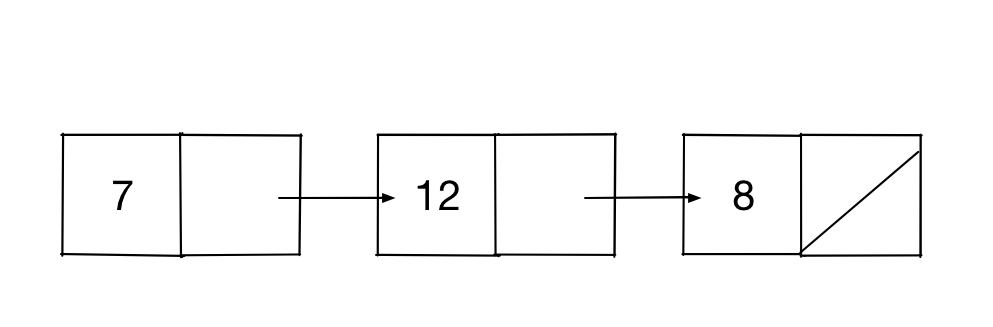
![Linked list diagram for 7, 12, and 8](/img/LinkedList.jpg)

If it helps think about a linked list as being a set of clues in a treasure hunt. You start at one clue, it has some value and points you to the next clue, and so on until you get to the end. My node class looks like this:

```ruby
class Node
  attr_accessor :value, :next

  def initialize value
    @value = value
    @next = nil
  end
end
```

Each node has a value. The initialize method sets the value when it creates a new node. Nodes also have a value called next which is the next node in the chain. New nodes have next set to nil since they are at the end of the chain. 

The linked list class itself has two instance variables: head and tail. Head is the first value in the chain. Tail is the last value in the chain. There are also two methods `push` and `pop`. My implementation is a [queue](http://www.thagomizer.com/blog/2016/05/06/algorithms-queues-and-stacks.html), so push adds the new value to the end, and pop removes a value at the beginning of the linked list.

```ruby
class LinkedList
  attr_accessor :head, :tail

  def initialize
    @head = nil
    @tail = nil
  end

  def push value
    n = Node.new value

    if @tail
      @tail.next = n
    else
      @head = n
    end

    @tail = n
  end

  def pop
    raise "Empty List" unless @head
    v = @head.value
    @head = @head.next
    v
  end
end

```

This is a basic implementation. Some edge cases are not covered, but this is sufficient to demo enumerable.

## The Enumerable Module

Enumerable is a module in the Ruby Standard Library. That sentence contains a lot of technical jargon, but it means that Enumerable is a set of functionality that works on almost any collection. Hash, Array, and Range include Enumerable which is why methods like `all?` and `each_cons` work on all of them. Enumerable is also included in classes like `Dir` and `IO` allowing you to use methods like `reject` on collections of files or on file contents.

To include Enumerable in your class, you must implement `each` and put `include Enumerable` in the class definition. The `each` method must take a block and call that block for each successive element in the collection. For directories, that might mean each file the directory contains. For a range, each calls the block with each successive integer. Here's the implementation of `each` for the linked list class. 

```ruby
def each
  node = @head

  while node do
    yield node
    node = node.next
  end
end
```

The `each` method first gets the head node, calls the block passing that node in using yield, and then sets node to the next node before looping. The last node always has `nil` as the next value, so the while condition ensures the loop stops once we have hit the end of the chain. That is all that you need to add all the methods of Enumerable in your class. 

I can run `each_with_index` on my linked list. I can use `each_cons` and `each_slice`. I can call `minmax` on a linked list and get the minimum and maximum values stored in that list. I can even use one of my favorite methods, `zip`, to interleave values from a linked list with values in another linked list or another collection class altogether. 

## When To Mixin Enumerable

As you have seen, it is easy to make a class enumerable. However, just because you can doesn't mean you should. You should only include Enumerable if your class *is* a collection, not when it *has* a collection. For example, a classroom class will have a collection of students. It also will probably have attributes for the teacher's name, the location, meeting, and a subject or grade. While it would be handy to call `classroom.each` to iterate through the students, it is bad design to do so. You want to iterate through the students so `classroom.students.each` is more accurate and will lead to more maintainable code in the long term. 

As a comparison, if you were implementing a RecordSet class to represent rows of a database it might make sense to include Enumerable. In this case, the class is a kind of collection. It probably doesn't have any additional attributes beyond the data. Since it is a collection that you can enumerate, it makes sense to include Enumerable. If you are having problems telling the difference between these cases, look to see what additional attributes are in the class. If there are several attributes in addition to the collection or data, then it probably isn't a good idea to include Enumerable. If the primary attribute is the collection then including Enumerable may make sense.

---

# You Are Not Your Code

> Last updated: 2017-06-15

You are not your code. You are not your ideas. You are not your products. You are not your job. You are not your employer. If I had to give one piece advice to any random person in tech, I would say, "you are not your code." This is not a unique piece of advice. A quick search for "You Are Not Your Code" on Google returns more than 150,000 results. However, it is the piece of advice that took me a long time to understand and has had a large impact on my overall contentment and my job satisfaction.

## You != Your Code

<img style="float: right; padding: 10px;" src="/img/ice_ball_unsplash.jpg" alt="Perfect sphere made of ice with interesting texture" width="55%">

The TL;DR of this post is "you can write bad code and still be an awesome person." At the simplest level, that is what I mean by "You Are Not Your Code." It sounds obvious, but it took me years to understand, believe, and act on this advice. For many of us, especially those with a few years of experience, coding is an act of creation akin to art. We think about all the different ways to solve a problem. We choose an approach, implement it carefully, and test it. We make decisions about which use cases are important and which edge cases do not need to be handled gracefully. And we take pride in our insights and our solutions. We feel like we are good people because we solved a hard problem or shaved a second off average response time.

Then someone reviews the code and suggests a different design pattern. Or someone else needs to rewrite part of your code because business requirements changed. Or a tester gets their hands on it and floods your inbox with bug reports. You probably feel bad. You may get angry or argue. You may go off and sulk or try to wrestle control back from whoever added their $0.02 to your masterpiece. If you are like I was about two years into my career, you may know your code is only adequate. You may have asked for feedback, but still have defensive reactions when someone tries to help. When they criticize your code, it feels like they are criticizing you.

Separating yourself from your creation is hard. If it feels unnatural or uncomfortable drawing that line, then you are in good company. If this was easy, there wouldn't be over 100,000 results on Google, and it would not show up on Hacker News on a regular basis. Separating our accomplishments and creations from ourselves is a common struggle.  This quote, from the movie Fight Club, speaks to the same point.

>
> You are not your job, you're not how much money you have in the bank. You are not the car you drive. You're not the contents of your wallet.
>

## The people who taught me best

I was told, "you are not your code" countless times at Seattle.rb early in my career. I watched others have their pull requests rejected, get angry, and be told the same thing. Just being told this advice was not enough for me to understand it. It took an unusually brutal code review for me to finally "get it." I have told this story so many times at this point that it has become more fable than memory but the core of the story is true.

I had written the basics of a new feature. It was a few hundred lines, and we had discussed the business requirements as a group before I started. The feature was not complicated but did require room for future expansion. I finished, submitted a pull request, and went to lunch while I waited for a code review. When I returned from lunch, the code review had landed. Two teammates had ripped my pull request to shreds. Most of the feedback was directed at my design, and it was clear that only a dozen or so lines of the original PR were salvageable. I fought back against their suggestions. I argued about composition vs. inheritance. I vented about the injustice of this code review to friends. As I was sitting there typing yet another counter argument into GitHub one of my reviewers leaned over and said: "Hey, want to get a beer?" Later the other reviewer asked me for design advice on their current work in progress.

Those positive, friendly interactions broke my brain a little. How could I have been so wrong on the feature I coded and yet still be someone they wanted to hang out with and ask for advice? If my code was crap then I was crap, right? Those co-workers showed me through their actions that I was a valuable part of the team even if my code was wrong sometimes. While we worked together, they continued to give me advice, ask for my advice, and occasionally eviscerate my pull requests that needed it. I learned some new things from their feedback, and they learned some things from me. Everyone was a valuable member of the team no matter how bad their last pull request was. 

The other folks who thought me this lesson are my friends at Seattle.rb. Through our study groups, I get to see first hand how many different solutions there can be to a single problem. Some solutions are faster. Some are easier to read than others. Some only make sense if you have a strong math background or understand the fundamentals of interpreters. Seattle.rb is a place to experiment with potentially bad ideas to see if they pan out. By consistently spending time in this environment I started to internalize that we all mess up or don't understand something occasionally. We have all had success and failures, good ideas and bad ideas, and that none of that has anything to do with who we are as people. It is far better to take feedback and move on with life. 

## The advantages to not being your code

I am still not 100% on "you are not your code" but once I started the painful process of untwisting my self-concept from my output many things improved. The biggest improvement was that I was able to incorporate feedback faster. I was able to learn from feedback before, but it tended to be an all or nothing situation. I would make all of the changes suggested or none of them. Separating my self-concept from my code made me more open to sweeping changes and novel approaches, and it also made me more confident in rejecting feedback that didn't work for me.

Remembering that self and output are separate also enabled me to truly participate in group ownership of code and projects for the first time. Before, when I was faced with a group project, I would think of it as an amalgamation of individual efforts. I had "my part, " and if changes needed to be made to that part, I would be the one making them. Once I gave up on the idea "my features, " and my territorial behavior, life got much better. I could actually collaborate. Our code got cleaner since everyone was empowered to fix issues they noticed. I could go on vacation and know that if something bad happened the team would deal with it. Being part of a team that is working together can lead to marvelous results. 

I have also found that teams that focus on "you are not your code" tend to be psychologically safer environments. If you are not your code, there is no space for personal attacks. People feel free to propose the kind of outlandish ideas that lead to significant innovations. Work life balance is better because people have value beyond the amount of code they can crank out. If my value is independent of the quality of my output on any one day (or in general) then having my PR rejected isn't a personal slight and I can move on quickly. Everything seems less urgent and more playful in an environment where software is something I do, not something that I am.

## How to not be your code and to help others

Hopefully I have convinced you that life is better when you can separate your creations and your self. Putting this into practice takes time. It probably took me at least five years to stop being protective and defensive of my code. Giving up the idea that my projects and ideas were *me* took even longer. One thing that helped was avoiding personal attacks and name calling in code reviews and during casual conversation. There are people in my tech community and at work whose actions bother me, but I strive not to generalize that to judgments about their character. Being specific about feedback is one simple way to do get in this habit. "This is dumb" is a lot less specific than "This is a great idea, but it is faster if implemented without nested loops." The second piece of feedback is actionable and much harder to read as a personal attack. 

Another thing that has helped is doing projects and exercises where the point at the end is to delete or destroy the results. [Code Retreat](http://coderetreat.org/) has a rule that after each 45-minute session you must delete the code. Doing tiny programming exercises that are just for learning helps too. I also have done some activities in my personal life, like knitting, where once I'm "done" I rip it all out. Embracing impermanence makes it easier to detach from your creations. 

The last recommendation I have is to be human and encourage others to be human as well. I struggle with this. When I'm in my coding zone I forget to ask what my co-workers got up to on the weekend or what is going on in my nerd friends' lives. Even simple things like the food channel in the Seattle.rb slack and talking to my co-workers about their pets, children, and hobbies help me remember that we are all so much more than the code we write and the ideas we have.

---

# The Nagging Question

> Last updated: 2017-07-11

Early in my career, I didn't talk about diversity-in-tech issues. I worked hard, came from a technologically enriched background, and I received a good education and gender wasn't a factor. For the most part, I didn't and still don't, experience blatant sexism. As I've moved forward in my career, I've realized that being a minority in tech has affected me and my path more than I realized. 

I've been friends with folks and mentored folks that have had bad experiences due to their gender or race. Compared to them my stories are minor. The biggest issue I have as a minority in tech is knowing when something happens because of my gender or when it happens for other reasons. Another way I phrase is this is, "did that happen because the other person is sexist, because I'm a jerk, or because the other person an equal opportunity jerk?" It seems like a minor issue. I know I would be happier if I just dealt with what was in front of me instead of thinking about *why* it is happening. But years and years of having these experiences and realizing that not everyone deals with the same stuff wears on you and makes you wonder if you are playing the game on 1.5x difficulty.

## Positives

It surprises folks, but I often wonder, "Wait did this happen because I'm a woman" with regards to positive stuff. In my day to day life in liberal Seattle I see evidence of [White Knighting](http://geekfeminism.wikia.com/wiki/White_knighting), [Virtue Signalling](https://en.wikipedia.org/wiki/Virtue_signalling), and [Ally Cookies](http://geekfeminism.wikia.com/wiki/Feminist_cookie) way more often than I witness blatant sexism. For me, these seemingly positive behaviors are just as infuriating as their negative counterparts. They seem to say "you aren't capable of making it without the help of a man." I know that isn't true and I resent it when people insinuate that it is true. 

When I'm selected to speak at an event, but a more qualified friend or co-worker wasn't selected I wonder if I was invited because I'm a woman. I wonder if the bar was lowered to include me. Maybe the selection committee thought that historic discrimination against women means I shouldn't be held to the same standard as the men. When I say or do something dumb, and no one calls me out, I wonder if their expectations for me are lower because of my gender.  When the rules are bent slightly to accommodate me, it feels like it is unfair and my internal sense of justice becomes off balance.

I've discussed this with a few folks over the years, and they usually say "If someone is going to give you an opportunity just because of your gender you should take it." I usually do take these opportunities. Sometimes I accept these opportunities because having a woman on stage is important to the organizers. Sometimes I accept because the event sounds fun. But it doesn't seem fair to me. I've been in tech for about 15 years now. I work at one of the best-known software companies in the world. I'm an example of someone who's "made it." So why are people wasting their diversity efforts on me instead of seeking out folks who actually could benefit from some support? Spending brain cycles on questions like these is one of the ways that being a minority in tech affects me.

## Negatives

My "did that just happen because I'm a woman" stories aren't all positive. Throughout my career, I've dealt with folks who talk over me, ignore me, pass off my ideas as theirs, or assume I'm incompetent. I know enough folks in tech to know that everyone has these experiences occasionally. What I can't ever know is if I would have fewer of these interactions if I were man. When someone at work reads about one of my accomplishments and assumes that a male colleague did the work, did they assume that because of our genders or because my male co-worker is more outspoken? When a person ignores the work I've been doing for years and insists that until they showed up nothing happened is it because they didn't do their homework or because they don't think my work isn't important? When my performance review says I "need to smile more" and I that "I need to understand that not everyone is as smart as me" is it because I'm expected to be friendly and demure because I'm a woman? Or am I just unpleasant to be around sometimes? When someone at a conference insists that his question is too technical for me and he'll wait to ask someone else is he being sexist? Is he still sexist if I actually can't answer his question? 

Something like this happens to me about once a month. There's been an uptick recently, but it has been constant throughout my career. I suspect that my gender played a role in some, but not all, of these experiences but I can't be sure. I know many men who've been pulled into the boss' office and told they have to be kinder, gentler, and more conciliatory. But anecdotally, many of the women I went to college with have had performance review experiences similar to mine early in their careers. I know men who've had others take credit for their work. I know men who are regularly talked over in meetings. I suspect women have these experiences more often, but I can't prove it. And if I can't prove it, thinking about it feels like a futile exercise. 

I know that even if many women have these experience it doesn't mean all women have the same experience. But there seem to be some things that other women in tech understand that many of the men I know have never thought about. Once when I was new to a job, I got a very terse email from someone I hadn't met. I asked my officemates who the sender was and if it was necessary to use "girl words" when responding. My female co-worker immediately knew that by "girl words" I meant adding [hedging language](https://en.wikipedia.org/wiki/Hedge_(linguistics)) to my response. She also knew that adding hedging language is a normal way to deal with tense interactions when you are female or subordinate correcting someone with more seniority. My male co-workers needed an explanation of what I meant by girl words. While I'm sure many of my male friends are careful to add hedging words sometimes I suspect the area between unqualified and bossy is larger for them than it has been for me. 

## What Now?

I don't think this problem is solvable. It is impossible for me ever to know what my experience would be like if I had been born male. In the big picture, it isn't relevant either. I don't need to know why something is happening to deal with it. But when something illogical happens I'll probably always wonder if my gender played a role.

I long for a world where I can just assume someone is a jerk to everyone and not wonder if they are only a jerk to women or other minorities. I'd love to be able to assume that people who act sexist are actually sexist instead of manifesting unconscious bias. For just one day I'd like to play "career in tech" by the "white male" rules. It might help me understand how my experience would be different. And it would be nice to not worry about being called a bitch just for seeing the solution before everyone else.

---

# Battleship Part 1: Local Battles

> Last updated: 2017-07-13

One of my goals for this summer is to get out of my Ruby rut. I love Ruby. I like how the language feels. I like the principle of least surprise. I appreciate that it has both strong object oriented and functional roots. And of course, I love the Ruby community. As much as I love Ruby, I believe most successful programmers are polyglots and can be productive in multiple languages. So I came up with what I'm calling the battleship project. My goal for the next few months is to implement an API for the game [Battleship](https://en.wikipedia.org/wiki/Battleship_(game)), deploy it on a server, and then build clients in a variety of languages. If I do it right, I can have other folks play their clients against my clients. There could be battleship tournaments. I can use it for tutorials on deployment and monitoring. I hope it will be awesome.

I'm starting with the server. For the first version, I plan to use Sinatra with a Postgres backend. For something this simple I don't need the full power of Rails. Before I can dig into the web side of the implementation, I need to have the game working locally. My local version has three classes, Board, Game, and Client. Board is responsible for representing and maintaining the state of a Battleship board. Client is where the logic for placing ships and making moves lives. Game keeps track of which clients are playing and how they interact. I expect that many of these classes will end up as models in the online, multi-player version of the game but I'm not sure yet.

## Board

I've implemented parts of Battleship before. While it is tempting to use nested arrays to represent the board (it is a grid after all) a hash is actually easier. To represent an empty cell I'm using "." and to represent hits, misses, and ships I use symbols. Here's the new method for my board class with its tests. 

```ruby
class Board
  def initialize
    self.height = 10
    self.width  = 10
    @board  = Hash.new(".")
  end
end

class TestBoard < Minitest::Test
  def test_new
    b = Board.new

    assert_equal 10, b.height
    assert_equal 10, b.width

    assert_equal ".", b["C7"]
  end
end
```

After initialization, the next thing to implement was getters and setters for each cell. I tried using Java-style `set_cell` and `get_cell` methods, but that didn't feel right. Once I started implementing `Client#place_ships`, I realized I wanted to use square brackets to access cells of the board. Here's what iteration three of board cell accessors looks like.

```ruby
class Board
  def [] location
    @board[location]
  end

  def []= location, value
    @board[location] = value
  end
end

class TestBoard < Minitest::Test
  def test_set_cell
    b = Board.new

    b["B7"] = :submarine

    assert_equal :submarine, b["B7"]
  end
end
```

The other thing I know from previous experience was that I need a way to visualize the board. In Ruby, we do this with to `to_s`. I'm not thrilled with this implementation. It feels a bit too clever with the nested loops and joins. The line adding the last newline, in particular, offends my sensibilities. But it works, and I think it is readable to the average Rubyist, so I'm leaving it alone. 

```ruby
  def to_s
    str = ""

    str = ('A'..'J').map { |l|
      (1..10).map { |n| @board["#{l}#{n}"][0] }.join
    }.join("\n")
    str << "\n"

    str
  end

  def test_to_s
    b = Board.new

    expected = ""
    10.times do
      expected << "..........\n"
    end

    str = b.to_s

    assert_equal expected, b.to_s
  end
```

## Client

The Client class has three responsibilities: placing ships, making guesses, and handling guesses. When the Game class initializes a client, it provides a game ID and a fleet of ships. The client then creates two board objects. One represents my board (the bottom one in the Milton Bradley version of the game), and the other represents the opponent's board.

```ruby
class Client
  def initialize game_id, fleet
    self.game_id     = game_id
    self.fleet       = fleet
    self.my_board    = Board.new
    self.their_board = Board.new
  end
end

def test_initialize
  c = Client.new("gameID", [[:battleship, 5]])

  assert_equal "gameID", c.game_id
  assert_equal [[:battleship, 5]], c.fleet

  assert c.my_board
  assert c.their_board
end
```

Placing ships is a little bit tricky. I broke it up into two methods. `place_ship` puts a single ship on the board. `place_ships` puts the entire fleet on the board, one ship at a time. Writing the code to place the ships is easier if there's some way to detect out of range errors. Adding `in_range?` to Board solves this problem.

```ruby
class Board
  LETTERS = ('A'..'J').to_a
  NUMBERS = ('1'..'10').to_a

  def in_range? location
    m = /([A-J])(\d+)/.match(location)

    return false unless m

    letter, number = /([A-J])(\d+)/.match(location).captures

    LETTERS.include?(letter) and NUMBERS.include?(number)
  end
end

def test_in_range?
  b = Board.new

  assert b.in_range?("B7")
  assert b.in_range?("A1")
  assert b.in_range?("A10")
  assert b.in_range?("J1")
  assert b.in_range?("J10")

  refute b.in_range?("X7")
  refute b.in_range?("B0")
  refute b.in_range?("B11")
  refute b.in_range?("")
  refute b.in_range?("142342")
end
```

The code to actually place a ship is complicated. I start by getting a random direction and location. Then using that starting point and direction, I generate the cells that the ship is going to occupy (lines 13 - 26). If all the locations are in the range allowed I place the ship thereby setting the cells equal to the ships name. If some of the cells are out of range, I generate a new starting point and direction. Here is the implementation and the test I wrote.

```ruby
class Client
  DIRECTIONS = [:up, :down, :left, :right]
  LETTERS = ('A'..'J').to_a

  def place_ship name, length
    loop do
      dir = DIRECTIONS.sample
      letter = LETTERS.sample
      number = Random.rand(10)

      locations = []

      length.times do
        locations << "#{letter}#{number}"

        case dir
        when :right
          number += 1
        when :left
          number -= 1
        when :up
          letter = (letter.ord - 1).chr
        when :down
          letter = letter.next
        end
      end

      if locations.all? { |l| self.my_board.in_range?(l) }
        locations.each do |l|
          self.my_board[l] = name
        end
        return
      end
    end
  end
end

def test_place_ship
  c = Client.new("gameID", [])

  c.place_ship :cruiser, 3

  assert_equal 3, c.my_board.to_s.each_char.count { |l| l == "c" }
end
```

To place the entire fleet you just loop over the fleet, placing each ship in turn.

```ruby
def place_ships
  self.fleet.each do |name, length|
    place_ship name, length
  end
end

def test_place_ships
  c = Client.new("gameID", [[:battleship, 5], [:cruiser, 3]])

  c.place_ships

  assert_equal 5, c.my_board.to_s.each_char.count { |l| l == "b" }
  assert_equal 3, c.my_board.to_s.each_char.count { |l| l == "c" }
end
```

Finally, I need a method to make guesses. I took the lazy way out here and just picked a random letter and number. 

```ruby
  def guess
    "#{LETTERS.sample}#{Random.rand(10)}"
  end

  def test_guess
    c = Client.new()

    g = c.guess

    assert c.their_board.in_range?(g)
  end
```

## Game

The final class in my system is Game. When I instantiate a game object, it creates two clients and a game ID. 

```ruby
class Game
  FLEET = [[:battleship, 5],
           [:cruiser,    4],
           [:submarine,  3],
           [:frigate,    3],
           [:destroyer,  2]]

  attr_accessor :id, :client_a, :client_b

  def initialize
    @id = SecureRandom.uuid
    @client_a = Client.new(@id, FLEET)
    @client_b = Client.new(@id, FLEET)
  end
end

class TestGame < Minitest::Test
  def test_initialize
    g = Game.new

    assert g.id

    assert g.client_a
    assert g.client_b
  end
end
```

This is most of the logic necessary to run my battleship server. In the next post, I’ll implement `Game#run` to actually run the game and `Client#take_turn` to respond to the other player’s guess and produce my own guess.

---

# Battleship Part 2: Terminal Forever

> Last updated: 2017-07-31

[Last time](http://www.thagomizer.com/blog/2017/07/13/battleship-part-1.html) I wrote about a set of data structures and objects to implement battleship. I promised that this time I'd show how to implement the turn taking and running the game locally against itself.

## Turn Taking

I decided that my battleship server would have two endpoints: `new_game` and `take_turn`. The `new_game` endpoint returns a game ID to the client. The `take_turn` endpoint receives a move from the client, responds to that move with "hit," "miss," or "you sunk my ____," and supplies a move of its own. If it helps, here's the JSON I scribbled in my notebook as I was figuring out my API.

```javascript
{ gameID: id,
  response: { turnID: x,
              hit: true,
              sunk: ship_name},
  turn: { turnID: x + 1,
          move: "F3" }
}
```

To implement this my client needs a method to make a move and a method to respond to a move. Last time I showed code that makes a move by randomly guessing. This time I'll show the code that responds to those moves.

## Updating The Data Structures

When I went to implement code that responded to my opponent’s guesses I realized the data structure made it hard to detect when a ship was sunk. To get around this I added an instance variable, called `fleet`, to the client. The fleet is an associative array. The keys are ship names and the values are arrays that show the location of that ship. For example:

```ruby
{:battleship => ["E7", "E6", "E5", "E4", "E3"],
 :cruiser    => ["I8", "I7", "I6", "I5"],
 :submarine  => ["E8", "E9", "E10"],
 :frigate    => ["H9", "H8", "H7"],
 :destroyer  => ["C3", "B3"]}
```

With this structure I can replace the location with `:hit` when the ship is hit. To detect if the ship is sunk I can `fleet[:ship_name].all? { |l| l == :hit }`. 
With that in mind I wrote `process_move`.

```ruby
class Client
  def process_move move
    results = { :hit => false }

    self.fleet.each do |ship, locations|
      i = locations.index(move)

      if i
        results[:hit] = true
        locations[i] = :hit
        results[:sunk] = ship if locations.all? { |l| l == :hit }
        self.my_board[move] = :hit
      else
        self.my_board[move] = :miss
      end
    end

    results
  end
end

class TestClient < Minitest::Test
  def test_process_move
    c = Client.new("gameID")
    c.fleet = {destroyer: ["A7", "A8"]}

    assert_equal false, c.process_move("F3")[:hit]

    assert_equal true, c.process_move("A7")[:hit]

    expected = {:hit => true, :sunk => :destroyer }

    assert_equal expected, c.process_move("A8")
  end
end
```

`process_move` takes a string that represents the opponent's move. To start the method, I declare a results object and initialize `:hit` to false since most guesses will be misses. Then I iterate through the fleet using `Array#index` to see if the opponent's move is in the array of locations. If it is I set the `results[:hit]` to true and set the location in the array to `:hit`. Finally, I check if all of the locations are now `hit`. If so the ship is sunk, and I add that to the results hash. Then I return the results. I'm pretty sure there's a shorter way to write this, but I'll be porting this code to other languages, and I wanted something without too much Ruby magic (except for the ever useful `all?`). 

The last thing I need to do is record the guess on my board. When I play battleship in person, I usually don't bother to record my opponent's guesses, and I don't have to record them here. But when I was debugging my implementation I found it useful to be able to print out the board state. I ran into an issue where my tests were passing but actually running the game wasn't working correctly. It turned out half of my code used the letters to represent the columns, and the other half had letters representing the rows. Being able to see the board state made it obvious where I'd messed up.  

```text
 ABCDEFGHIJ
1..........
2..........
3..........
4..........
5..........
6..........
7..........
8..........
9..........
0..........

or 

 1234567890
A..........
B..........
C..........
D..........
E..........
F..........
G..........
H..........
I..........
J..........
```

## Running The Game

The last thing I wanted to do was have my two clients play each other. Each client needed to place their ships, then one client guesses, the other processes the guess and makes their own guess, and then the first client processes that guess. Here's the code:

```ruby
class Game
  def run
    @client_a.place_ships
    @client_b.place_ships

    puts "Client A Board"
    puts @client_a.my_board
    puts

    puts "Client B Board"
    puts @client_b.my_board
    puts

    loop do
      g = @client_a.guess
      r = @client_b.process_move g
      puts "A #{g}: B #{r}"

      if @client_b.lost?
        puts "B Lost"
        break
      end

      g = @client_b.guess
      r = @client_a.process_move g
      puts "B: #{g} A: #{r}"

      if @client_a.lost?
        puts "A Lost"
        break
      end
    end
  end
end
```

The first time I ran this I didn't have a `lost?` method and got caught in an infinite loop. To address that I added `Client#lost?`.

```ruby
class Client
  def lost?
    self.fleet.all? { |ship, locations| locations.all? { |l| l == :hit}}
  end
end

class TestClient < Minitest:Test
  def test_lost?
    c = Client.new("gameID")
    c.fleet = {destroyer: ["A7", "A8"]}

    c.process_move("A7")
    c.process_move("A8")

    assert c.lost?
  end
end
```

With all that in place running the game is easy: `Game.new.run`. The game will run against itself and print out the moves. The first couple times I ran it I used a single ship in the fleet and ran the moves by hand to double check that everything worked correctly. The next stop is moving this code to Sinatra so that others can play battleship against my client.

---

# ML Basics: Linear Regression

> Last updated: 2017-08-03

Based on a [Twitter Poll](https://twitter.com/the_thagomizer/status/865769284189868034) I'll be doing a series on the basics of Machine Learning over the next few months. I plan to have a post out on the first Thursday of every month covering some algorithm or conceptual aspect of Machine Learning.

Machine Learning and Statistics have a lot in common. Both are interested in summarizing and finding patterns in data. It is necessary to have a solid grounding in stats to understand most machine learning textbooks. Sadly, most of the folks I know who were educated in the US [learned calculus instead of statistics](https://www.ted.com/talks/arthur_benjamin_s_formula_for_changing_math_education). Because of this, I'm going to start at the ground level where Machine Learning and Statistics overlap and move forward from there. And if all my talk of math is freaking you out a bit my goal is that this series will not require anything beyond high school Algebra 1.

## Descriptive Statistics Library

Several of the algorithms I hope to show use mean, standard deviation, and other basic descriptive statistics. Statisticians define some of these slightly differently than we learned in school. To simplify things I use the (`descriptive_statistics`)[https://rubygems.org/gems/descriptive_statistics] gem in Ruby. It extends Enumerable with the common descriptive statistics methods, so they are readily available and easy to use. All of my Ruby examples will use this library. In Python, I'll use the [scipy](https://www.scipy.org/) library.

A small, but important, note about the Ruby Descriptive Statistics library. In statistics, the way you calculate things like mean, variance, and standard deviation is different depending on whether you have data on every member of a population or just a sample. When you have all the data, you divide by the number of data points. When you only have a sample, you divide by the number of data points minus one. The reason for this is complicated and beyond the scope of my blog at this point but you can read more about it [here](http://nebula.deanza.edu/~bloom/math10/m10divideby_nminus1.pdf). If you use Descriptive Statistics and notice your answers are different than ones you find in other sources, this might be the cause. You can fix this by putting the following code at the top of your file.

```ruby
module DescriptiveStatistics
  def variance(collection = self, &block)
    values = Support::convert(collection, &block)
    return DescriptiveStatistics.variance_empty_collection_default_value if values.empty?

    mean = values.mean
    values.map { |sample| (mean - sample) ** 2 }.reduce(:+) / (values.number - 1)
  end
end
```

## Linear Regression

One of the basic things that Machine Learning tries to do is answer the question "What is the relationship between these pieces of data?" or perhaps more exactly "If I know part of the data can I figure out the rest?". And the most basic technique for doing this is linear regression.

Regression is finding a line (not necessarily a straight line) that matches up to, or fits, some data relatively well. Once you have that line and an equation for it, you can use algebra to predict one value based on the other(s). This technique is frequently used in math, the sciences, economics, psychology, and shows up in newspapers and academic journals. I used one of the [BigQuery](https://cloud.google.com/bigquery/) public datasets to retrieve the number of babies born each year between 1969 and 2005 in the US. Here is the data in a basic plot.
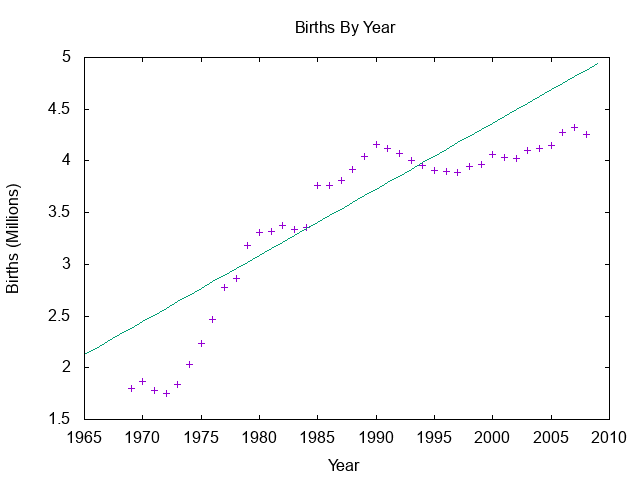
![Births (in millions) by year](/img/birth_data.gif)

The chart above shows a linear regression. That means that I've assumed I can model the relationship between the x and y with a straight line. The equation for a line is `y = Mx + B` where `M` and `B` are numbers. The equation above shows `y = 0.064x - 123.634`.

## Least Squares 

To calculate the equation of a least squares line we need to calculate `M` and `B` in `y = Mx + B`. `B`, the y-intercept, is equal to `r * (sd_x/sd_y)`. `r` is called Pearson's correlation and `sd_x` and `sd_y` are the standard deviations of x and y. Pearson's correlation is `Cov(x, y) / (sd_x * sd_y)` where `Cov(x, y)` is the covariance of `x`, `y`. 

That's a ton of letters, numbers, and math so let's back up a bit and just look at the pieces of data we'll need. First, we need the mean, or average, of the births and the years. Luckily, our library provides that for us.

```ruby
births_mean = births.mean
years_mean  = years.mean
```

Second, we need to know the standard deviation of each data set. If math class was a long time ago, standard deviation is how "spread out" the data is. If you imagine a bell curve a wide and short curve has a high standard deviation. A narrow and tall curve has a low standard deviation.

```ruby
births_sd = births.standard_deviation
years_sd  = years.standard_deviation
```

### Covariance
We also need to know the covariance of these two variables. Covariance is a measure of how much the variables "travel together." If two data sets have high covariance, which the two data sets I'm using do, as one increases the other tends to increase and as one decreases the other tends to decrease. The covariance is calculated by first figuring out how much each point varies from the mean. 

```ruby
x_diffs = x.map { |x1| x1 - x.mean }
y_diffs = y.map { |y1| y1 - y.mean }
```

Then you multiply the corresponding x's and y's and sum those together.

```ruby
products = x_diffs.zip(y_diffs). map { |(x1, y1| x1 * y1 }
sum      = products.inject(&:+)
```

Finally, you divide by one less than the number of elements.

```ruby
sum / (x.length - 1)
```

### Pearson's Correlation and the Line

Once you have the covariance, you can calculate the correlation between the two data sets. I'm using [Pearson's Correlation](https://en.wikipedia.org/wiki/Pearson_correlation_coefficient). This value is frequently called `r` and is calculated by dividing the covariance by the product of the two standard deviations. 

```ruby
r = covariance(births, years) / (births_sd * years_sd) 
```

The correlation is a number between -1 and 1. A correlation of 1 means that the two data sets are strongly positively correlated: when one increases, the other increases. A correlation of -1 means the two data sets are strongly, negatively correlated: when one value increases the other decreases. A correlation of 0 means there is no linear correlation. 

Those are all the values we need to calculate the regression line. The y-intercept of the line is equal to `b = r * (x.standard_deviation / y.standard_deviation)`. The slope of the line is equal to `y.mean - b * x.mean`. 

```ruby
b = r * (births_sd / years_sd)

puts "b #{b}"

m = years_mean - b * births_mean

puts "m #{m}"

puts "Linear Regression Equation: y = #{m.round(3)}x + #{b.round(3)}"

>> y = 0.064x + -123.634
```

There's a lot of math, but it is all arithmetic once you break it down. And once we have the equation for the line we can predict how many births will happen in a given year. For the year 2050, we would expect to see 7.56 million births, for example. 

## Multiple Linear Regression

Linear regression isn't limited to two variables. While it is harder to visualize, the same techniques work for 3 or more variables as well. Instead of doing the math on just x and y values just include as many other variables as you have in the appropriate places. You end up with an equation of the form `y = b + m * x + n * z...`. 

## Next Time

The next post will cover the basics of clustering using [K means](https://en.wikipedia.org/wiki/K-means_clustering). One of the nice things about K means is how easy it is to visualize which makes the math easier to understand.

---

# Battleship: Building the Server

> Last updated: 2017-08-16

I've been enjoying the battleship project. It seemed so simple, but I'm finding tons of little things that are tricky in ways I didn't anticipate. That has taken it from the level of "toy project" to "actually interesting but small engineering challenge." This post is about taking the classes I had written for playing battleship locally and creating a server that allows others to play against my client.

## My Tech Stack 

I'm a Rubyist at heart. Even though this project is designed to get me to branch out a bit, it is fastest for me to start with what I know. This project feels too small for something as heavy as Rails, so I'm using [Sinatra](http://www.sinatrarb.com/). For the database layer, I'm using [ActiveRecord]( https://github.com/rails/rails/tree/master/activerecord) since I like ActiveRecord Query Interface and I assume many folks don't know you can use AR outside of Rails. Since this project is focused on computers talking to other computers, I'm not worrying about a templating tool for my views. [Embedded Ruby - ERB](https://ruby-doc.org/stdlib-2.4.1/libdoc/erb/rdoc/ERB.html) and HTML are more than sufficient. I'm using [minitest](https://github.com/seattlerb/minitest) and [ZenTest](https://github.com/seattlerb/ZenTest) for testing. 

In summary:

* Ruby
* Sinatra
* ActiveRecord
* ERB & HTML
* Minitest

## The Endpoints

My initial design called for two endpoints, `/new_game` and `/turn`. I added a third endpoint at `/` that displays the rules and the format for messages to the other endpoints. One assumption I made is that the server always goes second. This isn't necessary but made figuring out the logic much simpler. 

`/new_game` starts a game with the server and returns a game ID. The endpoint accepts a `get` request and returns a JSON object of this form: `{ game_id: <id> }`.

`/turn` takes a guess/move/turn posted from the client, processes it, and responds with a guess of its own. Here's the message format for both the request and the response. The first move will have no response and is left empty. The last move will have no guess and is also left empty. 

```json
{ game_id: <id>,
  response: { hit: [true|false],
              sunk: <ship name>,
              turn_id: i },
  guess:    { guess: <A7, B4, E1, etc>,
              turn_id: i + 1 }
}              
```

## The Models

I created two models to store game state. The game model is simple: it keeps track of what games have been started. 

```ruby
class Game < ActiveRecord::Base
  has_many :turns
end

class CreateGames < ActiveRecord::Migration[5.1]
  def change
    create_table :games do |t|
      t.string :game_id
      t.timestamps
    end
  end
end
```

The game model has a one-to-many relationship with the turn model. Turn keeps track of what happens each time the `/turn` endpoint is hit. Turn records a game ID and a turn ID. It also records the message from the client. The last field, state, records the client state at the end of the turn so that the next time a message for this game comes in the server can rebuild the appropriate client object. 

```ruby
class Turn < ActiveRecord::Base
  belongs_to :game
end

class CreateTurns < ActiveRecord::Migration[5.1]
  def change
    create_table :turns do |t|
      t.belongs_to :game, index: true
      t.integer :turn_id, index: true
      t.text :body      
      t.binary :state
      t.timestamps
    end
  end
end
```

## Marshaling 

I chose to use [marshaling](https://ruby-doc.org/core-2.4.0/Marshal.html) to save the client state and then reconstitute it. In Ruby, you can marshal most objects without having to do anything special. The board object, however, has a Hash that runs some code on key misses and this can't be marshaled as is. Since my client object has a board object, I had to solve this before I could finish implementing my server.

The board object's board instance variable is defined as a hash with array values, like this:

```ruby
    @board  = Hash.new { |h, k| h[k] = [] }
```

To marshal this object I had to write my own `marshal_dump` and `marshal_load` methods. Hashes in Ruby decompose nicely to nested arrays of the form `[[key, value], [key, value]]` so I implemented `marshal_dump` by converting the hash to an array. 

```ruby
  def marshal_dump
    @board.to_a
  end
```

To recreate the hash in `marshal_load` I simply iterated over the dumped array to recreate the hash.

```ruby
  def marshal_load data
    @board  = Hash.new { |h, k| h[k] = [] }

    data.each do |location, value|
      @board[location] = value
    end
  end
```

I chose this method because it seemed a more idiomatic way to set the default_proc on a hash. I could have also used `Hash::[]` and `Hash.default_proc=`. But I find many people don't know `Hash::[]` so I chose the more obvious solution. For completeness though, here's the other definition I tried. 

```ruby
  def marshal_load data
    @board = Hash[data]
    @board.default_proc = proc { |h, k| h[k] = [] }
  end
```

## Actual Server Code 

The `new_game` endpoint is super simple. It just creates a new game record.

```ruby
get '/new_game' do
  g = Game.create!

  content_type :json
  { game_id: g.id }.to_json
end
```

The `turn` endpoint is more complicated. The first bit is just processing the incoming message and then retrieving the game and last turn from the database. 

```ruby
post '/turn' do
  body = request.body.read
  params = JSON.parse(body)

  response = {}

  g = Game.find( params["game_id"] )

  turns = Turn.where(game_id: g.id)
  last = turns.last
```

After that, I have to recreate a client, or if this is the first move, create a new one. This is where I use `Marshal.load`.

```ruby
  # Load in state from the previous turns and create a new client object.
  if last
    c = Marshal.load(last.state)
  else
    c = Client.new
    c.place_ships
  end
```

The next step is to process the user's last move and create the response section of the response. I also record this move as a turn in the turns table.

```ruby
  response[:response] = c.process_move params["guess"]["guess"]
  response[:response][:turn_id] = params["guess"]["turn_id"]
  response[:response][:lost] = c.lost?

  t = Turn.new
  t.game_id = g.id
  t.state = Marshal.dump(c)
  t.body = params
  t.turn_id = params["guess"]["turn_id"]
  t.save!
```

Then I need to create my guess and record that in the turns table as well. 

```ruby
  guess = c.guess
  t = Turn.new
  t.game_id = g.id
  t.state = Marshal.dump(c)
  t.turn_id = params["guess"]["turn_id"] + 1
  t.save!

  response[:guess] = { guess: guess, turn_id: t.turn_id}
```

Finally, I can send the response to the client. 

```ruby
  response[:game_id] = g.id

  content_type :json
  response.to_json
```

Stylistically I'm breaking a lot of rules of good design. This method is about 50 lines long. It has five distinct phases that could conceivably be refactored into their own methods. Perhaps the turn class should have a client object and be able to reconstitute it on its own. I'm creating turn objects in six or more lines instead of using ActiveRecord hash syntax to create them in a single line. I may come back to this at some point to try out different refactorings based on design patterns just to see if I can clean this up. Suggestions welcome. 

## Mistakes and Uncertainties

As I coded this up, I realized I hadn't included any way for someone to say that they had lost. So I've added that to the protocol. I'm not confident in my choice to include turn_ids manually specified by the client and the server. I can order the turns via timestamps just as quickly so I may end up removing that in the future. In early September, [Seattle.rb](http://www.seattlerb.org/) will be putting my server to the test at our semi-regular workshop meetup. I'm confident that I will learn a lot about the weaknesses in my design that evening. I'm looking forward to it.

---

# About That Memo

> Last updated: 2017-08-18

The last two weeks have been hard. White supremacists in Charlottesville, nuclear posturing between President Trump and Kim Jong-un, and a bit earlier the publishing and subsequent leaking of a document about whether Google's efforts to encourage diversity in tech were worthwhile. I wrote most of the post below in the middle of the diversity in tech news storm. I shared it internally because that's how we do things at Google. I'm sharing it externally because I hope it helps other people better understand what the last two weeks have been like for me. I want to be clear that I'm writing only about my experience. 

A handful of folks have asked, "Are you okay?". That's a surprisingly hard question. I'm going to be more honest and less generous than I usually am and hope it doesn't have significant negative repercussions. 

I first saw the memo a few days before it leaked to the press. Commentary on it was filling up my work inbox thanks to a couple of women in tech lists I'm on. The memo leaked on a Saturday (I woke up to a friend in Australia asking about it) and I lost a good chunk of my weekend to keeping tabs on what was being published and fielding the occasional call or email from family and friends. 

The actual content of the document is frankly quite boring. I've heard these arguments since I was five. The science is sketchy at best: correlation is not causation, you can't apply population statistics to a non-representative subsample, etc. It also wasn't surprising that there are people in tech, and at Google, that agree with what was presented or take the memo's conclusions even further.

Here's the thing. I know I work with folks who are sexist. Most folks aren't as blatant as the folks on Hacker News, Reddit, and news site comment sections. But I know that I work with folks with unconscious biases. And I likely work with folks who have some actual biases that they don't share publicly. 

What surprised me was how much this hurt those around me and how wide it spread even before it leaked. It is like someone dropped an anvil into a puddle and water just went everywhere. And it surprised me that I felt like I needed to help out with the damage control as one of the more senior women in tech I know. 

I was in the office the entire week after the memo, even when other co-workers were out because I felt like someone who is an underrepresented minority with some tenure at Google needed to be physically present. An intern that I'm mentoring was starting. There are several underrepresented minorities on my team and our sister team. I frantically voted on every one of the questions that people proposed for the town hall. I wrote emails of hope and support to interns and recent grads who had assumed that once they graduated the "you don't belong here" bullshit would be over. I wrote suggestions to leadership and let them know what folks were worried about. I checked in with colleagues. I defended Google and STEM on Facebook (and I still am). I tried to both stay abreast of Twitter and not poke the bear that is 4chan. I told folks in the local meetup I run that I was available to listen. I tried to explain how to help to co-workers who want to help but don't know what to do other than saying, "I support my female colleagues" and working on the pipeline. I listened to male co-workers vent and tried to help them feel better about the situation. 
 
This work is incredibly taxing, and it is invisible. At previous jobs, I learned that talking about my diversity work can make people think I'm not doing my "real" job. It makes people think I'm more suited to "people work" than technical work. True or not there's a perceived career risk to providing emotional support to your co-workers and talking about diversity if you are a woman. 

So no, I'm not okay. But I've already dealt with folks thinking I'm not technical because of my title or because of my gender. Even folks I've worked with for months. So I can't say "I'm not okay." I can't cry about how frustrating it is to have co-workers care about the paper cuts for seemingly the first time. I can't take time off for self-care because I can't show weakness. You can't afford to be vulnerable when you are already struggling to be taken seriously on a good day. My partner suggested I take a day off but I have meetings that it took me a long time to get included in and I'm not letting go of them easily. So I've been at work. I've been underslept. I've forgotten to eat. I'm reading the comments so that I can know what people are saying and be ready if co-workers who need me and if my communities need me. 

So when you ask if someone is okay, understand that for many of us saying anything other than "yes" or "mostly" isn't an option. If we want to be taken seriously and to be part of the club we have to be stronger than we feel. We have to, for lack of a better phrase, "man up." 

If you want to help, please be there for folks next week or next month. Remind people that if a man and a woman do the same work, it is sometimes seen differently. Ensure folks get credit for their ideas and a chance to speak. Tell folks who blow off developer relations work that our work is valuable and (at least at Google) we are all technical. The memo isn't a just thing written by one person on a team in a long lost corner of Mountain View. I'll bet a shiny quarter that I've had a meeting in the last two weeks with someone who doesn't believe I'm technically competent and treats me differently because of it. If you want to help, remind those people that they are wrong.

---

# Stackdriver Advanced Filters

> Last updated: 2017-08-22

Unless you have a full-time operations role you probably only look at your logging and monitoring tools in two situations: once when you set them up and again when something goes wrong. I know that's how I usually do things. The problem with that approach is that you only get a chance to learn how to use your tools when you are under the pressure of an outage. A couple of the folks I respect a great deal advise to spend 5 to 10 minutes focused on learning and improving your tools every day. This post should help you learn some of the power user features of Stackdriver Logging. I encourage you to try some of the things in the post so that when you are working to resolve an outage, you already know the tools well.

## Advanced Filtering

![Stackdriver Logging Homepage](/img/stackdriver_logging.jpg)

Most people figure out that you can filter your logging results by typing into the box at the top of the logging page. Fewer people realize that by clicking the triangle at the right edge of the box, you can switch to advanced filtering mode. You can use a [special syntax](https://cloud.google.com/logging/docs/view/advanced_filters#syntax_notation) to specify the exact logs you want to see. For example, to limit the view to just log messages from GAE you can do this:

```sql
resource.type="gae_app"
```

To add more clauses to your filter, you can add more lines. This filter which shows logs from a particular GAE version.

```sql
resource.type="gae_app"
resource.labels.version_id="20170523t155550"
```

You can also use operators like AND, OR, NOT, >, <, etc. Here's a filter that shows only ERROR and CRITICAL messages.

```sql
severity=("ERROR" OR "CRITICAL")
```

Severity is mapped to numeric values so you can also use mathematical comparisons on it like this:

```sql
resource.type = gae_app AND
severity >= ERROR
```

I have trouble keeping track of the field names and possible values. Luckily the user interface will auto-complete what it can, including field names and possible values for fields like severity. 

## Filter Based on Existing Logs

If you are having problems figuring out what your filter needs to be there's an easier way to find the correct values. Simply look through your logs until you find the type of message you want to focus on. Then click on a field and click "Show Matching Entries." This will populate the filter with the correct values. 

![Stackdriver Logging Homepage](/img/ShowMatchingEntries.png)

You can also use "Hide Matching Entries" to remove messages that are distracting you from the problem you are trying to fix.

## Saving and Sharing

Once you've taken the time to figure out the correct filters, you'll probably want to save them or share them with others on your team. If you click the triangle in the filter box, you can get a link to this particular filter that you can share with teammates or save in documentation or your favorites bar. 

![Stackdriver Logging Homepage](/img/save_filter.png)

This post makes advanced filters seem simple. But like many things in computing you don't see the power of the feature until you combine the building blocks in unique ways. Having a stash of saved filters for your frequent debug and analysis tasks is much better than having a set of shell scripts to extract the relevant data. Only you know the brittle points of your system and the most useful ways to look at the data when everything seems broken. 

If you'd prefer to see a video of advanced filters, here's a cloud minute covering the very basics of this feature. 

<iframe width="560" height="315" src="https://www.youtube.com/embed/rwEV0wwKnDw" frameborder="0" allowfullscreen></iframe>

---

# Deploying Battleship to GAE

> Last updated: 2017-08-31

Last time I finished writing the battleship server. The next step is to deploy it somewhere. I'm close to my first real deadline, Seattle.rb next Tuesday evening, so I'm taking the easy way out and deploying it on Google App Engine. In the future, I plan to write up a blog post for doing a Kubernetes deployment. I also hope to eventually port the logic to both Node.js and Python because I think the language comparison will be interesting.

## Prep Work

I already had a GCP account and the GCP SDK installed on my computer. If you are following along at home there are instructions for these steps in the "Before You Begin" box on the [Rails 5 on App Engine tutorial](https://cloud.google.com/ruby/rails/appengine). Since the last time I talked about App Engine the Ruby Software Engineering team has released an [App Engine Gem](https://github.com/GoogleCloudPlatform/appengine-ruby). This gives me some handy features for running rake tasks in production and automatically pulls in GCP's monitoring tools for Ruby. To use it I have to add `gem "appengine"` to my Gemfile and add `require "appengine"` to my Rakefile. 

As I established in the last post, I'm using Sinatra. I like that it is lightweight, but it means I have to do some configuration work. To run the app on App Engine I need a `config.ru` file. I took a generic one from the Sinatra docs and put it at the root of my application.

```ruby
require './server'
run Sinatra::Application
```

## Database

I'm using PostgreSQL with ActiveRecord for the database. In the spirit of impending deadlines, I'm using managed PostgreSQL from [CloudSQL](https://cloud.google.com/sql/docs/postgres/). This way I don't have to worry about firewall rules and networking between my web servers and my database. 

I created a CloudSQL instance following the instructions in [the Cloud SQL documentation](https://cloud.google.com/sql/docs/postgres/quickstart). Then I created a user for my application. I called it rails because I always call my users rails. I only realized that was inappropriate (I'm using Sinatra) once I started writing this post out. I also created a static IP following the instructions under [connecting using IP Addresses](https://cloud.google.com/sql/docs/postgres/connect-admin-ip). I added the following to my database.yml file:

```yaml
production:
  <<: *default
  database: "battleship_production"
  username: "rails"
  password: [PASSWORD GOES HERE]
  host:   [YOUR DATABASE IP HERE]
  timeout: 5000
```

Using a static IP isn't the best solution. There are a lot of security implications. I should be using the [CloudSQL Proxy](https://cloud.google.com/sql/docs/postgres/connect-admin-proxy) but I wanted something that would work quickly to prove my deployment. I can go back later and change how the application connects to the database. 

To run the migrations using the appengine gem I need to add the following to my Rakefile.

```ruby
require "appengine"
require "appengine/tasks"
```

## Deploying The App

Deploying an application to App Engine for Ruby is simple, you just type `gcloud app deploy`. The gcloud SDK will analyze your application and make some recommendations on the first run. The defaults are fine. It will use the defaults to write an `app.yaml` file that looks like this:

```ruby
entrypoint: bundle exec rackup -p $PORT
env: flex
runtime: ruby
```

The actual deployment may take a while. For me, deployments were taking around seven minutes. I wish they were faster and I know the team is working on it but that is something to keep in mind when deciding where to run your application. 

Once the app is deployed you can run your migrations like this:

```shell
bundle exec rake appengine:exec -- bundle exec rake db:migrate
```

By default `gcloud app deploy` routes all traffic to the latest version of your application as soon as it is up and running. If you need your migrations to run before that version can handle traffic you can use the `--no-promote` flag:

```shell
gcloud app deploy --no-promote
```

Once your migrations are run, you can route traffic to the new version using the [web UI](https://console.cloud.google.com/appengine/versions). 

My deployment to App Engine is at [https://battleship-176302.appspot.com/](https://battleship-176302.appspot.com/) if you want to try it out yourself. Expect some instability over the next few weeks while I sort out details to make it usable for our workshop at [Seattle.rb](http://www.seattlerb.org) next week.

---

# ML Basics: K Nearest Neighbors

> Last updated: 2017-09-13

One of the things I like about the Google Cloud Developer Advocacy team is that many of us have a similar sense of humor. Last year we had an ongoing joke about what the [D&D](https://en.wikipedia.org/wiki/Alignment_(Dungeons_%26_Dragons) alignment of each team member was based on their behavior at work. For the record, it was decided that I was [Chaotic Good](https://en.wikipedia.org/wiki/Alignment_(Dungeons_%26_Dragons)#Chaotic_good) which sounds about right in my opinion. 

Our D&D alignment game was a form classification. We were putting our co-workers (data points) into categories (classes) based on their attributes. Classification problems, and related clustering problems, are a large percentage of machine learning problems. 

One technique for doing classification is called [K Nearest Neighbors](https://en.wikipedia.org/wiki/K-nearest_neighbors_algorithm) or KNN. To use the algorithm you need to have some data that you've already classified correctly and a new data point that you wish to classify. Then you find the K (a somewhat arbitrary number) of existing data points that are the most similar (or near) to your new datapoint. You assign the new datapoint to whatever class the majority of the neighbors have. 

## Problem and Dataset 

The [Iris Flower Dataset](https://en.wikipedia.org/wiki/Iris_flower_data_set) has been used to demonstrate classification problems for years. This dataset was originally published in 1936. It records the [sepal](https://en.wikipedia.org/wiki/Sepal) length and width, the [petal](https://en.wikipedia.org/wiki/Petal) length and width, and the species for 50 observed irises. There are three possible species: [Iris Setosa](https://en.wikipedia.org/wiki/Iris_setosa), [Iris Virginica](https://en.wikipedia.org/wiki/Iris_virginica), and [Iris Versicolor](https://en.wikipedia.org/wiki/Iris_versicolor). 

I hope that by using KNN I'll be able to predict the species of a new observation using KNN. I'll find which K observations already in the dataset are most similar to the new observation and then assign the new observation to the same species as a majority of the neighbors.

## Similarity and Distance

To define the concept of neighbors I need to have some measure of distance. It is a bit odd to talk about the "distance" between two flowers so you can also think of it as another way of saying similarity. 

To understand why it is called distance it is helpful to visualize the data. To start with, here's a scatterplot of petal length and width.

![Scatterplot of Petal Width vs. Length](/img/iris_chart.png)

I choose one point in the plot to focus on, like this: 

![Scatterplot of Petal Width vs. Length with one point highlighted](/img/iris_chart_individual_highlighted.png)

Then I draw a slightly bigger circle around it to see who the neighbors are.

![Scatterplot of petal width vs. length with one point highlighted and neighbors shown](/img/iris_chart_neighbors_highlighted.png)

So the neighbors are the points that are closest, or the least distance, away. On an x-y plane like the one in the scatterplot, we can calculate distance using the [distance formula](http://www.mathwarehouse.com/algebra/distance_formula/index.php) from geometry. This formula generalizes to as many dimensions as we need. Here's an implementation in Ruby using [`Array#zip`](https://ruby-doc.org/core-2.4.0/Array.html#method-i-zip) and [`Enumerable#inject`](https://ruby-doc.org/core-2.4.0/Enumerable.html#method-i-inject). I could have done the whole thing in a single line. That requires using the more complicated version of inject. I think this version is easier to understand even if it is slower. 

```ruby
def distance ary1, ary2
  paired_points = ary1.zip(ary2)

  Math.sqrt(paired_points.map { |a, b| (a - b)**2 }.inject(:+))
end
```

There are other ways to calculate distance like [Manhattan Distance](https://en.wiktionary.org/wiki/Manhattan_distance) and [Chebyshev Distance](https://en.wikipedia.org/wiki/Chebyshev_distance) but regular geometric distance is good enough for this problem. 

## Detection of K Nearest Neighbors

In large datasets, there are special data structures and algorithms you can use to make finding the nearest neighbors computationally feasible. But this dataset is small enough that I can just iterate over all the data points and sort them by distance. Say I have a new iris, and it has a sepal length of 5.0, a sepal width of 3.0, a petal length of 4.4, and a petal width of 1.6. I want to figure out what species it is likely to be so I look at the three known data points nearest to my new iris and decide my new iris is probably the same species as the majority of its neighbors. 

```ruby
new_iris = [5.0, 3.0, 4.4, 1.6, nil]

data = CSV.read("iris.csv", converters: :all ).to_a

data.shift # Remove the header

neighbors = data.min_by(3) { |ary| distance new_iris[0..3], ary[0..3] }

puts neighbors.group_by { |a| a[4] }.max_by { |k, v| v.count }[0]
```

This code uses a bunch of Ruby's enumerable methods that you may not have seen before. I call `min_by` with a block and an argument. The block calculates the distance between the new iris and the known irises. The argument, 3 in this case, is the number of items I want to return. So that line returns the 3 known irises that are closest (have the minimum distance) to the new iris. I'm calculating the distance with only the numeric parts of the data which is the first four elements in each row. Then, I take the neighbors, group them by the species name (the fifth element in the array), and print whichever species had the most results. 

An important note, `min_by(n) { |obj| block }` was added in Ruby 2.2. Before that, you could only get a single value from the `min_by` method. That means the code above will not work with the default Ruby on Mac OS, which is Ruby 2.0.0. If you want to run this code in  Ruby 2.0.0 you can use `sort_by ` and `first` like this:

```ruby
neighbors = data.sort_by { |ary| distance new_iris[0..3], ary[0..3] }.first(3)

puts neighbors.group_by { |a| a[4] }.max_by { |k, v| v.count }[0]
```

This problem is also a great example of why knowing the methods on collection classes is helpful. I could have written this using iterators like `each`, but this version is both less error prone and more intention revealing. And these methods are written in C so they're faster than anything I'd write in pure Ruby.

### Selection of K

The code above prints out "I. Versicolor" for my new iris. But I picked three neighbors mostly at random. If I only look at 2 neighbors, I get a tie between "I. Versicolor and I. Verginica. It turns out that you can mostly pick K at random or based on your intuition as long as you follow some basic guidelines.

First, I need to choose a K so that I avoid ties. This data set has 3 species. If I chose 3 (or 6 or 9) for K I might end up with a tie. So I should choose some number that isn't a multiple of 3.

Second, I need to choose K that isn't too small. If I choose 2 in the example above I get a tie between I. Versicolor and I. Virginica. But if I choose any number between 3 and 20 it is clear that the majority of neighbors are I. Versicolor. By choosing a small number I may not be seeing the whole picture. 

Third, I need to choose K that isn't too big. If my data set was half I. Versicolor and I choose a large K it would be likely that more neighbors were I. Versicolor just because there were more I. Versicolor data points in the data set. Also, looking at more data points can make the algorithm slower. 

For this data set, K = 5 seemed reasonable. It isn't a multiple of 3. It isn't so small that the nearest neighbors will bias it and it isn't so large that it will reflect the underlying data set.

## Conclusion

This is just the surface of the K nearest neighbors algorithm. You can use different ways of calculating distance to better model the data you are using. You can also use techniques such as weighting responses by the distance, so closer neighbors count more than neighbors that are a bit further away. This post talks about the K Nearest Neighbors classification algorithm. We have the neighbors "vote" and take the majority response. I used classification here because the value I'm trying to predict is the species (a category/class). If I was trying to predict a numeric value I could instead use a K Nearest Neighbors regression and average the values my neighbors have for a given field. 

I like this algorithm because it makes a fair amount of intuitive sense. If you don't know what value goes in a blank, it makes sense to look at similar items and make your decision from there. I think this makes it a good introduction to machine learning.

---

# Battleship: Lessons Learned

> Last updated: 2017-09-21

On September 5th I put my battleship API to the test by having the attendees at Seattle.rb's quarterly coding workshop try to build clients against it. In the process, I learned some interesting things.

## Stability is King

In the hours leading up to the workshop, I made some last-minute changes to the server. Mostly I did things like change passwords so that the database password wasn't in publicly viewable source control. In my rush to make the changes, I didn't test whether my changes worked and I just pushed wildly to production. As a result, I managed to break my server in the first ten minutes of the exercise. App Engine Flex takes between 7 and 10 minutes to complete a deployment which isn't an issue if you are doing your weekly Thursday night deployment. It isn't even a problem if you are a continuous delivery shop and deploy a dozen times a day. It is an issue if you are live debugging in production with 30 people anxiously waiting for you to finish so they can code. 

In the future, I'll follow the best practices I tell others to follow. I'll test my configuration changes locally before pushing to production using `RACK_ENV=production rake __`. Just doing this simple step would have saved me about 30 minutes of debugging. Also, I know better than to make changes right before going to production. The credentials leaking would have been much better than dealing with a site that was down for 30 minutes while I frantically debugged things. Finally, I would have made sure I had a fallback server that folks could use if my main server had issues. A hot backup would have let me debug one server while the old version stayed up. The overall lesson is to focus on stability above all else. Anytime I made a change in the hours leading up to the event I should have asked myself "is this worth reducing stability?"

## Turn-Based APIs Are Hard to Understand

I didn't realize it until I started but turn-based APIs are hard to model in the stateless and client request based world of HTTP. Also, Battleship has a slightly weird mechanic where each "turn" requires both players to do something. A turn is comprised of one player's guess and the other player's response of "sunk", "miss", or "hit". Contrast this with something like Tic-Tac-Toe where all you do on your turn is place a piece. 

I initially tried to have the client send a guess, like "A7", to `/guess`. Then the server would respond with "hit" or "sunk". That works for the client's turns. For the server's turns though the client would have to request a guess from the server at `/server_guess` and then post the results back via `/server_guess_response` or something. I could clean up the endpoint names but doing it this way required the client to make three HTTP requests, in a specific order, for each set of turns.

To handle this, I went back to my childhood. I had a World Domination computer game when I was little that had a "play by mail" option. You would make your moves, and the computer would track them for you. Then you'd print out the moves and send them to your opponent.  The opponent would carefully enter the contents of your printout and then repeat the process. This, in turn, was based on playing other games, like chess and checkers, by mail. 

This lead me to a single endpoint, `/turn`. The client would post a guess to turn. The server would respond with "hit" or "sunk" and its guess. The client would then respond to the server's guess and make another guess. It seemed logical to me. I'd gone through the whole process of coming up with the API. When folks asked why it was structured this way I said, "it is like chess by mail." However, most of my friends and most of the Seattle.rb attendees have never played a board game by mail. To them, the API seemed utterly ridiculous. 

I don't think the three-message solution would have made more sense. Instead, I think this problem would be easier to understand if I had used WebSockets. Porting the server to Node and then using Faye Websockets is next on my to-do list for Battleship. Eventually, I also want to try using Rails/Sinatra and ActionCable to do a WebSockets implementation as well. WebSockets give me the advantage of the server sending a message to the client proactively instead of having to wait for the client to make a request. This more closely models how people play the game in person. It is annoying to play a board game with someone when you have to say, "Your turn", every single time your opponent needs to take their turn. 

## Deadlines and Real Situations Find Bugs

I've deployed dozens of Ruby applications to various Google Cloud compute platforms. I've used Google Container Engine and Kubernetes. I've deployed to a plain VM with Compute Engine. I've deployed several sites to App Engine Flexible, but this was only my second "real" site that had deadlines and users. All my other projects have been demos for talks and blog posts. When I deploy, and I'm accountable to someone other than myself I find new bugs and new error cases. 

I knew that App Engine deployment times were longer than I'd like but until I was debugging a configuration issue in production I didn't understand the actual impact of the long deployment time. In my desperation to get things working, I did all sorts of things I hadn't done in the past. I pushed buttons in the UI that looked like they could help and I canceled deployments halfway through. Putting real users up against my Battleship server found bugs that I hadn't found until I was under pressure.

My big lesson is that I need to do more real or "real enough" projects. Just doing demos or other toy projects, I don't find the edge cases and the sound bites that help me make a case for features that will improve the user experience. 

## What's Next

While I'm a bit afraid that I'll take this series too far, I'm not done with Battleship yet. For my next two posts, I want to port the current server code to Node.js, and I want to deploy the Ruby code to a Kubernetes cluster. They are completely different topics, but I think I'll learn things while writing each of the posts.

---

# What to Wear on Stage

> Last updated: 2017-09-24

There's a ton of content on the internet about what presenters should wear. Most, however, are recommendations for what businessmen should wear when pitching to "the big client." I haven't found much content with recommendations for technical speakers and recommendations specifically for female technical speakers. Like a lot of developer relations skills, most of what I've learned about speaking attire came from bad experiences and stories about other people's bad experiences. I hope that by writing down some of my recommendations, others won't have to make the same mistakes I've made. 

## The Microphone

All the conferences I've spoken at use a body-mounted mic. The most common types are lapel mics, which clip on your shirt, or over the ear mics, which may end up taped to your face. Body mics always have a battery pack that is about the size of a deck of playing cards. If you are wearing pants with usable pockets or belt loops, you can either put the battery pack in a pocket or hang it from your belt. If you aren't wearing pants, or your pockets are not big enough, finding a place to put the battery pack is a challenge. 

If you can wear a belt with your outfit that usually works. Just make sure that your belt is strong enough to hold the weight. Wider belts over dresses can help conceal the battery if you don't want it visible. Some skirts and kilts are sturdy enough that you can hook the battery over the waistband. Just be careful that you don't drop the battery if you need to use the restroom. Depending on the positioning, pockets on dresses may or may not work. Even if they do work, the cord from the battery will likely be visible. You can fix this by cutting a small hole in the inside of the pocket. Then you can thread the cord up inside your dress and out the top. My friends who work in theatre also suggest clipping the battery onto the band of your bra, either under the arm or in back, or buying a microphone band online. 

The other challenge wireless microphones present for speakers is getting wired up in the 5 minutes between talks. Having some idea how you want to handle things is helpful for making this process go quickly. I don't like wearing over the ear mics with my glasses, so I take them off before I get mic'd up. If I'm wearing an outfit that will be a challenge to run the cord under, I'll ask the A/V person to step into a private area while we figure things out or I'll ask to take the mic to the restroom so I can run the cord myself. I've done enough speaking that having someone touching me to adjust wires and microphones doesn't bother me anymore. But you don't have to be this laissez-faire about it. Ask for what you need to feel comfortable, and any good A/V team will take care of it. 

Also, please remove your conference badge before you put on the microphone. I've sat through a few talks where the presenter's badge banged against the microphone over and over. If you are on stage, the conference program (and your slides) will tell attendees who you are. Your badge isn't necessary.
 
## The Stage

Tech conferences use a variety of venues. Sometimes they use professional theatres. Theatres usually have great acoustics. They also usually have stages with hard surfaces that have a void underneath. Footsteps on this type of stage are loud, and certain types of footwear make it worse. Women's fashion boots make quite the racket. Other shoes with a hard sole are often too loud as well. Stick to shoes with a soft or rubber sole (even on the heel), practice walking very softly, or plan to not move around during your talk. 

Events in conference centers or hotels will either have a temporary stage or will have you presenting from the floor. Temporary stages often have carpet to muffle footsteps so wear what feels good. If you are speaking from the floor, you don't have to worry as much about noise and may want to wear heels to be more visible.

Another thing to take into account is where the stage positions you with respect to viewers. My sixth-grade band teacher pointed out that the audience's eyes are often at your knee level once you are standing on stage. He recommended we wear long skirts since many instruments can't be played with your knees held together. I usually choose fuller skirts or pants where I speak for this reason. Also, think about your socks and shoes. In most business contexts socks and shoes are hard to see, but once you stand on stage, they become more visible, especially to the folks in the front few rows. 

## Branding and Appearance 

There are a lot of different thoughts and ideas about what you should wear on stage. Many folks I know dress casually for tech speaking gigs. Many speaking coaches recommend that you blend in with the audience so your content, not your outfit, takes center stage. I've also heard from folks, both men and women, that they dress informally so that folks assume they are technical and not in sales. I wish jeans + t-shirt + converse wasn't how our industry indicated "technical". It is changing but how you dress is still seen as a signal. If dressing as the tech industry expects works for you, there's nothing wrong with it. 

I also know several speakers who dress up for their talks. There's nothing wrong with wearing a great suit, a dress, a sports coat, or a blazer if that is what works for you. There's a push right now for women in tech to not be ashamed if we want to wear heels, makeup, or dresses and give a technical talk. I support this if that's what works for you. I've worn a skirt on stage a number of times, and it was fine. No one told me they thought I was less technical because of how I was dressed. 

The other component of appearance is branding. I have a very specific and visible brand: I wear pink shirts, usually with dinosaurs on them, on stage. My branding started about seven years ago when my boyfriend told me I was easy to find at a tech conference when I wore a magenta shirt. So I started wearing pink so that people could find me to ask questions after my talk. I don't strictly wear pink anymore. If it is appropriate for the event, I'll wear something Google branded or a non-pink dinosaur shirt with a pink blazer. But at events where I'm not well known, I default to pink.

Your brand doesn't have to be related to what you wear. It doesn't have to be as specific as mine either. Your brand may be that you always talk about hard hitting technical topics. Maybe your brand is awful puns or amusing demos. It is helpful to have something consistent about how you present yourself. It makes it easier to draw an audience if folks can say "oh yeah, I saw a talk by ____ at an event last year and it was awesome." And you get more questions and compliments about your talk if you are easy to find after you speak. 

## Comfort

Lastly, make sure that you are reasonably comfortable in your speaking outfit. I've given dozens of talks, and I still get nervous before I speak. An uncomfortable outfit just makes my nerves worse. I'm also a fidgeter, and uncomfortable clothes just make the fidgeting worse. You probably have some idea what does and doesn't work for you. I avoid fingertip length hems and bell sleeves when I'm speaking since both are prime for fidgeting.

Do what you need to do so that you are comfortable on stage. After all, [Neil deGrasse Tyson](http://www.twitter.com/neiltyson) [doesn't wear shoes on stage](https://www.youtube.com/watch?v=xXUoCW9mw5w) and it hasn't held him back. The world is willing to accept some eccentricities from the folks who teach them awesome stuff. And if you've been selected to speak you have awesome stuff to share.

---

# We Don't Do That Here

> Last updated: 2017-09-29

I have a handful of "magic" phrases that have made my professional career easier. Things like "you are not your code" and my preferred way to say no: "that doesn't work for me." These are tools in my interpersonal skills toolbox. I find myself uttering phrases like, "right or effective, choose one" at least once a week. This week I realized I had another magic phrase, "we don't do that here."

The college I attended was small and very LGBT friendly.  One day someone came to visit and used the word "gay" as a pejorative, as was common in the early 2000s. A current student looked at the visitor and flatly said, "we don't do that here." The guest started getting defensive and explaining that they weren't homophobic and didn't mean anything by it. The student replied, "I'm sure that's true, but all you need to know is we don't do that here." The interaction ended at that point, and everyone moved on to different topics. "We don't do that here" was a polite but firm way to educate the newcomer about our culture. 

If no one has told you yet, as your career in tech progresses you will eventually become a "custodian of culture."  If you run a meetup or a team, if you lead an open source project, or if you organize an event people will be looking to you to know what is and isn't okay in that space. You get this responsibility whether you want it or not. You don't have to be internet famous to have this responsibility. If there are people you work with who have been around for less time than you, then you are going to help set the culture for them. 

Setting culture is hard. It is hard when you are officially the boss or the leader. It is hard when you are just another person on the team trying to create an environment that welcomes all types of people. Setting boundaries for acceptable behavior can be scary, and it can have both personal and professional consequences. Because it is scary, I fought my responsibility to set the culture of my groups for a long time. I didn't want to be the one telling folks to knock it off and treat others with respect. 

But I did, and I messed it up. I got into long debates about whether I should be "imposing my morality" on other people. I got into debates about whether someone was "just trying to be nice." I tried to educate people about how their words were heard in the way I learned from [what you just said sounds racist](https://www.youtube.com/watch?v=b0Ti-gkJiXc) video and watched that technique fail at least as often as it succeeded. 

It turns out talking about diversity, inclusion, and even just basic civil behavior can be controversial in technical spaces. I don't think it should be, but I don't get to make the rules. When I'm able I'd much rather spend the time to educate someone about diversity and inclusion issues and see if I can change how they see the world a bit. But I don't always have the time and energy to do that. And sometimes, even if I did have the time, the person involved doesn't want to be educated. 

This is when I pull out "we don't do that here." It is a conversation ender. If you are the newcomer and someone who has been around a long time says "we don't do that here", it is hard to argue. This sentence doesn't push my morality on anyone. If they want to do whatever it is elsewhere, I'm not telling them not to. I'm just cluing them into the local culture and values. If I deliver this sentence well it carries no more emotional weight than saying, "in Japan, people drive on the left." "We don't do that here" should be a statement of fact and nothing more. It clearly and concisely sets a boundary, and also makes it easy to disengage with any possible rebuttals. 

> Me: "You are standing in that person's personal space. We don't do that here."<br/>
> Them: "But I was trying to be nice." <br/>
> Me: "Awesome, but we don't stand so close to people here."<br/>

> Them: Tells an off-color joke.<br/>
> Me: "We don't do that here."<br/>
> Them: "But I was trying to be funny."<br/>
> Me (shrugging): "That isn't relevant. We don't do that here."<br/>

In the world I want to live in, we don't have to set negative rules like "don't harass people." Instead, we could get by with positive guidelines like "be welcoming" and "be kind" and use our giant human brains to figure out how to apply those values to novel situations. When I get the chance, I try to create those spaces. When I have the energy, I try to educate and inform instead of correct. But I still keep this simple phrase in my back pocket as a tool for ending and defusing situations when other approaches don't work.

---

# What is the App Engine Gem

> Last updated: 2017-10-17

I really like working with the Ruby team at Google. One of our goals is to give the community tools and products that are easy to use. Awareness of the Ruby community, and all of our delightful quirks, isn't high at Google. So as a team, we spend part of our time advocating for our Ruby community and teaching Googlers about the joys of Ruby. We also spend some time coming up with creative ways to reach our community's unique needs.

One of those creative solutions is the [App Engine gem](https://rubygems.org/gems/appengine). The App Engine gem provides a set of tools that make it easier to use App Engine with Ruby and especially with Rails. It isn't that it is hard to use App Engine with Rails, we know folks are doing it already. In fact, I've used it for some of my projects, but we knew we could do better.

The first thing the App Engine gem provides is automatic Stackdriver integration for Rails Applications. For most language communities having to do your own configuration and authentication to get things like logging and crash reporting isn't a big deal. Rails supports "no code required" integrations for third-party libraries through [railties](http://api.rubyonrails.org/v5.1/classes/Rails/Railtie.html). This means when you use the App Engine gem you don't have to do anything other than add the gem to your Gemfile and the rest of the initialization is taken care of for you.

To Rubyists, this seems normal but when I was writing my [blog post on Ruby and Stackdriver](https://cloudplatform.googleblog.com/2017/10/now-you-can-monitor-debug-and-log-your-Ruby-apps-with-Stackdriver.html) one of the reviewers asked: "where's the setup code?" I told them that you didn't need any and they were astonished. Sometimes I forget how awesome Ruby and Rails are for lazy developers like myself.

The other main thing that the App Engine gem gets you is a way to run application commands against the production environment. When we released App Engine for Ruby in spring one of the most common questions we got was "but how do I run migrations?" At that point, the recommended way to do it was to connect your local environment to the production database and run the rake commands locally. This was something I did a lot back in 2007 when I was first using Rails. I knew it was a bad idea back then, but lots of folks did it. As we've matured as a community, we've, correctly, moved away from solutions like this, to the point that many current Rails developers don't even know that you can do this. 

The App Engine gem gives you `rake appengine:exec -- [your command here]` so that you can run things like migrations and other rake tasks on your production instance. The examples on our [Ruby landing page](http://cloud.google.com/ruby) have been updated to use this tool, so you no longer have to connect your local development environment to production. And yes, we know the original plan wasn't a great idea, which is why we've released this gem to make things work the way the Ruby community works.

If you are using App Engine either for work or for side projects, I encourage you to check out the App Engine gem.

---

# How I Publish My Blog

> Last updated: 2017-10-22

I was reading some advice on blogging a couple of months back that said: "blogging about blogging is always boring." In general, I agree, but someone asked how I publish this blog. It is a complicated mess of tools, and I figured someone else might be able to use it as an example of what to do, or maybe what not to do.

## ZenWeb

The primary tool I use for my blog is [ZenWeb](https://github.com/seattlerb/zenweb). ZenWeb is website authoring tool by [Ryan Davis](http://www.twitter.com/the_zenspider). I like it because it allows multiple renderers per file, supports fully programmatic page generation for things like my [series list](http://www.thagomizer.com/blog/series/), and allows a ton of customization. The latest version of ZenWeb is based on Jekyll so I've been able to use open source Jekyll themes to do the visual design of my blog. It also does handy things like creating the year and month based directory structure for my blog. 

I write most of my posts in Markdown. For things I can't neatly do in Markdown, I'll use erb or even straight HTML. Since ZenWeb lets me have multiple renderers per file I can mix and match these as well. My blog also makes extensive use of conditionals and includes. For example, depending on the date on a post either the MIT license or the Apache 2 license (which Google prefers) is added to the footer. This footer is only added to posts where syntax highlighting is turned on. I also have code that automatically adds links to GitHub when I put `code: [link here]` in the metadata at the top of the post. 

The last thing ZenWeb does for me is create an RSS feed of my blog. Initially, I had RSS so my friends could read my posts in their news feeds, but that isn't such a common use case anymore. Instead, I have an RSS feed so that my blog can tell other applications when I update the content.

## GitHub, Cron, and IFTTT

I use GitHub as the master copy of my blog. Drafts are worked on in their own Git branches or occasionally in branches for a specific series. Once a post is complete it is merged into master and pushed up to GitHub. Until this year, I published my blog manually using scp from my personal laptop. My work laptop doesn't have SSH access to the machine where my blog is hosted so I couldn't make updates from work.

As I increased the frequency of my blog posts this year I found I needed to be able to update posts even if I didn't have my personal laptop. I also wanted to future date content so that I could queue up material ahead of a trip. To do this I'm using a cron task. Every few hours the server hosting my blog checks GitHub for updates. If there's an update, it re-generates my website and pushes it to the appropriate directory. The trickiest part of this was getting the host to have access to the repo. I probably spent 2 hours trying to get GitHub deploy keys working correctly but eventually I got it working. 

When the cron job runs and updates the site, the RSS feed gets updated. The RSS feed is monitored by an [If This Than That](https://ifttt.com/) applet. Until a few months ago that code would add a Twitter post to my [Buffer](https://buffer.com/) queue and post a draft on Medium. Medium integration was phased out a couple of months ago so now it just adds to my Buffer queue. Buffer in turn is setup to post to Twitter for me at times that folks are most likely to see it. Being able to queue up Twitter content in advance has helped me moderate my tweeting rate or at least the perception of my tweeting rate. 

## Future Improvements

I'll be the first to admit this system is a Rube Goldberg machine of web apps and Unix tools. Considering the number of moving parts, it is surprisingly resilient. The most common issue is 404s that happen if I start a post, put it aside for a week, and then finish it without updating the timestamps. Those problems would be easy to fix with a pre-commit hook, but I'm too lazy right now. The other main issue I have is my own impatience. When I'm particularly proud of some content, I'll keep checking my Buffer queue to see when the tweet will be published.

Longer term I'd like to simplify the system a bit. Ideally, the cron job would take care of queuing the tweet, posting a draft to Medium, and any other post publish tasks I want. I'm working on adding some of this in a Rake task as an extension to ZenWeb, but I don't have anything working reliably yet. This level of integration would make my life easier, but it would require any users to set up OAuth for each of these sites which is probably too much to ask. I'd love to use the tagging metadata I already have in my posts to add hashtags to tweets, but for now, this system is working pretty well for me.

---

# ML Basics: Markov Models Write Fairy Tales

> Last updated: 2017-11-07

In my [talk on Natural Language Processing](https://www.youtube.com/watch?v=Mmn20irnaS8) I talk about chatbots a bit. One way to build things like Twitter bots is to use Markov Chains. If you read the formal papers on Markov Chains and Markov Models, they seem quite complex, but they are pretty simple. The basic rule that all Markov processes must satisfy is that what happens next must be determinable only from the current state. In a chatbot, this means that I must be able to generate the next word based only on the current word. In the sentence "The cat runs after the ___" I can only use the last "the" to figure out what I should put in the blank. Predictive text on cell phone keyboards is another place where Markov models are commonly used.

## Problem and Dataset

I am going to demonstrate Markov Models by building a text generator. To do that I need a corpus of text to base my generator on. I am using [Grimm's Fairy Tales](https://www.gutenberg.org/files/2591/2591-h/2591-h.htm) from Project Gutenberg. This dataset has the advantage of being easily available, small but still interesting, and stylistically consistent. By stylistically consistent I mean each fairy tale follows a similar form with roughly the same complexity in vocabulary and grammar. Fairy stories are also pretty well known. That makes it is easy to get a "gut feel" for how well the generator worked. I do not base important decisions on "gut feel, " but I feel it is okay for evaluating toy code. 

## State Machines and Graphs

I find it easiest to think of Markov Models as [state machines](https://en.wikipedia.org/wiki/Finite-state_machine). There is some list of possible states (words, observations, status codes) and a set of rules for transitioning between them based only on the current state. 

You may remember "[numbering off](https://www.macmillandictionary.com/us/dictionary/american/number-off)" for games in school. Each person says a number 1 - n to form n teams of approximately equal size. A state machine for making three teams could have the most recently said number as the state. State 1 could go to state 2, state 2 to state 3, state three back to state 1, and all the states could go to a finished state if there were no more people.

![State Machine for Numbering Off](/img/numbering_off_state_machine.png)

This visualization is an example of a [directed graph](https://en.wikipedia.org/wiki/Directed_graph). Each circle represents a state. In a graph, those are called nodes. The connections between the nodes are called edges. The edges represent state transitions in our state machine.  

In the fairy tale generator, the states are words or punctuation. Each state is connected to other states/words if those words appear together in the text. Here is the first sentence of The Mouse, The Bird, and The Sausage:

> Once upon a time, a mouse, a bird, and a sausage, entered into partnership and set up house together. 

The state machine for this sentence (without punctuation) is below. You can see that it is much more complex than the numbering off state machine above. Common words like "a" and "and" are connected to multiple other states. 

![State Machine for The Mouse, The Bird, and The Sausage](/img/state_machine_fairy_tale.png)

This is most of what we need for the Markov Model. The last bit is including probabilities. A word like "once" is more likely to be followed by words like "upon" and "more" than it is to be followed by a word like "blue." We can reflect this in our model by setting the probability that each connected state will be next. Here's the same state diagram as above, but with probabilities added to each edge. 

![State Machine for The Mouse, The Bird, and The Sausage](/img/state_machine_fairy_tale_weighted.png)

## The Code 

There are several ways to implement a Markov Model. I am using Ruby's [Array#sample](https://ruby-doc.org/core-2.4.1/Array.html#method-i-sample) method which selects randomly from an array and using a [Hash of Arrays](http://www.thagomizer.com/blog/2015/02/20/the-cool_shit-file.html) as my primary data structure.

The first step in creating the model is importing the text. I am doing a long sequence of transformations on the text to get it ready for the next step. First I split the file by word boundaries. I tried splitting it on whitespace and words but doing that lost the punctuation. Then I strip out all the whitespace and downcase the word using `map { |x| x.sub(/\s+/, "").downcase }`. Finally, I remove any elements that are empty.

```ruby
words = File.read("Fairy Tales.txt").split(/(\b)/).map{ |x| x.sub(/\s+/,"").downcase}.reject(&:empty?)
```

Now I need to make my state machine using the hash of arrays. I know it seems weird to represent a state machine this way, but it works. The hash keys will be words, and the values will be an array of words. If my current word is "throwing" I look that up in the hash and find `["down", "himself", "one", "out"]` as the value. To select the next state I use `Array#sample` to select one of those words at random. That word, let's say "out", becomes the next state. 

To fill the hash I use [`Array#each_cons(2)`](https://ruby-doc.org/core-2.4.0/Enumerable.html#method-i-each_cons), which returns pairs of words from my words array. This approach adds words to the array every time they appear. For example, in the Grimm's fairy tale text the word "till" appears after the word "waited" six times but the word "here" only appears once after "waited". "till" will be inserted into the array all six times and thus will be six times as likely to be selected. This ensures that the next word is selected according to the probabilities of that word pair in the original text.

```ruby
frequencies = Hash.new { |h, k| h[k] = [] }

words.each_cons(2) do |w1, w2|
  frequencies[w1] << w2
end
```

Now I can generate the text. I start by taking a random word from the words array. Then I look up that word in the frequencies hash and select a random word from the associated array and add that to my generated fairy tale. Once I have a series of words I join all the words together separated by spaces and print out the resulting "fairy tale." 

```ruby
generated = [words.sample]

100.times do
  next_word = frequencies[generated.last].sample
  generated << next_word
end

puts generated.join(" ")
```

Here is one example of a fairy tale my code generated. 

> trying to the boy , but the courtyard , he was as beautiful that could find i will marry you or good for three - plank , but they could to try him , but when he ought to eat some more than two eldest still deeper and feet , and there because ,’ she missed the little son ;‘ what bird a hare , and you have been given her bed . then flew down , and chilly , they could do all gone out to speak , she again ordered him till the branches ; but over stock of

## Improvements and Extensions 

This version of a Markov text generator is very simple. Although performance is satisfactory on small datasets, on large enough datasets the memory needed for the hash of arrays could be problematic. In that case, you can use a count of how many times each word appears after the associated key. I implemented this as well, and the code is [here](https://github.com/thagomizer/examples/blob/master/blog/ml/hmm_counts.rb). It is over twice as long, so I chose to walk through the simpler version in this blog post.

I would also like to handle punctuation better. The generated code puts spaces around punctuation which looks unnatural. It also doesn't handle paragraph breaks, and combinations of punctuation very well. I didn't bother stripping titles out of the text I used and I probably should have. I may even want to do a separate text generator for fairy tale titles. 

There are libraries that implement Markov models in many languages. If I were serious about generating text or modeling another problem with Markov models I would use one of the libraries rather than write my own. However, there is value in understanding what is going on under the hood. I was surprised at how simple it was to implement a Markov model. The papers on this topic are full of equations, and Greek letters but the underlying concepts are very accessible.  

I want to give special thanks [Alpha](https://twitter.com/kejadlen), [Erik](https://twitter.com/futureperfect), and [Ryan](https://twitter.com/the_zenspider) for helping me find the simplest way to implement this. If you have other Machine Learning concepts that you would like me to explain let me know in the comments or on [Twitter](https://twitter.com/the_thagomizer).

---

# Thoughts on Personal Brand

> Last updated: 2017-11-30

I find it distasteful that I'm writing a blog post on personal brand. When I started thinking about the topic about five years ago every fiber of my nerdy self bristled at the idea. Like many developers, I wanted to believe that it was only the content that mattered and eventually people would see the brilliance in my ideas. But as much as I wish the world were a pure meritocracy, it isn't. How you present ideas matters, and part of presenting your ideas is how you present yourself.

There are tons of books and websites on personal brand. But for clarity, I define it as how people see you and what they think when they see your name on a blog post/conference program. A strong personal brand helps people know what to expect from you. That, in turn, can increase your credibility since consistency builds trust. 

It took me a while to realize, but we are all developing our personal brand even if we aren't doing it deliberately. When you speak at a conference, participate in social media, or chat with co-workers you are shaping what they think of you. So even if you think personal brand is icky you are still doing it. Maybe it is worth doing it a bit more purposefully than you are right now.

One possible consequence of not thinking a bit about your brand is ending up being seen as a "one trick pony." If you only give talks about internationalization or a specific web framework, it becomes hard to get opportunities to do other things that interest you. I made this mistake when I started at Google. In my first six months, I focused heavily on Ruby since I knew it and because GCP's Ruby support at the time was pretty bare bones. Quickly I developed a reputation as "that Rubyist." It wasn't entirely inaccurate, I do love Ruby, but it was limiting.  I like Ruby because of the community's focus on developer happiness and my passion for developer happiness isn't language specific. I've done both Node and Java professionally and had some DevOps experience. I wanted to work on products related to those interests, but people didn't think of me when they were setting up meetings because they thought I was just "that Rubyist." I've spent the last year expanding my reputation to include DevOps and developer happiness regardless of language. I've corrected people who tried to introduce me as "the Ruby DA." It has been hard work. I wish I had made an effort to be seen as more of a generalist up front and I think I would have had some cool opportunities if I had done so. 

Another trap I've seen folks fall into is emulating those they respect instead of being themselves. Personal brand needs to be genuine. After all, personal brand is about packaging yourself; you should start with who you are. Starting with who you are means looking at your strengths and weaknesses and figuring out how you can be more effective while still being you. 

Early in my career, I got smacked in the head with a couple of unpalatable facts. I had a performance review where my boss told me that people didn't listen to my ideas because they found me intimidating, that I was too stubborn and passionate, and that I needed to learn to mask my emotions better. I tried to emulate folks my boss liked. Unsurprisingly it didn't work. People could tell I was faking it and that made them dislike me more. I fumbled around for the next five years trying to figure out how to both be part of the team and also be myself but didn't really make any headway.  

Finally, at a particularly intense scrum planning meeting, I was arguing that a problem was more complicated than others realized and I was losing. Out of desperation, I reached for a technique I learned in QA; I made my point using a goofy example. It worked. I relaxed. Others relaxed. Everyone got less defensive, and people started to listen to my ideas. It turns out that punctuating intense technical discussions with moments of frivolity makes me more likable. And it isn't an act. I'm a pretty goofy person a lot of the time. But I'd been hiding it since I thought it wasn't appropriate for work and that had made my life harder than it had to be.

It turns out whimsy helped me in many situations that year. I was working on a technical talk, and early reviewers pointed out that it was dry, hard to follow, and that I came off as a bit of a know-it-all.  One of the reviewers told me he could tell I was passionate about the topic but that passion was coming across as arogance. So I changed the examples to be a bit wacky. It worked. Adding some goofball to the content helped folks see how much I loved the topic. 

I called on these experiences when I started thinking consciously about my brand. I wanted to start with what I knew worked. Experience had told me that I was good at presenting super nerdy content but that when I tried to uber-nerd all the time I wasn't myself and folks reacted poorly to me. I need whimsy and glee to balance out the technical content and let me be myself. I think of my brand as "nerdy but dorky, with dinosaurs and pink."

Writing it out like this, it sounds like I'm saying my personal brand is an elaborate con. It really isn't. My personal brand came from emphasizing the parts of my personality that I like and using those to make up for the parts that are less awesome. I come across as genuine because I'm a terrible liar. The dinosaurs and the pink started on a whim. The technical content happens because I'm a giant nerd who likes teaching people things. I found a combination of my existing personality traits that made me effective at getting my ideas across and listened to, and I've stuck with it. It seems to be serving me well. 

That's the whole point of this post. We hear a phrase like "personal brand" and think that it is complicated, false, and marketing-y. We bristle against it. We try to copy others who are good at this whole branding thing and end up feeling like a fraud. Well done personal brand is exactly that, personal. It starts with figuring out what you like about yourself and focusing on your strengths. It isn't any more complicated than making a good first impression on your future in-laws or your future co-workers. Decide what your best self looks like and do that loudly.

---

# Year Three: Risk Taking

> Last updated: 2017-12-07

December 8th is my three year anniversary at Google. Every year I've written an anniversary blog post talking about what I've learned about Developer Relations as a career in the past year. Last December I decided my theme for 2017 would be "consistency and sustainability," but looking back, the unintentional theme of this year ended up being risk-taking. I'm guessing that the value of mid-career risk-taking isn't unique to DevRel, but interpersonal risk-taking has been the source of many of my proudest moments over the last year, so it seems to be a worthy topic for a blog post. 

A co-worker advised me toward the end of last year to increase my "visibility." I rolled my eyes at that. I find self-congratulatory emails and announcements tiring. They often aren't relevant to my interests or the communities I'm part of. I assume that most people feel the same way, so I avoided sending my own "I did a thing!" announcements.  But if I was going to increase my visibility I needed to find a way to do it without annoying others. I found two things that helped a lot. First, I tried to be thoughtful about who I was sending my updates to. My first instinct was to share my announcements with the rest of the Cloud Developer Relations team, after all, people send their announcements to their teammates, right? But when I thought about my motives I realized I was sharing with my team because it was safe. I knew they wouldn't tell me to knock it off.  That wasn't a good reason to do things though. If I was trying to update interested parties on our outreach efforts to language communities, it made more sense to share with the engineering managers, product leads, and directors working on products for those communities. Sending an email that is addressed to a VP, senior engineers, and other influential folks is scary. I don't want to bother important people. But I'm getting over my fears by framing everything as a team accomplishment that will hopefully help others at Google understand that the team is working to support them. Another benefit of the team approach is that telling people about something interesting a co-worker has done isn't bragging and doesn't have the same social taboo as telling people about something awesome I've done. Finding mind hacks to help me through my reluctance to bother people and talk about the cool things we've been up to helped others understand that DevRel was out at events helping people build cool things using their products. 

I've also tried to fight the social norm that inviting yourself into a conversation or meeting is rude. One of my biggest frustrations early this year was feeling like I wasn't in the room for important discussions. Out of frustration, I started pestering folks to be invited to meetings and inserting myself in hallway chats if I had something to contribute. I'm sure I stepped on some toes. Saying "can you add me to that meeting?" felt as rude as asking "Why didn't you invite me to your birthday party?" but I did it anyway. Eventually, people started offering me invitations to meetings before I had a chance to ask. I even got invited to a couple of meetings where I wasn't sure I would be helpful. In most cases, I was right, and a thanked them for the chance to join but suggested we work together differently. But in some cases sitting in on another team's weekly sync has been much more productive and pleasant for all involved than pestering folks over chat and email. To be clear, I'm careful to be respectful of people's time, but I am learning that it is more effective to let someone say "no" to my presence and invite myself in than it is to wait for folks to remember to include me.

The last big risk I've taken this year was to be more real and honest in my interactions with co-workers. When someone asked me in June why I seemed stress I told him the truth, I was about to move in with my partner, instead of just saying "it is a personal issue." I've made a point to ask my manager questions about my career and interpersonal interactions in my 1:1s instead of just giving him status reports. Telling him in short, simple words what my career goals are and where I knew I was struggling has been hard. But, now that he knows what my goals are, he has been a fantastic ally and ensures I'm included in discussions I didn't even know where happening. Just today I asked him for advice on how to more clearly communicate to build trust with co-workers. Interpersonal skills have always been a challenge for me and opening up like that goes against everything I've been taught about how you comport yourself at work, but it has paid off for me. [The memo](http://www.thagomizer.com/blog/2017/08/18/manifestbro.html) this summer gave me another opportunity to discuss challenging topics like racism, sexism, immigration, and income inequality with co-workers. While "don't talk about politics at the office" is standard advice for a reason, talking about these issues helped me forge relationships I wouldn't have developed otherwise. It also made folks aware that I'm available to listen, if they want to talk. These new relationships have also increased my connections within the company which makes my day-to-day job easier.

Risk taking hasn't always gone well for me. I've had to give some awkward apologies. I've had to double check that I didn't cross a line when someone seemed to react badly to my words. And I've said some things that I later regretted, although thankfully mostly out loud and not in a recorded medium. I'm sure that I've lost some twitter followers and some blog readers; and there may be folks who are sick of hearing me rant about developer happiness and developer productivity. But even if that's the case, the net effect has been positive. 

I don't have a theme for next year picked out yet. I've enjoyed some of the mentoring I've done this year so I may choose mentoring as my focus. I'm also thinking about "trust" and "effectiveness" as themes. I'll let you know what I decided next year about this time.

---

# Metaprogramming and Currying

> Last updated: 2017-12-19

Along with what feels like half of the internet, I'm participating in [Advent of Code](http://adventofcode.com) this December. The problems/puzzles in this exercise are the kind of small programming exercise that I enjoy. Incidentally, many of these problems, especially the early ones, look very similar to interview questions I've been given over the years.

This year there have been many problems that require writing an interpreter for a simple language. My favorite of these has been [day 16](http://adventofcode.com/2017/day/16) which had you execute some "dance moves" that modify an array. One of the dance moves is "spin" which involves rotating the array by a constant. Another is "exchange X Y" where the elements in the array at X and Y change places. The moves themselves aren't complicated. The parsing of the input file isn't complicated either. The problem gets hard though when you are asked to execute the entire sequence of dance moves 999,999,999 times.

In my first solution, I was using regexes to parse the instructions every time I made a move. This was incredibly slow. My next thought was that I should parse the file once and just store the code that needed to be executed in each step. This put me in the position that I needed to write code that could take the constants I was parsing out of the file and create a function that could perform the correct actions on the array later.

For example, take the instruction `x5/3`. This is an exchange instruction that says the elements at position 5 and position 3 change places. To implement my "parse once, run the code multiple times" approach I needed to write a function that took in 5 and 3 and returned a function that would take the array and swap elements 5 and 3. In Ruby we metaprogram with lambdas and procs. After some trials and errors, I ended up with this function that wrote code to handle the exchange case.

```ruby
def make_exchange x, y
  lambda { |ary| ary[x], ary[y] = ary[y], ary[x] }
end
```

This code returns a function that takes an array and does the exchange. When I parse the `x5/3`, I pass 5 and 3 to this function and get a lambda back. When it is time to modify the array I pass the array to the lambda like this `l.call ary`. This works, and it is surprisingly fast, but I found the multiple levels of metaprogramming a bit confusing. What I wanted was to define a method `exchange` that took two locations and the array as parameters. To do this though I needed a way to supply the x and y while parsing the file and the array while running the array transformations.

Supplying parameters to a function in stages reminded me of [currying](https://en.wikipedia.org/wiki/Currying) in languages like Scheme and Lisp. Out of curiosity I searched "Ruby currying" and found out that `Proc#curry` is in the standard lib. To use `Proc#curry`, you create a Proc object and then supply whatever parameters you have in square brackets. When the Proc has enough arguments, it runs and returns the result.  Here's an example of `Proc#curry` for addition.

```shell
p = proc { |x, y| x + y }
=> #<Proc:0x007f9fcf990108>
q = p.curry[3]
=> #<Proc:0x007f9fd01b9ed8>
q.curry[5]
=> 8
```

On the first line, I create a new proc named p that adds its two arguments. This returns a proc object. Then I call curry with the argument 3, supplied in square brackets. This returns a new proc object that I store in the variable q. Finally, I call `q.curry` with the argument 5 and that returns the sum 8.

So how can this be used for my advent of code problem? Instead of defining a function that writes a lambda I can specify the lambda once and use curry to supply the arguments as I have access to them. Using this method, my code looks like this:

```ruby
exchange = lambda { |x, y, ary|
                    ary[x], ary[y] = ary[y], ary[x]
                  }

# When parsing I run this code
instruction = exchange.curry[$1.to_i, $2.to_i]

# When executing the instructions, run this
instruction.curry[ary]
```

This solution works, but I won't say it is a good idea. It is slower than the solution I described above. I can't think of a case where I'd use currying instead of metaprogramming in production. But it was a fun diversion, and it provided an opportunity to explore using Ruby more functionally.

---

# GCP Audit Logs

> Last updated: 2017-12-27

Audit logs are boring. At least we hope they're boring. If your audit logs are exciting, you are likely having a bad day. But audit logging of some sort is often a good idea, and many of us forget to set it up and verify that we understand the data on a regular basis. This post walks through setting up and using the audit logging capabilities of GCP. Operations and site reliability are not my areas of expertise. Also, I am not a security professional or a compliance lawyer. Please consider this blog post just one of the many things you should be doing regarding logging and monitoring when preparing your projects for the big scary internet. 

## Terminology

Before I dive into the how-to, I want to refine my terminology a bit. There are many things called audit logs. In this post, I'm focusing on two categories of logs: Admin Activity Logs and Data Access Logs. Admin Activity Logs record the actions of admins on your project. These may include spinning up new instances, altering the project metadata, enabling APIs, or deploying an application. Having good admin audit logs allows you to retroactively figure out how a given change was made and often who made it. Data Access Logs are what you'd expect, they record when users access data. Google Cloud Platform has Data Access Logs for Cloud Storage, Cloud Dataproc, Deployment Manager, Cloud SQL, Compute Engine, and [several other products](https://cloud.google.com/logging/docs/audit/#services). 

Most people have some admin activity logging set up. Admin activity logs, like all logs, are only as useful as what you are logging. I hope no one is still doing this, but ten years ago it was pretty common practice to have a shared admin account used by multiple people. I worked on a system like this, and when configs were changed in production, we couldn't track down the person responsible since all the logs showed up as root. 

Data Access Logs are less commonly used for a couple of reasons. First off, a lot of the data we store we want folks to access, and we don't need to know who. Things like images, web assets, public data sets, and scripts are in this category. Second, data access logs can be extremely verbose. Knowing that someone listed the contents of your backups bucket is noise if your only goal is to find out when someone accesses "my-super-secret-file.txt." And while noisy logs make some people feel safer, I find they make my job harder. 

## Admin Activity Logs

On GCP most admin activity is logged by default. [Here](https://cloud.google.com/logging/docs/audit/#services) is a list of all the products that have admin activity logs and what release stage the logging support is at. 

There are a couple of places that you can view the recent admin actions. The first is on the activity tab of the GCP Console homepage. This view allows you to see admin actions for multiple projects in an organization. You can filter by the type of log or the service (GKE, App Engine, BigTable) and the type of event you are interested in. You can also filter logs by the actor if that is helpful.

![GCP Console Homepage with Activity Tab Circled](/img/activity_tab.png)

You can also view logs in [Stackdriver Logging](https://console.cloud.google.com/logs/) where there are additional querying and filtering capabilities. Stackdriver Logging also allows you to set up alerts on your logs by creating a metric. I did a [longer blog](http://www.thagomizer.com/blog/2017/03/23/audit-logging-on-gcp.html) post about this earlier this year. There's also a [Cloud Minute video](https://www.youtube.com/watch?v=LdGqmnoowc8) that demonstrates the steps to create a log-based alert. 

## Data Access Logs

Data Access logs on GCP are not enabled by default (BigQuery is an exception to this). If you want to set up Data Access logs you must explicitly turn them on. All the documentation on enabling data access logs is [here](https://cloud.google.com/logging/docs/audit/configure-data-access), but this post will walk you through the basics.

Data Access logs are configured as part of the IAM policy for a project or organization. You also cannot turn them on or off in the UI; you must use the 'gcloud' command line tool to modify the IAM policy. Finally, be careful when editing the IAM policy. If you configured the IAM policy incorrectly, you could remove all access to a project or organization. One of my co-workers found this out by accident and rendered her project unusable. 

I find it easiest to use Cloud Shell to make changes like this. You can use your machine, but Cloud Shell has an up-to-date version of gcloud installed plus my favorite text editor. 

The first step is to pull down your existing IAM policy. You can do this with the following command:

```shell
gcloud projects get-iam-policy [PROJECT_ID] > policy.yaml
```

Now you need to edit that file and add the data access log configuration at the top of the file. To enable all data access logs, add the following to the top of your file.

```yaml
auditConfigs:
- auditLogConfigs:
  - logType: ADMIN_READ
  - logType: DATA_WRITE
  - logType: DATA_READ
  service: allServices
```
  
If you have a publicly readable Cloud Storage bucket, it might make sense to enable data access logs just for writes. This would let you see when the bucket was updated but would eliminate log spam from millions of users. In that case, you would add the following to your policy file:

```yaml
auditConfigs:
- auditLogConfigs:
  - logType: DATA_WRITE
  service: storage.googleapis.com
```

Once you have a policy file, you can apply it using the `gcloud projects set-iam-policy [PROJECT_ID] ./policy.yaml`. This will apply your new policy and turn on audit logging for your project.

## Learn More

Audit logging is a complex topic. There are many opinions on how to do it "properly." What works for one project may not work for another. To learn more about the audit logging support that GCP offers, please check out the [audit logging page](https://cloud.google.com/logging/docs/audit/) on the GCP website.

---

# Case Statement Magic

> Last updated: 2018-01-11

Earlier this week, a conversation on the Seattle.rb Slack reminded me of one of my favorite hidden gems in Ruby, the `case` statement. Most languages have syntax for multiway branching. Java calls it `switch`. Lisp uses `cond`. Ruby calls it `case` which relates back to the [mathematical roots](https://en.wikipedia.org/wiki/Switch_statement#History) of this construct. Ruby's implementation of this feature is particularly flexible, and many folks don't realize all the things you can do with it.

## Testing Values

Here's a straightforward example of a case statement the way we typically think of them. 

```ruby
case my_var
when 1
  puts "one"
when 2
  puts "two"
else
  puts "too big!"
end
```

Ruby evaluates the variable `my_var` against each of the conditions listed. If the condition is true, the associated code branch is executed. But you can put more than a single value after the when. In this example, I use several different values separated by commas to specify each branch.  

```ruby
case my_var
when 1, 3, 5
  puts "odd"
when 2, 4, 6
  puts "even"
else
  puts "uh-oh"
end
```

And in this example, I use ranges instead of explicit values. Once a matching "when" is found that branch is executed and the rest are skipped over. There is no "fall-through". 

```ruby
case my_var
when (1..5)
  puts "Left Hand"
when (6..10)
  puts "Right Hand"
end
```

You can also use regular expressions.

```ruby
case my_string
when /[a-z]+/
  puts "lower"
when /[A-Z]+/
  puts "UPPER"
end
```

## Adding More Flexibility

The above shouldn't look too bizarre to folks who know Java or C. The syntax is a bit different, but the basic use case of testing a variable against several possible values is the same. This isn't how I normally use a case statement in Ruby though. Most of my case statements look something like this:

```ruby
case 
when x % 3 == 0
  "Multiple of 3"
when y.odd?
  "Y is Odd"
when z.even?
  "Z is Even"
end
```

In Ruby the expression after the reserved word `case` is optional. When used like this the case statement is just a different way of doing multiple if/elsif/else lines. It is also analogous to `cond` in Lisp, which works the same way. I prefer to use case over if/elsif/else. I like that the whens and conditions line up vertically. In my brain, case means picking among more than two alternatives, and so semantically case makes more sense when I have a multiway conditional. Using case for multiway conditionals is so habitual for me that I have to think for a second about how Ruby spells "else if" if I'm using "if" for branching. 

## Our Friend `===`

No discussion of case would be complete without discussing `===`, often called "case equality". `===` is also called the "is_a?" operator. `mammal === pangolin` would be true because a pangolin is a mammal. Note that the order is backwards of what we'd normally think in Ruby, it isn't `mammal.is_a? pangolin`, but `pangolin.is_a? mammal`. The case statement uses `===` when determining which branch to follow and this allows for statements like this:

```ruby
case my_var
when Numeric
  puts "numbers"
when String
  puts "String"
when Regexp
  puts "Reg Ex"
end
```

But `===` can be overridden by any class and some classes do interesting things. Range defines `===` as an alias for `include?`. Regexp defines `===` as an alias for `match`. While these don't make sense with the 'is_a?' explanation they do make sense if you think in terms of sets. `===` is set inclusion. For example `a === b` is true when b is in the set defined by a.  In that context `Range#===` being defined as `include?` makes sense. `when (1..5)` is testing whether the variable is part of the set of things defined by `(1..5)`. 

But there are some even more unusual definitions of `===` in the Ruby Standard Lib. In Brandon Weaver's [Triple Equals Black Magic](https://medium.com/rubyinside/triple-equals-black-magic-d934936a6379) I learned that Proc defines `===` to be call and `IPAddr` defines it to be subnet inclusion. This means we can do things like this:

```ruby
case my_var
when Proc.new { |n| n.odd? }
  puts "Odd number"
when Proc.new { |n| n.even? }
  puts "Even number"
end
```

I probably wouldn't use this in production code, just like I won't call [`next` with a return value](https://medium.com/@ryanflach/next-and-break-in-ruby-4bf9daf5322d) in production code. While both of these are valid Ruby, they aren't idiomatic. Code that isn't idiomatic is harder to understand and therefore maintain. So I'll continue marveling at how awesome Ruby is but I'll avoid using Procs in case statements unless the alternative is even less readable.

---

# Security Advice for GCS Buckets

> Last updated: 2018-01-17

Almost every non-trivial website will have storage needs. As a Google Developer Advocate, I've been using Google Cloud Storage and talking to customers about their issues and difficulties with GCS. Security has come up a couple of times in these discussions. While I can't tell you how to make your buckets and objects 100% secure, I can give you some basic advice that is pretty universally applicable. The vast majority of this information came from a week of research into the security of GCS buckets in a typical use case that I did in early December. 

## Keep Your Credentials to Yourself
I know it seems obvious that you shouldn't share passwords, [service accounts](https://cloud.google.com/iam/docs/understanding-service-accounts), [API keys](https://cloud.google.com/docs/authentication/api-keys), or other secrets. Yet, leaked credentials are a common source of security issues. The accepted best practice is that each individual and each application should have their own credentials. This makes it easy to remove one person's permissions without affecting any of the other users of the buckets. It also gives you visibility into who is doing what with your audit logging. 
But just assigning everyone an account isn't sufficient. There have been high profile leaks because one engineer's credentials got leaked. Ensure that credentials are getting stored securely enough for your use case. A piece of paper under your keyboard tray isn't secure, but it is a lot more secure than checking credentials (or dotfiles) into a public source repository. And if you use password managers or check credentials into source then the credentials are only secure as the password manager or source repository. 

## Bucket Names are Discoverable
It wasn't obvious to me when I started storing data in the cloud that bucket names are often discoverable by anyone. Complicating this is that in GCS and other cloud storage providers bucket names must be global unique. Under these constraints it feels like a good idea to put your project, company, application, or even personal credentials into the bucket name. I used to do this since it was easy to come up with a unique bucket name that had "aja-" as a prefix. Once I realized that a sufficiently motivated individual could probe my buckets I took all personal information out of bucket names. Depending on you access the contents of a bucket the object name may also appear in URLs, and therefore in browser or firewall logs. Again, this is another good reason to not put secrets into object names. In the official storage best practices doc Google Cloud recommends using [guids](https://cloud.google.com/storage/docs/best-practices) for bucket names if you need a lot of buckets. 

## Double Check Permissions
My last tip is to regularly audit permissions and ACLs. I've found misconfigured buckets when I double check permissions on my project. Maybe you were setting up the proof of concept and made your bucket globally readable while you sorted out the rest of the application. Most of us do stuff like that occasionally, but it becomes a problem if that bucket lives on into production with the same permissions. 
With GCS most projects use IAM permissions, but you may need to use [ACLs](https://cloud.google.com/storage/docs/access-control/if) lists if you need to have different permissions for objects in the same bucket. When I was digging into GCS permissions, I discovered that I had made incorrect assumptions about what different scopes meant. For example, I had assumed the "AllAuthenticatedUsers" scope meant all the users of my cloud project. When I read the documentation, I realized that it meant anyone with a Google account. If I want to limit access to just collaborators on my project I can do that with other scopes.
    Of course, many projects have valid reasons for making a bucket globally readable. Perhaps you are using the bucket to store assets for your web application, or maybe you are using a bucket to store a scientific data set that you are sharing with others. Just make sure that the permissions are appropriate for your use case and set a reminder to audit them every so often to ensure that your use case hasn't changed.    
This blog post only covers a few points. Before you take your app to production, I recommend reading more information on best practices for Google Cloud Storage on the [Google Cloud site](https://cloud.google.com/storage/docs/best-practices). That document is kept up to date, unlike a blog post.

---

# The Toaster Allegory

> Last updated: 2018-01-18

The tech industry has a problem that I refer to as the "the toaster problem," which is of course, best illustrated by "the allegory of the toaster". Suppose you are in the break room and a new employee says "Hey, can you help me with the toaster?" You spend the next 10 minutes explaining how the various knobs and dials work. You say that this toaster uses photoelectric sensors to detect browning instead of a thermostat or a timer. You teach them that the little red bits inside the toaster are filaments that have electric current run through them and that's why you shouldn't stick a knife into the toaster while it is plugged in. 

If the new employee were wondering "Hey, how does this fancy toaster work?" your explanation would be perfect. But if the employee was thinking "Hungry. Want toast." they are probably hungrier than when they started, and they still don't have toast. Of course, you were right to give them the full explanation of toasters. The new person will be safer understanding why they shouldn't stick a fork into the toaster. Understanding that the toaster works on photoelectric sensors will help them understand why it works a bit differently on white bread versus brown. Since the new employee understands the toaster, they'll be better equipped to debug toaster related issues in the future. But at the same time, most folks would say that you should have just shown them where the bread is kept and how to plug in the toaster. 

![A toaster with slices of bread at the top.](/img/toaster-and-slices-of-bread.jpg)

The problem with the tech industry is that we often explain the details of toaster design to folks who just want a piece of toast. We give them tons of details and expect that they'll learn all about how toasters work. From there they'll be able to make perfect toast. That logic is sound, except some percentage of people are going to get annoyed, wander off, and just have another snack instead. 

I don't think giving the full explanation is a bad thing. This analogy came to me after a particularly frustrating meeting where the folks on the other side of the table kept asking "but how does it work," and I kept replying "I don't care, it just does." I didn't need to understand how the toaster worked to make toast, but the other folks did need that understanding. Our brains worked differently.  Depending on context, we all fall somewhere on the "How do toasters work?" to "Hungry. Want toast." continuum. To reach people on the other side of the toaster debate, I had to believe that understanding how toasters worked was important for them and then provide them the information they wanted. Understanding the opposite perspective is hard. I'm pretty biased toward "let's just make toast" most of the time. After all, the failure cases for toast aren't that bad. But the underlying tension of the toaster allegory keeps coming up. No matter how many times I try to convince people they don't need to understand the details some people truly do need that information. Whether you are a "toast, now" person or an "understanding the details" person seems to be at least partially a personality trait.

The big issue with the toaster problem is that the solutions to "Hungry. Want toast." are different than the solutions to "How do toasters work?" Neither concern is better than the other. There are multiple great solutions to both issues. But if you try to provide a "How do toasters work?" solution to "Hungry. Want toast." it won't go particularly well. 

![A slice of toast with butter on it.](/img/buttered-toast.jpg)

So how does this apply to tech? Go look at the documentation for your favorite library, framework, or tool. Does it address "Hungry. Want toast." or "How do toasters work?" Most of the documentation I've looked at skews one way or the other. Some companies are known for providing great "Hungry. Want toast." documentation. Others are great at providing all the details about how the underlying technology works. Rightly or wrongly, many folks believe the SRE community is more on the "How does the toaster work?" end of the spectrum. Developers at startups often are on the "Hungry. Want toast." end. If we want to help a wide group of people, we need to ensure we're providing information from both of these perspectives.

Addressing the toaster problem is straightforward, but it takes work. The first step is to acknowledge that the other perspective exists and is just as valid as your own. There's a tendency in technical communities to look down on folks who don't want to understand the inner workings of their kernel and are just happy that the gnomes in their computer keep returning correct answers. This isn't an issue of better. This isn't an issue of one group having the right priorities. In my experience, this is an issue of different people's brains working differently. So back away from the frustration and the judgment and try to see the other side. I'll be doing the same. 

Second, we need to look at our talks, our documentation, and our tutorials and make sure we aren't only providing solutions to one of these problems. It is human nature to explain things in the way we'd want to learn them. Just looking at my blog I write a lot about "how to build things with <insert technology here>" and very little about "how <insert technology here> works." Once you've seen your bias, find ways to address it. You can try to create content from the other perspective, or if you are part of a team, you can find the folks on the team who tend the other way and use teamwork to achieve balance. 

Finally, we need to be better at figuring out the perspective of our audience. Providing a detailed schematic for the toaster isn't helpful to someone who is hungry and handing a piece of toast to someone who needs to understand the inner workings to be successful is frustrating. When we are giving advice, we can ask about someone's goals to get a better idea what type of information to provide them. When we are giving conference talks, we can use the abstract to help folks understand which problems we'll be addressing. And we can use the introductions to blog posts, documentation, and tutorials to help people figure out if this content will address their current issue. It may take a couple more minutes and some awkward perspective shifting but by considering the toaster problem I've reduced conflict in design discussions and had more success reaching a wide audience. 

Have you run into the toaster problem in your work? I'd love to hear about it.

---

# Auntie Aja on Abstracts: You Can Do Better

> Last updated: 2018-01-25

[Auntie Aja](https://www.youtube.com/watch?v=980WxugF3NI) is back. This time I want to talk a bit about conference session proposals. It is CFP season. I'm busy submitting talk proposals to events I want to attend. My coworkers and friends are doing the same. Like many folks, I'm asking coworkers and friends to review my abstracts to make sure I'm not missing anything important. I'm also advising people who don't submit to events very often on how to improve the chances that their submission will be accepted. Today I'll cover some of the issues I see over and over. To demonstrate my suggestions, I'll be improving one of my old abstracts that never got accepted. Here's the original abstract: 

> Some years ago several of my friends got together and had a study group for SICP. While I have a CS Degree, I had never written an interpreter and barely knew Scheme, so I learned a lot during this process. That study group spun off several more over the following years. Those study groups made me a better developer, and I'm fortunate that I've had that experience. 

> In this talk, I'll tell you how our SICP study group, which finished in under a year, was organized. I'll also share the list of books we've completed since that original study group. I'll talk about how we organize our code repositories, how often we meet, and what I believe makes a good book or course for a study group to follow. 

## It Is About the Attendee

One of the most common issues I see with abstracts is the writer focusing on themselves. It is about their accomplishments, their projects, or their employer. I've never seen this go over well with a program committee. Conferences mostly exist for the attendees. Even conferences about a specific product, exist to get the attendees excited about the product and to help them be more successful. So an abstract needs to be focused on the attendee's experience. Sarah Mei puts this very well:

<blockquote class="twitter-tweet" data-lang="en"><p lang="en" dir="ltr">2. Don&#39;t mention yourself. The proposal isn&#39;t about you. It&#39;s about what attendees can do with the information you present.</p>&mdash; Sarah Mei (@sarahmei) <a href="https://twitter.com/sarahmei/status/682357215978586112?ref_src=twsrc%5Etfw">December 31, 2015</a></blockquote>
<script async src="https://platform.twitter.com/widgets.js" charset="utf-8"></script>

My example proposal uses the words "I" and "we" a lot. Reducing the use of "I" should improve it. The word "we" can be good or bad. If it refers to you and the audience of your talk, as in "*We* will build a simple example app," that's good. If "we" is just the plural version of "I," like, "At my employer, *we* are the absolute best at checkers," you should remove it. 

Another part of focusing on the attendee is removing biographical information about yourself and your employer. Your bio will be in the program. You don't need to put it in the abstract as well. If the biographical information explains why you are qualified to speak on this topic, include it in the part of your application/proposal that only the committee can see. 

Also, try to use words like *learn* and *improve* as opposed to *show* and *demonstrate*. When I worked in EdTech, we focused on what students should be able to do after they finished a lesson. Think about your talk the same way. What will attendees be able to try or do after your talk? And make sure your answer isn't, "After my talk attendees will be on their way to being half as awesome as me."

With all that in mind, here's an improved version of my abstract from above. 

> Study groups are a great way to learn new things. This talk will teach you everything you need to know to have a successful study group, including how often to meet, where to meet, and what types of books work well for self-teaching. After this talk, you'll be ready to start a study group at your meetup.

## Connect the Dots 

Focusing on the attendee improved my abstract some, but I can still do better. If I pretend to be an attendee reading the abstract in a conference program, it is hard to see why the talk is relevant to me. When you are writing an abstract, you are often the worst person in the world do so. You know your topic better than the attendee, and often you'll leave out the parts that seem obvious to you. Your job is to explain to the attendee why your talk is relevant to them and why they should attend your session instead of others in the same time slot. If you are struggling with this, it may help to use the [Rubber Duck](https://rubberduckdebugging.com/) technique and imagine your duck is asking "but why should I go to your session instead of taking a nap?" over and over. 

It is also good to think about any other biases you may have. I've helped speakers who assume that the attendees are just like them, with the same preferred tools and approach to coding. These speakers are surprised when they get to the event and realize most folks have a different background or perspective than they do. So check your assumptions by doing a bit of research online. You can also look for opportunities to explain how your approach/topic/tool can be generalized to other situations. My proposal above is specifically about a community study group. It feels like I shouldn't have to explicitly say that you can apply the same lessons to a workplace, but that is a common question I've received when talking about study groups. I can improve the abstract by stating it applies to more than just meetups. Here's another version of the abstract thinking about these tips.

> Have you wanted to learn a new technology or language but didn't make a lot of progress? Study groups can provide accountability and help you meet your learning goals. This talk will teach you how to run a successful study group including, how to structure your group (where and when to meet), what types of materials are good for group study, and how to overcome common hurdles. After this talk, you'll be ready to start a study group with your coworkers or friends. 

## Be Clear and Be Exciting

One of the other issues I see in a lot of abstracts is jargon and abbreviations. Once, I observed a technical communication workshop where each participant had five minutes to explain their area of expertise, and anytime they used specialized language someone held up a sign that said "jargon!" Watching that exercise taught me how much technical vocabulary we use without even realizing it.

Read through your abstract and think about whether any abbreviations need expanding and what technical terms people may not already know. If your talk is for an experienced audience, you can use more technical language than you would in an introductory session. Pay particular attention to terms specific to your organization. Inside Google, we talk about our Ruby gems and Node modules as language libraries. But when I speak to external audiences, I have to remember not to say language library but to say gem, module, SDK, or package depending on the community. 

Finally, it can help to have an exciting or catchy title or abstract. A talk titled, "A technical overview of my API" doesn't sound particularly exciting. Adding a verb can help. "Introducing: my API a tool to do a thing" is better. It still isn't great, but it is better. Other verbs I see in many titles are exploring, learning, and building. If you are going to do a cool demo, call that out in your abstract. I remember deciding to attend a talk just because the abstract mentioned a robotic blimp. 

You can take the "be exciting" thing too far. Too many exclamation points and adding unrelated demos will make folks roll their eyes. But program committees want talks that will draw a crowd, so talk about your examples and demos, and don't be afraid to be a little ridiculous. 

## Conclusion

There are many more ideas for how to improve your abstracts on the web, these just happen to be the ones on my mind right now. If you've reviewed abstracts or given talks what tips do you have for speakers?

---

# The Dreaded Whiteboard

> Last updated: 2018-02-26

Last week I asked a question on Twitter about how interview processes can be improved at companies like Google, Amazon, and Microsoft. 

<blockquote class="twitter-tweet" data-lang="en"><p lang="en" dir="ltr">What would make you feel more confident about interviewing at a big/famous software company like Google?</p>&mdash; Aja Hammerly 🦖 (@the_thagomizer) <a href="https://twitter.com/the_thagomizer/status/964528352295112705?ref_src=twsrc%5Etfw">February 16, 2018</a></blockquote>
<script async src="https://platform.twitter.com/widgets.js" charset="utf-8"></script>

I got a lot of great replies, and one of the issues that came up was a lot of people that hate whiteboard coding. So at CoffeeOps on Friday I asked why people hate whiteboard coding. Again I got a lot of passionate and interesting replies. In both of these forums though, I noticed that people had a lot of assumptions about what made a whiteboard answer good. Most of those assumptions were not things that I and others I know look for in whiteboard interviews. So I decided to share what I'm looking for in a whiteboard interview. 

## What I'm Not Evaluating

There is a pervasive belief that interviewers expect candidates to be able to write syntactically correct code in one go without any mistakes, planning, or backtracking. And, sadly, I'm sure some interviewers expect exactly that. Those people are bad interviewers. 

I'm also not looking for you to implement algorithms from scratch. I don't ask these questions because I don't want to work with people who write their own sorting and compression algorithms. I want to work with people who use well tested libraries and spend their time on the business specific problems.

And I don't care what language you use. I assume that if you are otherwise a competent developer, you can learn a new language when needed. I also don't give bonus points for using a language I like or a language that's hard. Personally, when I interview I use Ruby because I know it well and I'm confident when using it.

## What I Am Looking For

I use the whiteboard portion of the interview to try to figure out a couple of things. First, I want to know that the candidate can come up with at least one approach to solving a small technical problem. I've started to ask candidates to tell me their plan/approach and the language they are using before they start writing code. I also encourage the candidate to ask me questions about the problem. Candidates who do well usually ask about edge cases.

Second, I want to find out if the candidate can explain their approach to me and justify any trade-offs or design decisions. Experience tells me that candidates who can tell me a high-level plan are more likely to succeed once we get to the actual code. Also, in DevRel we often get asked: "how would you solve this problem I'm having?" Asking the candidate to explain how they're going to solve a coding problem is one way I evaluate how a candidate might do in customer scenarios. Also, I want to work in a culture where people can respectfully challenge each other and respond to those challenges. A respectful challenge I might use in an interview would be something like, "why did you use an array instead of a queue?" or after a candidate has finished coding I may ask "This works, but can you make it more efficient?" I'm not trying to tell the candidate their approach is wrong. I just want to understand how they made the decision they made and if they can communicate that to me. 

The third thing I look for is if the candidate can translate their plan into code. In DevRel we teach through our code, so the code we write needs to be simple and idiomatic. As we go I may point out missing semicolons and misspelled words, but I don't penalize folks for those mistakes. And if the candidate wants to use a library function, I usually allow it as long as the candidate can define the inputs and outputs. I don't expect the code to be correct the first time through. In fact, I prefer it if a candidate runs into trouble and needs to rethink their original solution. Being able to solve problems, debug, and handle changing requirements are important for success in most tech jobs, and watching a candidate rethink their solution shows how the candidate deals with those challenges.

After the candidate has completed their code, I may ask for the Big-O runtime analysis. Or I might ask questions about the data structures used in the answer. A lot of people object to these type of questions, and I know they can be intimidating. I ask them because Big-O, data structures, and other CS fundamentals are one way programmers communicate about the merits and drawbacks different solutions. Runtime and space usage aren't the only things we should use to make decisions but common vocabulary is helpful if we want to avoid "well my gut says Nick's code is better" as our primary decision-making criteria. 

## Other Thoughts

I've written [before](http://www.thagomizer.com/blog/2017/06/18/there-is-no-perfect-interview.html) about how I think all interview tech processes are awful. I prefer to run interviews as a conversation where we chat about the things you've done that are relevant to the job, and then we work together to solve a technical problem. In the past, I've run the whiteboard portion of an interview more like a pairing session. I give feedback, spot errors, and help with syntax. But in the 100+ interviews I've done, most candidates find the collaborative approach more distracting and nerve-wracking than helpful. So now I sit quietly and say encouraging things like, "Looks like you have a great start, would it make sense to do _____ next?" and "This looks great, keep going." 

The other big misconception I feel many folks have is that the interview is a confrontation. At least if you are interviewing with me that isn't the case. As the interviewer it is my job to figure out why we should hire you. I want to find the things you are good at. If you are struggling, I may ask the same question a different way. I want candidates to have multiple chances to succeed. At Google, my feedback goes to a committee of senior folks who make the hiring decision. Since that committee never meets you, I take a lot of notes, many of them verbatim, during our conversation. I refer back to those notes to ensure I'm being fair when I write my recommendations for the committee. I try as much as possible to include direction quotes from the interview so that my error-prone memory isn't an impediment to folks getting hired. Focusing on the positives and taking extensive notes makes me feel like I'm doing everything in my power to help candidates get a chance at the job. 

I want to close with something I said [a few years ago](http://www.thagomizer.com/blog/2015/08/13/interviewing-tips.html). Good interviewers want you to succeed. They aren't trying to make themselves feel better by watching you struggle. They aren't looking for reasons to say no. Whenever I make a no-hire recommendation I look back through my notes to see if there was somewhere that I messed up. Hopefully, that is reassuring to you. I know it has been for me.

---

# Testing In Production

> Last updated: 2018-03-11

In April I'm giving a talk at [RailsConf](https://railsconf.com) titled "Testing in Production." Today I thought I would write about a straightforward type of testing in production: running your existing tests against production.

There's a good chance you have some kinds of tests for your code. You probably have some unit tests and you may have higher level integration tests. Maybe your integration tests are written in something like [cucumber](https://cucumber.io) or a [record/replay](https://www.cio.com/article/3077286/application-testing/record-playback-automation-its-a-trap.html) test automation tool. Now, the hard question, do you run these tests against production? Most folks I talk to don't. They think of testing as something that happens in pre-production environments. If you have a QA/test team working on your project you may even think of testing as something that delays the push from development to production. As a former tester, I'd like to propose that you run at least some of your tests against production.

## The Story

I started my career in QA doing both black box manual testing and automated testing using record/replay tools. While most record/replay tools create brittle tests, the program I was using at the time allowed you to parameterize the recording, so I was able to create a small set of tests that were pretty resilient. We used these tests whenever we pushed code, which was approximately once a month. Once we had confidence that the scripts worked, I got permission to run them against the live site on a spare computer I had in my office (I was using it partly as a space heater). I set up the tests to run every four hours and email me the results. Then I set up a filter in my email to file away all the successful runs. I set this up mostly as a way to know when the tests needed fixing. I didn't expect to find actual bugs.

These tests ran without incident for several months, but one day a failure came through. I assumed that the tests were broken so I manually retried the scenario. It turned out that the tests had detected an actual error. The site I was working on at the time relied on several external partners to provide inventory. The test detected that one of the partners was returning empty responses to our queries. The requests weren't failing, so the monitoring systems hadn't noticed the error. The website's code was designed to handle poorly formed responses gracefully, so customers hadn't noticed there was an issue. But there was an issue, and the test had found it before any other part of our system detected the outage. I notified the appropriate staff, and they notified the partner, and the issue was fixed quickly and with no impact on real users. 

## The How

### Tooling

Running tests against production sounds easy but some test frameworks make it easier than others. Unit and functional testing frameworks often assume that the code under test and the tests themselves are running on the same computer. Some integration test suites allow you to specify a URL to run against, but others do not, so what is the best course of action? I believe that where possible the integration tests you run in production should be the same ones you run against staging and dev environments. When I haven't been able to do that, I use a tool like [mechanize](https://github.com/sparklemotion/mechanize), which is also available for at least Python, Node, and Perl, to script the production website interactions I want to verify.

### What To Verify

I try to limit my production test suite to the core workflows of the website. In the past, I've prioritized tests for authentication, purchase, and any other endpoints that drive a majority of the site traffic.  I've also run tests in production for features that we wanted to demonstrate to potential investors or users. Like all testing, it is essential that your tests actually verify something concrete. If your tests just verify that the URL doesn't return a 500, they aren't particularly useful. I've always just picked critical text or links on the page and verified they appear in the HTML response. This doesn't guarantee the page rendered successfully, but it should let you know that it was at least close and there were no major malfunctions. 

### Other Considerations

In my experience, it is helpful to have a way to distinguish test data from actual user data. This lets the team not include test data in reports about usage and lets you purge it from the database occasionally. There are many ways to flag test data. You can use a URL parameter, a database field, or a special naming scheme or even all three. The other way I avoid creating a bunch of test data in a production system is choosing tests that don't create records or clean up after themselves. If I need to search for five products to cover the breadth of my site, I can do five search tests. Then I can write a separate purchase test, limiting the amount of data created. After that you can even use the transaction from the purchase test to run a cancellation test, cleaning up the purchase. Although I dislike interdependent tests, I make an exception in this case because the benefits of a test suite that cleans up after itself are more than the downsides of two well-documented but interdependent tests. 

## Wrapping up

This is just one part of what people consider testing in production, but it is easy to implement. If you have an existing integration test suite, you can choose a few specific tests to run against your production environment right away.  And this technique does find bugs. It is especially likely to find bugs in integrations, bugs that only appear at certain times, and bugs that result from configuration errors. I'm not an expert on testing, and I've only had a chance to try these techniques out on three different products during my career, so I'm curious if you've tried this and how it worked for you. Let me know in the comments.

---

# A Rubyist Learns List Comprehensions

> Last updated: 2018-03-21

Google Cloud supports three dynamic languages, JavaScript, Python, and Ruby. One of my goals is to become competent enough to debug and make small patches to libraries in all three. I love Ruby, and I've written Javascript professionally, so coming up to speed on Python has been my latest "side" project. I worked through the [Python Koans](https://github.com/gregmalcolm/python_koans) in February, and folks had warned me that list comprehensions are confusing. It turns out that while they are odd to my Ruby sensibilities they are not hard. Even better, some things that are hard in Ruby are one-liners in Python with list comprehensions. So if you are a Rubyist trying to learn Python, here are some of the basics of list comprehensions explained side by side with equivalent Ruby. 

## List Comprehensions?!?!

In Python list comprehensions are used in places where a Rubyists would chain methods from Enumerable. For example, if I wanted to return the squares of all multiples of three less than 50 in Ruby, I would write something like this. 

```ruby
(1...50).select { |x| x % 3 == 0 }.map { |x| x**2 }
```

This code uses a range and two methods from Enumerable. First I use `select` to extract the multiples of three. Then I use `map` to square the resulting array. Using a list comprehension in Python, I can do this in one step.

```python
[x**2 for x in range(0, 50) if x % 3 == 0]
```

First, let me give a quick syntax explanation. The square brackets indicate that this is a list comprehension. The first part of a list comprehension is what you want at the end, in this case, I want squares, so my list comprehension starts with `x**2`. After that, I tell Python what numbers to square by specifying a range and how to iterate over it with `for x in range(0, 50)`. Finally, I need to filter those results with a postfix `if x % 3 ==0`. 

In my brain, the three pieces of a list comprehension map to "do this", "for these values", "in these situations". 

![List Comprehension With Sections Color Coded](/img/list_comprehension.png)

I like that the Python list comprehension matches pretty well with  English syntax. The Ruby version, translated into English would be something like, "Take the numbers from 1 - 50, choose only the multiples of 3, and then square each of those." It is understandable but feels pretty "mathy."

But the best thing I learned about list comprehensions is that they are a fast way to generate all the pairwise combinations of two lists. I'm not sure how often you need to do that in production code it but comes up a lot in coding puzzles. Imagine you want all the combinations of one item from list A and one item from list B. If it helps pretend we're making omelets. 

```python
A = ["Ham", "Chicken", "Veggies"]
B = ["Feta", "Cheddar"]
```

I don't know a one line way to do this in Ruby. The code below is close, but the result doesn't have the correct nesting.

```ruby
A.map { |a| B.map { |b| [a, b] }}
```

With a list comprehension in Python, it is straightforward.

```python
>>> [[x, y] for x in a for y in b]

[['Ham', 'Feta'], ['Ham', 'Cheddar'], ['Chicken', 'Feta'], 
['Chicken', 'Cheddar'], ['Veggies', 'Feta'], ['Veggies', 'Cheddar']]
```

For me, this is the killer feature of list comprehensions. I'm sure that there are community standards about how many layers deep is reasonable, but I like that I can take a concept that works on one list and seamlessly apply it to several lists or nested lists. 

So Pythonistas and Rubyists, what did I get wrong? Let me know in the comments.

---

# Cleaning Up Time Machine Local Snapshots

> Last updated: 2018-03-27

About a week ago my mac complained that it was running out of disk space. I deleted a bunch of old TV shows and GoPro videos and called it good. Today I went to do an external backup and saw that my drive was still full. Half an hour of investigation and I realized my 500 GB drive had 230 GB of local Time Machine backups. In fact, it was full enough that the Time Machine GUI wouldn't start, I couldn't run more backups, and several other basic utilities on my mac stopped working. It took about three hours of experimenting to get the backups under control and the disk back to 50% full. If you run into a similar situation here's what worked for me.

## tmutil 

Before OS X High Sierra there was a command you could run, `tmutil disablelocal` that would turn off local snapshots. It was a fast way to stop time machine from continuing to fill the disk while you debugged another problem. The High Sierra version of `tmutil` doesn't have this command, so I had to try something different. I found `listlocalsnapshotdates` useful for seeing the scope of the problem.

```shell
tmutil listlocalsnapshotdates /Volumes/com.apple.TimeMachine.localsnapshots
```
That gives a list of the snapshots. My machine had 51 snapshots covering more than a month, with several days have eight or more snapshots. Once I had the list I started to delete the snapshots manually using this command:

```shell
tmutil deletelocalsnapshots YYYY-MM-DD-HHMMSS
```

The first couple deletes went well, but after that, they stopped working. More reading of man pages and I found the command `thinlocalsnapshots`. The man page isn't very verbose for this command, so I had to experiment a bit to find something that worked. According to the documentation, this command tries to free up a specified number of bytes from a given Time Machine mount. There's also an optional urgency parameter which is a value between 1 and 4. I tried the first run with urgency 4 and found it took a long time and only thinned one snapshot. When I specified an urgency of 1, it freed the specified amount of space quickly. 

```shell
tmutil thinlocalsnapshots /Volumes/com.apple.TimeMachine.localsnapshots 20000000000 1
```

After running this command and doing a couple of the steps in the next section, my disk was back to a more reasonable 57% full. Once there was space available, I was able to run a Time Machine backup to an external disk. That, in turn, cleaned up a few more local snapshots. 

Once the backup finished, I verified that I could start Time Machine and restore files once again. If you end up having to go down this path be aware that the first backup after your cleanup will probably take longer than usual. The documentation I could find on forums leads me to believe that the local snapshots are used to increase the speed of Time Machine's preparation step. My first backup after fixing took nearly three hours (and copied 32 GB of data). 

I also found it helpful to disable automatic backups in the Time Machine UI while I was cleaning things up so that Time Machine wasn't writing new snapshots as I deleted the old ones. 

## Other Tools

I had to use a couple of tools to figure out that Time Machine local snapshots were using all the available disk space on my mac. The tools that OS X shows you when it warns you that you are low on disk space don't make it clear what is going on. I saw that I had 220 GB of "purgeable" data (the backups), but I couldn't figure out how to purge that data. In the end, a combination of the Unix utility `df`, realizing that the backups were in their own directory under `\Volumes`, and [OmniDiskSweeper](https://www.omnigroup.com/more) made me aware that I only had about 250 GB of real data and the rest was deletable backups. 

While solving the "disk full" problem, I realized I needed to update my Time Machine exclusions. I had about 40 GB of GoPro videos and screencasts that I was mistakenly including in my Time Machine backups. You can edit your exclusions under Time Machine options in the GUI. I added all the folders that don't change often and are primarily media and that should help prevent this situation in the future. 

While I've decided it doesn't make sense for me to backup my media via Time Machine, I do want to have it backed up somewhere offsite. I work at Google, so for me, the obvious solution was to use a [Google Cloud Storage Bucket](https://cloud.google.com/storage/). I created a bucket that uses one of the lower priced and lower availability storage classes. It doesn't make sense to pay for frequent read access to my backups. Once the bucket was set up, I wrote a simple bash script to use `gsutil rsync` to sync my media folders to GCS on a regular schedule. This doesn't give me the versioning that I get with Time Machine, but it does give me offsite backups of my photos and other media files. 

The result of several hours of work is that my disk is no longer full, my backups are in a much better place now than they were yesterday, and my backup strategy includes offsite backups of both my personal files and my media. Now I just need to add regular checks to ensure that I can still restore and I'll be all set.

![Disk No Longer Full](/img/disk_not_full.png)

I want to thank [Ryan Davis](http://www.twitter.com/the_zenspider) for helping me find the folders that contained media files that should be excluded from Time Machine and old mobile device backups that I could safely delete.

---

# UX Is In The Small Things

> Last updated: 2018-04-12

Earlier this week I got to help host a group of girls visiting Google. They are middle school students in an after-school program focused on engineering, mathematics, and science. My role during the day was to lead computational thinking activities from [CS Unplugged](https://classic.csunplugged.org/). Based on advice from co-workers the group completed the [Error Detection](https://classic.csunplugged.org/error-detection/) and [Sorting Networks](https://classic.csunplugged.org/sorting-networks/) activities. It was during the sorting networks activity that the kids taught me how vital even subtle parts of UI could be.

The sorting networks activity is designed to teach the concept of parallelization. The students learn that we can sort a set of numbers quicker if we make several comparisons at once. To help the kids out the leader draws out a network or map the kids follow to do the sort. Here's a video from CS Unplugged demonstrating this activity. 

<iframe width="560" height="315" src="https://www.youtube.com/embed/30WcPnvfiKE?start=42" frameborder="0" allow="autoplay; encrypted-media" allowfullscreen></iframe>
 
The curriculum provides a worksheet of the sorting network. On the worksheet designed for very young kids, there are two different thicknesses of lines emerging from each box so that kids only have to remember that the bigger number follows the bigger line. When we laid out the sorting network we had two thicknesses of painters tape so we did the same. The path for the larger number was made with tape that was three times as wide as the rest of the grid. Here's a picture of a small part of the network that shows the two different tapes.

![A portion of the sorting network showing the wide versus narrow tape. ](/img/big_tape_little_tape.png)

I learned my lesson in UX when the students started walking through the network.  We never mentioned the different widths of tape to the students. Instead, we just said, "bigger number to the right" or "bigger number to the left" depending on which version of the sort we were doing (ascending versus descending). When the larger number followed the thicker tape, the students were always successful and moved through the network quickly. When the smaller number followed, the thicker tape, the students got stuck and had to start over. I was teaching, and I was shocked. I had made the widths different simply because I could. I didn't expect something like that to matter with a group of early teens, but it did. The students likely weren't consciously aware that there was any logic to the different thicknesses of tape, yet it seemed to help. It was just another piece of evidence that the little stuff matters. 

How do we apply this to our lives as developers? We focus on even the small things in usability, both in our products and in our code. Variable names that are descriptive with a consistent style make it easier to read and understand the code. We ensure that the functions we write have sensible defaults and simple, descriptive error messages. When we build APIs, we reduce the mental load on API consumers with fewer variables, clear naming, and predictable behavior. 

One of my focuses at work during the last year has been on the usability of GCP's Ruby libraries. My co-workers are likely sick of hearing me say "idiomatic." When I interview folks for Developer Relations, I emphasize that idiomaticity is more important than efficiency. In the abstract people get it. Then we're reviewing their API, and I ask if we really need that sixth parameter and they push back, after all, one more parameter doesn't add that much more cognitive overhead. In the past I've agreed, one more parameter isn't that bad. Hopefully, now I'll remember the lesson I learned from the tape and the sorting network; sometimes the little stuff helps even though it seems trivial.

---

# Thank You To A Bad Manager

> Last updated: 2018-05-02

I've had some fantastic managers. The folks I've worked for at Google have been especially supportive. They help me reach my goals and also make room for me to be me. Like most of us though, I've had a few bad managers as well. One incident, in particular, stands out. It was early in my career, and my manager and I were having a performance check-in. I mentioned to him that I wanted to grow in my career and asked for his help figuring out how to make that happen. He responded, "helping you with your career isn't my job."  At the time I felt crushed. I'm still disappointed with that interaction, but in retrospect, that painful, blunt conversation changed how I approach my career.

### Figure Out Your Goals

Before that conversation, I had broad goals like "move up," "be respected," and "make more money". But those goals weren't especially actionable. So I took a step back and tried to develop specific goals that I could work on without manager support. I was working as a tester at the time, and I knew that salaries and respect in the community were higher for developers. So my first goal was to move to a development job. That was something I could search out and the next time I had a check-in with my manager I asked about moving to dev. Shortly after that, I moved to backend development. Another goal I made was to do more speaking. I figured that being on the conference circuit would increase respect and eventually lead to new opportunities. 

Lots of folks have kind of hazy goals that are roughly, "become more awesome and make more money." While my manager wasn't helping me with my career in general, once I had a concrete goal it was easier to get his help. So take your goals and make them more concrete. Maybe your goal is to "move up/forward" in your career. If you work at a company with a clear career trajectory, your goal may be as simple as getting to the next level. If you work at a company without a clear career growth path, you'll have to get a bit more creative. Maybe "move up" means that you are mentoring someone. Maybe you want to lead a project or architect the solution for a non-trivial project. Perhaps you want to learn a new technology that you think will be helpful.

Once you have your goals, think about if there are substeps on your journey. If you want to become a conference speaker, you can speak at a local meetup as a stepping stone. If you want to architect a large project being the lead on a smaller feature is a good first step. Also, be aware that your goals will change. I didn't know Developer Relations was a thing until I interviewed for my job at Google so I didn't have "get a job in DevRel" as a goal anywhere.

### Be Vulnerable

Having goals is the first step, but it is hard to achieve your goals without help. Even though my manager hadn't expressed interest in helping me, I still shared specific goals relevant to him. I also talked to folks in the community about what I type of jobs and speaking gigs I was interested in. Speaking up was scary, and I felt vulnerable asking for help. But I was surprised about how receptive people were to my requests for help, coaching, debugging time, etc. 

It may also feel sleazy or sales to talk about your goals, but there are lots of ways to do it naturally. Let your manager know if possible. They may not help you, but it is usually worth trying. If you run into a friend at a local meetup and they ask "how's it going" or "what are you up to" saying "I'm doing good. I'm working on moving the test to dev." isn't as socially awkward and unusually as it sounds. If someone compliments you on a talk, you can politely say "Thanks! I'm trying to get better at speaking, so it is good to know it is working."

I had assumed that my friends just had their cool jobs, speaking gigs, open source work handed to them and that once I got good enough it would be available to me too. But once I started talking to them, I learned that most of their interesting opportunities came from hard work and being vulnerable enough to share their interests, passions, and goals with others. Healthy communities are full of people helping each other out. 

### Plan for Benign Neglect

When I asked my manager for help the first time, I was disappointed because I saw my manager as the single person who could help me. As engineers, we know single points of failure are bad. To counteract my desire to lean on the formal chain of leadership I've started planning for benign neglect. I know this sounds awful. There are a ton of great managers out there that nurture top performers, inspire their team, and coach people who are struggling. There are several of those managers on my team at Google. But even the best manager is going to have a lot of things competing for their time, and sometimes the folks who are doing okay may not get as much face time as the ones who are struggling.

So I've started to plan for benign neglect and reduce single points of failure. Someone once told me that I needed a "personal board of directors." I dislike the term, but I like the idea. I usually have 3 - 5 folks I trust to give me feedback on career issues. And I try to make sure at least a few don't work at the same place I do. I don't usually ask them formally or proactively to be mentors. Instead, I'll reach out and ask if they're willing to give me 15 minutes of their time when I want advice on something. I choose these folks from the communities I'm in and from my friend network. I've met with a handful of people about career issues in the last few months happily. Talking about these things over a cup of tea is part of nurturing healthy communities and helping folks grow, and I'm happy to do it.

When I plan for benign neglect, I find myself looking for interesting new projects and opportunities instead of hoping that my manager will find projects that will improve my skill. I believe that a manager should be looking for exciting work for their direct reports but if there are more people on the lookout the probability of success goes up. I also make sure that I'm keeping track of my "yay me!" moments. Those moments when I feel I've done a good job. That way I have them ready for performance review time or when I need to work on my resume for a job search. 

### Wrapping Up

Good managers help people grow and reach their goals. I've recently moved into management, and I'm trying to not be like the bad managers I've had. But oddly I'm thankful to the manager that said: "helping you with your career isn't my job."  That interaction triggered my "I'll show you" contrary streak and encouraged me to show I could be successful without help. Most important though, the skills I've developed from having unsupportive management have helped me make the most out of the supportive and caring management chain I have right now.

---

# Cloud Functions and Cat Facts

> Last updated: 2018-05-22

A few weeks back, [Myles Borins](https://twitter.com/mylesborins) and I did a [talk at Google I/O](https://www.youtube.com/watch?v=-70_CpeOevE) about choosing which cloud services to use in different situations. We both feel that the best technical talks have a solid storyline and so we had a hypothetical business built around "Cat Facts as a Service" motivating our talk. 

Building out the demos for this talk was the first time I got to explore [Google Cloud Functions](https://cloud.google.com/functions/), and I learned several interesting things while writing our Cat Fact function.

First, some caveats. My JavaScript isn't great. I did Node.js professionally for 2 years, but I used CoffeeScript and focused more on the DevOps side of building a reproducible Node.js app instead of on the language and framework. Second, this isn't a real app. It is demo code so I skip much error and input handling that I would typically include.

The goal of our app was to provide a cat picture (stored in [Cloud Storage](https://cloud.google.com/storage/) with a publicly readable URL) and a cat fact when the function was called. I'm lazy and didn't want to deal with schemas for a project this small, so we stored our facts and links to the pictures in [Cloud Datastore](https://cloud.google.com/datastore/). Facts and pictures were our two entities. Each had a content field (the URL for the picture and a text "fact" for the fact) and a timestamp for the last time it was used. The timestamp was there to make sure that I didn't reuse facts or pictures too frequently.

### Uploading the Facts to Datastore
I created a file of cat facts of questionable veracity and then set about uploading them to Cloud Datastore. Since I was on a deadline, I used my primary language, Ruby. 

```ruby
datastore = Google::Cloud::Datastore.new(project: [project-id], credentials: [path-to-key])

facts = File.read(ARGV[0]).split("\n")

facts.each do |fact|
  temp = datastore.entity "Fact" do |f|
    f["fact"] = fact
    f["LastUsed"] = Time.now
  end

  datastore.save temp
end
```

The code is pretty straightforward for Rubyists. Create a datastore library object. Open up the file of facts and split. Then iterate through the facts creating a new Datastore entity for each with the timestamp set to now. Then save. It worked on the first try and I got through my file of facts in under a minute. I did something similar for the photos.

### Cloud Function Code

Our cloud function is pretty simple. It queries Datastore for a picture, and a fact, updates the timestamp on both entities, and then sends the result back as JSON.

```javascript
exports.getCatFact = (req, res) => {
  const datastore = Datastore();

  const factQuery = datastore.createQuery('Fact').order('LastUsed').limit(1);
  const picQuery  = datastore.createQuery('Picture').order('LastUsed').limit(1);

  Promise.all([datastore.runQuery(factQuery), datastore.runQuery(picQuery)])
  .then((results) => {
    const fact = results[0][0][0].fact;
    const pic = results[1][0][0].URL;

    updateTimestamp(results[0][0][0]);
    updateTimestamp(results[1][0][0]);

    var payload = {"fact": fact, "pic": pic};
    res.status(200).send(payload);
  });
}
```

I use the Datastore library for Node.js to handle database interactions.  Using that library, creating a query is pretty straightforward. You specify the type of entity you want and then some parameters. For this query, I want only the least recently used entry, so I specify an order and a limit.

Myles taught me about promises which cleaned up the code considerably and weren't something I'd used much in my previous JavaScript journey. The only complicated bit of this turned out to be the `updateTimestamp` function. Reading from Datastore is somewhat easier than writing to Datastore.

```javascript
function updateTimestamp(entity) {
    const datastore = Datastore();
    const key = entity[datastore.KEY];

    entity['LastUsed'] = new Date();

    datastore.save({key: key, data: entity}, err => { console.log(err); });
}

```

In retrospect, it doesn't seem that complicated, but a couple of things tripped me up. The primary issue was that the JavaScript Datastore library doesn't return the Datastore key as an obvious part of the entity "object." This behavior is different than the libraries in some other languages and stumped me for a good three days before I finally sorted it out by reading this [bug](https://github.com/GoogleCloudPlatform/google-cloud-node/issues/1768). It turns out the key is there, but I couldn't see it when I used `console.log` on the object. To access the key, you have to use the "magic" property `datastore.KEY`. The key is necessary to update the timestamps when I use a fact or picture.  I also had to figure out the syntax `datastore.save({key: key, data: entity})`. You can use `datastore.save(entity)` , but that doesn't appear to work unless it is a new record or the record has the key encoded in the right way. Finally, it took me a while to figure out how to get an actual timestamp instead of an integer number of seconds since the epoch. `new Date()` was key. `Date.now()` gave me an integer and a couple other commonly recommended ways of getting the current date/time in JavaScript either also returned integers or returned strings. That resulted in a column in Datastore with mixed types, which made the ordering work in ways I didn't expect.

---

# Org Mode Tagging

> Last updated: 2018-05-30

I've been conducting about one interview a week this year. That isn't an impossible interview load, but it isn't insignificant either. For me, the hardest part of interviewing is preparing questions ahead of time. It isn't strictly necessary to come in with a plan, but I find it helps me be confident I hit all the areas I need to hit. Prepping beforehand also lets me tailor the questions to the candidate and role. However, I don't want to ask each candidate entirely different questions, and I don't want to have to think up questions when I'm cramming in the hour before the interview. In the past, I've used my previous interview notes to come up with questions but even with grep that got tedious. Luckily, `org-mode` provides a neat solution. 

## Tagging

Org-mode supports arbitrary tags on headlines. If you are using Org to track tasks, then you might tag items "work" or "phone". Tags go at the end of the line, surrounded by colons. You can use `C-c C-C` to enter a tag in the minibuffer, but most of the time I type the tag, surrounded by colons.

```org
* Buy cat food                                                 :store:
* Water green beans                                           :garden:
* Eat extra cookies                                       :work:lunch:
```

You can also supply file level tags with this syntax:

```org
#+FILETAGS: :work:supersecret:

* Come up with an awesome code name 
* Write awesome codes :computer:
```

I found tag inheritance to be non-intuitive at first. File level tags apply to every headline/bullet point in the file. So both of the headlines in the above example have the "work" and "supersecret" tags even though they aren't on that line. The second headline also has the tag "computer."

Once you have started using tags, you can use tag searches.  `C-c \` searches the current buffer and highlights the headlines with tags matching your search. Tag search supports basic Boolean searches with `&` for and, `|` for or, and `+` and `-` for required or excluded matches. You can combine and nest operators which lets you do things like `store|home-garden`. That query lists all the items marked store or home but discards items matching home if they're also tagged garden. 

To search across multiple org-mode files, you need to have them included in the files searched for the [agenda](https://www.gnu.org/software/emacs/manual/html_node/org/Agenda-Views.html). To do this, you have to modify the `org-agenda-files` variable. I found this part confusing since it doesn't make sense to me that you modify the "agenda" to search multiple files that don't contain any tasks but org is weird sometimes. Once you've configured the search path, you can use `C-c a m` to search for matching headlines in all files. The whole tagging system is incredibly powerful, and I've only gone into the very basics here. 

## Using Tags for Interviewing 

I have two ways I use tags for interviewing. First I have a `questions.org` file that lists all the questions I'm comfortable asking. I've tagged each question with the general category it is meant to asses (technical, developer relations, leadership, etc.) and potentially a secondary tag like "appdev" for Application Development or "warmup" for more straightforward questions. Here's a small snippet from my questions file.

```text
* What interests you about developer relations?                      :devrel:
* What is your favorite language right now? What do you like about it? :general:warmup:
* Tell me about a time when you had to push through a contentious technical change. :leadership:
* What is serverless? :serverless:appdev:technical:
```

When I'm preparing for an interview, I first create a new org file for the interview. Then I search my questions file using queries like 'warmup' or 'DevOps' to find questions that may be relevant. Once I've found a question  I want to use I copy it to the org file for this interview. 

After the interview is over, I tag the interview specific file with a couple of file level tags. Usually the job ladder, an approximate level based on my leveling recommendation, and maybe the candidate's specialty. This habit leaves me with many files containing a list of questions and a set of header tags like this:

```text
#+FILETAGS: :DA:L4:L5:language
```

I use the file level tags to see the exact list of questions I've asked for this role before. If I'm interviewing a language DA, I'll search for language&DA. I use this shortcut for common roles because it saves time and it ensures I'm asking every candidate roughly the same questions. I still spend some time tweaking questions based on the candidate's resume or open source work, but I find being able to grab the exact list of questions very quickly is a huge time saver. 

## Conclusion

I'm pretty sure this isn't an intended use of org tagging, but it works well for my purpose. As I think of new questions (or come up with extensions to existing ones) I add them to my question bank for use in the future. Offloading a lot of the prep to my computer lets me show up for interviews relaxed and more focused on the candidate experience. Also, [we're hiring](https://careers.google.com/jobs#t=sq&q=j&li=20&l=false&jlo=en-US&jcoid=7c8c6665-81cf-4e11-8fc9-ec1d6a69120c&jc=DEVELOPER_RELATIONS&j=developer&).

---

# Ask These Questions before Going to Prod

> Last updated: 2018-08-15

Many folks who are new to operations approach things with an absolutist mindset. They see things as correct or incorrect and secure or insecure. In reality, operations of all types is balancing opposing forces. After all, the most secure website in the world wouldn't be accessible to anyone and certainly wouldn't have users.

With that in mind, I turned the typical format for the "how/where do I run my stuff" talk on its side. Instead of covering each product and the pros and cons of using it, I organized my talk around seven questions. I chose the questions based on personal experience taking apps to production. 

These may not be the right questions to use, but I received feedback that the questions format helped folks understand trade-offs and equipped them to make architecture decisions with more confidence.
 
## 1. What are my priorities?

The most crucial question is to figure out your priorities. Operations is all about trade-offs. Because of this, it is vital that you can clearly state your goals, what is critical, and the things you aren't concerned about. Priorities can be practical matters like "saving money" or "robustness." They can also be more scenario-based like, "support our series B funding round by allowing investors to see our proof of concept."  Alternatively, maybe your priority is, "get valuable feedback from a limited set of friendly beta users." Most of the time you'll have several priorities, and it can be helpful to roughly stack-rank them.

Once you have your priorities, think about what implications they have. For example, if your focus is on saving money, you may not want to pay extra for a highly managed platform-as-a-service system. If you are supporting beta users or investor rounds, it may be crucial that your system scales down to zero, so you aren't paying when no one is looking at your app. These are just examples. There are many other ways that priorities can influence the decisions that you make.

## 2. What does my load look like?

The shape of your load can also have a profound impact on what compute options, and even what architectures make sense for your app. The load for many apps follows the work day. Either they're applications people use during the workday, or they are applications people use outside of work. In both those cases, being able to scale efficiently and dynamically as load changes is essential. Some applications have loads that are bursty. They may see several hundred thousand requests in a few minutes and then only a hundred requests a minute for a few hours. Other loads require large amounts of batch processing on a regular schedule but have more modest computing requirements at other times.

Most cloud providers allow for auto-scaling (and to a lesser degree auto-healing) of your application to adjust to current load. When using autoscaling, you usually specify a minimum number of instances and a max number of instances. Personally, I set my max number of instances to 5x my predicted load. I use 5x because your frontend web servers aren't the only thing that must scale. If I get close to that 5x upper bound, I should double check that other parts of the system like the database and my mailer are still handling the load okay. Also, at 5x I ordinarily have enough warning that we're approaching that limit to adjust it further upwards if everything is going well. 

Not all compute choices allow you to scale down to zero. If you know you will have no traffic sometimes, scaling to zero can be an essential way to save money. Bursty loads may be best served by a serverless compute option like Google Cloud Functions or AWS Lambda. Also, batch processing is usually cheaper using a discounted compute option like preemptible VMs. You can also save money by running jobs that aren't hurt by latency in less expensive regions (if data locality requirements allow). There are lots of ways load can influence your choices. Your priorities should help guide which thing to prioritize right now so you can choose products that make sense for your application.

## 3. What skills do I have? 

This is a question that some folks don't consciously think about, but it always comes up when I'm talking to successful entrepreneurs. Think about what languages and frameworks your team already knows. Does anyone have experience setting up, maintaining, and securing VMs? What products are you most comfortable with? 

You don't necessarily have to stick with what you know; sometimes a new project is a great chance to learn something new. If you go outside your comfort zone though, things may take longer. You may want to find places you can get real-time help or support before you choose to go with something you aren't comfortable with yet. 

Sometimes folks are eager to use a specific technology just because they heard about it on a podcast or in a conference talk. That isn't always an incorrect choice, but jumping into an unfamiliar technology may not be the best use of your time and money. As an example, I see many folks these days clamoring to use containers. Containers are awesome. I really like GKE. But containers add a layer of indirection and complexity to your deployments. If you aren't entirely comfortable with your stack outside a container, you need to be aware that debugging it inside a container is harder. 

## 4. What's the happy path?
If you aren't familiar with the term "happy path" it means the path you want users to go down. For e-commerce that probably is the purchase path. For a social app that might mean adding friends or sending messages. A good metric to figure out what your happy path or paths are is, "if this goes down should I be paged at 2 AM?"

Once you've identified your happy path, you need to instrument it. Most folks know to use an uptime monitoring tool to ensure that their site is still rendering pages. Ideally, that monitor should make sure that there's some content on that page not just that the page returns a 2XX status code.  You also should think about what other indicators may show that something is wrong. Some examples: number of successful purchases, number of logins, number 4XX errors, and average load times for critical pages. When you've found these other indicators, instrument them as well. They may not all have a "page me at 2 AM" importance level, but these other indicators can detect errors that simple uptime checks fail to find. 

For one app I worked on I had a dashboard showing the number of successful payments on a week-over-week graph. Except during holiday periods, the two lines trended together. One day we noticed that the "today" line was well below the "last week" line. We investigated and found an issue with our payment processing. Since payment was one of the happy paths we monitored, we were able to address the issue quickly. We would have found the issue eventually, likely when a customer reported it. By putting the monitoring and application analytics in place up front, we heard about it before too many customers were affected. 

## 5. Where are the rough spots?
Once you've instrumented the happy path, you need to instrument the rough spots. By rough spots, I mean the parts of your app that you didn't have a chance to test thoroughly. Or the places where you integrate with services that don't feel very reliable. Sometimes rough spots are just the places that seem to break most often. 

Monitoring these spots can be tricky. Often they fail enough in benign ways that if you aren't careful you'll cause alert fatigue. I usually take an approach centered around the question, "is it getting worse?" I'll set up dashboards showing the 50th percentile latency and perhaps put alerts on the 5th percentile latency going significantly over reasonable. I also set up application analytics that allow me to dig into requests and see what the call stack looks like or how a request propagated through a series of microservices. Sometimes this more detailed information can help me fix the code issues and smooth out this rough spot. 

## 6. What is my fault tolerance?
Any time I mention fault tolerance in a talk some folks get a little bit tense. Most people want their application to be up all the time, and never have any errors. I get it. Success feels awesome. Having a conversation about error budgets with your boss or CEO can be challenging. But technology professionals know that an always up service isn't realistic. Even if your service is perfect, natural disasters and [sharks biting undersea cables](https://www.wired.com/2014/08/shark-cable/) can cause errors. 

So before you go live, think about how much downtime and what sorts of downtime you can tolerate. Is a small amount of downtime in the middle of the night okay? Is it okay to take downtime in the middle of the day to apply critical OS level patches? When [Heartbleed](https://en.wikipedia.org/wiki/Heartbleed) happened, many operations folks had to explain to the business side of their company why taking a small outage in the middle of the day was prudent under the circumstances. Deciding with the business leaders on what is an acceptable error budget and some basic guidelines for what critical bugs and issues look like.

If the error budget you are working with is small, you'll need to ensure that your architecture is resilient and flexible. You may want to choose technologies that make things like [Canary Deployment](https://martinfowler.com/bliki/CanaryRelease.html) easy. You'll probably want automated rollbacks, and you'll need to test your rollback procedure regularly. Deploying to multiple regions may be prudent. Moreover, you'll need to come up with, and test, a disaster recovery plan. 

High availability/high resiliency isn't a wrong choice, but doing it correctly requires much up-front work. That work makes you prepared when things inevitably go wrong. You can reduce some of the prep work by choosing technologies, architectures, and tools that are built to support your goals. There's also nothing wrong with deciding that based on your priorities, occasional downtime isn't a big deal. Once your priorities change, you can revisit this decision and make necessary changes. 

## 7. Are my secrets secure enough?

The last question is a reminder to audit your code, logs, and other places to ensure that your secrets are secret. By secrets, I mostly mean API Keys and customer information. Most folks know not to check in their API Keys, yet folks do it all the time. Think about what level of security is enough for your application secrets. Some folks need a tool like [Hashicorp Vault](https://www.vaultproject.io/) or [Google KMS](https://cloud.google.com/kms/) with support for encryption and key rotation. Other users are content ensuring that their API keys are in environment variables on production servers and not checked into the source. There are many ways to handle secrets; please make sure you are handling them purposefully after thinking through the risks and use cases. 

You are also a steward of your customer's information. It is surprisingly easy for credit card numbers, usernames, and passwords to end up in logs, internal error messages, and alerts. There have been several high profile cases of this type of thing happening even at large companies with security auditing in place. The most common culprit I've seen is logging post bodies either to the application log, Syslog, or a third-party logging service. I've also seen companies use downloads of the production database for local testing. Just don't do that. Obfuscate the data in some non-reversible way or build a new test database. The risks of a hard drive or laptop being compromised are much higher than most of us realize. Also continually monitor your application, logs, and other resources to ensure secrets haven't made their way into places they don't belong. Many of the well-known data breaches were due to bug fixes or other modifications years after the initial launch.

---

# Friction Logs

> Last updated: 2018-08-22

Good developer products are easy to use. I don’t think that statement is controversial, but one of the challenges of software design is that the things that make a product easy to use are often small and may seem insignificant on their own. Consistent APIs, logical defaults, simple getting started instructions and an uncluttered UI are the things that make good products.

And yet, a lot of folks in developer relations feel a bit sheepish entering a bug like “Resource should be plural to be consistent with other commands.” Realistically that bug is going to annoy a bunch of developers, but if it is the only issue, it probably won’t block adoption of an otherwise great product. When these little issues pile up, it can be hard to explain that the net effect is a library or tool that no one wants to use. 

## Friction logs develop user empathy

This is where friction logs come in handy. A friction log is a document that lists all the little stuff that makes the tool hard to use, but frames it around a narrative or customer use case. I learned about them in my first weeks at Google. We often ask new folks in Developer Relations to write friction logs for common scenarios that they are familiar with from previous work. The critical difference between a friction log and a bug list is that the friction log puts the issues in context. It tells the story of the entire user experience from start to finish. Well written friction logs are one of the best tools I know for developing user empathy in folks who don’t get to talk to customers very often.

The friction log template we use at Google has a few common questions at the top: the logger’s name, the platform/language/browser if relevant, the date, and the product(s) used for the log. After those basics, the logger describes the scenario they are trying. In my opinion, this is the most crucial part of a friction log. The scenario should be simple, ideally no more than two short sentences. It should be something familiar enough that no one is going to react with, “Why would someone want to do that?” when they read it.

For example, the first friction log I did was “Upload a picture of my cat to Google Cloud Storage.” I’ve also done “Move a Rails website to Google Cloud.” These scenarios make good friction logs because they are things that many users are likely to do.

## Approach friction logs as a user not as an insider

The rest of the document is a log of what you did and any reactions you have while you work through the use case. If you searched for something online, write down the search terms. If you follow the third link in the results, make a note of that and record the URL. If you type commands into a command line or write code, copy and paste it into the log. While this is similar to recording bug reproduction steps, there is no need to find minimal steps and recording your reactions, such as “Now I’m frustrated” or “Copied and pasted this from the docs, didn’t bother reading the prose” helps tell your story.

While friction logging it is vital that you try to forget your inside knowledge and approach the problem as a user would. This is one of the reasons new hires are great friction loggers; they don’t know enough about the inner workings of the product to instinctively avoid the rough spots.

At Google, we use traffic-light themed highlights (red, yellow, green) in the log to point out particularly excellent or problematic parts of the experience.

Green: Something delightful. Maybe there was a great example, or something worked right out of the box without requiring extra configuration.
Yellow: Something that was frustrating. Perhaps you couldn’t find relevant docs after 10 minutes of searching.
Red: Places where you would have given up if this wasn’t your job.

## Remember to share

Friction logs do no good unless you share them with people empowered and motivated to make a change. For me, this was the magic of my first few friction logs. I submitted them via a web form, and they got routed to the appropriate product manager and engineering team. They looked at my log and correlated known issues with existing bugs, leaving comments pointing to the bug in my log and comments leading to the log in the bug. If I found new problems, they entered bugs.

They also left comments asking for clarification and my suggestions for how to improve parts of the experience. In addition to any product defects, the friction log pointed out places where SEO was poor, or a particular type of documentation was missing. That’s something that I find hard to write a traditional bug for but happens naturally with a narrative log.

## Friction logging supports the whole user experience

I’m sure many companies and teams do something similar. When I was in QA, we did acceptance and scenario testing as part of release sign off. On the surface that seems the same as friction logging. The difference I see in friction logs is that the point isn’t to find things that don’t work and enter bugs. Instead, the focus is on the entire user experience and recording all the places where things were rough, where a user would experience friction. Since there’s a log of the whole experience, you call attention to how the whole product fits together and how it works with other products.

Most of my friction logs are relevant to several engineering teams. As a former tester, I appreciate that I can write a friction log on a scenario that isn’t on the critical path. Acceptance testing was all about what we were about to release and core product scenarios. I can write a friction log on nearly anything. Some of my best friction logs came from real-world experiences, like trying to deploy an app I was writing as part of a volunteer project.

If you haven’t heard of friction logs before, I hope you can add this tool to your dev rel toolkit. If you have used friction logs or something similar, I hope this article gives you a different perspective on how scenario-focused feedback can be useful.

---

# Mentoring: You're Doing It Badly

> Last updated: 2019-03-19

Hey tech community, we need to talk. As a whole, the tech community really doesn't understand mentoring. You know what the word is. You know that it is good. But most of you are doing it wrong. Which is weird, because we seem to talk about it all the time. Many job ladders have phrases like "mentors junior engineers" in the expectations. Most companies assign mentors to new hires. A lot of folks in the tech world share articles about sponsorship versus mentorship or create yet another mentoring program for people in tech.  But I rarely see folks checking in after the program is underway to see how it is going and ask participants if it is helping them reach their goals. Tech seems to think that mentoring means matching up folks and then having the mentor tell the mentee how to live their life. 

## Your Mentee Isn't You

All of the problems I see in mentorship come from one flawed assumption. Too many folks assume their mentee is just like them. Or at least that their mentee is a younger, less experienced, or less capable version of themselves. And once that assumption is made it is hard to be an effective mentor. I believe most mentors don't realize they are making this assumption. Folks are just eager to share their knowledge and experience that they don't slow down long enough to evaluate if it is useful or relevant to the person they're trying to help.  Instead, they just plow ahead, eager to bestow their wisdom and try to make their mentee into a mini-me. 

But, your mentee isn't you. Their journey to tech isn't your journey. Their goals are probably different than yours. How they are perceived by others is probably different than how you are seen. This is especially true if your mentee is of a different race, gender, or cultural background than you. If you try to mentor someone by telling them what worked for you, your mentorship has a good chance of failure. There is no single path to success in tech. In this [fantastic article about feedback](https://hbr.org/2019/03/the-feedback-fallacy), Buckingham and Goodall phrase it this way, "We think we’re a source of truth. We aren’t. We’re a source of error."

## Listen and Respect

So where do you begin a mentorship relationship if not from your own experiences? Start by listening. Ask the folks you mentor what their goals are, both for the mentoring program and their career. Learn about their past successes and their passions. Find out what they're already tried in pursuit of their goals. Seek to understand what got them to where they're at. 

It is likely that your mentee's beliefs, experiences, or goals may feel foreign or misguided to you.  When this happens, the best thing you can do is trust that your mentee is an expert on their own life. Don't second guess what they say. Ask more questions and believe the answers they give. Help them brainstorm solutions or strategies based on what's worked well for them in the past.  Use their values and goals as the basis for mentoring them and be aware of where your experience and knowledge is helpful and where it isn't. 

## Sponsor Them

There are lots of articles about [sponsorship versus mentorship](https://www.fastcompany.com/3050430/why-women-need-career-sponsors-more-than-mentor) that have made the rounds. For those unfamiliar with the distinction, a crude summary is that mentors give advice and sponsors create opportunities. 

Sponsors use their social capital and connections to nurture the career of the person they are sponsoring. They make introductions. They pass on opportunities, even ones they may have wanted for themselves. They endorse folks publicly. 

But sponsorship can be done poorly. When endorsing someone in public, avoid the trap of "I think the woman I'm mentoring, Vanessa, deserves a chance to participate in this." Instead, talk about the people you sponsor the way you talk about other valued colleagues, "We should include Vanessa, she has a lot of background with similar customers that will be helpful here." I've seen folks pass off all their tedious work to their mentee in the name of sponsorship. Or including someone in a planning meeting but not letting them contribute. This isn't sponsorship, its patronizing. 

When you sponsor someone, you treat them and their career as valuable as your own. You pass on opportunities to them that are relevant to their goals, even if that means you end up competing for a speaking slot at the same conference. You encourage them to take smart risks. And you let them struggle and learn from the failures the way you did. When men sponsor women, it is easy to fall into patterns of [benevolent sexism](https://en.wikipedia.org/wiki/Ambivalent_sexism) where the man tries to protect the women from bad experiences and ends up limiting their opportunities. The folks you mentor don't need to be protected, they need to be included. 

## Give a Fuck 

The last tip I have is that good mentors care and they show they care through the action.  Caring can be checking in on someone when a re-org happens or when there's an event in the broader world that is likely to upset them. Caring can also be wanting to know about their life beyond the office and remembering the name of their partner or their pets. But the best way to show caring is to make your mentee comfortable. That means having healthy boundaries and not being creepy. It means being open to meeting over meals, outside the office, or potentially having walking 1:1s if that would make the other person more comfortable. 

Mentoring isn't hard, but it requires putting someone else's goals and needs before your own. Doing it well means acknowledging that you don't have all the answers and that their path to success likely looks different than your own. And it means treating each other like human beings, and not stepping stones on your own career path.

---

# Cloud Build Dependency Graph

> Last updated: 2019-06-20

A couple of months ago, my coworker [Mark Mandel](https://twitter.com/Neurotic) asked if anyone had a way of visualizing dependencies in [Cloud Build](https://cloud.google.com/cloud-build/). As you'd expect, several of us jumped at the problem. I wrote my solution up in Ruby using the graph gem. 

Cloud Build configuration files are in yaml. Each build step lists the container to run and some configuration options like arguments to pass and directories to use. Each step also has a `waitFor` field to specify dependencies between the steps. This is all the information you need to parse and understand to build the dependency graph.

Since I'd used it before I started with [Zenspider's `graph` gem](https://github.com/seattlerb/graph). The graph gem uses a DSL to output the [`dot`](https://en.wikipedia.org/wiki/DOT_(graph_description_language)) file format used by Graphviz. Using the graph gem, you define edges with the syntax `edge "A", "B"`. An edge is just an arrow. In this case, the arrow is between A and B. If either A or B doesn't exist yet, the gem automatically adds it. 

The DSL makes creating the dependency graph pretty straightforward. All I had to do was parse the build config file and then use the `waitFor` field to draw edges between dependent steps. To make the graph easy to read, I chose to use the ID as the node label. If there was no ID field, I used the name. The only tricky bit is that Cloud Build config files don't have to state all their dependencies using `waitFor`. If no dependency is given for a step, it is assumed to depend on all previous steps. This meant I had to keep track of the previous steps to get the edges correct. Putting it all together resulted in this code:

```ruby
require 'graph'
require 'psych'

steps = Psych.load(File.read(ARGV[0]))["steps"]

previous_steps = []

digraph do
  steps.each do |step|
    id = step["id"] || step["name"]

    deps = step["waitFor"] || previous_steps
    deps.each do |dep|
      break if dep == "-"
      edge dep, id
    end

    previous_steps << id
  end

  save "buildgraph", "png"

end
```
[Gist here](https://gist.github.com/thagomizer/5bf613022e323a5134d22a4e4e8f026d)

Running that code against the build file Mark shared with the team leads to this dependency graph:

![Agones Build Dependencies](/img/buildgraph.png)

All told it took about 30 minutes at hack night to code this up. Most of that time was reading about the Cloud Build configuration file format. If you're curious, the dependency graph shown above is for [Agones](https://agones.dev/site/) an open source game server scaling and orchestration platform built on top of Kubernetes.

---

# App Engine gotchas For Rubyists

> Last updated: 2019-08-20

It has been a while since I wrote about App Engine and Ruby. Honestly, there wasn't a lot of news to share. It continued to work! But now Google has released App Engine Standard for Ruby. And that gives me a chance to address the common issues people reported during early testing.

## Standard Environment vs Flexible Environment

Google Cloud Platform offers two versions of its Platform as a Service (PaaS) offering, Google App Engine. More details on the differences between the two are [here](https://cloud.google.com/appengine/docs/the-appengine-environments). My general recommendation is to use Standard if you can. Standard offers several nice features like reduced deployment time and scale to zero. Most Rubyists looking for a PaaS probably want the elements in App Engine Standard Environment. 

There are a couple of cases where App Engine Flexible makes more sense. First, if you already have a docker file App Engine Flex (or [Cloud Run](https://cloud.google.com/run/docs/) when it is GA) is probably a better choice. Also, if your load is very steady, predictable, or has long-running requests, App Engine Flex may be a better choice. Finally, if you need to write to disk beyond `/tmp/` then you have to use Flex. 

## What is an app.yml?

If you read the App Engine documentation, you'll see that you need an `app.yml` file. This is the configuration file that tells App Engine what runtime to use. A basic `app.yml` for a Rails project looks like this:

```yaml
runtime: ruby25

env_variables:
  SECRET_KEY_BASE: [SECRET_KEY]
```

If you have additional environment variables, you can add them below `SECRET_KEY_BASE`. You can also change the machine type used with the `instance_class` configuration. More information on the different instance classes is [here](https://cloud.google.com/appengine/docs/standard/#instance_classes). 

## How Do I Databases and Migrations?

Databases and specifically database migrations are one of the most common issues people have adopting App Engine. Google Cloud offers Cloud SQL as a managed database, and it works well with App Engine. If you want to skip ahead to the tutorial here's the instructions for [MySQL on Cloud SQL](https://cloud.google.com/ruby/rails/using-cloudsql-mysql) ad [PostgresSQL on Cloud SQL](https://cloud.google.com/ruby/rails/using-cloudsql-postgres). That tutorial mentions App Engine Flexible, but it is precisely the same for App Engine Standard. You need to create your databases using either the `gcloud` command-line tool or on the web at [http://console.cloud.google.com](http://console.cloud.google.com/sql).

Once you've created the database, you'll need to update the database configuration for your Rails app. You can get the database connection information from the `gcloud` command-line utility by running `gcloud SQL instances describe rails-cloudsql-instance | grep connectionName`. A database.yml for your app will look something like this 

```yaml
production:
  username: "[YOUR_MYSQL_USERNAME]"
  password: "[YOUR_MYSQL_PASSWORD]"
  database: "[YOUR_DATABASE_NAME]"
  socket:   "/cloudsql/[YOUR_INSTANCE_CONNECTION_NAME]"
```

To use a cloud database from your local environment, you'll need to install the [Cloud SQL Proxy](https://cloud.google.com/sql/docs/mysql/sql-proxy). But, many people use a local database for development and testing, and that works fine. 

To configure your production database, you'll need to add the [App Engine gem](https://rubygems.org/gems/appengine) to your project. This gem provides a `rake appengine:exec` command-line utility that you can use to run things like `bundle exec rake db:create` or `bundle exec rake db:create`. You will probably need to specify the environment so creating, migrating, and seeding your databases would look like this `RAILS_ENV=production bundle exec rake appengine:exec -- bundle exec rake db:create db:migrate db:seeds`. 

The `appengine` gem also makes it easy to include Stackdriver Logging and Error Reporting. But, debugging and monitoring Rails applications running on App Engine deserves a more extended, dedicated, blog post. 

## How do I Store Files?

I've verified that storing images with [`paperclip`](https://rubygems.org/gems/paperclip) and [Google Cloud Storage](https://cloud.google.com/storage/docs/) works, including resizing images using ImageMagick. I'm using the `paperclip-` and `paperclip-gcs` gems in my project with completely standard configuration following the `paperclip-gcs` instructions [here](https://github.com/daichirata/paperclip-gcs). The only issues I had were configuring the bucket permissions correctly for my use case. Since every use case will vary and the gem documentation is excellent, I'm not going to go into configuring GCS here.

---

# CatOps: Functions Framework, Cloud Tasks, and my cat

> Last updated: 2020-04-22

![Nick Opening the Door](/img/NickDoor.gif)

I have a relatively simple problem, my cat, Nick, can open our front door and let himself out. Since he's a strictly indoor cat, this is a problem. In true computer nerd fashion, I way over-engineered a solution to lock the doors automatically after a specified delay to prevent Nick from escaping. My solution involves the [Ruby Functions Framework](https://github.com/GoogleCloudPlatform/functions-framework-ruby), a container, [Google Cloud Run](https://cloud.google.com/run), and [Google Cloud Tasks](https://cloud.google.com/tasks). 

While this post is about CatOps, the solution is much more generalizable. If you want to call a webhook after a delay for a chatbot, send an email, or remind folks that they have items in their cart they haven't purchased, you could do something similar to this CatOps project. 

## Architecture

The hardware and triggers side of this is project is a Rube Goldberg of smart home applications and [IFTTT](https://ifttt.com/). But the essential thing to know is that my doors have a simple HTTP interface. They send an HTTP request when unlocked and will lock if they receive a specific HTTP request. 

The interesting part of this project was writing some code that I could call when the door was unlocked, which would then lock it 10 minutes later. It sounds simple, but I ran into many challenges. 

First, I didn't want to set up a server or build a Rails or Sinatra app. I knew that this should only be a few lines of code, and that felt like overkill. I also wanted to use Functions as a Service, which is advertised as ideal for simple scripts. [Google's FaaS](https://cloud.google.com/functions) solution doesn't support Ruby, but Google just released the Ruby Functions Framework. The framework allows you to build and run functions anywhere you can run a container. I had a few choices for where to run my container, but I was curious about [Cloud Run](https://cloud.google.com/run), and it promised to be simple to set up. 

The second issue I ran into was the 10-minute delay between opening the door and locking the door. My first attempt was to use `sleep(600)`, but both IFTTT and the webhook interface for the door timed out waiting for a response. So I was forced to do something more elegant. 

[Cloud Tasks](https://cloud.google.com/tasks) was the right solution for the time out problem for several reasons. First, 
the HTTP Target task type sends an HTTP request when the task executes. I set the HTTP target to the webhook URL, which saved me from needing to writing code to call the webhook myself.  Second, Cloud Tasks lets you schedule a task to execute at a specific time, so I could schedule my lock request to run exactly 10 minutes after the door was unlocked. 

## The Code 

The Ruby Functions Framework is available as a gem, and you can include it in your project in the standard way using Bundler and the `Gemfile`. 

To write a function, you pass your code as a block to the `http` class method of the `FunctionsFramework` class. 

```ruby
require "functions_framework"

FunctionsFramework.http("my_function_name") do |request|

  Do Stuff Here

end
```

Cloud Tasks requires some setup on the server-side, which is explained well [in the docs](https://cloud.google.com/tasks/docs/creating-queues), so I won't recreate it here.  Once the initial setup is complete, creating tasks is straight forward. You create a hash that has the appropriate keys and call the `create_task` method. 

```ruby
require "google/cloud/tasks"

tasks_client = Google::Cloud::Tasks.new
PARENT = tasks_client.queue_path(PROJECT, COMPUTE_REGION, QUEUE_NAME)

task = {http_request: {http_method: "POST"}}
task[:schedule_time] = {seconds: (Time.now() + 600).to_i}
task[:http_request] = {url: URL_GOES_HERE}

response = tasks_client.create_task(PARENT, task)

```

The last thing I needed to do was add some configuration. I needed to know if the front door or the back door triggered the function, so I knew which door to lock after the delay. I set up an IFTTT trigger to send a parameter called "door" that could be either "front" or "back". Since the request object is an instance of `Rack::Request`, you can access the parameters as usual, through the `params` method. Lastly, I extracted the URL that locks the doors into an environment variable for flexibility and privacy reasons. 

Below is the body of the function. To see the setup, you can look at the file on [GitHub](https://github.com/thagomizer/door-locker/).

```ruby
FunctionsFramework.http("lock_door") do |request|
  task = {http_request: {http_method: "POST"}}

  door = request.params["door"]

  if door == "back" then
    task[:schedule_time] = {seconds: (Time.now() + DELAY_BACK).to_i}
    task[:http_request] = {url: BACKDOOR}
  elsif door == "front" then
    task[:schedule_time] = {seconds: (Time.now() + DELAY_FRONT).to_i}
    task[:http_request] = {url: FRONTDOOR}
  end

  begin
    response = tasks_client.create_task(PARENT, task)
  rescue Exception => e
    FunctionsFramework.logger.error "Exception creating task"
  end

  FunctionsFramework.logger.info "Created task #{response.name}"
  "Created task #{response.name}"
end
```

## Testing 

The Functions Framework gem comes with testing support that I was able to use. Since my code also uses Cloud Tasks, I needed to create a test double for those calls to prevent my tests from hitting my production task queue.

Here's the test double I created for Cloud Tasks Client.

```ruby
Response = Struct.new(:name) { }

class TasksClientStub
  attr_accessor :task_history, :project, :location, :queue

  def initialize
    @task_history = Hash.new { |h, k| h[k] = [] }
  end

  def create_task parent, task
    @task_history[parent] << task

    Response.new("/#{task_history.length}")
  end

  def queue_path project, location, queue
    @project = project
    @location = location
    @queue = queue

    "projects/#{project}/locations/#{location}/queues/#{queue}"
  end
end
```

The double includes the methods I call in my function, `initialize`, `create_task`, and `queue_path`. Internally it represents task queues as a hash of arrays, so I can see the tasks that my function enqueues and verify they are correct. I also created a struct called response as a test double for `Rack::Response` because I don't need all the methods and fields in Rack. 

With the doubles created, I could write my tests. My code has separate branches for the front and back doors, so I wrote a test for each. Here's the test for the front door.  The test for the back door case is similar. 

```ruby
require "functions_framework/testing"

def test_function_creates_correct_task_for_front_door
  task_stub = TasksClientStub.new

  Google::Cloud::Tasks.stub :new, task_stub do

    load_temporary "locker.rb" do
      request = make_post_request "http://example.com:8080/", "door=front"

      response = nil

      _out, err = capture_subprocess_io do
        response = call_http "lock_door", request
      end

      assert_equal 200, response.status

      parent = task_stub.task_history.keys.first
      assert_equal "projects/thagomizer-home-automation/locations/us-central1/queues/door-locker", parent

      task = task_stub.task_history[parent].first

      assert_match /front/, task[:http_request][:url]
    end
  end
end
```

On line 6, I use Minitest's stub method to make the function use the test double. Then on line 8, I load the function file. Inside the block, I use the function framework helper method `make_post_request` to build up a post request that includes the `door=front` parameter my function requires. To call the function, you use the `call_http` helper from the function framework testing package and `capture_subprocess_io`. Finally, the assertions verify that the function returned successfully, verify that the queue/parent is set correctly, and ultimately ensure that the task object created was correct for a front door request.
    
## Deployment and Conclusions

The next post in this series will explain how to do the initial deployment to Google Cloud Run. It will also show you how to set up basic CI / CD on Cloud Build for any Ruby App. But if you are super excited to move forward, you can do an initial manual deploy by following the [Readme](https://github.com/GoogleCloudPlatform/functions-framework-ruby) for the Functions Framework. 

I want to close this post by being clear that the entire premise of this post is ridiculous. A much more straightforward, and likely cheaper, solution to having a problematic cat would have been to buy new doorknobs that he can't open. But, I took joy in the pure ridiculousness of this scenario. I got to learn some new technologies in context too. I usually find that when I'm solving a problem I care about, I learn much better than if I'm copying and pasting code from a tutorial. Even if my particular use case is ridiculous, the underlying scenario of one event triggering a count down to another event is something I've run into over and over. There are a lot of serious business problems that can be solved using code similar to my CatOps project.

---

# Contact Tracing and Exposure Notification

> Last updated: 2020-05-26

When Google and Apple announced in April that they would be working together on a contract tracing API, a lot of people got concerned about privacy. Today, I'm going to try to explain how these apps work so that people can make an informed decision about the technology. Personally, if an app using this technology becomes available for my area, I'll install it. 

## Dispelling Misconceptions

First, Apple and Google aren't making apps. Instead, they are working together to build core technology to make it easier for public health authorities to build apps for their local area. By working together, they can ensure that everyone can get important health information no matter what phone they have. 

Second, the Google and Apple joint effort doesn't use location data[1]. Some COVID related health apps use [location data](https://9to5mac.com/2020/05/13/utah-dismisses-covid-19-exposure-api-from-apple-and-google-opts-for-location-based-solution/), but this project does not. To understand why location data via GPS isn't ideal, think about how often the GPS in your phone is off by a block. Also, location data can't differentiate between someone on the 1st floor of a building and the 15th floor of a skyscraper. That difference could be relevant for COVID-19 exposure. 

The Apple and Google effort uses Bluetooth. Bluetooth works well over the distances health experts say are relevant when determining COVID-19 exposure. Bluetooth also works in cell phone and GPS dead zones. Like subway stations, basements, parking garages, and offices and houses like mine that don't have a strong cell or GPS signal. Also, the signal strength of the Bluetooth connection can be used to approximate the distance between two phones to determine if they are close enough that COVID transmission is likely. 

Finally, you must actively consent to have your data shared. By default, all the data stays on your device. Data is only shared if you get sick and you tell the app to share your data, which it does anonymously. 

If you are curious, here is [Google's Explanation](https://blog.google/documents/66/Overview_of_COVID-19_Contact_Tracing_Using_BLE_1.pdf) of the API and [Apple's FAQ](https://covid19-static.cdn-apple.com/applications/covid19/current/static/contact-tracing/pdf/ExposureNotification-FAQv1.1.pdf). 

## So How Does It Work?

So if these apps don't use location data, how do they work? 

First, you have to install an app from your local health department. Your phone won’t get the exposure notification application automatically. 

Once you install the app, your phone starts broadcasting a random code via Bluetooth to anyone nearby who also has the app installed. This code changes a couple of times an hour as an additional privacy measure. Your phone keeps track of which codes it has broadcast.

![Phone Broadcasting Codes](/img/Broadcasting.jpg)

Your phone is also listening for any other phones nearby that are broadcasting codes. It records all the codes it "hears."

![Phone Listening for Codes](/img/Listening.jpg)

Once a day or so, the app on your phone contacts the cloud. It downloads a list of these random codes that were broadcast by the phones of people diagnosed with COVID-19. It compares that list to the list of codes it has "heard." If there's a match, the app shows you an alert saying you may have been exposed to COVID-19 and gives you instructions about how to proceed. 

![Exposure Notification](/img/Notification.jpg)

If you get diagnosed with COVID-19, you can open up the app and volunteer to share all the codes your phone has broadcast for the last 14 days. If you volunteer this info, the list of codes gets uploaded to servers in the cloud. None of your personally identifying information is shared, just the codes. 

![Sick phone calling the cloud](/img/SickPhone.jpg)

## Summary 

To summarize the essential points:

* The exposure notification software Google and Apple are cooperating on does not use location data.

* No personally-identifying information is shared. 

* No data leaves your phone without your consent.

* You choose whether or not to share your COVID-19 diagnosis, and if you do, it’s done so anonymously.

The main downside I see to these apps is that they need as many people as possible to install them to be effective. My goal for this blog post is to explain the technology so that people can make an informed decision about whether to install the app for their region. I'll be installing it, and I hope many others do as well. 

*****

[1] The [terms of service](https://blog.google/documents/72/Exposure_Notifications_Service_Additional_Terms.pdf) for the Exposure Notification API explicitly prevent apps from using location data. Apps also must be endorsed by a government health authority. Apps will not be available in the relevant store if they don’t meet terms of service.

---

# The Questions Doc

> Last updated: 2021-07-12

I’m starting a new series of blog posts about my “bag of tricks” or “toolkit.” The list of stuff I’ve learned from other people that I’ve remixed into my own DevRel and management style. I hope others will take these ideas and modify them to fit their own approach to tech and life. 

## The Question Doc

A lot of people think remote and distributed management is hard. It is all I’ve ever done so I don’t know any different, but I’ll trust folks that say that in person management is easier. One of the few times I’ve caught myself saying “I wish we could just work together in person for a couple weeks” is when I’m helping new folks onboard and ramp up. I want to be able to just come over to their desk and help them through some of the weirdness that is a new job. I want to be able to draw things out on the whiteboard. 

I always tell folks as part of their onboarding that they’re going to have a lot of questions and they need to ask them. I use the rule of thumb I learned at Seattle.rb that new folks shouldn’t stay “stuck” on anything for more than 30 minutes. After 30 minutes they need to take a break and ask for help, or move onto something else. And this works great for folks who are willing to ask for help. 

But a lot of folks aren’t willing to publicly ask questions. Sometimes cultural factors are impacting people’s behavior. Sometimes it is impostor syndrome. Sometimes folks think that they’re bothering their super important and busy teammates with “stupid” questions. As a manager you can reassure folks that questions are welcome, but even so I’ve found many people just won’t ask. 

Enter one of my favorite tools, the questions doc. 

This is based on an idea my partner has used in person, but I’ve adapted for a 100% remote environment. Here’s how it works:

A manager or mentor creates a shared document that only the mentee and the manager and/or mentor can access. Obviously I use Google docs but any collaborative editing software cloud work. You could even use something like a wiki I guess. 

After the doc is created the mentee’s job is to write down a question every day. I ask folks to put the date and then their question. And yes, I really mean everyday. 

The everyday part is important. Requiring a question everyday helps break the habit of saving up all your questions for your 1:1. Or sitting on questions because you don’t think your questions are good enough. Requiring a question everyday also encourages curiosity and makes it clear that on this team it is expected that you won’t know things. 

Usually the early questions are logistical about how the team operates. Then they move to technical questions about our products or our industry. Eventually the mentee starts running out of questions and you may end up with things like “what’s your favorite color?” or “why do customers do <really weird thing>?” 

The manager or mentors job is to visit the doc once a day and answer any questions that have been added since the last time they looked. In Google docs I usually reply inline with purple text to make it clear that I’ve answered the question. I prefer having two “question answers” when I use this technique. Usually a mentor and a manager. With two folks answering a questions you can model that there are often multiple right answers. You can model respectful disagreement. And you can model deferring to an expert. It also communicates that there are multiple people on the team that want the new hire to succeed which can be hard to internalize in our online world. 

So what happens when there’s a question I don’t know the answer to? I say “hey, I don’t know the answer to this. I think [person] probably does. Want me to introduce you two?” and once I have permission I make the introduction and provide context.

What happens when there’s a question that really would benefit from a whiteboard session or a discussion? I’ll give a quick answer in the doc like “this looks like an n+1 queries problem” and then add a note about when we can dig deeper with a specific time. Like “in our next 1:1” or “this afternoon at 2.” 

When do I phase this out? I look for a couple signs that it isn’t helping anymore. The most obvious sign is if the mentee or mentor says it isn’t helping. I also look to see if we’ve all forgotten to ask or answer questions recently. Often the questions reach a level of sophistication that indicates someone is pretty ramped up and that’s a great time to retire the doc. But mostly I just look to see if the mentee is asking questions of the team in other forums and once I see that the questions doc has served its purpose. 

I know a daily 1:1 could be used in a similar way, but I really like the async aspects of the doc. It allows the mentee as much time as they need to wordsmith an answer. It lets me take the time to write a well crafted response that links to resources that may be helpful. It also provides a record of everything that’s been asked and learned which has lead to good blog posts and good additions to our onboarding documentation. It also works across time zones with ease which can be a challenge when onboarding. 

I know this technique/tool feels simple and kind of hokey. And it totally is. But that’s why it works. Anyone can set it up in 10 minutes. It takes 5-10 minutes a day on the part of the manager and mentor. Someone can ask a question during a meeting when someone uses a term they don’t understand. The mentor can answer questions in 5 minutes between meetings. It won’t solve all your onboarding problems but it is a tool that can help in many cases.

---

# Manager Hack: A Simple Weekly Email

> Last updated: 2022-01-11

Google, like most big companies, has frequent re-orgs. I've had 5 or 6 managers while I've been at Google. One of the things I've struggled with is how to get a new manager up to speed on my team and also how to help them have confidence in my abilities as a manager. After working with some mentors, I've settled on a simple weekly email that has been remarkably effective at onboarding a new manager and giving them confidence in my work as a manager. 

## Section One: Team Highlights

The first part of my email is team highlights. In this section, I include a single sentence about something good or interesting that person did in the last week or so. This section is the most important and it serves a bunch of different purposes. 

First of all, it makes me focus on what is going well. I'm a worrier and sometimes I focus too much on the negative. I appreciate a weekly reminder to take a step back and look at all the good stuff that's happening. 

Second, it provides visibility upwards. Some of the folks I manage are good at self-promotion. Some are not. By writing this email I make sure that everyone gets some visibility with management every week. This also gives my boss enough information to offer congratulations, share career resources, or have useful skip level 1:1s with my team.  

Third, it provides talking points. One of the most important things I can do as a manager is to ensure that my managers and stakeholders have a ready answer to "What is Aja's team doing?" or "What are we doing with this product?"  This email allows me to provide short, easy-to-remember, talking points for my management. This means that if they're put on the spot there's a reasonable chance they'll have an answer ready. And if they don't they'll know which email to go look at for the answer. 

Finally, this gives my reports a reason to do weekly status updates. One of the challenges of managing advocates is that often, everyone is working on something different and completely unrelated. For example, my team does advocacy for a few dozen products and communities. To keep track of everything that's going on I rely on weekly status updates. But a lot of folks, including me, don't like doing them. So I promise my team that if they do their status updates, I'll include one item from their update as their "highlight" of the week in my email. I believe this gives a bit more incentive for keeping their status reports up to date.

## Section Two: On My Mind

The other section of my weekly email is titled "On My Mind." In this section, I include a few sentences about 2 - 5 top-of-mind items. It isn't an exhaustive report on everything going on, but semi-strategically picked items from a few categories I've identified after years of writing this email.

Category 1 is "anything that might be an unpleasant surprise to my boss." Multiple of my mentors have recommended having a "no surprises" rule with your boss. This weekly email provides me a good chance to give a heads up to my manager about anything brewing that they may not be aware of yet. I'm sure to make it clear if I need help with the issue or not. And when I have a plan I include a sentence about what I'm doing so that my boss can be confident things are being handled appropriately. 

The second category is my career. Like many managers, I can get so focused on my team and the projects that I neglect my own career.  As I'm writing this mail every week I quickly ask myself if there are any career issues I'm concerned about or specific things my manager can help me with. I also will include any of my career successes, including times I've successfully mentored others or delegated work. 

Category 3 is hiring and team dynamics. If I'm actively hiring I always include a sentence or two about how it is going.  If there are updates on my partner teams I'll summarize those. And on the rare occasions that there are interpersonal issues or organization issues that are impacting my team I'll ask any questions I have here. 

## Example

If it helps you understand better, here's an example of the type of email I send. All the details are made up but the tone is very similar to what I write every week.

> Aja's Team Update - 11 Jan 2021
> 
> **Team Highlights:**   
> **Nick:** Gave a well-received talk at the XYZ conference last week.  
> **David:** Completed a friction log on the upcoming release of ABC product that resulted in 6 bugs.  
> **Anna:** Continued work with Partner X, challenges from last week have been resolved.   
> 
> **On My Mind:**   
> **Partner X:** As mentioned above, there have been some issues with Partner X asking for more time and attention than we can give them right now. We've laid out in email what we can promise them and set a clear timeline. They've responded that this is okay, so I think we've addressed the issue.   
> **Performance Reviews:** I'm worried about the timing of reviews this year. It overlaps with our planning for the double super secret event. Can we start work on my review early my that I can work on it before I've got both the event and reviews for my team to work on?   
> **Hiring:** Got a couple of good candidates from the sourcers this week. The candidate who interviewed last week didn't do well so I have to pass :-(. Hoping that the candidate going onsite next week will do better.   
> **Time Off:** Lots of folks on my team are approaching the PTO maximum. In our team meeting next week I'm going to encourage folks to take some time this quarter. Any issues with that? 

## Reception 

I've used this technique with 6 different direct or skip managers and they've all responded to it differently, some respond to it. Some ask questions about the content in 1:1s. Others show they've read it through their behavior. After more than two years, I believe that no matter the response this is worth doing most weeks. Writing it helps me feel more on top of my job as a manager. And this email helps me reassure my manager(s) that I'm on top of my areas of responsibility and that my direct reports are doing well. That's a heck of a return on investment for an email that takes me 10 minutes to write.

---

# The Ideal Advocate

> Last updated: 2022-01-26

If you get ten great developer advocates together, there will be at least 12 ways of doing effective advocacy represented in the room. Effective advocacy is highly dependent on the person doing the advocacy, the community they're working with, and the products/projects/platforms/ideas that they are experts in. 

For example, I don't particularly like how I look on video. So I don't make videos that show my face, except recordings at conferences. Instead, I write blog posts or create screencasts. But, I work with many amazing folks who are great at video, and that's their primary form of outreach. 

Likewise, a lot of advocates cultivate a large social media following. But some of the advocates I respect don't do social media at all, often because it doesn't feel good and authentic to them. 

There are many ways to be an advocate, and success depends heavily on context and the people involved. This makes it hard to answer questions like "what does a normal day look like?" or "what types of things do advocates do?" The answer is a giant "it depends!"  But I do think most good advocates have two things in common: empathy and credibility. 

## Empathy 

Empathy is critical to everything we do in DevRel. I'd argue empathy is essential to everything in tech, but that should be its own blog post. Empathy isn't precisely the right word either. I can't see inside anyone's head, so I don't know if they feel empathy. But the advocates I respect a lot convey empathy for developers through their actions. 

For example, good advocates explain complicated ideas without judgment and without making people feel stupid. Usually, this means that they can put themselves into someone else's position and understand and respect other people's experiences and knowledge. Great advocates can also tailor their message to many different audiences, from CEOs to college students to change adverse developers. 

Another aspect of empathy I see in the advocates I respect is the ability to read a spec or try a pre-alpha product and identify the friction developers will face or the audiences that will most benefit from the functionality. Effective advocates use this skill to ensure friction gets addressed and that the relevant communities hear about the product once it launches.

Great advocates also show empathy for their teammates and their communities. They understand when a product pitch isn't appropriate. They know when they should ask questions and when to just listen. They know when to speak up and when to amplify the voices of others. And they know how and when to offer help to their peers and members of their community. 

## Credibility 

The other thing most great advocates have in common is credibility. In my experience, advocates need credibility with a tech community and their co-workers. Internal credibility can be especially challenging, but it is vital. It is hard to push for developer experience improvements if the decision-makers don't believe you know your stuff. 

A lot of a developer advocate's credibility comes from technical skills and knowledge. Sometimes this is coding. You can build a lot of trust by sitting down and pairing with someone on a problem they're having until you've solved it together. But coding isn't the only way to demonstrate technical skills. Some advocates are credible because they have a wealth of experience and knowledge. Others are great at designing or debugging systems. Others can point out the problems with a design before anyone else sees them. There are a lot of ways to show technical credibility. 

I used to think that technical credibility was binary; people either had it or didn't. But it isn't that simple. Credibility is something you earn from a community. I've watched several impressive advocates change their areas of expertise. Sometimes, it takes years and plenty of humility and curiosity, but you can earn credibility with a community. And the same can be true when building credibility and trust with a difficult partner or stakeholder.

## Conclusion 

I wish there were a simple answer to "what makes someone a successful advocate?" But there isn't. The best answer I've come up with is empathy and credibility. And even that isn't exactly right. If you've found a better answer I'd love to hear it.

---

# Five Things That Change When You Become A Manager

> Last updated: 2023-03-07

My team at work set up a new program in 2023: "shadow a manager." Anyone on the team can shadow any of the managers for a couple meetings for a day or week to get an idea of how they manage a team and what a "day in the life of a manager" is like. This isn't just for folks who are interested in becoming managers. This is a chance to see how other teams work to potentially bring back ideas to your own team or improve your leadership skills. As part of my first shadow, someone asked a really good question, "What changes when you become a manager?" I didn't have a great answer then, but I really liked the question. This is my answer to that question.

### You are on two teams now
This is a thing I felt but didn't have words for until DevOpsDays SEA 2022 when Doug Ireton summarized it as, "You are on two teams now. The team you run and the management team." There are practical aspects to this. For example, you'll have two team meetings, one with the team you run and one with your management peers. But being on two teams can also manifest in more subtle ways. This is often most evident when the right thing for the team you run isn't the right thing for the larger organization. The first few times I had to say, "Yeah, I agree we shouldn't spend that money on my team. The right choice is to spend it on [other manager] 's team," it felt a bit weird like I was being disloyal to the team I managed. The reality is I'm on two teams now, and the health of the larger organization is just as important as the health of my direct team. 

### Your relationships change
When you become a manager, it feels like your relationships with teammates change overnight. People are now trusting you with their careers and well-being at work. That necessarily changes the dynamic. In my case, that meant that I had to be a bit more serious, especially in one on ones and when discussing topics like promotion and compensation. I still joke and keep things light-hearted, but folks must know I take their careers and feedback seriously. I messed this up in several 1:1s at the beginning of my manager career. I'm grateful to the folks who gently gave me feedback that I needed to change. 

Another interesting thing that changes about relationships when you become a manager is learning more about your co-workers. Before being a manager, I didn't have regular 1:1s with my peers. Once I became a manager, I spent 30 minutes a week with every member of my team. In our time together, I learned more about them, their hobbies, their families, etc. In many ways, becoming a manager made me feel more connected to the people on my team. 

### You have to keep secrets 
Another thing that changes when you become a manager is that you have to keep secrets. Or at least you have more secrets to keep. As an individual contributor, you are trusted with some sensitive information, like product roadmaps. Your co-workers may also trust you with personal information. For example, they may tell you they are expecting a baby but aren't ready for everyone to know. 

As a manager, you often know additional things you can't share. For example, someone may choose to tell you why they are taking a personal leave. They trust you to respect their privacy and not share that information. Additionally, managers often have information about administrative matters like an upcoming re-org or folks who have found new jobs and will be leaving. This type of information you can usually share, but not immediately, so you have to keep it quiet until the right moment. 

### Your words carry more weight 
This was the hardest for me to adapt to, but your words carry more weight when you are a manager. As a peer or even a mentor, if I offer a suggestion, like "hey, have you thought about writing a blog?" folks know there are no consequences to saying "no." They can ignore my ideas if they don't fit. 

When you are a manager, what you intended as a suggestion can potentially be seen as an assignment. You are the boss. You are writing their performance review. Naturally, they want to do what you suggest and ask. After getting this wrong a few times, I now try to be very clear when I am offering a suggestion, and folks are free to ignore it.

By the way, this doesn't just apply to your direct reports. People on other teams will assume you know things they don't because you are a manager. They'll often respect your opinion more. This means that offhand comments and opinions like, "I dislike the gallery widget on that page." can turn into bugs, meetings, and roadmap changes. 

### All those random questions...those are your problem now 
I spend an hour or two a week finding answers to my team's questions. Usually, their questions are about policies (travel, expenses) or HR topics (pay, benefits, leave). All this is covered in manager training, so theoretically, I should know the answers. But people are complicated, and so are their questions. Some of the "what if…?" and "can I…?" questions my team has come up with are real head-scratchers, but I want to respect privacy, so I won't share them. I'm sure most managers, or at least most DevRel managers, have had at least a few questions that made them go, "Huh! I never thought of that. I don't have any idea where to even start finding that answer. Give me a day or two."

I do field a fair number of technical questions as well. I just don't spend as much time answering those because I tend to either know the answer off the top of my head or know where to find the answer. Also, technical questions aren't usually personal or specific to an individual, and it's rare that I have to be 100% correct. That makes technical questions much easier to answer. 

### Do you agree? 
Do other folks who've transitioned from individual contributor to manager agree with this list? Were there other big changes you noticed? Which changes were the hardest or most surprising for you? Let me know!

---

# Storytime - The Impossible Assignment

> Last updated: 2023-10-11

It has been nearly a decade since the original [Storytime with Auntie Aja](https://www.youtube.com/watch?v=980WxugF3NI). In that time, I've collected many more stories about working and managing in tech. 

I've also gained new perspectives on many of the stories from my early career. I sometimes wish I could go back and share what I've learned with my younger self. Sadly, time machines still don't exist, so I'll share here and hope it helps someone else. 

### The impossible assignment

This story takes place early in my career when I was working as a tester. At the start of the planning cycle, I was pulled aside and told I was getting a special assignment working with just one developer. 

Our assignment was to automate the processing of a particular ticket queue. Most of the tickets needed no action. Some got sent to an automated process for further handling. And some required the support team to step in and intervene. Today, we'd probably use an LLM for this type of thing, but it was the mid-2000s, so we built a decision tree. 

Once we had the architecture decided,  I started preparing my test data. The tickets were all plain text. In my overeager youth, I decided this meant I needed to learn Perl. I bought the [Camel Book](https://en.wikipedia.org/wiki/Programming_Perl) and, two days later, knew enough Perl to parse the stream of tickets and build up a labeled set of test data and a test harness. 

The dev and I started iterating and fine-tuning the decision tree. While we worked, I monitored the queue for any interesting edge cases I could add to our test data. After a few weeks, we had a system that could correctly process all the tickets coming into the queue. And we documented the rules used to make the decisions. I was so proud of myself. 

A few days after we finished, I was in a 1:1 with my grandboss. He asked what I had been working on. I shared our recent success with our queue processing tool. He responded with something like, "Oh, that project. Yeah, we all thought that was impossible. Good on you for figuring it out." He then shared that while I was working, they'd hired a vendor to build a solution. The vendor solution was less accurate than what we built. In the end, the company chose the vendor solution. 

So, what did I learn from this experience? 

### Not all assignments are good assignments

The most important thing I learned from that situation was that not all assignments were good assignments. 

I thought this was a good assignment. It was special. It was technologically interesting. I got to show off my tech skills and write code. I also knew that if we were successful, we would save the company a lot of money and help protect the brand's reputation. All of that made it seem like doing this well would reflect well on me. 

But in the end, it was a bad assignment. It didn't help my career. The work wasn't valuable to the people above me. They'd decided we'd fail before we even began. They struggled to believe us even when presented with evidence that our solution was cheaper and more accurate than the alternative. At review time, I wrote, "strong work on a canceled project." 

With more experience, I know to be wary of "special" assignments that are understaffed. I'm also cautious of work that doesn't "look like" what the rest of the team was doing. While I was learning Perl and building test harnesses, my peers were doing manual software testing. That made it harder to compare my work to theirs and show how it contributed to shared team goals. 

### Bad assignments can have good parts 

Even though this was a bad assignment, there were some good parts. Most importantly, it started my transition from test to dev. It also reignited my interest in automated software testing as a way to reduce feedback time and prevent regressions. 

I also got to learn Perl on this project. Knowing Perl made it easy to pick up Ruby a few years later. And Ruby unlocked much of my current career. 

Learning Perl in only a few days made me confident that I could keep up with new technology trends and learn whatever skills I needed for a project. 

This project was also my first exposure to super-basic AI in the real world. Since then, I've built several other systems like this, most recently for the demo I worked on for I/O 2022. 

### Don't assign impossible work to your team

My experience with an "impossible" project influences how I manage my team. Simply put, I won't assign impossible work. That shouldn't need to be said, and it shouldn't be a thing that happens, but it does. So, I look out for tasks that seem extremely unlikely to succeed. 

I also try not to assign work that will be thrown away or won't be valued by those above me in our leadership chain. This can be hard. Sometimes, projects get canceled with no warning. But I do my best. That often means moving slowly to see how things evolve or doing some investigation myself before offering a project to a team member. When I'm unsure about the long-term prospects for a project, I offer it to the more senior members of my team, and I'm clear about the risks I see. 

I strive to keep my management 1-liners phrased as positives. So instead of "don't assign impossible work" and "don't assign throw away work," I say, "Don't offer projects unless there's a reasonable chance of success." 

Also, it is easier to say no to bad assignments if you are a bit overloaded or a bit understaffed. "I'll get to that after I complete these higher priority items" is, after all, the business way of saying no. But even if you can't blame your workload, there are ways to politely decline assignments that "aren't aligned with our career goals and the direction we're taking the team."

---

# Jump Start Solutions: An optimization problem and design challenge

> Last updated: 2023-10-16

Life is full of optimization problems. In university, I learned the maxim "sleep, school, or social life. Pick any two.". At my first software job, I learned another one, "Fast, cheap, or good. Pick any two." With experience, you realize these quips are amusing but unrealistic. You can always get a bit of all three, but due to outside factors, you often can't do any one of them to perfection. For example, in university, no matter how much I tried, I couldn't get perfect grades. I had reached my capacity for academic success. So the wise thing to do, and what I did, was redirect some of the time I was spending on school toward my social life and making friends. 

One of my main work projects this year is [Jump Start Solutions](https://cloud.google.com/solutions/#section-3). These are a fast way to get hands-on and learn with Google Cloud. Each solution is a package of Terraform, application code, and interactive tutorials. The solutions can be deployed with one click in the UI, so you don't have to install anything on your dev environment to build applications and learn new things. 

It turns out, Jump Start Solutions is another optimization problem. Early on, we decided that the solutions should deploy quickly. We also wanted them to be free or cheap to try. We felt it was important that the solutions be more realistic than existing "Hello, World" type demos. And we wanted to show folks how to properly set up things like secrets, networking, and IAM. Lastly, since the program aims to accelerate learning, everything in a solution must be easy to explain and understand. 

Those constraints gave us another optimization problem, "Fast, cheap, realistic, and understandable. Pick any N." Except we didn't know if N was 1 or 3. We just knew it wasn't going to be 4. 

You can think of these things as a four-team tug-of-war. Each time you start to optimize one constraint, you move further away from the goal with another.  

For example, realistic applications with properly designed security, CI/CD, networking, etc, are complex. They have a lot of components connected in complicated ways. This makes them hard to understand, especially for those new to the cloud. 

Likewise, realistic CI/CD and deployment pipelines are often slow, especially on an initial release that requires complete provisioning and a new build. Including a realistic CI/CD setup in our solutions slowed down deployments. 

In the end, we had to make some compromises. One of the significant compromises we made was prebuilding containers and deploying our applications directly from Terraform. Deploying directly from Terraform isn't a best practice. Instead, a better approach is to use Terraform for provisioning and use a CI/CD pipeline to deploy your application and run any post-deploy setup steps. In most cases, you also wouldn't deploy your application from a container image someone else built months ago. You'd build with the latest dependencies and code changes, run tests or security scans, and then deploy. But again, all that takes time. Using prebuilt artifacts and having a single step in our provisioning and deployment process allowed us to cut deployment time by half or more. Ultimately, the improved user experience was worth deviating from best practice. 

We made another compromise around deployment time as well. Initially, we had hoped to get deployment time under 5 minutes. We figured folks would only be willing to wait that long. But 5 minutes to provision infrastructure, especially infrastructure, set up networks, deploy an application, and do any post-deploy steps like loading a test database was only achievable for some of the solutions we wanted to build. We could have also made things fast by reducing the complexity, but we felt strongly that basic and "Hello, World" applications weren't an adequate learning environment. So, we relaxed our requirement from 5 to 10 minute deployment times as the goal. We also created a review process for any solutions that took longer so we could be confident the learning goals were worth the added wait time. 

Finally, there was the issue of cost. We want to keep costs down and prioritize using free tier and trial credits as much as possible. However, real-life architectures don't usually use the smallest possible database, a micro k8s cluster, or precisely one VM. If you want to help folks learn concepts like multi-zone architectures, load balancing across VM clusters, or sharing large amounts of data, you must provide enough cloud resources to teach those skills. Our original requirements for a Jump Start Solution set a target max price. But we also make a point to review each solution to ensure that any time we don't use free resources, it is necessary to support the learning goals for that solution. 

While I wish we could have pulled off a magic trick and managed "fast, cheap, realistic, and understandable, you get all 4!" the world doesn't work that way. Ultimately, I found thinking through acceptable versus unacceptable tradeoffs in this optimization problem fascinating. I'm proud of what we managed to do even when we couldn't do everything perfectly.

---

# Manager Toolkit: You Talk, I Type

> Last updated: 2023-11-01

Learning disabilities are pretty common in my family. I have several relatives with dyslexia, ADHD, or other challenges that made traditional school hard for them. My sister, for example, has dyslexia. She's one of the most intelligent people I know, but reading and writing are more challenging for her than for the average person. 

When I was little, my parents talked to us about dyslexia and other learning differences using phrases like "everyone's brain works differently" and "different people need different tools to be successful." For example, my sister might listen to a novel instead of reading it on paper. Someone with ADHD might use a watch alarm to remind them to feed the cat. A tool people with dyslexia sometimes use is scribing (from the word scribe), where they dictate something and another person writes what they say. My sister would use this technique to speed up the creation of rough drafts for essays and term papers.

When I became a manager and began supporting people on their career journeys, I started reaching back to the things I saw and learned growing up to help peole with "different brains." I've tried many of the tools and techniques I learned, but the one I turn to the most is scribing. The word scribing can be awkward, so instead, I refer to it as "you talk, I type." 

I mostly use this technique in one-on-one brainstorming meetings, especially around strategy. I've also used it to help when someone has many projects in flight and wants my help prioritizing them. In general, I reach for this tool if I get the impression that a situation is complex enough or stressful enough that it is difficult to simultaneously come up with ideas and record and organize them. And while I have neurodiverse folks on my team, I've used this technique with everyone at some point. It is another example of the [curb cut effect](https://en.wikipedia.org/wiki/Curb_cut_effect), something I learned in the context of accommodating disability can benefit everyone. 

I've developed some general guidelines about how I run a "you talk, I type" session based on both scribing and [pair programming](https://en.wikipedia.org/wiki/Pair_programming) best practices. For example, I offer to write while someone else talks, but I don't insist. I also offer to share my screen if it makes them more comfortable seeing what I'm typing in real time. Everyone needs to be comfortable for this technique to be successful. 

I break from traditional scribing in that I don't write down things verbatim. I also don't expect complete sentences and paragraphs from the talker. When I type, I use a lot of bulleted lists, and I paraphrase or summarize to make ideas more concise. For me, the goal isn't a word-for-word record of what is said. The goal is to get all the ideas out of their head and into a form where we can organize thoughts, address concerns, and generally make sense of a situation. 

If the talker stalls or says they have nothing more to say, I'll ask a few questions to ensure we didn't miss anything important. My favorite question to keep things going is, "What else?" I'll repeat that over and over as long as it keeps the ideas flowing. I'll also bring up edge cases like "What do we need to think about for folks outside the US?" or "What events do we have coming up?"

Once we're satisfied all the ideas are on "paper," we can start grouping related ideas, organizing by priority, rephrasing things, and whatever else we need to do to accomplish our original task. I'll often highlight related items in the same color to avoid moving them around the page. Sometimes, I'll ask the person I've been collaborating with to review what's written and identify any patterns or groups they see. I try to let whoever did the talking lead this part of the process so that they have ownership of the final result. 

I've been asked, "How is this different than just taking notes?" There are a lot of similarities, but for me, it feels much more like [driver-navigator](https://medium.com/@maaretp/the-driver-navigator-in-strong-style-pairing-2df0ecb4f657) pair programming. I'm acting as an input device. I'm largely silent, only speaking up when I need the other person to clarify something, change their current level of abstraction, etc. In a normal meeting, there's much more back-and-forth discussion, and ideally, one person isn't doing all the direction setting and supplying all the ideas. When I do "you talk, I type," nearly all of the ideas and information come from someone else, and I'm just writing them down for us to work with later. 

I'm curious if others do something similar with their direct reports or peers. I don't think we recognize how hard it can be to simultaneously express new ideas and write them down. I'm frequently amazed that by eliminating the need for someone to write or remember things they can suddenly come up with many creative solutions to problems and awesome ideas for future projects.

---

# Manager Toolkit: Useful Manager Phrases for 1:1s

> Last updated: 2023-11-09

For the first 2 years I managed, I started every single one-on-one with the same question, "What's on your mind?" I've branched out since then, but I still find myself using a couple phrases multiple times per week in my role as a manager. I use many of these often enough that I'm sure my team is sick of them by now, but I stick with them because they work. With the team I manage and my management style, these questions lead to the kinds of discussions and coaching moments I value.

## What's on your mind? 

I'll start with the obvious. I did start Every. Single. One-on-one. with "What's on your mind?" for years. I'm sure I found it in some "OMG, you're a tech manager now" book or blog post, but I kept it up because I like the kind of conversations it leads to. 

I don't like to make one-on-ones all about status. There's a time for that, but I prefer we use one-on-one time for problem-solving and strategy. To set the tone as something other than status, an open-ended question that can be about more than work is effective. With this question, I learn about what is happening in people's lives outside of work. I sometimes hear gossip going around the company that I may have missed. I'll also hear about any recent product or leadership decisions that are top of mind for folks. Their answer gives me valuable context for the rest of the 1:1. If someone is upset, I can shift the meeting to be about reassurance and support. If someone is excited, I can amp my energy up to match. If there's something they're proud of, we can celebrate together. 

When I finally got bored of "What's on your mind?" I switched it up. Recently, I've used "What's on your list?", "What do you want to talk about?" and "What's important to you today?" to achieve the same goals. Even then, I still use "What's on your mind?" several times a week. 

## How will we know when you are done? What does success look like? 

In my experience, one of the most challenging skills to master, especially for intelligent folks, is defining success or even completion. Many folks I know, including myself at times, are prone to getting stuck in a revision loop. They'll spend hours, days, or weeks trying to make the code 1% better or the slides slightly better visually, even if they're past the point of diminishing returns. Additionally, in DevRel, it can be tricky to define success. Many DevRel teams don't use metrics effectively, and even if they do, it can be hard to see how one person's work contributes to the team's success. 

I help with this skill using two questions. First, we must establish when a project is complete. My go-to question to define completion is "How will you know when you are done?" or the slightly more intimidating "How will you, me, and my boss know when you are done?" Folks usually have an answer for this, although sometimes it is challenging, particularly with learning tasks or open-ended investigations. 

Once we've established what "done" looks like, I follow up with "What does success look like?" Sometimes, just finishing a task is success. For example, closing bugs can be success. But there's usually a bigger story if you look deeper. Maybe the end goal of closing the bugs is to see error rates fall. 

If we're struggling to define success, my next question is, "Why are we doing this work?" If that doesn't help us find a good definition of success, I'll say, "Imagine we time travel 6 months into the future, and we're deciding if we should continue/repeat this work or invest more. How would you want us to make that decision?" Usually, one of those will break loose some ideas for evaluating the success of our work. 

Many folks use the SMART(ER) goals framework to define success. For me, that's the end state. In my experience, if you start with that framework, some people will pick any random metric for the measurable part, even if it doesn't make sense or is out of their control. By starting with open-ended questions like "What does success look like?" we can define completion and success without the strict guidelines of a framework. After we've deciphered what our instincts say about success and brainstormed possible ways to evaluate our work, we can use a framework to formalize the goals. 

## If you had a magic wand, what would you change about the product/team? 

Sometimes, in the sprint to a deadline, or the frustration of [yak-shaving](http://blog.hasmanythrough.com/2012/1/4/yak-shaving) on an issue, we can get "blinders" and lose sight of the bigger picture. Losing context like this makes it difficult to make good decisions because you can't anticipate how your work will impact others. I've also seen it contribute to a lack of developer empathy. 

When I notice myself or others overfocusing on something in a problematic way, I'll use a thought experiment to try to break out of our current myopia. Usually, I say something like, "If you had a magic wand, what would you change about this product?" or "If you had a magic wand, what would you change about the team?" The magic wand bit is essential. If I leave it off, people often limit themselves to what seems doable or easy. If the goal is to get beyond the current problem, we must stop worrying about what's possible or easy for just a few minutes. Bringing in some whimsy, like the idea of a magic wand, makes it clear that reality and practicality aren't crucial in this moment. 

## What are you trying to do? 

This has been a favorite question of mine for more than a decade. Before I was a manager, I would use it when helping folks at meetups who were learning to code or learning Ruby. The answer to this question helps you quickly understand the level that someone is currently thinking at. Often, it also enables you to gauge their understanding of their tools and their problem. An answer of "I'm trying to make it not throw a null pointer exception" is different from "I'm trying to remove all the keys from this HashMap that have a value of false" and is different from "I'm trying to create the order summary page for my site." 

Once you've established the altitude someone is working at, you can tailor your response to their current level of thinking. Someone struggling with syntax doesn't need a lecture on architecture. 

Additionally, suppose their answer is highly technical but doesn't match their code or doesn't make conceptual sense in their language or framework. That is a sign that they misunderstood something several steps ago. When this happens, you need to work backward to find and resolve their misunderstanding before you can help them move forward. 

I now use this question to help folks debug people situations about as often as I use it for code. When solving interpersonal conflicts, I usually need to ask it multiple times to truly understand the situation. "I'm trying to get so-and-so to stop being a jerk." will morph into something more actionable like, "I'm trying to get them to respect my opinion and accept my proposed solution." when you repeat, "What are you trying to do?" a few times. 

## Tell me more about that...

This last phrase I use frequently isn't a question. It is the simple phrase, "Tell me more about that." My team is diverse. They have different backgrounds, interests, and specialties and work on different parts of Google Cloud. They'll often tell me about a problem they're facing or something technical they've learned that I don't know well. When that happens, I usually respond with, "Oooh, tell me more about it!" This isn't limited to technical topics either. Recently a direct mentioned the game [The Finals](https://en.wikipedia.org/wiki/The_Finals). I had never heard of it, so I asked them to tell me more and learned some fascinating things about current game trends. 

I've tried some variants of this phrase. Years ago, a friend recommended "Teach me about that" to swap roles and shift power dynamics with your team. I've tried it, but it doesn't work as well for me. I feel that the word *teach* makes the interaction too formal and puts expectations on folks to explain things the "right" way. When I'm really struggling to follow something and need more info, I sometimes fall back on "Can you give me more words about that?" or "Can you use different words to explain that?" or even "Can you give me the explain like I'm five version of that?" If I use one of these phrases, I am careful to repeat back what I heard so they can verify that I understand. That's good active listening, but it also lets the folks on my team correct me and ensures we're continuing the conversation from a place of mutual understanding. 

## Do you have go-to phrases? 

I'm curious if others have phrases and questions they use repeatedly or if I'm unique in my choice to use the same questions repeatedly. Also, if folks have great questions or phrases, I'd love to add them to my managerial toolbox.

---

# Manager Toolkit: Manage The Person In Front Of You

> Last updated: 2023-11-16

I struggle to define my management philosophy or approach because I don't really have just one philosophy or approach. I prefer transparency, but it isn't always helpful. I try to presume competence, but sometimes, that causes me to miss when people need extra support. Ultimately, my management style is flexible and guided by three sayings: manage the person in front of you, manage the team in front of you, and manage adults. 

## Manage the person in front of you 

For me, "manage the person in front of you" means several things. First, it reminds me that everyone needs a different management approach or style. It also reminds me that what worked last month, last week, or even three hours ago won't always work right now. I need to be able to adapt quickly to what an individual needs at this moment.  

There are some simple ways you can adapt your management style, like being extra patient and respectful of someone struggling with things in their personal life. But you may need to change other aspects of your management approach to meet your team members where they are at. Perhaps they usually prefer a collaborative coaching approach, but right now, they just want someone to tell them what to do. Maybe they typically want to be left alone to do their thing, but this week, they need regular check-ins and reassurance. I rely a lot on people reading, asking questions, and listening to what is not being said to figure out what to try next. And I'm still learning. 

Managing the person in front of you is also a reminder that my direct report is not me. Our personalities, backgrounds, strengths, and weaknesses are different. I have to remember that the techniques, methods, or tricks that have worked for me may not work for them. When that happens, I need to suggest different ways to get things done or set them up with a mentor or coach who better understands their perspective. 

Finally, managing the person in front of you reminds me to be realistic in my expectations. Everyone is capable of learning and growing, but that doesn't happen for anyone overnight. I need to recognize and respect where someone is today and work from there, even if where they are today is backward from where they were last week. Sometimes, managing the person in front of me means I recognize that they can't reach their goals on my team, and it is time for me to help find them a new place where they can be successful.

## Manage the team in front of you

The next step from "manage the person in front of you" is "manage the team in front of you." Unless I have a genuinely stellar manager, my preferred management and team structure is "loosely structured benevolent neglect." Basically, leave me alone to figure out how to solve my problems and how to work with others to do so. I don't like meetings for the sake of meetings. I'm not a fan of the many forms of team togetherness that companies do. I hate paperwork for the sake of paperwork. 

But my team is not me. My team gave me feedback that they wanted more team connection and identity, so we have regular team meetings and a mascot. We also spent a day hacking on some code together earlier this year. I admit that doing all that was uncomfortable for me. But it was what they needed and wanted. 

About 4 years ago, my team asked if we could have team OKRs like the software engineering teams, so I wrote team OKRs. At the time, few of my peers had team OKRs, but that's okay. Their teams didn't need them. My team did. So, I managed the team I had. 

Managing the team you have also means being realistic about what the team can actually get done in a day, a week, or a quarter. Stretch goals are fine, but overestimating or underestimating your team's bandwidth because it is easier or because you wish it were true doesn't work. You need to manage the team you actually have, not the team you wish you had. 

## We manage adults 

This seems trite, but especially as I've moved up, this phrase has helped me a lot. I manage adults. Adults take care of themselves. I don't need to remind them that conference centers can be chilly. Adults can get their work done with minimal oversight. I don't need to hover over them to ensure they complete their work. Adults are capable of asking for help. I don't need to force my help on them before they ask. 

Also, adults get to make bad decisions, and adults get to have unpleasant feelings. I do. My team does. It is part of being human. We turn down opportunities that would be great for our careers for various good and bad reasons. We misspeak. We show up for work grumpy. We get disappointed or sad or angry sometimes. As long as we treat others respectfully and do our best to fix things we break, it is okay if we're disappointed that our project slipped again. I'm content to sit with a report while they're frustrated and just hear them out. I'll empathize or commiserate with a report who's mad about something. I'll share stories of my mistakes with someone upset or embarrassed by something they did incorrectly. Adults (and children) get to feel the full range of human emotions. Trying to protect them from disappointment, discomfort, frustration, or anger is disrespectful. I'll be clear: I don't purposefully upset my team, but I also don't protect them from taking risks on things that may not work out. And when things don't go to plan, I'll be there to help them figure out what's next.

---

# Productivity Tools: Bullet Journal

> Last updated: 2024-03-26

My default nature is disorganized and chaotic. I was the kid whose school desk and room were always a mess. I nearly failed a class in middle school because I kept forgetting to turn in my homework. I'd do my homework and then leave it in my backpack. Over the years, I've tried many different systems to combat my natural entropy. In high school, I used the paper planner that my school gave to all students. I got through university using a variant of [time blocking](https://www.forbes.com/sites/theyec/2021/09/15/three-ways-to-use-time-blocking-for-better-time-management/?sh=7477276937f9). Once I hit the working world, I tried all sorts of digital task trackers and spent several years as a heavy user of Omnifocus. However, nothing stuck until I switched to pencil and paper and adopted the [Bullet Journal](https://bulletjournal.com/) technique in 2017. 

The thing I like about bullet journaling is that it is flexible. I've tried several paper planners as an adult. They either provide very little structure or so much structure that they don't work for my life where there's no average day. With bullet journaling, I can change things when they stop working, try new things, or skip entire weeks or days, and it's okay. The Bullet Journal system has a few key components, like rapid logging (writing things down) and migration (retrospectives for your planning). But it can be customized to fit your unique needs. If part of the system doesn’t work for you, just don’t do it. Over the past seven years I’ve customized and streamlined the bullet journal system into something that works well for me. Maybe my system will inspire you.

### The Notebook & Supplies 

I prefer a classic hard-cover A5 dot grid notebook for my bullet journal. I like the size because it doesn't occupy much desk space. I know I won't use a notebook unless it is open on the desk in front of me, and A5 is small enough I can always have it open. A5 is also easy to carry, and hard-cover A5 notebooks aren't damaged when I bring them back and forth to work in my bag. I don't know why I prefer dot grid; I just do. I've tried lined and blank, and neither feels right. 

Bullet journaling has a reputation for being complex and requiring artistic skills, and that's not true. Personally, I do occasionally use stickers or colored pencils in my journal, but it isn’t required and I have plenty of pages with no decoration. For me the stickers, fancy lettering, and other ornaments are purely about keeping things interesting and having an artistic outlet. 

### The Daily "Page" 
The core of my organization method is half a page per day. Why half a page? If I have more space, I fill it up and overcommit myself, and then I feel like a failure at 8 PM when I haven't gotten everything done. Trial and error has taught me that on most days, I can do 2-3 big things and 5-7 little ones. So I give myself 15 - 20 lines per day, 10ish for tasks and another 10 for notes and doodles. 

At the start of each day, I write down the three things that have to happen that day to make it a success. These are not the three most important things; they are just three things that have to get done for me to feel like I did my best that day. Some days, the top 3 things are blog posts, code, and amazing technical work. And some days, the top three things are groceries, taking out the trash, and going outside for more than 3 minutes. Usually, it is a mix of 1-2 mundane life things, and the rest are tasks for work. Next to my daily top 3, I write three "5-minute wins". These are things I can finish in five minutes that I can pick up between meetings or when my motivation is low and I want an easy win. Short chores, making appointments, and my regular DuoLingo practice often end up on this list.  

Underneath those things I copy my meetings and appointments for the day from my calendar. In any remaining space I add the tasks I want to get done. Copying my appointments over first makes it clear how much free time I’ll have for other tasks. If my meetings fill most of the half page for that day I shouldn’t plan on doing an additional 15 things. This is just another personal hack to force myself to be honest about my capabilities. Throughout the day I’ll add notes, ideas, and new tasks on any remaining lines in each days half-page. 

Here is typical page from earlier this year with sensitive info obscured. 
![Daily Page](/img/DailyPage.jpg)

### The Weekly Page & Migration 
The other component of my spin on the bullet journal system is a weekly overview page. My current weekly overview has three components. At the top is my weekly top 3, which, like the daily top 3, is the list of three things that need to happen for the week to be a success.  

Below that, I have a mini one-week calendar. I'm currently using this for meal planning, but I've used it for many different things. I've tracked workouts there, after-work commitments, or days in the office. It is an easy way to get a quick overview of the week. 

Finally, I have a weekly To-do/Brain dump list. My To-do list is where everything I think I have to do this week or could potentially do gets written down. Everything goes on one list, whether it is for work or personal. This is the one list where I don't worry about overcommitting. The goal of this list is to get all the things I need to do out of my head and on paper so I can chill out.  Here’s an example before I filled in the To-Do section:

![Weekly Page](/img/WeeklyPage.jpg)

My weekly page is also where I do the migration part of the bullet journal method. At the start of a week (ideally), I go through the previous week's pages and anything that did not get finished either gets marked as obsolete or gets added to this week's to-do list. The migration process means that if I keep procrastinating on something, I have to write it again the next week and the week after that until I finally do it. This blog post, for example, has been migrated forward at least six times. Eventually, I get sick of writing the same thing every week, and I do the task, delegate it, or mark it obsolete. Occasionally, I'll have a task or idea that I know I won't get to at any time soon, but I'm not ready to give up altogether. Those tasks get copied to my "Someday List" elsewhere in my notebook. Every time I move to a new notebook, I migrate the "Someday List," removing things that are no longer engaging. 

### The Reality 

When I lay it out like this, it sounds like a lot, and I sound like some sort of organizational master. I want to be clear: I am not. My notebook has plenty of half-filled-out or blank pages. I still overplan my days at least once a week (today was particularly bad). I still occasionally miss deadlines. Perfection isn't my goal. My goal is to find a system that I actually use more often than not that reduces my stress. And my particular spin on bullet journaling has filled that role for me.

---

# Vertex AI Agent Builder Demo from I/O

> Last updated: 2024-06-06

At Google I/O this year, [I did a demo](https://youtu.be/0QbUYfTRJEY?si=3qHqWY-S58jnqMMh&t=551) of [Vertex AI Agent Builder](https://cloud.google.com/dialogflow/vertex/docs), where I built a simple agent that could help you reserve a picnic shelter at a local park with some prompt engineering but no traditional code. I'd never used Agent Builder before I started working on that demo. Building the demo taught me about the product's strengths and weaknesses and how to use it effectively. I'm sharing what I've learned. 

### Lesson #1: Every Field Matters 
In the Agent Builder experience, you see text fields like name, description, and company name. When I was first experimenting with Agent Builder, I did what I always do when testing software and put nonsense data into these fields—things like "test123" or "my description." While the tool accepts this, I was struggling with inconsistent responses from the agents I created.

Reading through the docs to debug the issues I was seeing, I realized that all those text fields are used by the LLM in the prompts that it constructs. The company name helps the LLM understand the context it is in. The name and description of tools and specific agents help agents understand how to use tools or interact with other agents. Those fields are just as important as the ones that look more technical or "codey." 

Once I started putting accurate and detailed information in those fields, my agent performed much more consistently. I learned my lesson: the agent uses every bit of information, so take every field seriously. Put clear, accurate, and descriptive text into each and every field. Every field is used.

### Lesson #2: Using APIs is easy 
I was shocked at how easy Vertex AI Agent Builder made it to integrate my agent with an API. It was three simple steps: write the description, paste in OpenAPI spec for the API, and then set up auth. As someone who's spent the last 20+ years coding, it feels slightly uncomfortable that I don't have to tell the agent how to access the API or write the prompt myself. But you don't.

For this demo, I stubbed out an API to get available reservations and make reservations and hosted the two endpoints on Cloud Functions. The code is available on [GitHub](https://github.com/GoogleCloudPlatform/devrel-demos/tree/main/ai-ml/io-2024-vertex-agent-api-stub). The API has two endpoints and returns hardcoded answers.

I used what I learned in lesson 1 and made sure the tool's name was simple and descriptive, the description clear, and the verbs used were the same as those of the actual API endpoints. 

> Lists the available reservation times for picnic shelters at specific parks, on specific days. Allows users to make a reservation for a shelter at a specific park, day, and time." 

I generated the OpenAPI YAML using Gemini. The prompt was very similar to the description above but with the actual endpoints and URLs called out. It needed a few small tweaks to the description and how the URLs were specified, but using Gemini saved me a bunch of time. Once it was done, I copied and pasted it into the Agent Builder UI. 

![Vertex AI Agent Builder - API Tool UI](/img/VertexAgentBuilderAPITool.png)

Lastly, I had to ensure the agent could access my API. Since everything was hosted in the same project, I just had to grant the Vertex Agent service account function invocation privileges for the two functions from the Cloud Functions permissions tab..

Overall, setting up the API tool took me about an hour. Most of that was making minor tweaks to the OpenAPI YAML and figuring out where to grant function invoker permissions in the Google Cloud UI. It really does "just work" and is much simpler than I imagined. 

### Lesson #3: Using data stores is harder 

The original version of the demo had an additional component that allowed me to ask the agent free-form questions about the parks. Like "which parks have wading pools or splash pads." To answer these questions, the agent was instructed to use a data store tool. The data store tool, in turn, was set up to look at a Cloud Storage bucket that contained a download of all the information on parks I could find in the [City of Seattle's Open Data Portal](https://data.seattle.gov/). 

I ended up cutting this from the demo, partly for time but also because I couldn't make it work consistently. Building a data-based agent that can answer arbitrary questions is harder than I thought it would be.

The first thing I had to tackle was creating the data store itself. The UI makes it pretty straightforward but you do need to ensure that your data store, agent, and app are all in compatible regions. I lost an hour or two debugging issues that turned out to be having things in the wrong places.

The second issue I ran into was that my data wasn't in the correct format for the tool. The open data portal provided the data in structured formats: CSV or XML. The data store tool currently supports web pages, Q&A formatted structured data, or unstructured data. My CSVs weren't web pages or Q&A formatted, so I had the tool treat them as unstructured data. It turns out that treating structured data as unstructured data doesn't work well, especially when using a model primarily trained on natural language, not machine-readable formats like CSV. There are many ways to address this mismatch including reformatting the data, creating custom agents, or building this app as a RAG solution myself. I haven't tried all these yet, if I do they'll become part 2 of this blog. 

While I could setup the agent to use the data store, the responses were inconsistent. On one run it would correctly tell me which parks had splash pads or wading pools. On a subsequent run it might give an incorrect answer. And on another run it would say "unable to process request" or similar. It was also unable to reliably answer questions that  

On one run the tool would correctly respond that South Lake Union park has a splash pad. The next time I tried it, it would incorrectly tell me that Harrison Ridge Greenbelt had a wading pool. On a third try it would tell me it was unable to process the request. There didn't seem to be any rhyme or reason to it .

This is almost certainly because the data I gave it wasn't what it was designed for. That was my mistake, but it was also disappointing since my programmer brain I assumed that clean, structured data would actually be easier to work with than raw natural language text. 

### Overall Lesson Learned 
I really liked learning Agent Builder and look forward to trying the new features they add. But the most important thing I learned through this process is that what I, as a programmer, think is easy is not necessarily what is easy for an LLM. I knew this intellectually, but it had been a while since I had experienced it firsthand.

---

# Addressing Manager Feedback

> Last updated: 2024-06-10

Like most large companies, Google regularly asks employees to give feedback on their team and managers. Receiving that feedback is one of the most stressful days of the year for me as a manager. It is honestly more stressful than a performance review. During my review, one person assesses my performance. During the manager survey, I'm being reviewed and evaluated by every person who reported to me in the last several months. No matter how anxious it makes me, it is the most valuable feedback I receive all year. Over the last five years, I've developed a set of steps to go through to ensure I'm using this feedback to improve myself and my team. 

## Step 1 - Review and feel your feelings

Step 1 is to read the data. Most managers I know read the results as soon as they come in. My manager feedback reports are a mix of survey questions with results on a Likert scale and anonymized free-text responses. I look at the survey responses first, then the free responses about areas for improvement, and then the free responses about what's going well. There isn't any particular reason for that; it just is the pattern I follow. 

During this process, I often have emotional responses to what I read. Sometimes, some of the feedback is funny and makes me laugh. Other feedback may be hard-to-read truths about my areas for improvement. I let myself feel any sadness or defensiveness that may come up as I read. Emotions are human. If necessary, I grab time with a trusted colleague to discuss the data and my reactions. My goal is to be through whatever feelings I have before I talk to the team about the feedback. I remind myself regularly that feedback is a gift and that clear feedback is kind feedback. 

## Step 2 - Make a plan 

It can be very demoralizing to spend time writing genuine and thoughtful feedback and feel like it is ignored. I don't want folks who report to me to feel that way. So, after I've read the feedback and worked through any emotions, I sit down and make a plan for how to address it. 

I do my best to address all the suggestions for improvement and negative feedback. Even if I disagree with it and even if it was just one person. Things that multiple people brought up get more attention, but I address everything. For practical reasons, I don't address each piece of feedback directly. Instead, I group the feedback into themes or categories. For example, one of my management weak points is building team identity, and so that has come up as a theme several times over the years. 

Once I have my themes, I decide on one or two concrete actions I can take to address each theme. Concrete is important. I won't put "be more empathetic" or "do more team building activities" as an action. Instead, an action would be something like "work with a mentor on empathetic leadership techniques with three meetings before Aug 1", "speak no more than 50% of the time in 1:1s and team meetings", or "plan online team social activities quarterly, starting in Q2." 

Where something is out of my control, like layoffs or budgets, the action is usually to either pass that feedback up the chain or to create an environment where my team can give their feedback to leadership directly by inviting an exec from our team to a team meeting. 

## Step 3 - Communicate 

When I finish my plan, I share it with my team and my manager. While I communicate with these audiences differently, I strive to be as objective and forward-looking as possible with both. Defensiveness and disagreement don't help here and, in my opinion, make a manager look weak. 

If possible, I share the plan with my team in the next team meeting. I want to show, with my actions, that their feedback is my highest priority. I start by thanking them for their feedback. Then, I summarize the themes in the feedback and review my action plan. I do this with slides, so there's something written down to hold me accountable. After I've covered my plan, I open the floor for questions and more feedback. I do not ask the team for specific things I should do in response to their feedback. Some managers do, but I prefer not to. In my opinion, it is my job to figure out how to be a better manager, not my team's job to teach me how to be a better manager. 

I also share my feedback summary and action plan with my manager. My intent in sharing is to communicate to my manager, "I'm on top of this." My manager could read the feedback and assign me development tasks based on their observations. And if they think my plan is insufficient, I need them to do that. But I hope they see I'm handling this well and let me continue to do things my way. I do my best work, even management, with some autonomy. 

## Closing Thoughts

This approach has worked for me for several years with largely positive manager feedback and also with manager feedback that wasn't entirely positive. I'm aware that it may not work with a different team or at a different company, and I'm curious how other managers approach similar situations.

---

# RAG is simpler and more powerful than you think

> Last updated: 2024-06-17

It is not a secret that LLMs occasionally get things wrong. The common term for this is hallucination. Sometimes, the mistakes are minor. For example, getting a small fact like a date or a name just slightly off. Other times…well, with enough persistence, I got an LLM to tell me how many giraffes fit into an accessible restroom stall and to try to prove P == NP. So, hallucinations can also be massive.

One of the more common techniques for preventing hallucinations is RAG or Retrieval Augmented Generation. It sounds complex, and it can be. But the basic idea is extremely simple. It is also extremely powerful, and while there are common architectures for RAG solutions, the underlying technique can be used in many different situations and ways.

## The Basics

The basics of retrieval augmented generation are simple. To help the LLM not hallucinate or to produce better answers, you can retrieve some relevant information and add it to the prompt along with your question or generation task. The most common example I see is for customer service tasks, where you retrieve relevant pages from a user manual and ask the LLM to base its response on that information. For example,

> Help me restart my cable modem. Here are some pages from the manual for my particular cable modem. Base your answer on the information in this manual, and do not add anything extra.
>
> {Insert text from the relevant pages of the user manual here}

How do you figure out what pages from the user manual are relevant? Usually, that's done using a technique called vector search. Vector search deserves its own blog post, but to simplify it, we can say we turn each page of a user manual into a list of numbers. Then, when a request comes in like "Help me restart my cable modem" we can also convert that sentence to numbers and then find the pages with the most similar numbers. Or, as I said to a colleague once, "It's all just linear algebra."

This example is perfectly adequate, and many cool RAG systems have been built using this basic technique with documents and vector search, but that's not the limit of what RAG can do. I've found that thinking about RAG in terms of documents and vector search can make it so folks don't easily see other uses for retrieval in grounding responses from an LLM.

## RAG without documents

Many RAG systems break a corpus of large documents into chunks and then retrieve some of those chunks for grounding. But what if your data isn't large documents? Can you still use RAG for smaller pieces of text like employee bios, product descriptions, or book summaries?

It turns out you can. It sometimes requires minor changes to your similarity algorithm, but you can vectorize smaller pieces of text and then do a similarity search on those the same way you do on larger documents. And with that you can create systems that identify good mentors for new employees, help users find products that complement their previous purchases, and identify the perfect beach read for their next vacation.

You can also skip documents altogether and do the retrieval step from databases or web services. For example, perhaps you retrieve the week's weather forecast to help an LLM answer, "Which is the best day this weekend for a picnic?" Or maybe you add recent order information to the prompt when a customer has questions about when their order will arrive. Depending on the exact architecture, some folks may call these non-vector sources "tools." But if you find relevant information (retrieval) and add it to the prompt (augmentation) to improve the response (generation), it is another form of RAG.

## More fun with RAG

Another use of RAG I've found is for multi-shot prompting. Multi-shot prompting is where you add some examples of what you want from the LLM to the prompt. For example:

> Give me examples of things I can cook with chicken thighs. Here are some things I like:
>
>   Chicken tacos, Chicken in dill sauce, Chicken sandwiches
>
> And here are some things I don't like:
>
>   Chicken salad, Chicken wings

If you work on an app that logs prompts, responses, and potentially user ratings of those responses, you could do something similar.

The other use of RAG I like is when you have an LLM help you with the prompt before you do the retrieval. User prompts can often be incomplete sentences, contain misspellings, use synonyms, or otherwise be problematic for an LLM. You can ask an LLM to improve the user's prompt before you look for related content in a vector database to increase the chances of finding relevant data. The demo Aaron Wanjala gave at Next 2024 used this technique. Instead of taking a text prompt from the user, it took a photo, asked an LLM to describe the image, and then used vector search to find products with similar descriptions in the product catalog.

## RAG is simple and powerful

RAG is everywhere, and it can be intimidating.  Many of the tutorials I've seen combine concepts with implementation and can be hard to follow. At the end of the day, RAG is a simple technique where you fetch  relevant information to help the LLM craft a better response, add that to the prompt you send the LLM, and then let the LLM generate a response. That's all it is. And that basic three-step process can power a huge variety of applications and agents.

---

# Advanced friction logs: Empathy Sessions

> Last updated: 2024-09-11

In 2018, I wrote a blog post about [Friction Logging](https://thagomizer.com/blog/2018/08/22/friction-logs.html). Friction logs are one of my favorite DevRel tools, and I share that post with mentees regularly. If you haven't read that blog, I recommend reviewing it since this post assumes familiarity with the friction log format. 

But what do you do if a friction log isn't convincing your stakeholders or they need to urgently address developer pain points? That's when I set up an empathy session. 

Empathy sessions, or empathetic engineering, aren't one of my ideas. I learned this technique from Ray Tsang, Kelsey Hightower, and Kim Bannerman. When executed well, it is one of the most effective ways I've found to influence a product roadmap. I've seen well-done empathy sessions cause launches to slip while aspects of the product were redesigned to improve the developer experience. 

## What is an Empathy Session?

An empathy session is a group friction-logging activity for the team that builds a product or feature. Traditionally, you gather all the engineers, product managers, and others in a room and ask them to complete a realistic user task with their product in small groups. While they work on the task, they track their progress and feedback in a friction log. After an hour or so, each group shares some notes from their experience and identifies what they think are the most urgent friction points to address. 

Seems simple, right?

A good empathy session can be simple to run. And many companies do similar activities. However, to get the most impact from a session, there are many subtle details to optimize. Let's dig into the ones I believe are most important. 

## Important things to consider 

For a successful empathy session, the most important thing you can do is ensure the right people are in the room. You need to make sure that at least a few decision-makers are present. I also want all the folks who write the code and design the product to participate, but the group needs to be empowered to act on what they learned. And usually that requires a decision-maker or two in the room. I also like to secure a promise from the decision-makers that the team has the capacity to address the top friction found.

The second most important thing to a successful empathy session is task selection. Your chosen task should highlight specific developer friction you already know about and want to draw attention to. The task also needs to be something that attendees agree should be doable in the time available. If participants think the task is unreasonable, they won't be as receptive to making product changes. 

Third, you need to set the rules of engagement. I set a rule for the sessions I run: "No internal resources." That means no internal docs, no internal accounts with allow-list access, no checking internal reporting when you get an error, and no messaging the person who built the feature when you get stuck. The goal is for the participants to get an accurate understanding of the experience of external developers. And external devs don't have access to internal docs. For some sessions, I've even had teams use loaner laptops so they don't have access to their editors and any product-specific customizations they've made.

## Tips for running effective empathy sessions

I learned a few tips through trial and error that can help you run effective empathy sessions that folks enjoy and want to repeat. 

First, an empathy session isn't a bug bash. Bug bashes focus on a particular feature or product. Empathy sessions focus on a single user story that likely uses multiple features and products. Bug bashes are usually open-ended, with people exploring different parts of a feature. In an empathy session, everyone works through the same task. But mostly, bug bashes are focused on finding bugs and technical issues. At a good empathy session, you are just as likely to identify missing documentation, UX improvements, or entirely missing functionality. 

Second, it is essential to let folks get frustrated. An empathy session aims to develop empathy for user pain points by experiencing them personally. Frustration is by design. But it is tough for most folks to watch their co-workers struggle and not jump in to unblock them. After a couple of less successful sessions, I now remind any facilitators and TAs to offer advice or hints but do not prevent attendees from feeling friction. 

However, you also can't let folks get too frustrated. Folks only stay engaged if they feel like they are making progress. The best way to control frustration is with the task you select. I know I've hit the right level of frustration if folks ask for ten more minutes when I call time. You also need to make sure folks get frustrated in the right places. Consider doing any necessary setup ahead of time if the setup isn't part of the user story. That way, attendees can get right to the task and not waste time running through setup steps. And pick technologies your attendees are comfortable with. If the attendees only know Java, don't choose a Python task because they will find friction with Python instead of with the product. 

Finally, keep it short and fun. I think the sweet spot for sessions is between 2 and 3 hours. A 2-3 hour session usually gives 60-90 minutes for running through the user story. The rest of the time inevitably goes to intros, sharing, breaks, and logistical hiccups. It is also easier to keep the energy high with short sessions. To make the experience fun, you can also provide snacks, play upbeat background music, or even offer not-so-serious prizes like "most obscure bug." 

## Variations for remote teams 

I much prefer to do these activities in person. I've worked with several teams that will work an empathy and friction session into an offsite. But I know that's not always possible. So, if you want to run one of these sessions virtually, you have a couple of options.

Option one is to do the activity all together on a call. A good format is to do the intros and share on a single call, then use the Google Meet breakout rooms feature to divide people into teams of 3-4 to work through the task. TAs and facilitators can pop into different breakout rooms to check on folks and help as needed. In my experience, this works, but engagement is lower than in-person sessions. It is easier for someone to get distracted by other things. It also is hard to have teams use loaner hardware in these sessions. 

Another option is to have folks work through the task independently during a specific week. Doing a session asynchronously like this gives participants much more flexibility in scheduling the empathy friction log around their other commitments. It also allows you to choose a task that takes more than 60-90 minutes to complete. The downside is that your TAs have to be available during the entire week to assist with issues. And there are usually more issues since folks work independently instead of in a team and can't ask a teammate for help. 

## Closing thoughts 

While empathy sessions aren't as easy as standard friction logs, they can change product roadmaps. I've found them especially useful for calling attention to setup/installation issues and integration issues between products. These tend to be things that product teams don't look at often but are crucial to a solid developer experience. If you end up running an empathy session at your company, let me know how it goes, and share your tips for having an effective session.

---

# Becoming an AI-Assisted Coding Convert

> Last updated: 2024-11-01

I took a long time to accept the idea of AI assistance for technical tasks (coding, debugging, rollouts, bug triage, etc.) I argued against AI for coding until the middle of 2023, and I didn't truly get it until earlier this year.

Some of my resistance was that things people were showing me AI could do, I already had automated. When someone showed me that the AI could create the boilerplate for a class, I wanted to respond with, "Rails calls that scaffold, and it does the tests, too." I wasn't excited because the demos weren't using AI for things I needed.

However, my primary objection to AI-assisted development was accuracy or, rather, the lack of accuracy. In one of my first exchanges with a generative AI, I quickly got it to produce an (incorrect) proof for P == NP. I continued to experiment with AI with my tester hat on and let's just say my early introduction to AI-assisted development did not inspire confidence. 

Despite my strong initial skepticism, I've found myself using AI coding assistance much of the time over the last nine months.

So what changed?

Partly, the models got better. But also, I changed. I discovered how these tools can fit into my personal development workflow and save me time. I also found that the current level of accuracy wasn't as big of an issue as I initially thought.

## So, how do I use these tools?

First off, I pretty much only interact with AI through in-editor chat. I have years of pair programming experience, so treating the AI as a less skillful pairing partner feels natural to me. If I want to write a method, I don't start in the editor; I begin by prompting the AI in the chat. It feels similar to asking a pairing partner, "How should we write this method?" I give feedback on the code the AI returns, which is sometimes specific, and sometimes I ask questions. I iterate back and forth with the AI like this until I'm happy the code works and is well-designed. Only then do I copy it over to my editor and test it. My workflow may not be a typical assistance workflow, but it works for me.

Also, I mostly use AI for research. It turns out a lot of time I spend "coding" is actually spent looking things up in docs and on the internet. I think we've all reflexively opened a browser tab to look up a method signature or a cryptic error message while debugging at some point. Instead of using the browser, I now use the AI chat in the editor. It seems like a small thing, but saving the context switch keeps me focused. The AI gives me answers faster than I could find them myself, and when relevant, it can give me answers in the context of my codebase. 

I also don't use AI all the time. It is obvious in retrospect, but one of my "a-ha" moments with AI was realizing it isn't all or nothing. I can use the AI where it helps and ignore it when it doesn't. 
Personally, I don't use it for languages and frameworks I know well. I'm faster without it and enjoy coding with those tools, so I let myself have fun and don't use the AI. By contrast, I use AI extensively when working in languages where I'm less skilled and when working on tasks that I find less enjoyable. For example, despite years of trying, I'm barely a mediocre front-end JavaScript developer, so I use AI for JavaScript. I also use AI when I'm learning a new framework or tool. The AI doesn't get frustrated with me when I ask it to explain various bits of code over and over and doesn't find the bizarre analogies I used to understand the world annoying.

## But what if it's wrong? 

So, that's how I use AI assistance, but how have I managed my objection around accuracy?

I'll be honest, I have some cognitive dissonance around the fact that current accuracy levels are good enough to be helpful to me. I've spent a lot of time thinking about how I could find AI useful, and also be frustrated that it feels like it is often confidently wrong.

I won't claim to know precisely why both these things can feel true, but I have two ideas that have helped me accept the cognitive dissonance. First, humans often remember negative things more than positive ones and extreme experiences more than mundane ones. So there's a good chance I forget all the times the AI gave correct but not remarkable answers, and I remember all the completely off-the-wall hallucinations even when those are significantly less common.

The second thing that's helped me accept the cognitive dissonance is thinking about time spent versus time saved. This is easiest to understand with an example, so let's do a thought experiment with some round numbers. Let's assume that using AI takes me 30 seconds, including submitting the prompt and assessing whether the response was useful. Let's also assume that the AI I'm using is especially bad and is only correct 10% of the time. Coding assistants are correct far more often than this, but 10% makes the math easy. Finally, let's assume that the AI saves me 10 minutes when it is correct. 

Submitting 20 prompts to the AI takes me 10 minutes (20 * 30 / 60). Since it is wrong 90% of the time, 18 responses will be unhelpful, and 2 will be useful. The two helpful responses save me 20 minutes. If we subtract the time it took to use the AI (10 minutes) from the time saved (20 minutes), we can see that using the AI saved us 10 minutes even though it was wrong most of the time.

As I said above, this is how I've been thinking about it to help me make sense of my own observations. It may not accurately reflect my reality or anyone else's. But thinking about things this way has helped me understand why I find AI useful and also regularly get frustrated with the answers it gives. Both can be true.

## How about you?

I'd love to hear how others use AI assistance for dev tasks since I suspect my preferred workflow isn't typical. Have other folks run into the same cognitive dissonance I have where the AI is both helpful and also it feels like it is constantly incorrect? How have you reconciled those two things?

---

# Introducing Ursa Weaver

> Last updated: 2026-04-27

I got into tech because I didn’t like school.

It wasn’t that I disliked learning or got bad grades. I just never understood the way most schools work. Why should everyone who is the same age have to learn the exact same material at roughly the same rate? We were taught to embrace our strengths and weaknesses, and yet our school treated us like we were all the same when it came to learning.

To arrogant, teenage me, it was obvious that the solution was self-paced learning of some kind, likely driven by computers since most of my classes had over 30 students per teacher. So I tried to code a self-paced learning system. Sadly my programming skills weren’t up to the task back in the mid-90s. I did build a couple of very simple flashcard-style apps that my friends used to improve their grades on tests, and seeing how my work could help others was what got me hooked on tech. And so I got a degree in Computer Science.

## Announcing Ursa Weaver

A few weeks ago, at a workshop, I got thinking about the personalized learning problem again and wondered if I could create something to address it using AI. I fired up Google Antigravity, picked something I wanted to learn, [Agent Development Kit (ADK) for Go](https://github.com/google/adk-go), and got to work. I’ve released what I created in open source as [Ursa Weaver](https://github.com/GoogleCloudPlatform/ursa-weaver) ([https://github.com/GoogleCloudPlatform/ursa-weaver](https://github.com/GoogleCloudPlatform/ursa-weaver)).

Ursa Weaver was entirely vibe coded in Antigravity. It took me about 60 minutes to build an initial proof of concept and a few hours over the following weeks to refine the idea based on feedback and do some initial testing. The initial release has no traditional code, just an [AI Agent Skill](https://agentskills.io/home) and some data files. And yet, it can provide personalized guidance to someone who wants to learn ADK for Go.

![Usra Weaver running in Google Antigravity](/img/UrsaWeaver.png)

## Design Considerations

Before I started actually writing the code, I worked on refining the requirements. In the end there were three things that were high priorities for the initial version. First, the tutor needed to run in the environment where people actually worked. I don't understand why folks should learn skills in one set of tools and then have to transfer that knowledge to their primary IDE.

Second, I wanted the curriculum to be both personalized and curated by an expert. There are plenty of examples of AI explaining concepts; what is usually missing from these demonstrations is how bits of skill and knowledge build on each other. For example, AI can teach you addition, but it may not know you need to understand quantity and numbers before you learn addition. Or that you could learn subtraction before you learn addition.

Finally, it was important to me that there was some verification that students had actually learned the material. I know that often just reading material isn’t enoug. You need to actually do something with the information to retain it.

## High Level Implementation

Ursa Weaver is implemented as an AI Agent Skill, allowing it to run on AI integrated IDEs. This means that the tutorial happens in the context of your existing configuration and preferences and in the context of a tool you already know. In context learning means you can focus on the material being presented and not on learning a new interface or tool. It also means that Ursa Weaver has access to any additional skills, CLIs, or MCP servers you have installed.

To allow the AI to personalize the learning journey I broke down the topic I wanted to learn, ADK for Go, into a series of skills that could be learned in 5-10 minutes. I used Gemini to help me do this, but I verified its work. Once I had the core list of skills I then worked with Gemini to add any pre-requisite skills, especially implicit or implied skills. Things like having Go installed or understanding how asynchronous versus synchronous function calls worked.

Once I had the entire list of possible skills, I used Gemini to organize them in a JSON file that listed each skill and the dependencies it had on previous skills. This creates a skill graph, but you can think of it as a course catalog explicitly listing that you can’t take Advanced Algorithms until you complete the Introduction to Algorithms course.

To tackle the verification requirement, I added explicit details about how to verify each skill was completed or learned. I gave Gemini a list of potential ways to do verification including short answer questions, multiple-choice questions, reviewing or executing code the user wrote, and verifying a configuration with MCP or command-line commands. This verification ensures that if a user completes the “Go Setup Skill” later skills can assume that the user has Go and the GOPATH is set correctly.

Finally, to support personalization I made two changes. First, I added support for fast tracking through skills if the user can complete the verification or an equivalent assessment without needing additional guidance or explanation. I also added a user profile that has basic information about the user including their background, interests, and what skills they’ve already completed. This allows the AI to customize the learning to a learner’s existing knowledge base and allows you to work through the curriculum across sessions.

## Future Work

I have a long to-do list for the project. I’ve tested it in Antigravity and Gemini CLI but I need to test it with more tools. I want to add full support for multiple languages so students can be taught in their preferred language. I’ve only committed one curriculum file to the GitHub project, but I have others I’ve tested myself. I want to both provide some additional example curriculum files and the prompts (and code) to create your own from documentation and other sources.

I want to build evaluation tools for curriculum files that simulate common user personas and common scenarios including longer sessions which in my testing have shown the highest tendency to drift from the established curriculum. Once I’m confident in evaluation, I want to create larger curricula with potentially hundreds or thousands of skill nodes. I’ve created a curriculum with 100 nodes in my testing, but without good testing and evaluation it is hard to have confidence it will provide a good learner experience consistently.

Finally, most learning apps have some sort of gamification, or at least recognition of the work learners finish. I’m not sure what to do here but potentially I could use one of Google’s image models to create merit badges or certificates of accomplishment at key points in someone’s learning journey.

## Share Your Feedback

If you get a chance to try Ursa Weaver, let me know what you think, both good and bad. It is still a proof of concept. For me, the biggest surprise was how fast it came together without any traditional coding. In just a few hours using Antigravity I was able to build something that teenage me could imagine but didn't have the ability to build. I know I would have been a happier student if I could have wound my own way through the curriculum rather than having to work on chapter 3 just because it was the first Thursday in November.

---

# Perspectives on the Future of DevRel

> Last updated: 2026-05-04

I was at Google Cloud Next last week and someone asked me a simple question, “What is the future of DevRel?” That’s something I’ve been thinking about a lot over the last year, especially the last twelve months. And despite spending a lot of hours thinking about it, I didn’t have a great answer at the time. I’d like to tackle that question now, with a bit more sleep and a bit less caffeine so I can hopefully be more coherent. 

The simple truth is that I don’t know what the future of DevRel is. I have some ideas, but we’re all on an AI journey together, and sometimes it seems like the tech changes every day. In that world I’m a bit suspicious of anyone who claims to know the future, unless they have a time machine. But I am comfortable talking about trends that I’m seeing in how I personally work and what I’m hearing from the folks I talk to. But upfront caveat, I can guarantee my sample is biased. I’d love to know where others have experiences that differ. 

## The Tale of the Reluctant Gopher 

One thing I’m noticing in my own work is that AI-assisted development makes it much easier to try new things and experiment with new tools, languages, and frameworks. I’m seeing this in my own workflows. I put off learning Go (Golang)  for years. While I value all the strengths of the language, I didn’t have any problems where I absolutely, 100% needed the power of Go, so I hadn’t been able to justify to myself dedicating the time to learn the language and become a Gopher. 

Now, writing Go is as easy as writing any other language, so I’m preferentially picking Go for new projects. Why not? I can get high performance, native concurrency, and high readability with no additional friction for me. Additionally, because I find Go very readable I’m still comfortable doing code reviews on the code I generate for side projects. Are my code reviews as detailed as someone who knows the language well? Probably not. But also, the code that’s being generated isn’t a mystery to me. 

## Goals Not Syntax

Another thing I’m noticing in myself and in a lot of demos I’m seeing from my colleagues, is that the way we’re working with AI is changing. When I started using AI for development assistance I was asking questions about the argument order of specific methods in LangChain and what values an enum could have in a library I was trying to integrate into a demo. 

This week I asked Gemini how to fix the images on social media links to my blog. I didn’t ask about X/Twitter cards or Open Graph or SEO. I just asked how to make the links to my blog look better. It was able to identify the issue and fix it. A lot of folks refer to this change in prompting style as “Spec-Driven Development”, but I’m still not sure how I feel about that term. I did end up having to nudge Gemini to use the Jekyll SEO Tag plugin rather than just adding the necessary fields itself. But that's my design preference to use a maintained library rather than building integrations from scratch. The generated code worked in both cases. 

## No Really, Solve **My** Problem

One more trend I’m seeing is that folks want learning personalized to them. Either they want explanations that relate to their existing knowledge and strengths, or they want knowledge presented in the context of their existing project. So instead of getting a generic explanation of how concurrency works in Go, a web dev may want that explanation given in contrast to JavaScript. Or someone may want an LLM’s answer to take into account the libraries they’ve already imported into a project, rather than pulling in a completely new library.

I regularly ask Gemini to explain things to me, or more accurately I’ll say “tell me more…”. And at this point I pretty much expect that its explanation will take any additional context into account. Usually that’s my codebase, but sometimes that’s additional information I’ve shared about me and my previous knowledge. When it was teaching me Agent Development Kit (ADK) I asked it to use Go and told it I knew JavaScript. It explained critical Go concepts to me based on how they compared, or didn’t,  to similar things in JavaScript. For me at least, it seems natural that answers would be customized to me and the things I’m currently working on. 

## What Does This Mean for DevRel 

So what does this mean for DevRel? While I do think some things will change pretty significantly, I think a lot of what we already do is still relevant. Since it is easier for folks to try new languages and frameworks, we need to ensure the communities we belong to are welcoming to newcomers, especially newcomers who may not have followed a traditional path to this particular technology. I think my team is probably tired of me saying it, but everyone is welcome at my developer (and builder) party. 

I also think we need to focus a larger percentage of our content around higher level tasks. Some DevRel teams do this really well already. I’ve always appreciated that the Firebase docs have great walk-throughs for common multi-product tasks. If folks are asking higher level questions we need to make sure that the tutorials and documentation exist to help achieve those higher level goals, especially when the solution is multi-product. 

Finally, every day I feel more and more urgency to have great evaluation tools. If folks are expecting personalized answers, I want confidence that those answers are correct. I was a huge proponent of Test-Driven Development (Red, Green, Refactor for life). I liked TDD because it gave me confidence my code was right, or at least right within the context of the tests that I wrote. Evaluation seems to be the unit and integration testing of the AI age. And I want really great evaluation tools so I can be confident that personalized answers are correct. 

## Conclusion 

I’m curious, what trends you are seeing in your communities? Are folks embracing personalized learning or do they prefer traditional documentation and tutorials? Are your colleagues trying new tools more readily now that the time needed to experiment is lower, or are folks sticking with what they know well? Please let me know in the comments.

---

# How XP Made A Better AI Coder

> Last updated: 2026-06-04

Early in my career as a professional programmer, I stumbled into the Ruby community. In particular, I found myself in a subset of the Ruby community that was passionate about Extreme Programming (XP) and Agile. As a result, I spent my formative years as a developer in an environment where pair programming, test-driven development, small commits, and programming happiness were core values of the culture. They weren’t fringe practices. Pairing 100% of the time wasn’t unusual. It was completely normal.

Those practices shaped how I approach software engineering. They shaped how I approach management. I still default to TDD with small commits 20 years later if I get a choice. But most interesting to me is that all those XP practices have made me a successful user of AI in software development as well.

## Always Be Pairing

One of my dev jobs was on a team that was 100% pair programming. We started the day with a standup where we split into pairs, picked a [story card](https://agilealliance.org/glossary/user-stories/) from the board, and then spent our day working at one computer with two keyboards and two mice. At first, it was hard. It felt awkward and slow. I found being shoulder to shoulder with another person all day exhausting. But with practice, I learned. I learned to communicate with precision, not phrases like “you know” and “stuff”. I learned to be a useful navigator, pointing out our errors and planning our next step when I wasn’t the one typing. I learned to enjoy pairing as a default practice, rather than as a tool to use only when you have a tricky bug.

When I started using AI for coding, I quickly fell back into my old pairing patterns. I’ve customized my AI tools to use pair-programming principles. We discuss changes bit by bit before writing any code. I discuss design decisions with the AI. I ask it for feedback and ask it to point out errors not only in my code but also in my design. I find that working with AI as a pair-programming partner, rather than fully delegating tasks to it, improves the quality of the results. It also ensures that I understand the code's design and the decisions that went into choosing that design.

## Small Stories, Small PRs

A habit my early mentors taught me was to work in very small chunks. The first time I submitted a 1,500-line pull request that I’d spent 2 weeks on, I was politely but forcefully instructed never to do that again. I was taught to break down tasks into chunks that could be completed and merged in 1-2 days. If I objected and said something couldn’t be broken down into pieces that small, I was told, less politely, that I was incorrect. And when I combined feature work and a refactor into a single PR, I was told that no one would code-review it until I separated them. All this feedback turned me into someone who is uncomfortable keeping a branch alive for more than a few hours.

When I started writing code with AI, it was natural to work in small stories and small PRs. I break features into pieces I can finish in a few hours to a day. Each task is a new conversation and a new branch. I have some customizations in my setup that direct the AI to work only on the current feature. If it identifies additional work along the way, I’ve told it to put those ideas into a to-do list. Once the feature we’re focused on is working, I submit the PR. I also sometimes start a new conversation to critique the code and identify issues, such as incorrect comments, before I do a human review.

## Test Driven Development

One of the most important things I took from my time in the Ruby community was the culture of test-driven development and testing as a critical component of software development. I was taught a particularly strict form of TDD that only tested behavior, forgoing mocks and assertions on what methods were called. I still do a tiny involuntary shudder when I see tests that assert new was called.

When I work with an AI, I find I’m most successful when I use a modified TDD approach. The biggest difference is that instead of starting each step with a unit test describing the end state, I start each step with a prompt describing the end state. The prompts are usually closer to functional tests than unit tests, but they aren’t at the level of an entire spec. And just like the tests I write, my prompts don’t describe implementation details; instead, they describe the user-facing behavior.

## Self Documenting Code

One of the things I found hardest to adopt in XP was the approach of self documenting code. When my mentors said self-documenting code,, they didn’t mean header blocks on methods picked up by a documentation generation tool. They meant code that was written so clearly that those blocks were largely unnecessary. It took me years to habitually use plural variable names for collections and the singular version of that name for individuals in that collection. And I remember some debates during code review about the order of clauses in conditionals. Do you start with the positive condition or the more common condition? Are postfix conditionals too confusing?

Now that I’m writing with AI, I’m grateful I developed early habits of constantly reviewing code with an eye for readability. Readable code is easier for the AI to understand, and it's easier for me to review the diffs for the AI-generated code. I have made one adjustment to better document my code for AI. I have a generated file in each directory labeled something like `context.md` that my AI assistant can use for context.

## Conclusion

If you were an XPer back in the early 2000s, what practices have you found most helpful as we adopt AI as part of our coding toolbox?

---

# Multi-Agent Ping Pong Pairing with Antigravity

> Learning mult-agent and subagent architectures in Google Antigravity by building a Ping-Pong Pairing agent skill.

> Last updated: 2026-06-24

“Loop Engineering” seems to be the nerd social media trend of the month. 

“Stop prompting directly, write prompts or code that writes your prompts, and then loop over that code\!"

This sounds like either programming or meta-programming to me, but sure, let’s take loop engineering for a test drive with ping-pong pairing.

Ping-pong pairing is a technique I learned years ago to motivate myself to get through programming tasks I found undesirable or technically daunting.  It is a programming technique, but it is easiest if you think of it as a game.

The rules are simple: Player One and Player Two agree on the larger task. Player One writes a minimal failing test and commits. Player Two makes the test pass, writes another failing test, and commits. Then it is Player One’s turn again. They make the failing test pass, do any necessary refactoring, and then write a failing test. You repeat those steps until both players agree the task is done. 

Sounds like a loop, so let’s do some loop engineering.

## Ping Pong Pairing Agent Skill 

Step one was to set up the loop. I implemented my loop as an agent skill so I could use it across multiple projects. I built the agent skill with Antigravity, telling it directly that I wanted to write a new skill. Because the “game” of ping-pong pairing involves two separate people, I chose to recreate that dynamic using independent subagents. I prompted Antigravity to create the skill, directing it to use a subagent for each of the two players. I also clearly explained the “rules” of the “game” in my initial prompt. 

While I often use one-shot prompts during demos, in reality, my typical workflow involves several back-and-forth steps refining the application I’m building. Writing this skill was no exception. The initial version of the skill planned out what each subagent would do on each turn ahead of time, which isn’t the spirit of the exercise. So I clarified that it shouldn’t plan everything in advance.

You can see the skill created here: [GitHub](https://github.com/GoogleCloudPlatform/devrel-demos/blob/main/other/ping-pong-pairing/SKILL.md). Note, this was a fun exercise and is not necessarily a recommended way to use an AI coding tool. 

## Testing the skill 

Once I had the skill written I wanted to test it. My go-to app for learning new languages and frameworks is the game [Mastermind](https://en.wikipedia.org/wiki/Mastermind_\(board_game\)). And a turn-based game seemed like the perfect way to test a turn-based approach to coding. I sent Antigravity off to the races with this prompt:

> Use the ping-pong pairing skill to build the game mastermind. The implementation plan should contain the rules of the game, information on the tech stack, but not specific tasks for each subagent. Let each subagent determine the right thing to do next at the start of each turn based on the rules of the game and the tech stack. 

I approved a few initial steps and then walked away. 10 minutes later, I came back to a working Mastermind game and this commit history:

> **ONE RED**: Add failing test for initializing Mastermind game instance with a secret code  
> **TWO GREEN**: Implement Mastermind game initialization and getSecretCode  
> **TWO RED**: Add test for validating secret code length  
> **ONE GREEN**: Implement validation for secret code length  
> **ONE RED**: Add failing test for validating that secret code only contains valid colors  
> **TWO GREEN**: Implement validation for secret code colors  
> **TWO RED**: Failing test for game guess exact match feedback  
> **ONE GREEN**: Implement guess method for exact match feedback  
> **ONE RED**: Add test for guessing with correct colors in incorrect positions (white pegs)  
> **TWO GREEN**: Implement white pegs feedback scoring logic  
> **TWO RED**: Add failing test for remaining turns tracking  
> **ONE GREEN**: Implement turn tracking and remaining turns decrementation  
> **ONE RED**: Add failing test for guess length validation and turn tracking behavior  
> **TWO GREEN**: Implement guess length validation  
> **TWO RED**: Add failing test for guess validation with invalid colors  
> **ONE GREEN**: Implement validation for guess colors  
> **ONE RED**: Add failing test checking that the game is over and won when a guess matches the secret code exactly  
> **TWO GREEN**: Implement game over and win status tracking  
> **TWO RED**: Add failing test for guessing after game is over  
> **ONE GREEN**: Prevent guesses when game is over  
> **ONE RED**: Add failing test for guess history recording  
> **TWO GREEN**: Implement guess history tracking  
> **TWO RED**: Failing test for 10 incorrect guesses resulting in game over  
> **ONE GREEN**: Implement turn limit check for game over  
> Refactor: Remove unused @ts-expect-error annotations from tests  
> Add interactive Command Line Interface entrypoint in src/index.ts  
> **ONE RED**: Add test for secret code color normalization  
> **TWO GREEN**: Implement secret code case normalization  
> **TWO RED**: Add test for guess color normalization  
> **ONE GREEN**: Implement guess color normalization  
> **ONE GREEN**: Add duplicate matching edge case tests

The game wasn’t beautiful, and there were some clunky aspects to the UX, but that’s to be expected of a one-shot approach with such a short prompt. Especially when that one-shot prompt explicitly told the AI to ignore aspects of its default workflow, such as a planning stage, that are designed to improve the final application.

## So what was the point?

The point of doing this wasn’t to build a just ok Mastermind game. The point also wasn’t to use ping-pong pairing in my regular AI-Assisted Coding workflow.

The point was to experiment with an AI-driven dev loop that required multiple subagents to act independently while passing information (e.g., failing tests) between them at key points in the cycle.

It was also a fast and amusing way for me to get more comfortable with setting up loops and subagents inside Antigravity. The next agent team I set up will definitely be more sophisticated. I want to experiment not just with multiple code-generation agents, but also with test and eval agents, security review agents, and more. There's a lot of potential here, but sometimes the easiest way to get started is to take something familiar and do a new thing with it.

---

# Who is a Builder?

> Last updated: 2026-08-03

Last week, I got to spend my Saturday at my first real builder event in Chicago, hosted by GDG Chicago. We helped 50 folks build all kinds of apps using Google technology. I learned a lot from their questions and I loved the diversity in the apps built. There were several I will personally use when they’re fully launched. 

I even got some time to work on an app I’ve wanted to build for years, a kayak safety app. I was able to use [Stitch](https://stitch.withgoogle.com/) to lay out the frontend and get advice on color palettes. I then used [AI Studio](https://aistudio.google.com/) to hook the design up to several US government APIs that provide data on marine weather, tides, and currents. I finished a prototype of my app and have been gathering feedback from friends who also kayak the waters of the Salish Sea. Overall, I left the event on a high, smiling, and very grateful for the opportunity to help folks build their ideas and to spend a few minutes on one of my own.

## Definitions 

When I told my friends I was going to Chicago for a builder event, they asked me “What’s a builder? Is that like a dev?” I gave them the answer I’ve been using internally for the last few months:

> “A builder is someone who relies on AI to create an app, agent, or service.” 

I like this definition because it makes it clear that AI is empowering folks to do things they couldn’t do before. This definition also helps differentiate builders from developers, without making them into two completely separate groups. In reality, some people can be both depending on context.

## Developers vs Builders 

Sometimes I get asked “Are developers builders?” And my answer is the completely unsatisfying “it depends.” These days most developers use AI for some of the toil of building software. And for a lot of developers, there are contexts where we are reliant on AI. 

For example, I’m not a great frontend developer. I’ve tried to learn, but it isn’t one of my strengths. AI enables me to do the basics of creating UIs. So when it comes to frontend, I’m a builder. Several of our build day attendees were also traditional developers who were empowered to do things outside their normal skill set by AI.

## Emerging Segment of Non-Coder Builders 

Personally, I’m excited by the non-coder builders. I love seeing how experts in their field can make their ideas come alive with AI. I want to see the kinds of apps that marketers, authors, lawyers, dentists, real estate agents, and teachers build. I want to see how they can combine their expertise with AI tools to build something that helps them out every day. 

That was the magic of our build day for me. Folks with no coding experience but expertise and an idea were able to spend a day with us and build apps that taught me interesting things about economics and body mechanics. Attendees were able to get advice from others and deploy something that they found valuable and interesting. They were surprised at what they could do with Google’s builder stack. And I was happy to teach them some basics of software to help them on their journey.

## The Builder Revolution 

I believe that the builder revolution, where anyone with deep domain knowledge, passion, and some tenacity can prototype an app, is already well underway. But I’m curious what others think. Do you have a definition of builder that you like? Do you have any good builder stories you want to share? Or are you waiting for a specific feature or a better model before you recommend your non-coder friends go build their first app? Let me know in the comments.

---

# My Personal Guidelines for Using AI Respectfully

> Last updated: 2026-09-15

I think it was a year ago that I got introduced to the concept of [“Work Slop”](https://hbr.org/2025/09/ai-generated-workslop-is-destroying-productivity). Work slop is AI-generated documents, emails, slide decks, and other artifacts that initially look reasonable, but when you dig in are full of hallucinations, logical gaps, or other issues that create significant work for reviewers and confusion for your colleagues. 

I’ve had a couple of experiences with work slop personally, including a very recent experience where I created some work slop. I had used Gemini for research, vetted the sources it found, and then asked it to draft a slide deck based on an outline I created. What I didn’t do was fully validate the deck until I was presenting it and someone asked about a number. In the moment I had no idea what it was or why it was there. The number was accurate and properly cited. It was in my outline. And if only I had properly reviewed the deck I would have been prepared to answer the question, and also realized it fit better in a different spot in the narrative. 

It was embarrassing.

After that experience I decided to give myself some guidelines around how I use AI effectively without creating work slop. These guidelines don’t cover coding, but instead focus on planning docs, emails, chat messages, and all the other day-to-day work I do. Also, they are my personal guidelines based on my experiences. I hope you find them helpful, but I’m not advocating that everyone should use them. 

## Prioritize Relationships

The first thing I think about when choosing whether and how to use AI is to evaluate the purpose of a task or a piece of work. Some things we do are primarily about communicating information. But most things we do at work aren’t just about data and sharing information, they’re also about building or maintaining trust and relationships with others you work with. 

That statement may seem weird, but human beings are, generally, a relationship-driven species. And software development has long been an activity that happens in teams. Sometimes people reach out to me for purely factual information, like “what percent of your team’s time is focused on AI dev tools?”. But typically they’re asking for my interpretation, my advice, or even just an acknowledgment that I saw and appreciated their work.

When interactions are only about information sharing, I feel okay using AI to draft my response (although it's often faster not to). I used AI to help me answer the question above, and cited the AI usage. But for interactions that are about relationships and trust, I limit my use of AI to just spelling and grammar improvements. And even then, I reject changes that make the final result not sound like me. 

## Prioritize the Reader

It is easy to see the benefits of AI to a creator. You can generate a dozen reasonably coherent blog posts in a few seconds. If your boss asks for a strategy deck, you can have a draft in minutes. AI can save hours of time as a creator. But communication isn’t just about the creator, it is about the reader too. When AI hallucinates or when its arguments are disjointed or illogical, it creates work for the reader to fact-check and parse overly complex AI-generated writing. I don’t want to make more work for my readers. That doesn’t seem respectful. 

Because of this, I do my best to only use AI if it will benefit the reader at least as much as it helps me, the creator. Of course I use grammar and spelling checkers. I use generative AI to identify missing and incorrect words. And I often use generative AI to provide an overall critique of my writing, prompting with something like “You are &lt;target audience&gt;, please review this blog post for clarity and logical flow. Identify and explain errors but DO NOT rewrite it for me. You don’t have to be nice.” These uses of AI help me as a creator, but also improve the final product for the reader by finding issues I missed in my proofreading passes. 

## Prioritize Brevity

I’m a loquacious human who memorized a few hundred SAT words in high school and is still trying to get the most out of that time investment. One of the most consistent pieces of feedback I’ve received throughout my career is to be more concise in my communication (and use fewer parentheticals). I’m also a manager who has requested a 1-pager and received 8+ pages back on numerous occasions. I understand the importance of brevity in communication. 

Because of this, I’m supportive of using AI to make a document or email shorter and simpler, but not to make something longer or more complex. I won’t let AI rewrite an entire email or even sections of a document for me. But I do use AI to help me shorten things, with prompts like “This is repetitive and too long, what can I do to tighten it up? Just give me notes, DO NOT rewrite.” Or maybe, “This needs to be a 1-pager, which bits are most helpful to the point I’m making and which bits can I cut?” And I treat its feedback the way I’d treat feedback for any other reviewer, ignoring the parts I don’t agree with and incorporating the ideas that improve the overall output. 

## Own It 

The main thing I try to do with AI is be open about my use of AI and own the results. My blog posts have an AI use statement explaining how I used AI while creating them. I’m open about my use of AI with my coworkers. I’m happy to say something like, “Here are some titles Gemini came up with, what do you think? Can we combine some of these ideas together?” I want to be as open as I can about how I use AI and when and why I choose not to. 

Owning it also means taking responsibility for what I sign my name to. If I create something, whether that’s a social media post, a design doc, a strategy deck, a video, or anything else, I’m responsible for the contents. I need to know the contents and be able to answer questions about it. If I send it to someone for review I need to be confident it is ready for review and accurately reflects my thoughts and understanding. 

## What Does This Look Like Day-To-Day

These self-imposed rules shape my day-to-day AI usage. In general, I don’t use AI for rough drafts of anything written. Personally, the process of writing the draft significantly improves my understanding of a topic and forces me to decide which bits are the highest priority. I use AI mostly for revision, often going back and forth a dozen or more times until I’m happy with the final product. And after that embarrassing recent incident, I make sure I’ve not only reviewed the material, but that I can speak to and go into detail on everything I produce. 

But I’m curious, do you or your team have guidelines for AI usage?

---

# Powerful (but Easy) Data Visualization with the Graph Gem

> Last updated: 2011-07-29

Many projects involve large datasets. While humans have evolved to be
master pattern matchers, trying to find patterns and potential issues
by looking at database rows and xml is hard. Creating diagrams is
helpful but manually creating them is time consuming and prone to
error.

The graph gem makes it quick and easy to create visualizations. I’ll
show how to use Nokogiri and graph to get data out of an XML file and
into a format where you can see relationships and patterns. I’ll also
demonstrate some of the advanced features of graph including
clustering and color coding.

---

# Powerful (but Easy) Data Visualization with the Graph Gem (Extended Edition)

> Last updated: 2011-09-29

Many projects involve large datasets. While humans are master pattern
matchers, trying to find patterns and issues by looking at reams of
text is hard. Sometimes you just need the 30,000 foot view but
creating diagrams by hand is time consuming and prone to error. The
graph gem makes it quick and easy to create visualizations of your
data. In this talk, we'll learn how to use nokogiri and graph to get
data out of an XML file and into a format where you can see
relationships and patterns. We'll also see how color coding and
clustering can emphasize the patterns in your data. Many of the
examples will come from my work with adaptive education apps.

---

# A Taste of Prolog

> Last updated: 2012-08-03

When I talk about Prolog people seem to have one of three reactions:
love it, hate it, or huh? Prolog is different enough from Ruby that it
can be difficult to grok at first. When you get over that initial hump
though you'll see where it shines.

In this talk, I'll go over the basics of Prolog and demonstrate some
interesting things you can do with logic programming.

---

# A Testing Anti-Pattern Safari

> Last updated: 2013-04-03

Wild test suites often contain inefficient or ineffective
tests. Working with a code base full of these beasts is frustrating
and time consuming. This safari will help you identify and hunt down
common testing anti-patterns. Afterwards you’ll know how to approach a
test suite full of beasts without losing your mind or your life.

---

# Seeing the Big Picture: Quick and Dirty Data Visualization with Ruby

> Last updated: 2013-09-12

Data is a hot buzz word in the industry. Every day there are more
startups with “Big Data” somewhere in their elevator pitch. There are
dozens of devices to record how we sleep, what we eat, how much we
exercise, even how often we breathe. Every action we take online
generates data that is stored and analyzed.

Understanding all this data can be difficult. Humans aren’t designed
to see patterns in thousands of lines of json or XML. We are good at
seeing patterns in pictures, graphs, diagrams, and spots in the
underbrush.

Often a simple visualization is what you need to understand a
problem. In this talk, I’ll demonstrate tools that you can use to
quickly generate “back-of-the-envelope” visualizations from a variety
of data sets.

---

# Seeing the Big Picture: Quick and Dirty Data Visualization with Ruby

> Last updated: 2013-09-20

Data is a hot buzz word in the industry. Every day there are more
startups with “Big Data” somewhere in their elevator pitch. There are
dozens of devices to record how we sleep, what we eat, how much we
exercise, even how often we breathe. Every action we take online
generates data that is stored and analyzed.

Understanding all this data can be difficult. Humans aren’t designed
to see patterns in thousands of lines of json or XML. We are good at
seeing patterns in pictures, graphs, diagrams, and spots in the
underbrush.

Often a simple visualization is what you need to understand a
problem. In this talk, I’ll demonstrate tools that you can use to
quickly generate “back-of-the-envelope” visualizations from a variety
of data sets.

---

# We're sorry, but something went wrong

> Last updated: 2013-10-21

<blockquote>"but in this world nothing can be said to be certain, except death and taxes" -- Ben Franklin</blockquote>

<p>If Ben was a programmer, he probably would have said "death, taxes, AND 
BUGS". How we handle things when something goes wrong can be the difference 
between an all-nighter and a good night's sleep.</p>

<p>Drawing on my experience development, QA, and release management I'll 
share ideas for handling the unexpected without losing your mind. I'll 
discuss writing a good bug report, figuring out what is really broken, and 
what to do when it seems like nothing is working.</p>

---

# A World Without Assignment

> Last updated: 2014-03-20

In OO, assignment is one of our main tools. Most developers learn how
to store values in variables shortly after learning “Hello World”. By
contrast, functional programming makes much less use of assignment and
mutation. Instead techniques like function composition, recursion, and
anonymous functions are used to produce the same results that OO
programmers produce with side effects.

Despite being object oriented, Ruby easily accommodates pure
functional approaches. This talk will demonstrate how common
programming tasks can be accomplished without assignment or
mutation. Ruby and Scheme (a Lisp dialect) will be used for
examples. I’ll also discuss some of the great resources available for
those interested in digging deeper into functional programming.

---

# May Coding Challenge

> Last updated: 2014-04-01

I'd like more participants and fewer audience members at Seattle.rb's monthly meeetings. To remedy this I'm putting my money where my mouth is and offering up $100 to be split between two winners of a Coding Challenge during May 2014.

#### Rules
* Contest runs from May 7th 12:00 PM - June 3rd 12:00 PM
* Winner is the person who completes the most [Project Euler](http://projecteuler.net) problems during the contest period.
* Solutions may be in any language or a mix of language.
* The solution for each problem must take less than a minute.
* All code must be your own work. You can ask questions or discuss with other people but don't copy code from the internet or have other people give you code at meetups.
* There are two divisions:
  * Novice (< 1 year programming)
  * Open (everyone, including novices)
* The winner in each division will receive $50 of my money.</li>
* If less than 10 people participate no prizes will be given.</li>

---

# N Design Patterns You Might Actually Use (Where N is < 10)

> Last updated: 2014-08-11

Imagine a chef who doesn't know what the words braise, julienne, or sauté mean. Even if he is a good chef, and uses these techniques daily, he's not going to be able to work effectively with others. He won't be able to use published recipes. He may struggle to improve his craft since he lacks the vocabulary to ask succinct questions and likely won't understand instruction from other chefs.

Professions have specialized vocabulary for common techniques because it makes communicating and sharing knowledge easier. In programming, design patterns are a large part of our specialized vocabulary. Knowing the names for these common techniques and efficient ways to implement them makes you a better programmer and teammate.</p>

In this talk, I'll discuss design patterns commonly used in web applications. I'll give examples of each and demonstrate how to integrate them into existing projects.

---

# What Do I Do With This Giant Pile of Data?

> Last updated: 2014-09-19

Storage gets cheaper every year and as a result many folks are turning into data hoaders. Maybe your current project has gigabytes or even terrabytes of data sitting in storage. Perhaps some has used the words "big data", "data mining", or "personalized experience" as an excuse to keep paying the storage bills.

Do you actually look at that data? How often do you use it? Is it really worth keeping it around? Do you know what questions it can answer?

In this talk I'll discuss how to use data to drive improvement and when to let it go. I'll focus not only on analysis tools, but also on interpretting data and how to decide if your data is valuable or clutter.

---

# A World Without Assignment

> Last updated: 2014-11-16

In Ruby, assignment is our primary tool. By contrast, functional programming makes much less use of assignment and mutation. Instead techniques like function composition, recursion, and anonymous functions are used.

Despite being OO, Ruby accommodates pure functional approaches. This talk will demonstrate how tasks can be accomplished without assignment. Ruby and Scheme will be used for examples. I'll also discuss some of the great resources available for those interested in digging deeper into functional programming.

Note: I lost my voice the morning of this talk, if you want to see a better recording (with less squeaky voice) check out the version from [Mount West Ruby Conf](talks/mwrc_14.html)

---

# Storytime with Auntie Aja

> Last updated: 2015-03-04

I've been fortunate to receive some great advice during my career. Some of it is pithy, some of it is practical, and some is the little things you learn when working at semi-functional organizations. By the flickering light of a projector, I'll pass along the my favorite pieces of wisdom and tell stories about when I applied those lessons. New folks will learn some tried and true tricks for success in the software industry. Experienced developers can nod along and be comforted by the fact that everyone has had the same bad experiences at one point or another. So pull up a chair (and a beverage) and gather around for storytime.

---

# Forensic Log Analysis with BigQuery

> Last updated: 2015-03-09

It is a fact of life: When you are running a website stuff goes wrong. Someone puts a dictionary on the keyboard and reloads your site a million times. Your mobile app hits an error state and sends messages that cause 500s on your server. An external service takes 5 times as long as normal to respond to a request.

When responding to problems logs are frequently our go to for investigating events but plain logs aren’t user friendly or efficient. Using BigQuery for log investigation lets you use familiar tools like SQL to dig into your logs, extract the interesting data, and even make charts of the data.

---

# DevOps for the Lazy

> Last updated: 2015-04-21

Like most programmers I am lazy. I don't want to do something by hand if I can automate it. I also think DevOps can be dreadfully dull. Luckily there are now tools that support lazy DevOps. I'll demonstrate how using Docker containers and Kubernetes allows you to be lazy and get back to building cool features (or watching cat videos). I'll go over some of the pros and cons to the "lazy" way and I'll show how these tools can be used by both simple and complex apps.

---

# Forensic Log Analysis with Big Query

> Last updated: 2015-05-05

It is a fact of life: When you are running a website stuff goes wrong. Someone puts a dictionary on the keyboard and reloads your site a million times. Your mobile app hits an error state and sends messages that cause 500s on your server. An external service takes 5 times as long as normal to respond to a request.

When responding to problems logs are frequently our go to for investigating events but plain logs aren’t user friendly or efficient. Using BigQuery for log investigation lets you use familiar tools like SQL to dig into your logs, extract the interesting data, and even make charts of the data.

---

# Stupid Ideas For Many Computers

> Last updated: 2015-10-10

There are plenty of useful things you can do with Ruby and a bunch of servers. This talk isn't about useful things. This talk will show off asinine, amusing, and useless things you can do with Ruby and access to cloud computing.

Sentiment analysis based on emoji? Why not? Hacky performance testing frameworks? Definitely! Multiplayer infinite battleship? Maybe? The world's most inefficient logic puzzle solver? Awesome!

If you are interested in having some fun and laughing at reasonable code for unreasonable problems this talk is for you.

---

# Stupid Ideas For Many Computers

> Last updated: 2015-11-09

There are plenty of useful things you can do with Ruby and a bunch of servers. This talk isn't about useful things. This talk will show off asinine, amusing, and useless things you can do with Ruby and access to cloud computing.

Sentiment analysis based on emoji? Why not? Hacky performance testing frameworks? Definitely! Multiplayer infinite battleship? Maybe? The world's most inefficient logic puzzle solver? Awesome!

If you are interested in having some fun and laughing at reasonable code for unreasonable problems this talk is for you.

---

# Keynote: Stupid Ideas For Many Computers

> Last updated: 2015-11-14

There are plenty of useful things you can do with Ruby and a bunch of servers. This talk isn't about useful things. This talk will show off asinine, amusing, and useless things you can do with Ruby and access to cloud computing.

Sentiment analysis based on emoji? Why not? Hacky performance testing frameworks? Definitely! Multiplayer infinite battleship? Maybe? The world's most inefficient logic puzzle solver? Awesome!

If you are interested in having some fun and laughing at reasonable code for unreasonable problems this talk is for you.

---

# Sharpening the Axe: Self Teaching for Developers

> Last updated: 2016-03-21

Many of us get a few years into our career and get stuck in a
rut. Maybe we stop reading about the latest and greatest in
tech. Maybe we start managing and do less coding than we'd like. Maybe
life gets in the way and coding becomes drudgery. One way to combat
this feeling is to focus on learning. I'll share what I've learned
about juggling self improvement with being a professional
programmer. I'll talk about the courses, tools, books, and other
resources I've found most useful. You’ll leave this talk with several
ideas for breaking out of your own developer rut.

---

# Sharpening the Axe: Self Teaching for Developers

> Last updated: 2016-03-21

Many of us get a few years into our career and get stuck in a
rut. Maybe we stop reading about the latest and greatest in
tech. Maybe we start managing and do less coding than we'd like. Maybe
life gets in the way and coding becomes drudgery. One way to combat
this feeling is to focus on learning. I'll share what I've learned
about juggling self improvement with being a professional
programmer. I'll talk about the courses, tools, books, and other
resources I've found most useful. You’ll leave this talk with several
ideas for breaking out of your own developer rut.

---

# Postcards From Gorby Puff

> Last updated: 2016-05-04

GorbyPuff is setting off on a grand world tour and leaving us clues so we can follow him. Using Google Cloud tools such as Cloud Vision, BigQuery, Google Translate we'll track down Gorby at all his stops. While we're at it we'll learn some tools you can use to add awesome functionality to your web applications.

---

# Exploring Big Data with rubygems.org Download Data

> Last updated: 2016-06-25

Many people strive to be armchair data scientists. Google BigQuery provides an easy way for anyone with basic SQL knowledge to dig into large data sets and just explore. Using the rubygems.org download data we'll see how the Ruby and SQL you already know can help you parse, upload, and analyze multiple gigabytes of data quickly and easily without any previous Big Data experience.

---

# Big Data with Rubygems.org Download Data

> Last updated: 2016-09-08

Many people strive to be armchair data scientists. Google BigQuery provides an easy way for anyone with basic SQL knowledge to dig into large data sets and just explore. Using the rubygems.org download data we'll see how the Ruby and SQL you already know can help you parse, upload, and analyze multiple gigabytes of data quickly and easily without any previous Big Data experience.

---

# Datacenter Fires and Other 'Minor' Disasters

> Last updated: 2016-11-11

Most of us have a "that day I broke the internet" story. Some are amusing and some are disastrous but all of these stories change how we operate going forward. I'll share the amusing stories behind why I always take a database backup, why feature flags are important, the importance of automation, and how having a team with varied backgrounds can save the day. Along the way I'll talk about a data center fire, deleting a production database, and accidentally setting up a DDOS attack against our own site. I hope that by learning from my mistakes you won't have to make them yourself.

---

# Datacenter Fires and Other 'Minor' Disasters

> Last updated: 2017-02-09

Most of us have a "that day I broke the internet" story. Some are amusing and some are disastrous but all of these stories change how we operate going forward. I'll share the amusing stories behind why I always take a database backup, why feature flags are important, the importance of automation, and how having a team with varied backgrounds can save the day. Along the way I'll talk about a data center fire, deleting a production database, and accidentally setting up a DDOS attack against our own site. I hope that by learning from my mistakes you won't have to make them yourself.

---

# Stackdriver: monitor, diagnose, fix

> Last updated: 2017-03-09

As a developer, you know that the possibility of encountering an unexpected problem, big or small, is ever looming. Sometimes these problems are obvious and easy to fix. Other times though they take some work to track down and even more work to verify that you've actually fixed the bug. In this session, we'll use Stackdriver to find and fix some subtle errors in an example app, and you'll learn how to use Stackdriver on your own projects.

---

# Syntax Isn't Everything: NLP For Rubyists

> Last updated: 2017-04-26

Natural Language Processing is an interesting field of computing. The way humans use language is nuanced and deeply context sensitive. For example, the word work can be both a noun and a verb. This talk will give an introduction to the field of NLP using Ruby. There will be demonstrations of how computers fail and succeed at human language. You'll leave the presentation with an understanding of both the challenges and the possibilities of NLP and some tools for getting started with it.

---

# 4 Programming Paradigms in 45 Minutes

> Last updated: 2017-11-14

One of the most important lessons I've learned is that programming languages are tools and not all tools are good for all jobs. Some tasks are easier to solve functionally. Some are clearly suited for OO. Others get simpler when you use constraint solving or pattern matching.

Let's go on a whirlwind tour of 4 different programming languages emphasizing different programming techniques: OO, functional, logical, and procedural. You'll leave this talk with a better understanding of which languages are best suited to which types of jobs and a list of resources for learning more.

---

# Syntax Isn't Everything: NLP For Rubyists

> Last updated: 2017-12-03

Natural Language Processing is an interesting field of computing. The way humans use language is nuanced and deeply context sensitive. For example, the word work can be both a noun and a verb. This talk will give an introduction to the field of NLP using Ruby. There will be demonstrations of how computers fail and succeed at human language. You'll leave the presentation with an understanding of both the challenges and the possibilities of NLP and some tools for getting started with it.

---

# What Is DevRel

> Last updated: 2018-03-26

What is Developer Relations? This talk covers on Googler's thoughts on DevRel as an emerging field in technology including the job titles that are part of DevRel and also the skills that make someone successful in DevRel.

---

# Testing in Production

> Last updated: 2018-04-19

Test All the F***ing Time is one of the values of the Ruby community. But how many of us test in production in addition to running our test suites as part of CI? This talk will discuss a variety of approaches to testing in prod including canaries, blue-green deployment, beta and A/B tests, and general functional tests. I'll share a few times these techniques have found bugs before our users did and how you can use them today with your Rails Application.

---

# 4 Programming Paradigms in 45 Minutes

> Last updated: 2018-05-03

One of the most important lessons I've learned is that programming languages are tools and not all tools are good for all jobs. Some tasks are easier to solve functionally. Some are clearly suited for OO. Others get simpler when you use constraint solving or pattern matching.

Let's go on a whirlwind tour of 4 different programming languages emphasizing different programming techniques: OO, functional, logical, and procedural. You'll leave this talk with a better understanding of which languages are best suited to which types of jobs and a list of resources for learning more.

---

# How I Learned to Love Serverless

> Last updated: 2019-07-25

Serverless is kind of a silly buzzword. After all, you can’t have websites without servers. Also, a lot of the messaging around serverless tries to make it sounds like you won’t need DevOps anymore and we all know that isn’t true. I’ll talk about the ways folks in DevOps roles can use serverless products to reduce toil and focus on the types of activities they enjoy.

---

# Hiring Is Not Hazing

> Last updated: 2021-11-07

Hiring is not hazing

Tech hiring has a bad reputation for a reason – it’s usually awful. But it doesn’t have to be that way.

In this talk, we’ll dive into what is wrong with many current tech hiring practices and what you can do instead. You’ll learn ways to effectively assess technical ability, what makes a great interview question, how to be more inclusive, the pros and cons of giving homework assignments, and much more.

You’ll leave with ideas to improve your interviews, and ways to influence your company to change its hiring practices.

---

> Last updated: 2026-10-21

# Thoughts from the Thagomizer

Occasional spiky insights on distributed systems, engineering leadership, and the joy of technical rigor.

## September 2026 

September 15, 2026

### [My Personal Guidelines for Using AI Respectfully](/blog/2026/09/15/my-personal-guidelines-for-using-ai-respectfully.html)

I think it was a year ago that I got introduced to the concept of “Work Slop”. Work slop is AI-generated documents, emails, slide decks, and other artifacts that initially...

[Read Article](/blog/2026/09/15/my-personal-guidelines-for-using-ai-respectfully.html)

## August 2026 

August 03, 2026

### [Who is a Builder?](/blog/2026/08/03/who-is-a-builder)

I got to spend my Saturday at my first true builder event in Chicago, hosted by GDG Chicago. We helped 50 folks build all kinds of apps using Google technology....

[Read Article](/blog/2026/08/03/who-is-a-builder)

## June 2026 

June 24, 2026

### [Multi-Agent Ping Pong Pairing with Antigravity](/blog/2026/06/24/ping-pong-pairing-with-antigravity)

Let's take loop engineering for a test drive with ping-pong pairing, subagents, and Antigravity

[Read Article](/blog/2026/06/24/ping-pong-pairing-with-antigravity)

June 04, 2026

### [How XP Made A Better AI Coder](/blog/2026/06/04/how-xp-made-a-better-ai-coder)

Early in my career as a professional programmer, I found myself in a subset of the Ruby community that was passionate about Extreme Programming (XP) and Agile. Those XP practices...

[Read Article](/blog/2026/06/04/how-xp-made-a-better-ai-coder)

## May 2026 

May 04, 2026

### [Perspectives on the Future of DevRel](/blog/2026/05/04/perspectives-on-the-future-of-devrel)

The simple truth is that I don’t know what the future of DevRel is. I have some ideas, but we’re all on an AI journey together, and sometimes it seems...

[Read Article](/blog/2026/05/04/perspectives-on-the-future-of-devrel)

## April 2026 

April 27, 2026

### [Introducing Ursa Weaver](/blog/2026/04/27/introducing-ursa-weaver)

I got into tech because I didn’t like school. It wasn’t that I disliked learning or got bad grades. I just never understood the way most schools work. Why should...

[Read Article](/blog/2026/04/27/introducing-ursa-weaver)

## November 2024 

November 01, 2024

### [Becoming an AI-Assisted Coding Convert](/blog/2024/11/01/becoming-an-ai-assisted-coding-convert)

My primary objection to AI-assisted development was accuracy or, rather, the lack of accuracy. In one of my first exchanges with a generative AI, I quickly got it to produce...

[Read Article](/blog/2024/11/01/becoming-an-ai-assisted-coding-convert)

## September 2024 

September 11, 2024

### [Advanced friction logs: Empathy Sessions](/blog/2024/09/11/advanced-friction-logs-empathy)

What do you do if a friction log isn't convincing your stakeholders or they need to urgently address developer pain points? That's when I set up an empathy session.

[Read Article](/blog/2024/09/11/advanced-friction-logs-empathy)

## June 2024 

June 17, 2024

### [RAG is simpler and more powerful than you think](/blog/2024/06/17/rag-is-simple-and-powerful)

One of the more common techniques for preventing hallucinations is RAG or Retrieval Augmented Generation. It sounds complex, and it can be. But the basic idea is extremely simple. It...

[Read Article](/blog/2024/06/17/rag-is-simple-and-powerful)

June 10, 2024

### [Addressing Manager Feedback](/blog/2024/06/10/addressing-manager-feedback)

Like most large companies, Google regularly asks employees to give feedback on their team and managers. Receiving that feedback is one of the most stressful days of the year for...

[Read Article](/blog/2024/06/10/addressing-manager-feedback)

June 06, 2024

### [Vertex AI Agent Builder Demo from I/O](/blog/2024/06/06/vertex-ai-agent-builder-demo-from-i-o)

At Google I/O this year, I did a demo of Vertex AI Agent Builder, where I built a simple agent that could help you reserve a picnic shelter at a...

[Read Article](/blog/2024/06/06/vertex-ai-agent-builder-demo-from-i-o)

## March 2024 

March 26, 2024

### [Productivity Tools: Bullet Journal](/blog/2024/03/26/bullet-journaling)

The thing I like about bullet journaling is that it is flexible. I've tried several paper planners as an adult. They either provide very little structure or so much structure...

[Read Article](/blog/2024/03/26/bullet-journaling)

## November 2023 

November 16, 2023

### [Manager Toolkit: Manage The Person In Front Of You](/blog/2023/11/16/manage-the-person-in-front-of-you)

Ultimately, my management style is flexible and guided by three sayings: manage the person in front of you, manage the team in front of you, and manage adults.

[Read Article](/blog/2023/11/16/manage-the-person-in-front-of-you)

November 09, 2023

### [Manager Toolkit: Useful Manager Phrases for 1:1s](/blog/2023/11/09/useful-manager-phrases)

I did start Every. Single. One-on-one. with "What's on your mind?" for years. I'm sure I found it in some "OMG, you're a tech manager now" book or blog post,...

[Read Article](/blog/2023/11/09/useful-manager-phrases)

November 01, 2023

### [Manager Toolkit: You Talk, I Type](/blog/2023/11/01/manager-toolkit-you-talk-i-type)

When I became a manager and began supporting people on their career journeys, I started reaching back to the things I saw and learned growing up to help peole with...

[Read Article](/blog/2023/11/01/manager-toolkit-you-talk-i-type)

## October 2023 

October 16, 2023

### [Jump Start Solutions: An optimization problem and design challenge](/blog/2023/10/16/jump-start-solutions-design-challenges)

Those constraints gave us another optimization problem, "Fast, cheap, realistic, and understandable. Pick any N." Except we didn't know if N was 1 or 3. We just knew it wasn't...

[Read Article](/blog/2023/10/16/jump-start-solutions-design-challenges)

October 11, 2023

### [Storytime - The Impossible Assignment](/blog/2023/10/11/the-impossible-assignment)

This story takes place early in my career when I was working as a tester. At the start of the planning cycle, I was pulled aside and told I was...

[Read Article](/blog/2023/10/11/the-impossible-assignment)

## March 2023 

March 07, 2023

### [Five Things That Change When You Become A Manager](/blog/2023/03/07/five-things-that-change-when-you-become-a-manager)

My team at work set up a new program in 2023: shadow a manager. Anyone on the team can shadow any of the managers for a couple meetings for a...

[Read Article](/blog/2023/03/07/five-things-that-change-when-you-become-a-manager)

## January 2022 

January 26, 2022

### [The Ideal Advocate](/blog/2022/01/26/the-ideal-advocate)

There are many ways to be an advocate, and success depends heavily on context and the people involved. This makes it hard to answer questions like “what does a normal...

[Read Article](/blog/2022/01/26/the-ideal-advocate)

January 11, 2022

### [Manager Hack: A Simple Weekly Email](/blog/2022/01/11/manager-hacks-weekly-email)

One of the things I've struggled with is how to get a new manager up to speed on my team and also how to help them have confidence in my...

[Read Article](/blog/2022/01/11/manager-hacks-weekly-email)

## July 2021 

July 12, 2021

### [The Questions Doc](/blog/2021/07/12/the-questions-doc)

A lot of folks aren’t willing to publicly ask questions. Sometimes cultural factors are impacting people’s behavior. Sometimes it is impostor syndrome. Sometimes folks think that they’re bothering their super...

[Read Article](/blog/2021/07/12/the-questions-doc)

## May 2020 

May 26, 2020

### [Contact Tracing and Exposure Notification](/blog/2020/05/26/contact-tracing-and-exposure-notification)

An overview of the COVID-19 Exposure Notification API by Google & Apple

[Read Article](/blog/2020/05/26/contact-tracing-and-exposure-notification)

## April 2020 

April 22, 2020

### [CatOps: Functions Framework, Cloud Tasks, and my cat](/blog/2020/04/22/catops-responding-to-external-events-with-cloud-functions-cloud-tasks)

I have a relatively simple problem, my cat, Nick, can open our front door and let himself out. Since he's a strictly indoor cat, this is a problem. In true...

[Read Article](/blog/2020/04/22/catops-responding-to-external-events-with-cloud-functions-cloud-tasks)

## August 2019 

August 20, 2019

### [App Engine gotchas For Rubyists](/blog/2019/08/20/app-engine-updates-for-rubyists)

It has been a while since I wrote about App Engine and Ruby. Honestly, there wasn't a lot of news to share. It continued to work! But now Google has...

[Read Article](/blog/2019/08/20/app-engine-updates-for-rubyists)

## June 2019 

June 20, 2019

### [Cloud Build Dependency Graph](/blog/2019/06/20/cloud-build-dependencies)

A couple of months ago, my coworker [Mark Mandel](https://twitter.com/Neurotic) asked if anyone had a way of visualizing dependencies in [Cloud Build](https://cloud.google.com/cloud-build/). As you'd expect, several of us jumped at the...

[Read Article](/blog/2019/06/20/cloud-build-dependencies)

## March 2019 

March 19, 2019

### [Mentoring: You're Doing It Badly](/blog/2019/03/19/mentoring-badly)

All of the problems I see in mentorship come from one flawed assumption. Too many folks assume their mentee is just like them. Or at least that their mentee is...

[Read Article](/blog/2019/03/19/mentoring-badly)

## August 2018 

August 22, 2018

### [Friction Logs](/blog/2018/08/22/friction-logs)

This is where friction logs come in handy. A friction log is a document that lists out all the little stuff that makes the tool hard to use but frames...

[Read Article](/blog/2018/08/22/friction-logs)

August 15, 2018

### [Ask These Questions before Going to Prod](/blog/2018/08/15/ask-these-questions-before-going-to-prod)

Many folks who are new to operations approach things with an absolutist mindset. They see things as correct or incorrect and secure or insecure. In reality, operations of all types...

[Read Article](/blog/2018/08/15/ask-these-questions-before-going-to-prod)

## May 2018 

May 30, 2018

### [Org Mode Tagging](/blog/2018/05/30/org-mode-tagging)

Org-mode supports arbitrary tags on headlines. If you are using Org to track tasks, then you might tag items "work" or "phone". Tags go at the end of the line,...

[Read Article](/blog/2018/05/30/org-mode-tagging)

May 22, 2018

### [Cloud Functions and Cat Facts](/blog/2018/05/22/cloud-functions-and-cat-facts)

A few weeks back, Myles Borins and I did a talk at Google I/O about choosing which cloud services to use in different situations. We both feel that the best...

[Read Article](/blog/2018/05/22/cloud-functions-and-cat-facts)

May 02, 2018

### [Thank You To A Bad Manager](/blog/2018/05/02/thank-you-to-a-bad-manager)

I've had some fantastic managers. The folks I've worked for at Google have been especially supportive. They help me reach my goals and also make room for me to be...

[Read Article](/blog/2018/05/02/thank-you-to-a-bad-manager)

## April 2018 

April 12, 2018

### [UX Is In The Small Things](/blog/2018/04/12/small-differences-in-ui-matter)

Earlier this week I got to help host a group of girls visiting Google. They are middle school students in an after-school program focused on engineering, mathematics, and science. My...

[Read Article](/blog/2018/04/12/small-differences-in-ui-matter)

## March 2018 

March 27, 2018

### [Cleaning Up Time Machine Local Snapshots](/blog/2018/03/27/cleaning-up-time-machine-local-snapshots)

About a week ago my mac complained that it was running out of disk space. I deleted a bunch of old TV shows and GoPro videos and called it good....

[Read Article](/blog/2018/03/27/cleaning-up-time-machine-local-snapshots)

March 21, 2018

### [A Rubyist Learns List Comprehensions](/blog/2018/03/21/a-rubyist-learns-list-comprehensions)

In Python list comprehensions are used in places where a Rubyists would chain methods from Enumerable. For example, if I wanted to return the squares of all multiples of three...

[Read Article](/blog/2018/03/21/a-rubyist-learns-list-comprehensions)

March 11, 2018

### [Testing In Production](/blog/2018/03/11/testing-in-production)

There's a good chance you have some kinds of tests for your code. You probably have some unit tests and you may have higher level integration tests. Maybe your integration...

[Read Article](/blog/2018/03/11/testing-in-production)

## February 2018 

February 26, 2018

### [The Dreaded Whiteboard](/blog/2018/02/26/the-dreaded-whiteboard)

I noticed that people had a lot of assumptions about what a made a whiteboard answer good. Most of those assumptions were not things that I and others I know...

[Read Article](/blog/2018/02/26/the-dreaded-whiteboard)

## January 2018 

January 25, 2018

### [Auntie Aja on Abstracts: You Can Do Better](/blog/2018/01/25/auntie-aja-on-abstracts)

Auntie Aja is back. This time I want to talk a bit about conference session proposals. It is CFP season. I'm busy submitting talk proposals to events I want to...

[Read Article](/blog/2018/01/25/auntie-aja-on-abstracts)

January 18, 2018

### [The Toaster Allegory](/blog/2018/01/18/the-toaster-problem)

The tech industry has a problem that I refer to as the " the toaster problem," which is of course, best illustrated by "the allegory of the toaster". Suppose you...

[Read Article](/blog/2018/01/18/the-toaster-problem)

January 17, 2018

### [Security Advice for GCS Buckets](/blog/2018/01/17/securing-gcs-buckets)

I can't tell you how to make your buckets and objects 100% secure, I can give you some basic advice that is pretty universally applicable. The vast majority of this...

[Read Article](/blog/2018/01/17/securing-gcs-buckets)

January 11, 2018

### [Case Statement Magic](/blog/2018/01/11/case-statement-magic)

Earlier this week, a conversation on the Seattle.rb Slack reminded me of one of my favorite hidden Gems in Ruby, the `case` statement. Most languages have syntax for multiway branching....

[Read Article](/blog/2018/01/11/case-statement-magic)

## December 2017 

December 27, 2017

### [GCP Audit Logs](/blog/2017/12/27/gcp-audit-logs)

Audit logs are boring. At least we hope they’re boring. If your audit logs are exciting, you are likely having a bad day. But audit logging of some sort is...

[Read Article](/blog/2017/12/27/gcp-audit-logs)

December 19, 2017

### [Metaprogramming and Currying](/blog/2017/12/19/currying)

This year there have been many problems that require writing an interpreter for a simple language. My favorite of these has been [day 16](http://adventofcode.com/2017/day/16) which had you execute some dance...

[Read Article](/blog/2017/12/19/currying)

December 07, 2017

### [Year Three: Risk Taking](/blog/2017/12/07/year-three)

December 8th is my three year anniversary at Google. Every year I've written an anniversary blog post talking about what I've learned about Developer Relations as a career in the...

[Read Article](/blog/2017/12/07/year-three)

## November 2017 

November 30, 2017

### [Thoughts on Personal Brand](/blog/2017/11/30/personal-brand)

I find it distasteful that I'm writing a blog post on personal brand. When I started thinking about the topic about five years ago every fiber of my nerdy self...

[Read Article](/blog/2017/11/30/personal-brand)

November 07, 2017

### [ML Basics: Markov Models Write Fairy Tales](/blog/2017/11/07/markov-models)

One way to build things like Twitter bots is to use Markov Chains. If you read the formal papers on Markov Chains and Markov Models, they seem quite complex, but...

[Read Article](/blog/2017/11/07/markov-models)

## October 2017 

October 22, 2017

### [How I Publish My Blog](/blog/2017/10/22/how-i-publish-my-blog)

I write most of my posts in Markdown. For things I can't neatly do in Markdown, I'll use erb or even straight HTML. Since ZenWeb lets me have multiple renderers...

[Read Article](/blog/2017/10/22/how-i-publish-my-blog)

October 17, 2017

### [What is the App Engine Gem](/blog/2017/10/17/what-is-the-app-engine-gem)

The App Engine gem provides a set of tools that make it easier to use App Engine with Ruby and especially with Rails. It isn't that it is hard to...

[Read Article](/blog/2017/10/17/what-is-the-app-engine-gem)

## September 2017 

September 29, 2017

### [We Don't Do That Here](/blog/2017/09/29/we-don-t-do-that-here)

If no one has told you yet, as your career in tech progresses you will eventually become a custodian of culture. If you run a meetup or a team, if...

[Read Article](/blog/2017/09/29/we-don-t-do-that-here)

September 24, 2017

### [What to Wear on Stage](/blog/2017/09/24/what-to-wear-on-stage)

All the conferences I've spoken at use a body-mounted mic. The most common types are lapel mics, which clip on your shirt, or over the ear mics, which may end...

[Read Article](/blog/2017/09/24/what-to-wear-on-stage)

September 21, 2017

### [Battleship: Lessons Learned](/blog/2017/09/21/battleship-lessons-learned)

On September 5th I put my battleship API to the test by having the attendees at Seattle.rb's quarterly coding workshop try to build clients against it. In the process, I...

[Read Article](/blog/2017/09/21/battleship-lessons-learned)

September 13, 2017

### [ML Basics: K Nearest Neighbors](/blog/2017/09/13/ml-basics-k-nearest-neighbors)

One technique for doing classification is called K Nearest Neighbors or KNN. To use the algorithm you need to have some data that you've already classified correctly and a new...

[Read Article](/blog/2017/09/13/ml-basics-k-nearest-neighbors)

## August 2017 

August 31, 2017

### [Deploying Battleship to GAE](/blog/2017/08/31/deploying-battleship-to-gae)

Last time I finished writing the battleship server. The next step is to deploy it somewhere. I'm close to my first real deadline, Seattle.rb next Tuesday evening, so I'm taking...

[Read Article](/blog/2017/08/31/deploying-battleship-to-gae)

August 22, 2017

### [Stackdriver Advanced Filters](/blog/2017/08/22/stackdriver-advanced-filters)

This post should help you learn some of the power user features of Stackdriver Logging. I encourage you to try some of the things in the post so that when...

[Read Article](/blog/2017/08/22/stackdriver-advanced-filters)

August 18, 2017

### [About That Memo](/blog/2017/08/18/manifestbro)

A handful of folks have asked, 'Are you okay?'. That's a surprisingly hard question. I'm going to be more honest and less generous than I usually am and hope it...

[Read Article](/blog/2017/08/18/manifestbro)

August 16, 2017

### [Battleship: Building the Server](/blog/2017/08/16/battleship-building-the-server)

My initial design called for two endpoints, `/new_game` and `/turn`. I added a third endpoint at `/` that displays the rules and the format for messages to the other endpoints....

[Read Article](/blog/2017/08/16/battleship-building-the-server)

August 03, 2017

### [ML Basics: Linear Regression](/blog/2017/08/03/ml-basics-linear-regression)

Based on a Twitter Poll I'll be doing a series on the basics of Machine Learning over the next few months. I plan to have a post out on the...

[Read Article](/blog/2017/08/03/ml-basics-linear-regression)

## July 2017 

July 31, 2017

### [Battleship Part 2: Terminal Forever](/blog/2017/07/31/battleship-part-2-playing-the-game-locally)

Last Time I wrote about a set of data structures and objects to implement battleship. I promised that this time I'd show how to implement the turn taking and running...

[Read Article](/blog/2017/07/31/battleship-part-2-playing-the-game-locally)

July 13, 2017

### [Battleship Part 1: Local Battles](/blog/2017/07/13/battleship-part-1)

One of my goals for this summer is to get out of my Ruby rut. I love Ruby. I like how the language feels. I like the principle of least...

[Read Article](/blog/2017/07/13/battleship-part-1)

July 11, 2017

### [The Nagging Question](/blog/2017/07/11/the-nagging-question)

The biggest issue I have as a minority in tech is knowing when something happens because of my gender or when it happens for other reasons. Another way I phrase...

[Read Article](/blog/2017/07/11/the-nagging-question)

## June 2017 

June 15, 2017

### [You Are Not Your Code](/blog/2017/06/15/you-are-not-your-code)

You are not your code. You are not your ideas. You are not your products. You are not your job. You are not your employer. If I had to give...

[Read Article](/blog/2017/06/15/you-are-not-your-code)

June 08, 2017

### [Making an Enumerable](/blog/2017/06/08/making-an-enumerable)

A couple of weeks ago I wrote about some of the handy methods that are part of the Enumerable module in Ruby. This week I thought I would talk about...

[Read Article](/blog/2017/06/08/making-an-enumerable)

June 01, 2017

### [Talks I Love: STEM For General Audiences](/blog/2017/06/01/talks-i-love-stem-ted-talks)

For this month I wanted to branch out and focus on technical or scientific talks from outside of the Ruby community.

[Read Article](/blog/2017/06/01/talks-i-love-stem-ted-talks)

## May 2017 

May 25, 2017

### [The Delightful Stackdriver Debugger](/blog/2017/05/25/stackdriver-debugger)

The product I am most excited about at the moment is Stackdriver Debugger. Every time I get to demonstrate Debugger at a conference people are initially incredulous. Once they see...

[Read Article](/blog/2017/05/25/stackdriver-debugger)

May 18, 2017

### [Going Analog](/blog/2017/05/18/going-analog)

Managing my to do list and staying focused has often been a challenge. At previous jobs, I used a variety of online tools to manage my tasks. When my work...

[Read Article](/blog/2017/05/18/going-analog)

May 11, 2017

### [Stackdriver Monitoring And Ruby](/blog/2017/05/11/stackdriver-monitoring-and-ruby)

This week I have been learning how to access Stackdriver Monitoring with the google-cloud-monitoring gem.

[Read Article](/blog/2017/05/11/stackdriver-monitoring-and-ruby)

May 04, 2017

### [Talks I Love: The Art of the Keynote](/blog/2017/05/04/talks-i-love-the-art-of-the-keynote)

Giving a good keynote is harder than presenting a regular session. If it is a plenary session, you need to deliver content that is interesting and relevant to a wide...

[Read Article](/blog/2017/05/04/talks-i-love-the-art-of-the-keynote)

## April 2017 

April 27, 2017

### [Debugging Demos](/blog/2017/04/27/debugging-demos)

I wanted to reprise a demo I did at RubyConf 2015 where I used a distributed system to do sentiment analysis based on emoji. At the time I felt I...

[Read Article](/blog/2017/04/27/debugging-demos)

April 20, 2017

### [Your Friend Enumerable](/blog/2017/04/20/your-friend-enumerable)

A lot of Rubyists do not know much of enumerable beyond `each`. Here are a handful of methods that are handy to know both for interviews and general purpose coding....

[Read Article](/blog/2017/04/20/your-friend-enumerable)

April 13, 2017

### [The Google NLP API Meets Ruby](/blog/2017/04/13/the-google-nlp-api-meets-ruby)

At RailsConf I'll be giving a talk on Natural Language Processing. As part of my preparation for this talk, I've been reading a bunch of the history of Natural Language...

[Read Article](/blog/2017/04/13/the-google-nlp-api-meets-ruby)

April 06, 2017

### [Talks I Love: Historical Oratory](/blog/2017/04/06/talks-i-love-historical-oratory)

Thus far my 'Talks I Love' series has only included technical talks. At this point it would be easy to believe that this series is about fantastic technical content, not...

[Read Article](/blog/2017/04/06/talks-i-love-historical-oratory)

## March 2017 

March 30, 2017

### [Depth First Search & Minesweeper](/blog/2017/03/30/depth-first-search-minesweeper)

In Minesweeper, when you click on a square the game reveals the number of mines nearby. If there aren't any mines nearby, the neighboring squares are revealed. If those squares...

[Read Article](/blog/2017/03/30/depth-first-search-minesweeper)

March 23, 2017

### [Audit Logging on GCP](/blog/2017/03/23/audit-logging-on-gcp)

At Google Cloud Next two weeks ago I had the chance to chat with many folks using or experimenting with Google products. Questions about change management and audit logging came...

[Read Article](/blog/2017/03/23/audit-logging-on-gcp)

March 16, 2017

### [Five Useful Org-Mode Features](/blog/2017/03/16/five-useful-org-mode-features)

As I'm writing tutorials, working on new code, or creating my talks I usually take notes. A couple years ago I adopted `org-mode` in Emacs for my notes.

[Read Article](/blog/2017/03/16/five-useful-org-mode-features)

March 09, 2017

### [Rails on App Engine: Tips and Tricks](/blog/2017/03/09/rails-on-app-engine)

As we have gotten closer to GA, I've built a few non-trivial Rails applications and deployed them to GAE. I've also given some one-on-one help to others deploying to App...

[Read Article](/blog/2017/03/09/rails-on-app-engine)

March 02, 2017

### [Talks I Love: Speaking Rate](/blog/2017/03/02/talks-i-love-the-art-of-pacing)

This month's 'Talks I Love' post focuses on speaking rate. For me, this is one of the most challenging aspects of good delivery. My normal speaking rate is faster than...

[Read Article](/blog/2017/03/02/talks-i-love-the-art-of-pacing)

## February 2017 

February 23, 2017

### [Monitoring BigQuery with Stackdriver](/blog/2017/02/23/monitoring-bigquery-with-stackdriver)

This week I sat down to learn the tools that were available for monitoring BigQuery using Stackdriver.

[Read Article](/blog/2017/02/23/monitoring-bigquery-with-stackdriver)

February 16, 2017

### [True Allies Listen](/blog/2017/02/16/true-allies-listen)

The most important thing you can do is listen. Actively listen with the intent to understand. Don't focus on how you can respond to what you are hearing but try...

[Read Article](/blog/2017/02/16/true-allies-listen)

February 09, 2017

### [Ruby at Google Cloud Next](/blog/2017/02/09/ruby-at-gcp-next)

Google Cloud Next is March 8 - 10 in San Francisco. We have a dedicated team of a long time Ruby developers making large strides in our Ruby support. Here...

[Read Article](/blog/2017/02/09/ruby-at-gcp-next)

February 02, 2017

### [Talks I Love: Partner Talks](/blog/2017/02/02/talks-i-love-partner-talks)

This month's Talks I Love post is about partner talks.

[Read Article](/blog/2017/02/02/talks-i-love-partner-talks)

## January 2017 

January 26, 2017

### [DevOps at Google Cloud Next](/blog/2017/01/26/devops-at-gcp-next)

Google Cloud Next is March 8 - 10 in San Francisco. There are many breakout sessions for all sorts of different interests and skill levels. Here are some of the...

[Read Article](/blog/2017/01/26/devops-at-gcp-next)

January 18, 2017

### [What are you trying to do?](/blog/2017/01/18/what-are-you-trying-to-do)

One of the most useful phrases I know is 'What are you trying to do?'. I use it a lot when I am helping folks learn. I use it a...

[Read Article](/blog/2017/01/18/what-are-you-trying-to-do)

January 08, 2017

### [Authenticating Google Cloud Ruby Gems](/blog/2017/01/08/authenticating-google-cloud-ruby-gems)

There are several different ways. Some are better suited for particular scenarios. I thought I would write up what the options are and when I would choose to use each...

[Read Article](/blog/2017/01/08/authenticating-google-cloud-ruby-gems)

January 05, 2017

### [Talks I Love: Sandi Metz and Katrina Owen](/blog/2017/01/05/talks-i-love-sandi-metz-and-katrina-owen)

Storytelling is at the core of all public speaking. A story is the backbone of a good talk.

[Read Article](/blog/2017/01/05/talks-i-love-sandi-metz-and-katrina-owen)

## December 2016 

December 16, 2016

### [Problem Solving with Advent of Code](/blog/2016/12/16/advent-of-code-walkthrough)

I've been really enjoying it as a diversion from my holiday tasks. I've finished fourteen of the twenty-five problems at this point and thought it would be fun to do...

[Read Article](/blog/2016/12/16/advent-of-code-walkthrough)

December 07, 2016

### [Two Years](/blog/2016/12/07/two-years)

Two years ago I started work in Developer Relations. I had absolutely no idea what my job would look like when I started. I was pretty sure it would involve...

[Read Article](/blog/2016/12/07/two-years)

## October 2016 

October 28, 2016

### [Using Fog Google](/blog/2016/10/28/using-fog-google)

Fog has the uneviable task of trying to provide a logical unified interface to a large number of cloud providers that have different functionality and philosophies.

[Read Article](/blog/2016/10/28/using-fog-google)

October 25, 2016

### [Improve Your Speaking](/blog/2016/10/25/improve-your-speaking)

Like most of America, I watched the presidential debates. While I did pay attention to the content, I was more drawn in by the speaking style of each of the...

[Read Article](/blog/2016/10/25/improve-your-speaking)

October 20, 2016

### [Metadata Service](/blog/2016/10/20/metadata-service)

Managing API keys and other secrets across a build and deployment pipeline can be a pain.

[Read Article](/blog/2016/10/20/metadata-service)

## September 2016 

September 29, 2016

### [Ruby & GCP: Uploading Pictures To Cloud Storage](/blog/2016/09/29/ruby-gcp-uploading-pictures-to-cloud-storage)

This is a quick tutorial on uploading files to Google Cloud Storage with Ruby.

[Read Article](/blog/2016/09/29/ruby-gcp-uploading-pictures-to-cloud-storage)

September 23, 2016

### [Why your talk was rejected](/blog/2016/09/23/why-your-talk-was-rejected)

The headline for this blog post is a bit sensational. Realistically I can't tell you why a given talk was accepted or rejected.

[Read Article](/blog/2016/09/23/why-your-talk-was-rejected)

September 11, 2016

### [Mental Health and Supporting Each Other](/blog/2016/09/11/devs-and-depression)

A couple years ago I sat in the back of a talk listening to the person on stage discuss their struggle with depression.

[Read Article](/blog/2016/09/11/devs-and-depression)

September 06, 2016

### [Containers Four Ways](/blog/2016/09/06/containers-four-ways)

At one of the local meet-ups I attend containers and containerization is a relatively common topic of discussion. Google is a big advocate of containers so it probably isn't a...

[Read Article](/blog/2016/09/06/containers-four-ways)

## August 2016 

August 28, 2016

### [Insertion Sort](/blog/2016/08/28/insertion-sort)

Insertion sort is the first sort I'm going to dive into.

[Read Article](/blog/2016/08/28/insertion-sort)

August 12, 2016

### [Diversity is not a check box](/blog/2016/08/12/diversity-is-not-a-checkbox)

So what does fostering diversity look like if diversity isn't a check box?

[Read Article](/blog/2016/08/12/diversity-is-not-a-checkbox)

## July 2016 

July 15, 2016

### [Ruby Meets BigQuery: Part 2](/blog/2016/07/15/ruby-meets-bigquery-part-two)

Recently, Google Cloud Platform and GitHub made data from nearly three million open source repositories available on BigQuery.

[Read Article](/blog/2016/07/15/ruby-meets-bigquery-part-two)

July 13, 2016

### [Ruby Meets BigQuery: Part 1](/blog/2016/07/13/ruby-meets-bigquery-part-one)

While we were discussing this, the tester in me wondered, what are the most common 500 gems?

[Read Article](/blog/2016/07/13/ruby-meets-bigquery-part-one)

## June 2016 

June 25, 2016

### [Gotham Ruby 2016](/blog/2016/06/25/gotham-ruby-2016)

BigQuery + RubyGems == Love

[Read Article](/blog/2016/06/25/gotham-ruby-2016)

June 13, 2016

### [Queues and Stacks](/blog/2016/06/13/algorithms-queues-and-stacks)

A stack is one of the simplest data structures.

[Read Article](/blog/2016/06/13/algorithms-queues-and-stacks)

## May 2016 

May 04, 2016

### [Rails Conf 2016 - Postcards From GorbyPuff](/blog/2016/05/04/rails-conf-2016-postcards-from-gorbypuff)

Rails Conf 2016 - Slides

[Read Article](/blog/2016/05/04/rails-conf-2016-postcards-from-gorbypuff)

## April 2016 

April 12, 2016

### [Uploading Cat Pictures w/ Sinatra and Google Cloud Storage](/blog/2016/04/12/file-uploads-with-sinatra)

Once I had a basic Sinatra app running I wanted to see how difficult it would be to add support for uploading files.

[Read Article](/blog/2016/04/12/file-uploads-with-sinatra)

## March 2016 

March 24, 2016

### [Sinatra on Google Container Engine](/blog/2016/03/24/sinatra-on-gke)

Running a Sinatra app in a container on GKE

[Read Article](/blog/2016/03/24/sinatra-on-gke)

March 21, 2016

### [Sharpening the Axe](/blog/2016/03/21/rb-on-ales-2016)

Ruby On Ales 2016 Slides

[Read Article](/blog/2016/03/21/rb-on-ales-2016)

March 21, 2016

### [Sharpening the Axe](/blog/2016/03/21/mountain-west-2016)

Mountain West Ruby Conf 2016 Slides

[Read Article](/blog/2016/03/21/mountain-west-2016)

## January 2016 

January 03, 2016

### [One Year In Developer Relations](/blog/2016/01/03/one-year-in-evangelism)

I've been a Developer Advocate at Google for a bit over a year now. I was really unsure when I took this position but now I feel like I finally...

[Read Article](/blog/2016/01/03/one-year-in-evangelism)

## October 2015 

October 26, 2015

### [Conference Proposals](/blog/2015/10/26/conference-proposals)

So you want to propose a talk for a technical conference?

[Read Article](/blog/2015/10/26/conference-proposals)

October 18, 2015

### [Boundaries](/blog/2015/10/18/boundaries)

My name is Aja and I don't enjoy diversity work. And that's okay.

[Read Article](/blog/2015/10/18/boundaries)

## September 2015 

September 18, 2015

### [Cloud Minute](/blog/2015/09/18/cloud-minute)

My team at work recently launched a series of one-minute videos that we're calling Cloud Minute.

[Read Article](/blog/2015/09/18/cloud-minute)

## August 2015 

August 18, 2015

### [Using the Kubernetes Secrets API](/blog/2015/08/18/k8s_secrets)

This is the third part in my series on building and deploying a Rails app using Docker containers and Kubernetes.

[Read Article](/blog/2015/08/18/k8s_secrets)

## July 2015 

July 01, 2015

### [Kubernetes and Deploying to Google Container Engine](/blog/2015/07/01/kubernetes-and-deploying-to-google-container-engine)

Kubernetes will take care of some of the low level monitoring and management tasks so that I can focus more on application development.

[Read Article](/blog/2015/07/01/kubernetes-and-deploying-to-google-container-engine)

## May 2015 

May 12, 2015

### [Basic Rails App with Docker](/blog/2015/05/12/basic-docker-rails-app)

To try out Docker I wrote a simple To Do list application using the rails scaffold.

[Read Article](/blog/2015/05/12/basic-docker-rails-app)

May 05, 2015

### [Forensic Log Analysis with BigQuery - Collision Conf 2015](/blog/2015/05/05/forensic-log-analysis-with-bigquery-collision-conf-2015)

Using BigQuery for log investigation lets you use familiar tools like SQL to dig into your logs, extract the interesting data, and even make charts of the data.

[Read Article](/blog/2015/05/05/forensic-log-analysis-with-bigquery-collision-conf-2015)

May 01, 2015

### [techbridge visit](/blog/2015/05/01/techbridge-visit)

On Monday I had the opportunity to help host a group of 29 5th and 6th grade girls at the Google office in Fremont.

[Read Article](/blog/2015/05/01/techbridge-visit)

## April 2015 

April 10, 2015

### [Playing With Data: Birth Plurality In the US](/blog/2015/04/10/playing-with-data-birth-plurality-in-the-us)

Are multiple births more common now than in the past?

[Read Article](/blog/2015/04/10/playing-with-data-birth-plurality-in-the-us)

## March 2015 

March 13, 2015

### [TIL: Hash Edition](/blog/2015/03/13/til-hash-edition)

Whenever I see the same value being used for all the keys in a hash I think...

[Read Article](/blog/2015/03/13/til-hash-edition)

## February 2015 

February 20, 2015

### [From the cool\_shit file](/blog/2015/02/20/the-cool_shit-file)

I know a lot of folks (myself included) get thwarted trying to make a hash of arrays

[Read Article](/blog/2015/02/20/the-cool_shit-file)

## November 2014 

November 19, 2014

### [Approaching Rosalind Problems](/blog/2014/11/19/approaching-rosalind-problems)

This blog post is a basic outline of my process for problem solving mathy stuff

[Read Article](/blog/2014/11/19/approaching-rosalind-problems)

November 18, 2014

### [A World Without Assignment](/blog/2014/11/18/rubyconf)

Ruby Conf 2014 Slides

[Read Article](/blog/2014/11/18/rubyconf)

## October 2014 

October 21, 2014

### [Euler Coding Challenges](/blog/2014/10/21/euler-coding-challenges)

Seattle.rb has had a second Euler coding challenge now and the third is currently underway.

[Read Article](/blog/2014/10/21/euler-coding-challenges)

## September 2014 

September 19, 2014

### [What Do I Do With This Giant Pile of Data?](/blog/2014/09/19/gogaruco14)

Golden Gate Ruby Conf 2014 Slides

[Read Article](/blog/2014/09/19/gogaruco14)

## August 2014 

August 11, 2014

### [N Design Patterns You Might Actually Use (Where N \< 10)](/blog/2014/08/11/cascadia-ruby-2014)

Cascadia Ruby Conf 2014 Slides

[Read Article](/blog/2014/08/11/cascadia-ruby-2014)

## June 2014 

June 28, 2014

### [Learn To Code Resources: Part Three](/blog/2014/06/28/learn-to-code-part-3)

After being initially skeptical of Dev Bootcamps I've come to appreciate the work they do and believe they have a place in the landscape...

[Read Article](/blog/2014/06/28/learn-to-code-part-3)

June 11, 2014

### [Learn To Code Resources: Part Two](/blog/2014/06/11/learn-to-code-part-two)

People who've learned the basics of programming (in Ruby or another language) need resources that help them get coding 'mileage'

[Read Article](/blog/2014/06/11/learn-to-code-part-two)

June 08, 2014

### [Learn To Code Resources: Part One](/blog/2014/06/08/learn-to-code-part-one)

During the last six months it feels like at every Seattle.rb meeting we have someone who is brand new and asks 'How do I learn to code?' or 'How do...

[Read Article](/blog/2014/06/08/learn-to-code-part-one)

## May 2014 

May 06, 2014

### [Seattle.rb May 2014 Coding Challenge](/blog/2014/05/06/may-coding-challenge)

To remedy this I'm putting my money where my mouth is and offering up $100 to be split between two winners of a Coding Challenge during May 2014.

[Read Article](/blog/2014/05/06/may-coding-challenge)

## March 2014 

March 21, 2014

### [A World Without Assignment](/blog/2014/03/21/without-assignment-mwrc14)

Mountain West Ruby Conf 2014 Slides

[Read Article](/blog/2014/03/21/without-assignment-mwrc14)

## October 2013 

October 21, 2013

### [We're sorry, but something went wrong](/blog/2013/10/21/we-re-sorry-but-something-went-wrong)

Cascadia Ruby 2013 Slides

[Read Article](/blog/2013/10/21/we-re-sorry-but-something-went-wrong)

## September 2013 

September 20, 2013

### [Seeing the Big Picture (GoGaRuCo 13)](/blog/2013/09/20/gogaruco-13-slides)

Data is a hot buzz word in the industry. Every day there are more startups using Big Data

[Read Article](/blog/2013/09/20/gogaruco-13-slides)

September 13, 2013

### [Seeing the Big Picture (Windy City Rails 2013)](/blog/2013/09/13/windy-city-13-slides)

Data is a hot buzz word in the industry. Every day there are more startups using Big Data

[Read Article](/blog/2013/09/13/windy-city-13-slides)

## June 2013 

June 11, 2013

### [You Don't Need `assert_nothing_raised`](/blog/2013/06/11/assert-nothing-raised)

`assert_nothing_raised` is the 9th most commonly used assertion in ruby

[Read Article](/blog/2013/06/11/assert-nothing-raised)

June 01, 2013

### [2.5 hours a week](/blog/2013/06/01/2-5-hours-a-week)

For the month of June I'm going to spend 2.5 hours a week on my personal programming projects.

[Read Article](/blog/2013/06/01/2-5-hours-a-week)

## May 2013 

May 28, 2013

### [Run The Tests You Write](/blog/2013/05/28/run-the-tests-you-write)

It seems like such a waste to write the tests and not run them.

[Read Article](/blog/2013/05/28/run-the-tests-you-write)

May 17, 2013

### [Write Tests](/blog/2013/05/17/write-tests)

The most common testing anti-pattern seems to be not writing them to begin with.

[Read Article](/blog/2013/05/17/write-tests)

May 14, 2013

### [Effective Tests](/blog/2013/05/14/effective-tests)

Tests reassure me that I didn't break anything and when I do break things they help me find the problem.

[Read Article](/blog/2013/05/14/effective-tests)

May 07, 2013

### [Testing Other People's Code](/blog/2013/05/07/testing-other-peoples-code)

Your tests verify that your code is functioning correctly. Good tests verify the contract/api the software provides to users.

[Read Article](/blog/2013/05/07/testing-other-peoples-code)

## April 2013 

April 04, 2013

### [A Testing Anti-Pattern Safari](/blog/2013/04/04/a-testing-anti-pattern-safari)

Slides from my Mountain West Ruby Conf 2013 presentation.

[Read Article](/blog/2013/04/04/a-testing-anti-pattern-safari)

## November 2012 

November 12, 2012

### [Gosu Makes Writing Games Easy](/blog/2012/11/12/gosu-makes-writing-games-easy)

Gosu is a fantastic little library for making basic 2D games

[Read Article](/blog/2012/11/12/gosu-makes-writing-games-easy)

November 05, 2012

### [Write Code Everywhere](/blog/2012/11/05/code-everywhere)

Slides from my lightning talk

[Read Article](/blog/2012/11/05/code-everywhere)

November 02, 2012

### [factorial(21) and Mac System Ruby](/blog/2012/11/02/mac-system-ruby-broken)

fact(21) =\> -4249290049419214848

[Read Article](/blog/2012/11/02/mac-system-ruby-broken)

## September 2012 

September 26, 2012

### [Code Drives](/blog/2012/09/26/code-drives)

our lappies and us

[Read Article](/blog/2012/09/26/code-drives)

September 01, 2012

### [Pomodoro Technique and Vitamin-R](/blog/2012/09/01/pomodoro)

Like most people, I have days where I find it hard to concentrate and be productive.

[Read Article](/blog/2012/09/01/pomodoro)

## August 2012 

August 02, 2012

### [A Taste of Prolog at Cascadia 2012](/blog/2012/08/02/prolog)

Tomorrow I'll be giving a talk called A Taste of Prolog at Cascadia Ruby Conf.

[Read Article](/blog/2012/08/02/prolog)

## April 2011 

April 26, 2011

### [The Graph Gem](/blog/2011/04/26/graph)

One of my favorite gems is [Graph](http://rubygems.org/gems/graph).

[Read Article](/blog/2011/04/26/graph)

## July 2010 

July 04, 2010

### [Namespaces, models, and rails associations](/blog/2010/07/04/namespaces)

I spent several hours banging my head against this.

[Read Article](/blog/2010/07/04/namespaces)

---

# Info For Conferences

> Last updated: 2026-10-21

---
title: Info For Conferences 
layout: single
syntax: false
date: false
...

### Contact

For conference and event related messages please use my work email: <thagomizer@google.com>

### Bio

Aja is a Director of Developer Relations at Google. She's passionate about using AI to improve developer experience and allow builders to create amazing, AI-enhanced experiences for their users.  She lives in Seattle and in her free time she enjoys skiing, kayaking, knitting, and gardening.

### Headshots

Here is the headshot I use. 

![Traditional Headshot](../img/traditionalheadshot.jpg)

---

> Last updated: 2026-10-21

# Aja Hammerly

Innovation, Technical Leadership, and Kindness

[Contact](https://www.linkedin.com/in/ajahammerly)[GitHub](https://github.com/thagomizer)[Resume](/about/resume.html)

 ![A professional and warm studio portrait of Aja Hammerly](/img/traditionalheadshot.jpg)
Seattle, WA

I have spent over two decades navigating the intersections of software development, developer experience, and engineering leadership. At Google, I serve as the Director of Builder Relations, leading teams focused on shaping the future of software development, developer workflows, and technical community engagement.

My writing is my attempt to show all sides of software development in the AI age, from tools to management to algorithms and architectures. I believe that technical rigor is a core virtue of our craft, but that joy, kindness, and collaboration are the true prerequisites for long-term engineering excellence.

My career has spanned software engineering roles at Substantial, DreamBox Learning, and Expedia, alongside Developer Relations leadership at Google Cloud. Outside of work, I'm active in the Seattle developer community, and when I'm not thinking about systems, I'm likely programming in Ruby or Prolog.

## Philosophy

### Innovation

Creative, forward thinking solutions to tomorrow's engineering problems.

### Leadership

Building loyal, high performing teams and leading from the front.

### Kindness

Engineering is a team sport. Treating colleagues, community members, and users with empathy and respect is the foundation of every successful project.

## At a Glance

- 20+ years in tech
- Leader, Speaker, Engineer
- Dinosaur Enthusiast

## The Series Catalog

Explore deep-dives into tech and leadership.

[View Series Catalog](/series)

---

> Last updated: 2026-10-21

# Thoughts from the Thagomizer

Occasionally spikey opinions about tech, tech culture, and management

 ![An ink and wash watercolor style illustration of a writer's wooden desk overlooking a calm rainy window, with drafting tools, open notebooks, a warm cup, and a small green stegosaurus with pink spikes resting peacefully on the windowsill.](/img/social_cards/personal_guidelines_using_ai_respectfully_social_card.png)

AISeptember 15, 2026

## [My Personal Guidelines for Using AI Respectfully](/blog/2026/09/15/my-personal-guidelines-for-using-ai-respectfully.html)

I think it was a year ago that I got introduced to the concept of “Work Slop”. Work slop is AI-generated documents, emails, slide decks, and other artifacts that initially...

[Read Article](/blog/2026/09/15/my-personal-guidelines-for-using-ai-respectfully.html)

 ![An ink and wash watercolor style illustration of a green stegosaurus with pink spikes holding a hammer and building a simple wooden structure.](/img/social_cards/who_is_a_builder_social_card.png)

AIAugust 03, 2026

### [Who is a Builder?](/blog/2026/08/03/who-is-a-builder)

I got to spend my Saturday at my first true builder event in Chicago, hosted by GDG Chicago. We helped 50 folks build all kinds...

[Read Article](/blog/2026/08/03/who-is-a-builder)

 ![An ink and wash watercolor style illustration of a green stegosaurus with pink spikes playing ping pong with a friendly small silver robot.](/img/social_cards/ping_pong_pairing_social_card.png)

AntigravityJune 24, 2026

### [Multi-Agent Ping Pong Pairing with Antigravity](/blog/2026/06/24/ping-pong-pairing-with-antigravity)

Let's take loop engineering for a test drive with ping-pong pairing, subagents, and Antigravity

[Read Article](/blog/2026/06/24/ping-pong-pairing-with-antigravity)

[More blog posts](/blog)

 ![Aja Hammerly](/img/traditionalheadshot.jpg)

Aja Hammerly

Seattle, WA

## Series Index 

- [Developer Relations](/series#developer-relations)4
- [Machine Learning Basics](/series#machine-learning-basics)3
- [Battleship](/series#battleship)5
- [Talks I Love](/series#talks-i-love)6
- [Algorithms with Auntie Aja](/series#algorithms-with-auntie-aja)3
- [Ruby and GCP](/series#ruby-and-gcp)5
- [Playing with Data](/series#playing-with-data)3
- [Kubernetes & Rails](/series#kubernetes-rails)3
- [Learn To Code Resources](/series#learn-to-code-resources)3
- [Testing Anti-Patterns](/series#testing-anti-patterns)5

---

# Resume

> Last updated: 2026-10-21

---
title: Resume
layout: single
syntax: false
date: false
...

# Aja Hammerly
<aja.hammerly@gmail.com>

## Work Experience

### Substantial

#### Developer

* Worked on all aspects of a web client-server application from alpha through launch. The application include includes a Node.js backend, a web client, an iOS client, and a separate authentication and account management service.
* Designed and implemented the authentication and account management server. 
* Built initial integration tests for the client-server application. 
* Maintained web socket and html protocol documentation. 
* Built several tools for debugging, benchmarking, and performance testing the client-server application 
* As part of the backend team, made changes to the system to support load balancing, disaster recovery, and independently scaling parts of the application. 
* Maintained and improved chef scripts, provisioned servers, and conducted releases including release planning. 
* Mentored new Substantial developers and assisted developers working for our client.

### DreamBox Learning 

#### Software Development Engineer

* Built animated visualizations showing student progress through the
curriculum. These visualizations sealed sales with strategic
accounts. 
* Implemented a promotional feature in two weeks. Once launched the
promotion generated several hundred leads and several thousand new
users.
* Trained and mentored new developers and testers.
* Gave workshops on the adaptive engine to new teachers, sales
representatives, and customer service agents.
* Built data visualizations that allowed testers and teachers to find
bugs more easily and target testing in risky areas.
* Designed and implemented APIs connecting the primary rails app to a
data warehouse, a separate API application, and an external web
service.
* Lead release efforts (triage, training, branching etc) for three major
releases.
* Built reports on student progress, account status, etc for both
internal and external users.
* Designed and implemented new features including API based login, bulk
account creation (e.g. importing whole schools), and a permissions
model (principals, teachers, and superintendents get access to
different data)
* Improved and refactored several features including student and parent
login, reports for teachers, and parts of the adaptive engine.
* Wrote scripts that simulated the flash client using Mechanize. These
scripts were used for performance testing and regression testing. They
also simplified integration testing between the rails development team
and the flash development team.

### DreamBox Learning 

#### QA Engineer

* Tested all Kindergarten and 1st grade content independently (300 lessons).
* Built and maintained Ruby on Rails application to track testing progress.
* Lead team of 2 (inclusive) testing 200 lessons for grades 2 and 3.
* Tested store functionality (billing, account creation, renewals) independently.
* Lead release efforts (triage, testing, deployment, and training) for
3 major releases.
* Wrote specifications for new components.
* Analyzed results of usability tests at local schools and produced
reports for teammates.
* Coordinated development and testing with an offshore team. 
* Completed half of weekly deployments and a third of on-call shifts
for a period of 18 months.

### Expedia Corporate Travel

#### Software Development Engineer/Test

* Lead automation efforts for Expedia Corporate Travel test team. 
* Maintain automation framework written in C# and .NET.
* Extend existing automation to support multiple languages and countries. 
* Design and implement automated tests for all new features. 
* Prioritize the automation of regression test cases based on
complexity and impact.
* Develop tools in Java to assist manual testers with SSO authentication. 
* Coordinate manual and automated integration and release testing.

---

> Last updated: 2026-10-21

# Blog Series Catalog

Curated collections of articles, essays, and technical deep-dives grouped by topic.

## Developer Relations 

- [Auntie Aja on Abstracts: You Can Do Better](/blog/2018/01/25/auntie-aja-on-abstracts)
- [The Toaster Allegory](/blog/2018/01/18/the-toaster-problem)
- [Thoughts on Personal Brand](/blog/2017/11/30/personal-brand)
- [What to Wear on Stage](/blog/2017/09/24/what-to-wear-on-stage)

## Machine Learning Basics 

- [ML Basics: Markov Models Write Fairy Tales](/blog/2017/11/07/markov-models)
- [ML Basics: K Nearest Neighbors](/blog/2017/09/13/ml-basics-k-nearest-neighbors)
- [ML Basics: Linear Regression](/blog/2017/08/03/ml-basics-linear-regression)

## Battleship 

- [Battleship: Lessons Learned](/blog/2017/09/21/battleship-lessons-learned)
- [Deploying Battleship to GAE](/blog/2017/08/31/deploying-battleship-to-gae)
- [Battleship: Building the Server](/blog/2017/08/16/battleship-building-the-server)
- [Battleship Part 2: Terminal Forever](/blog/2017/07/31/battleship-part-2-playing-the-game-locally)
- [Battleship Part 1: Local Battles](/blog/2017/07/13/battleship-part-1)

## Talks I Love 

- [Talks I Love: STEM For General Audiences](/blog/2017/06/01/talks-i-love-stem-ted-talks)
- [Talks I Love: The Art of the Keynote](/blog/2017/05/04/talks-i-love-the-art-of-the-keynote)
- [Talks I Love: Historical Oratory](/blog/2017/04/06/talks-i-love-historical-oratory)
- [Talks I Love: Speaking Rate](/blog/2017/03/02/talks-i-love-the-art-of-pacing)
- [Talks I Love: Partner Talks](/blog/2017/02/02/talks-i-love-partner-talks)
- [Talks I Love: Sandi Metz and Katrina Owen](/blog/2017/01/05/talks-i-love-sandi-metz-and-katrina-owen)

## Algorithms with Auntie Aja 

- [Depth First Search & Minesweeper](/blog/2017/03/30/depth-first-search-minesweeper)
- [Insertion Sort](/blog/2016/08/28/insertion-sort)
- [Queues and Stacks](/blog/2016/06/13/algorithms-queues-and-stacks)

## Ruby and GCP 

- [Rails on App Engine: Tips and Tricks](/blog/2017/03/09/rails-on-app-engine)
- [Ruby at Google Cloud Next](/blog/2017/02/09/ruby-at-gcp-next)
- [Authenticating Google Cloud Ruby Gems](/blog/2017/01/08/authenticating-google-cloud-ruby-gems)
- [Using Fog Google](/blog/2016/10/28/using-fog-google)
- [Ruby & GCP: Uploading Pictures To Cloud Storage](/blog/2016/09/29/ruby-gcp-uploading-pictures-to-cloud-storage)

## Playing with Data 

- [Ruby Meets BigQuery: Part 2](/blog/2016/07/15/ruby-meets-bigquery-part-two)
- [Ruby Meets BigQuery: Part 1](/blog/2016/07/13/ruby-meets-bigquery-part-one)
- [Playing With Data: Birth Plurality In the US](/blog/2015/04/10/playing-with-data-birth-plurality-in-the-us)

## Kubernetes & Rails 

- [Using the Kubernetes Secrets API](/blog/2015/08/18/k8s_secrets)
- [Kubernetes and Deploying to Google Container Engine](/blog/2015/07/01/kubernetes-and-deploying-to-google-container-engine)
- [Basic Rails App with Docker](/blog/2015/05/12/basic-docker-rails-app)

## Learn To Code Resources 

- [Learn To Code Resources: Part Three](/blog/2014/06/28/learn-to-code-part-3)
- [Learn To Code Resources: Part Two](/blog/2014/06/11/learn-to-code-part-two)
- [Learn To Code Resources: Part One](/blog/2014/06/08/learn-to-code-part-one)

## Testing Anti-Patterns 

- [You Don't Need `assert_nothing_raised`](/blog/2013/06/11/assert-nothing-raised)
- [Run The Tests You Write](/blog/2013/05/28/run-the-tests-you-write)
- [Write Tests](/blog/2013/05/17/write-tests)
- [Effective Tests](/blog/2013/05/14/effective-tests)
- [Testing Other People's Code](/blog/2013/05/07/testing-other-peoples-code)

---

> Last updated: 2026-10-21

# Talks & Presentations

DevRelCon 2021November 07, 2021

## [Hiring Is Not Hazing](/talks/hiring_is_not_hazing)

Hiring is not hazing Tech hiring has a bad reputation for a reason – it’s usually awful. But it doesn’t have to be that way. In this talk, we’ll dive into what is wrong with many current tech hiring practices and what you can do instead. You’ll learn ways to...

[Slides](/files/HiringIsNotHazingForDevRelCon.pdf)

Seattle DevOps July 2019July 25, 2019

## [How I Learned to Love Serverless](/talks/seattle_dev_ops_serverless)

Serverless is kind of a silly buzzword. After all, you can’t have websites without servers. Also, a lot of the messaging around serverless tries to make it sounds like you won’t need DevOps anymore and we all know that isn’t true. I’ll talk about the ways folks in DevOps roles...

[Slides](/files/Serverless.pdf)

RubyHACK 2018May 03, 2018

## [4 Programming Paradigms in 45 Minutes](/talks/rubyhack_18)

One of the most important lessons I’ve learned is that programming languages are tools and not all tools are good for all jobs. Some tasks are easier to solve functionally. Some are clearly suited for OO. Others get simpler when you use constraint solving or pattern matching. Let’s go on...

[Slides](/files/RubyHack2018.pdf)

Rails Conf 2018April 19, 2018

## [Testing in Production](/talks/rails_conf_18)

Test All the F\*\*\*ing Time is one of the values of the Ruby community. But how many of us test in production in addition to running our test suites as part of CI? This talk will discuss a variety of approaches to testing in prod including canaries, blue-green deployment, beta...

[Slides](/files/TestingInProd.pdf)

Ada Developers Academy Info SessionMarch 26, 2018

## [What Is DevRel](/talks/what_is_devrel_ada)

What is Developer Relations? This talk covers on Googler’s thoughts on DevRel as an emerging field in technology including the job titles that are part of DevRel and also the skills that make someone successful in DevRel.

[Slides](/files/WhatIsDevRel.pdf)

ConFoo Vancouver 2017December 03, 2017

## [Syntax Isn't Everything: NLP For Rubyists](/talks/confoo_nlp)

Natural Language Processing is an interesting field of computing. The way humans use language is nuanced and deeply context sensitive. For example, the word work can be both a noun and a verb. This talk will give an introduction to the field of NLP using Ruby. There will be demonstrations...

[Slides](/files/NLP_ConFOo.pdf)

Ruby Conf 2017November 14, 2017

## [4 Programming Paradigms in 45 Minutes](/talks/rubyconf_17)

One of the most important lessons I’ve learned is that programming languages are tools and not all tools are good for all jobs. Some tasks are easier to solve functionally. Some are clearly suited for OO. Others get simpler when you use constraint solving or pattern matching. Let’s go on...

[Video](https://www.youtube.com/watch?v=3TBq__oKUzk)[Slides](/files/ParadigmsRubyConf2017.pdf)

Rails Conf 2017April 26, 2017

## [Syntax Isn't Everything: NLP For Rubyists](/talks/rails_conf_17)

Natural Language Processing is an interesting field of computing. The way humans use language is nuanced and deeply context sensitive. For example, the word work can be both a noun and a verb. This talk will give an introduction to the field of NLP using Ruby. There will be demonstrations...

[Video](http://confreaks.tv/videos/railsconf2017-syntax-isn-t-everything-nlp-for-rubyists)[Slides](/files/NLP_RailsConf2017.pdf)

Google Cloud Next 2017March 09, 2017

## [Stackdriver: monitor, diagnose, fix](/talks/gcp_next_17)

As a developer, you know that the possibility of encountering an unexpected problem, big or small, is ever looming. Sometimes these problems are obvious and easy to fix. Other times though they take some work to track down and even more work to verify that you’ve actually fixed the bug....

[Video](https://www.youtube.com/watch?v=U6weNkNmC7s)[Slides](/true)

Ruby Conf Australia 2017February 09, 2017

## [Datacenter Fires and Other 'Minor' Disasters](/talks/ruby_conf_au_2017)

Most of us have a “that day I broke the internet” story. Some are amusing and some are disastrous but all of these stories change how we operate going forward. I’ll share the amusing stories behind why I always take a database backup, why feature flags are important, the importance...

[Slides](/files/RubyConfAU2017.pdf)

Ruby Conf 2016November 11, 2016

## [Datacenter Fires and Other 'Minor' Disasters](/talks/rubyconf_16)

Most of us have a “that day I broke the internet” story. Some are amusing and some are disastrous but all of these stories change how we operate going forward. I’ll share the amusing stories behind why I always take a database backup, why feature flags are important, the importance...

[Video](http://confreaks.tv/videos/rubyconf2016-datacenter-fires-and-other-minor-disasters)[Slides](/files/rubyconf_16.pdf)

Ruby Kaigi 2016September 08, 2016

## [Big Data with Rubygems.org Download Data](/talks/ruby_kaigi_16)

Many people strive to be armchair data scientists. Google BigQuery provides an easy way for anyone with basic SQL knowledge to dig into large data sets and just explore. Using the rubygems.org download data we’ll see how the Ruby and SQL you already know can help you parse, upload, and...

[Slides](/files/ruby_kaigi_2016.pdf)

Gotham Ruby Conf 2016June 25, 2016

## [Exploring Big Data with rubygems.org Download Data](/talks/goruco_16)

Many people strive to be armchair data scientists. Google BigQuery provides an easy way for anyone with basic SQL knowledge to dig into large data sets and just explore. Using the rubygems.org download data we’ll see how the Ruby and SQL you already know can help you parse, upload, and...

[Video](http://confreaks.tv/videos/goruco2016-exploring-big-data-with-rubygems-org-download-data)[Slides](/files/GoRuCo2016.pdf)

Rails Conf 2016May 04, 2016

## [Postcards From Gorby Puff](/talks/rails_conf_16)

GorbyPuff is setting off on a grand world tour and leaving us clues so we can follow him. Using Google Cloud tools such as Cloud Vision, BigQuery, Google Translate we’ll track down Gorby at all his stops. While we’re at it we’ll learn some tools you can use to add...

[Video](http://confreaks.tv/videos/railsconf2016-postcards-from-gorbypuff)[Slides](/files/RailsConf2016.pdf)[Code](https://github.com/thagomizer/examples/tree/master/RailsConf16)

Ruby on Ales 2016March 21, 2016

## [Sharpening the Axe: Self Teaching for Developers](/talks/rb_on_ales_16)

Many of us get a few years into our career and get stuck in a rut. Maybe we stop reading about the latest and greatest in tech. Maybe we start managing and do less coding than we’d like. Maybe life gets in the way and coding becomes drudgery. One way...

[Video](http://confreaks.tv/videos/roa2016-sharpening-the-axe-self-teaching-for-developers)[Slides](/files/RbOnAles_16.pdf)

Mountain West Ruby Conf 2016March 21, 2016

## [Sharpening the Axe: Self Teaching for Developers](/talks/mwrc_16)

Many of us get a few years into our career and get stuck in a rut. Maybe we stop reading about the latest and greatest in tech. Maybe we start managing and do less coding than we’d like. Maybe life gets in the way and coding becomes drudgery. One way...

[Video](http://confreaks.tv/videos/mwrc2016-sharpening-the-axe-self-teaching-for-developers)[Slides](/files/SelfTeachingMWRC2016.pdf)

Ruby Conf 2015November 14, 2015

## [Keynote: Stupid Ideas For Many Computers](/talks/rubyconf_15)

There are plenty of useful things you can do with Ruby and a bunch of servers. This talk isn’t about useful things. This talk will show off asinine, amusing, and useless things you can do with Ruby and access to cloud computing. Sentiment analysis based on emoji? Why not? Hacky...

[Video](http://confreaks.tv/videos/rubyconf2015-keynote-stupid-ideas-for-many-computers)[Slides](/files/rubyconf_15.pdf)

Kube Con 2015November 09, 2015

## [Stupid Ideas For Many Computers](/talks/kubecon_15)

There are plenty of useful things you can do with Ruby and a bunch of servers. This talk isn’t about useful things. This talk will show off asinine, amusing, and useless things you can do with Ruby and access to cloud computing. Sentiment analysis based on emoji? Why not? Hacky...

[Slides](/files/Stupid_KubeCon15.pdf)

LA Ruby Conf 2015October 10, 2015

## [Stupid Ideas For Many Computers](/talks/la_ruby_conf_15)

There are plenty of useful things you can do with Ruby and a bunch of servers. This talk isn’t about useful things. This talk will show off asinine, amusing, and useless things you can do with Ruby and access to cloud computing. Sentiment analysis based on emoji? Why not? Hacky...

[Video](http://confreaks.tv/videos/larubyconf2015-stupid-ideas-for-many-computers)[Slides](/files/Stupid_LaRubyConf15.pdf)

Collision Conf 2015May 05, 2015

## [Forensic Log Analysis with Big Query](/talks/collision_bigquery_15)

It is a fact of life: When you are running a website stuff goes wrong. Someone puts a dictionary on the keyboard and reloads your site a million times. Your mobile app hits an error state and sends messages that cause 500s on your server. An external service takes 5...

[Slides](/files/collision_2015.pdf)[Code](https://github.com/thagomizer/examples/tree/master/Collision15)

Rails Conf 2015April 21, 2015

## [DevOps for the Lazy](/talks/rails_conf_15)

Like most programmers I am lazy. I don’t want to do something by hand if I can automate it. I also think DevOps can be dreadfully dull. Luckily there are now tools that support lazy DevOps. I’ll demonstrate how using Docker containers and Kubernetes allows you to be lazy and...

[Video](http://confreaks.tv/videos/railsconf2015-devops-for-the-lazy)[Slides](/files/RailsConf2015.pdf)[Code](https://github.com/thagomizer/examples/tree/master/RailsConf15)

Mountain West Ruby Conf 2015March 09, 2015

## [Forensic Log Analysis with BigQuery](/talks/mwrc_15)

It is a fact of life: When you are running a website stuff goes wrong. Someone puts a dictionary on the keyboard and reloads your site a million times. Your mobile app hits an error state and sends messages that cause 500s on your server. An external service takes 5...

[Video](http://confreaks.tv/videos/mwrc2015-forensic-log-analysis-with-bigquery)[Slides](/true)

Ruby on Ales 2015March 04, 2015

## [Storytime with Auntie Aja](/talks/rb_on_ales_15)

I’ve been fortunate to receive some great advice during my career. Some of it is pithy, some of it is practical, and some is the little things you learn when working at semi-functional organizations. By the flickering light of a projector, I’ll pass along the my favorite pieces of wisdom...

[Video](http://confreaks.tv/videos/roa2015-storytime-with-auntie-aja)[Slides](/true)

Ruby Conf 2014November 16, 2014

## [A World Without Assignment](/talks/rubyconf_14)

In Ruby, assignment is our primary tool. By contrast, functional programming makes much less use of assignment and mutation. Instead techniques like function composition, recursion, and anonymous functions are used. Despite being OO, Ruby accommodates pure functional approaches. This talk will demonstrate how tasks can be accomplished without assignment. Ruby...

[Video](http://confreaks.tv/videos/rubyconf2014-a-world-without-assignment)[Slides](/files/rubyconf_14.pdf)

Golden Gate Ruby Conf 2014September 19, 2014

## [What Do I Do With This Giant Pile of Data?](/talks/gogaruco14)

Storage gets cheaper every year and as a result many folks are turning into data hoaders. Maybe your current project has gigabytes or even terrabytes of data sitting in storage. Perhaps some has used the words “big data”, “data mining”, or “personalized experience” as an excuse to keep paying the...

[Video](http://confreaks.tv/videos/gogaruco2014-giant-pile-of-data)[Slides](/files/GoGaRuCo2014.pdf)

Cascadia Ruby Conf 2014August 11, 2014

## [N Design Patterns You Might Actually Use (Where N is \< 10)](/talks/cascadia_14)

Imagine a chef who doesn’t know what the words braise, julienne, or sauté mean. Even if he is a good chef, and uses these techniques daily, he’s not going to be able to work effectively with others. He won’t be able to use published recipes. He may struggle to improve...

[Video](http://confreaks.tv/videos/cascadiaruby2014-n-design-patterns-you-might-actually-use-where-n-is-10)[Slides](/files/design_patterns_cascadia_14.pdf)

Seattle.rb May 2014April 01, 2014

## [May Coding Challenge](/talks/project_euler_coding_challenge_seattle_rb)

I’d like more participants and fewer audience members at Seattle.rb’s monthly meeetings. To remedy this I’m putting my money where my mouth is and offering up $100 to be split between two winners of a Coding Challenge during May 2014. Rules Contest runs from May 7th 12:00 PM - June...

[Slides](/files/EulerChallengeMay2014.pdf)

Mountain West Ruby Conf 2014March 20, 2014

## [A World Without Assignment](/talks/mwrc_14)

In OO, assignment is one of our main tools. Most developers learn how to store values in variables shortly after learning “Hello World”. By contrast, functional programming makes much less use of assignment and mutation. Instead techniques like function composition, recursion, and anonymous functions are used to produce the same...

[Video](http://confreaks.tv/videos/mwrc2014-a-world-without-assignment)[Slides](/files/no_assignment_mwrc_14.pdf)

Cascadia Ruby Conf 2013October 21, 2013

## [We're sorry, but something went wrong](/talks/cascadia_13)

"but in this world nothing can be said to be certain, except death and taxes" -- Ben Franklin If Ben was a programmer, he probably would have said "death, taxes, AND BUGS". How we handle things when something goes wrong can be the difference between an all-nighter and a good...

[Video](http://confreaks.tv/videos/cascadiaruby2013-we-re-sorry-but-something-went-wrong)[Slides](/files/something_went_wrong.pdf)

Golden Gate Ruby Conf 2013September 20, 2013

## [Seeing the Big Picture: Quick and Dirty Data Visualization with Ruby](/talks/data_viz_gogaruco_13)

Data is a hot buzz word in the industry. Every day there are more startups with “Big Data” somewhere in their elevator pitch. There are dozens of devices to record how we sleep, what we eat, how much we exercise, even how often we breathe. Every action we take online...

[Video](http://confreaks.tv/videos/gogaruco2013-seeing-the-big-picture-quick-and-dirty-data-visualization-with-ruby)[Slides](/files/dataviz_gogaruco_13.pdf)[Code](https://github.com/thagomizer/data_visualization_talk)

Windy City Rails 2013September 12, 2013

## [Seeing the Big Picture: Quick and Dirty Data Visualization with Ruby](/talks/data_viz_windy_13)

Data is a hot buzz word in the industry. Every day there are more startups with “Big Data” somewhere in their elevator pitch. There are dozens of devices to record how we sleep, what we eat, how much we exercise, even how often we breathe. Every action we take online...

[Slides](/files/dataviz_windy_city_13.pdf)[Code](https://github.com/thagomizer/data_visualization_talk)

Mountain West Ruby Conf 2013April 03, 2013

## [A Testing Anti-Pattern Safari](/talks/mwrc_13)

Wild test suites often contain inefficient or ineffective tests. Working with a code base full of these beasts is frustrating and time consuming. This safari will help you identify and hunt down common testing anti-patterns. Afterwards you’ll know how to approach a test suite full of beasts without losing your...

[Video](http://confreaks.tv/videos/mwrc2013-going-on-a-testing-anti-pattern-safari)[Slides](/files/TestingAntiPatternsPDF.pdf)

Cascadia Ruby Conf 2012August 03, 2012

## [A Taste of Prolog](/talks/cascadia_12)

When I talk about Prolog people seem to have one of three reactions: love it, hate it, or huh? Prolog is different enough from Ruby that it can be difficult to grok at first. When you get over that initial hump though you’ll see where it shines. In this talk,...

[Video](http://confreaks.tv/videos/cascadiaruby2012-a-taste-of-prolog)[Slides](/files/prolog_cascadia_12.pdf)

Ruby Conf 2011September 29, 2011

## [Powerful (but Easy) Data Visualization with the Graph Gem (Extended Edition)](/talks/rubyconf_11)

Many projects involve large datasets. While humans are master pattern matchers, trying to find patterns and issues by looking at reams of text is hard. Sometimes you just need the 30,000 foot view but creating diagrams by hand is time consuming and prone to error. The graph gem makes it...

[Video](http://confreaks.tv/videos/rubyconf2011-powerful-but-easy-data-visualization-with-the-graph-gem)[Slides](/files/graph_ruby_11.pdf)

Cascadia Ruby Conf 2011July 29, 2011

## [Powerful (but Easy) Data Visualization with the Graph Gem](/talks/cascadia_11)

Many projects involve large datasets. While humans have evolved to be master pattern matchers, trying to find patterns and potential issues by looking at database rows and xml is hard. Creating diagrams is helpful but manually creating them is time consuming and prone to error. The graph gem makes it...

[Video](http://confreaks.tv/videos/cascadiaruby2011-powerful-but-easy-data-visualization-with-the-graph-gem)[Slides](/files/graph_cascadia_11.pdf)
